MACD Crossover Strategy to Make $1,000 in Under 10 Minutes | Live Trading Breakdown
$2k Profit in 6 Minutes with Forex Here’s the LIVE Breakdown

Pocket Option Hacks: Real Tips, Mobile Strategies, and Risk-Smart Trading (From My Own Experience)
Facts checked by Shahwaiz Khan
When I first searched for Pocket Option hacks, I expected to find smart platform tricks or advanced trading workflows. Instead, I found endless promises of guaranteed wins, secret cracks, bots, and magic indicators. I tried some of those ideas early on, and lost money fast.
That’s why this guide exists.
Everything you’re about to read comes from real usage: how I actually trade Pocket Option, how I manage risk, and how I avoid the mistakes that quietly drain accounts. These are not shortcuts. They are practical controls that help me trade with more consistency and fewer emotional blowups.
If you’re looking for guarantees, this won’t deliver them. If you want structure, realism, and control, it will.
Open a Pocket Option demo account and enhance your trading experience while learning.
Pocket Option Trading Hacks: Quick Summary
If you’re looking for the biggest improvements without reading the entire guide, these are the trading hacks that made the biggest difference in my own results.
Best Pocket Option Hacks at a Glance
✅ Trade only at key support and resistance levels
✅ Use hotkeys to reduce execution delays
✅ Set a daily loss limit before your first trade
✅ Wait for candle rejections instead of chasing breakouts
✅ Trade during the London–New York market overlap
✅ Journal every trade to identify winning patterns
My Verdict
None of these hacks guarantee profits, but together they helped me become more disciplined, reduce emotional decisions, and improve the quality of my trade entries.
First, the Reality Most Traders Ignore
Pocket Option is a high-risk binary options platform. The payout is usually lower than the amount you risk, which means you must win more than half your trades just to stay even.
Once I truly accepted that, my mindset shifted. I stopped obsessing over win rates and started focusing on loss prevention. That shift alone changed how long my accounts survived, and how calm my trading became.
Think of every “hack” below as a way to reduce self-inflicted damage, not as a way to beat the system. Let’s start with the hidden Pocket Option Features that could add value to your trading experience.
Hidden Pocket Option Features You’re Not Using
1. Chart Customization Tricks
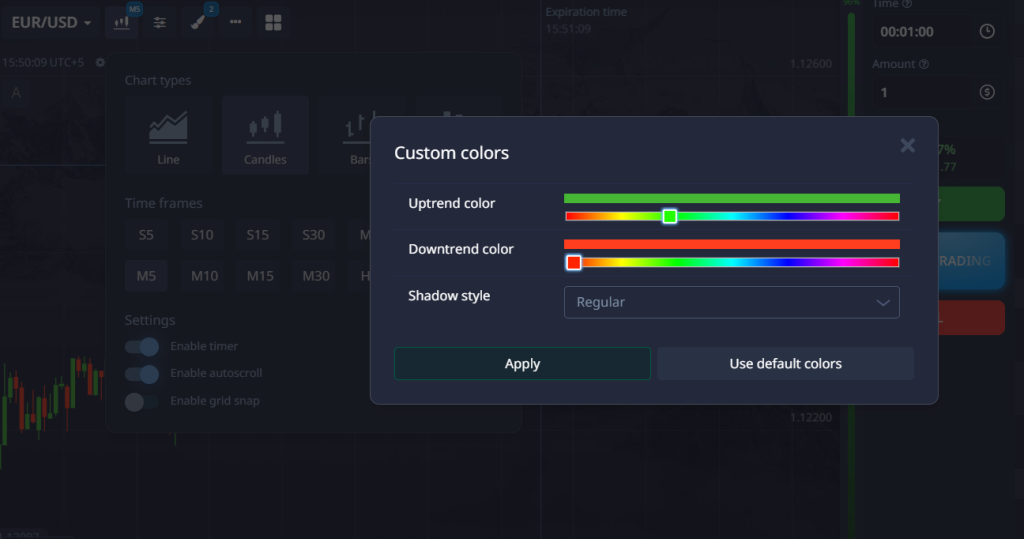
Most traders stick with the default chart setup. But if you dig into the chart settings, there are a few gems:
- Change candlestick colors to reflect trend direction, like bright green for an uptrend and deep red for a downtrend. This makes it easier to spot reversals visually.
- Enable the time left on the candle countdown. It helps you enter trades at the perfect moment, especially useful in 30-second to 2-minute trades.
- Zoom out. It gives you context on higher timeframe trends even if you’re scalping.
2. Hotkeys for Fast Execution
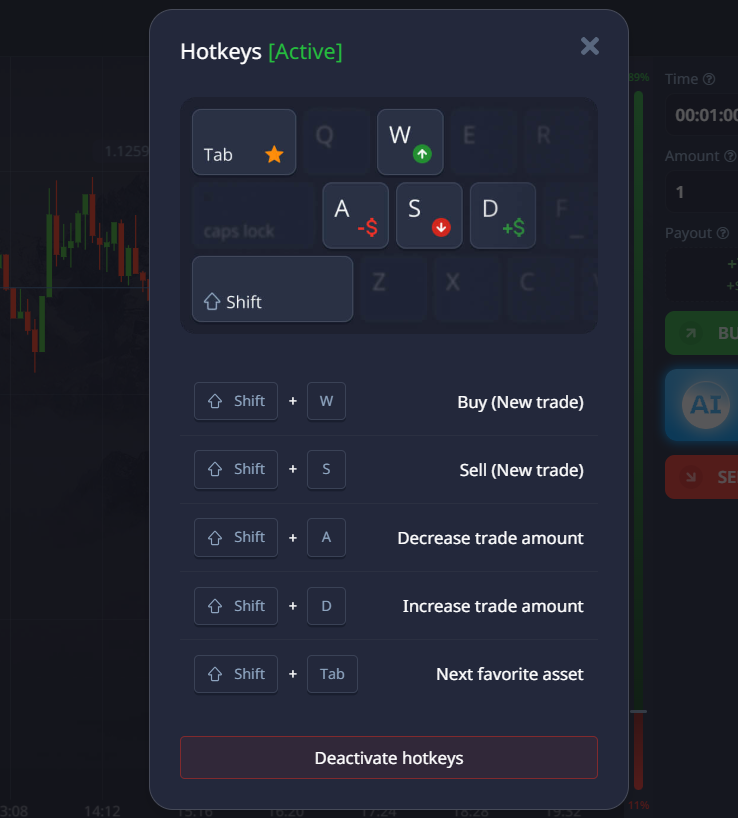
In the right hand vertical bar, click on Hotkeys, you can assign keys for Higher and Lower trades. I’ve mapped mine to the arrow keys. This way, I don’t hesitate. No mouse fumbling when I see a setup. I react instantly.
3. Risk Control Mode
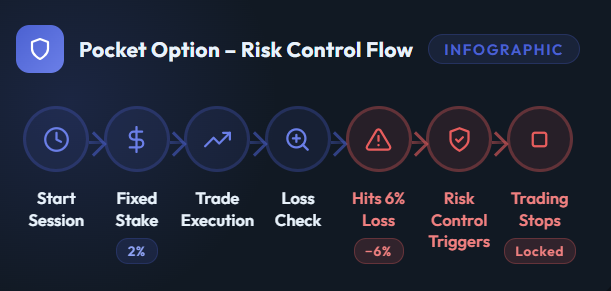
This feature is buried in your account settings. You can activate a Loss Limit per day. Why is this a hack? Because once your brain knows there’s a cutoff, it trades more patiently. It’s like putting a leash on tilt mode.
4. Split-Screen Charts
Want to compare EUR/USD on 1-minute versus 5-minute timeframes? Use the split-screen view. It’s especially useful when double-confirming trend direction or identifying support and resistance across timeframes.
The Most Important Pocket Option Hack I Use: Risk Control Mode
If I had to keep only one feature on Pocket Option, this would be it.
Early on, I relied on discipline to stop trading after losses. That rarely worked. Emotion always found a way back in. When I enabled Risk Control Mode, the platform started enforcing limits for me.
I now trade with a fixed daily loss cap. Once that number is hit, I’m done for the day, no exceptions, no “just one more trade.” This single change stopped the rapid account blowups I used to experience during bad sessions.
👉 Opening a Pocket Option account, setting risk limits immediately is one of the smartest things you can do.
Execution Matters More Than Most People Think
On short expiries, hesitation costs money. I noticed that many of my losing trades weren’t bad ideas, they were late entries caused by doubt or rushing.
That’s when I switched to one-click trading and basic hotkeys. I decide my stake size before the session starts and never change it mid-trade. Execution becomes mechanical, not emotional.
This didn’t magically increase my win rate, but it removed panic, and panic is expensive.
How I Actually Use Support and Resistance
Every trading session starts the same way for me: I mark key levels before placing a trade.
I don’t overcomplicate it. I zoom out, find obvious areas where price repeatedly reacted, and keep the chart clean. Those levels become reference points for the entire session.
Almost every setup I take, whether on desktop or mobile, comes from price reacting around those zones. Without them, trading feels random.
The $20 Support & Resistance Practice Approach
People often ask how to practice on Pocket Option without risking much. What worked for me was treating small capital as training money, not income.
I used a small fixed daily amount and only traded pre-marked support and resistance reactions. The goal wasn’t to grow the balance. It was to train patience, execution, and emotional control using real market conditions.
That approach taught me more than demo trading ever did.
Why I Wait for Rejection Instead of Predicting
One of my biggest mistakes early on was trying to guess reversals. Now I wait for confirmation.
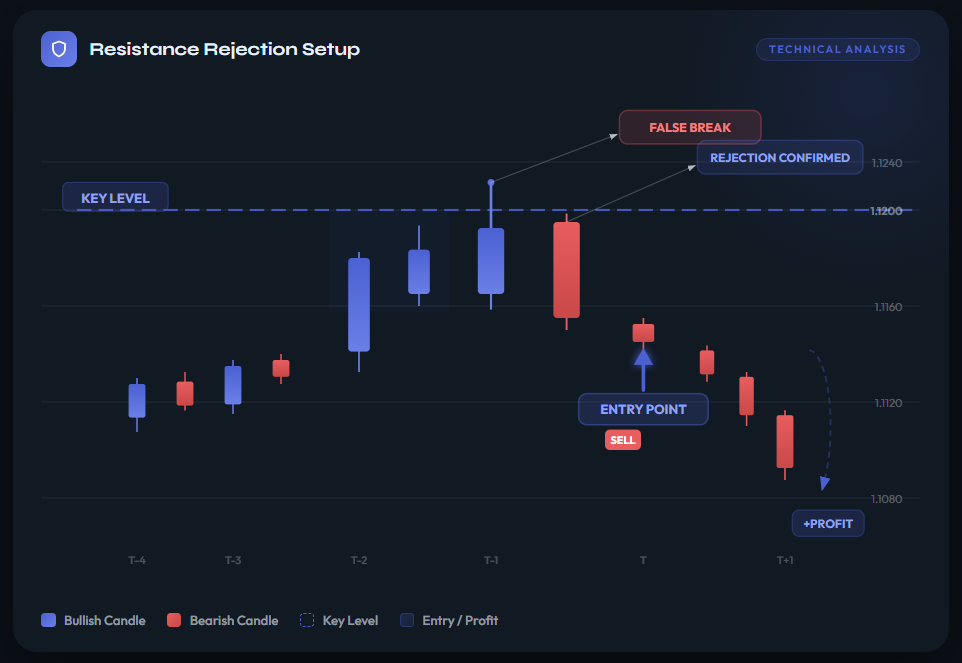
When price pushes into a level and clearly fails, closing back inside the range or leaving a strong wick, that tells me more than any indicator. I enter after the market shows its hand, not before.
Yes, I miss trades. I’m fine with that. Missed trades don’t hurt accounts. Bad trades do.
The Box Strategy and Why It Slowed Me Down (In a Good Way)
There was a period where I over-traded badly. Drawing a simple box around consolidation forced me to wait.
Instead of reacting to every candle, I focused only on how price behaved at the edges of that range. Fake breakouts and clean escapes became easier to spot, and I traded less, but better.
The real value of the box strategy isn’t the pattern. It’s the patience it enforces.
Using MACD Histogram as a Momentum Filter
Pocket Option doesn’t always provide clear volume data, so I use the MACD histogram as a rough momentum gauge.
When momentum is expanding aggressively, I avoid fading moves. When it starts flattening near key levels, I’m more open to reversal ideas. It’s not perfect, but it adds context, and context reduces bad decisions.
My Core Risk Rules (The Non-Negotiables)
This is the framework everything else sits on:
| Rule | What I Use | Why It Works |
| Risk per trade | ~2% of balance | One loss never cripples the account |
| Max session loss | ~6% | Stops emotional spirals |
| Consecutive losses | 3 | Signals it’s time to stop |
| Stake changes | Never mid-session | Prevents revenge trading |
Once these rules were fixed and enforced by the platform, trading became calmer and more consistent.
Trading Psychology: Why Consecutive Losses Matter
Losses themselves don’t bother me anymore. What matters is how they come.
Three losses in a row usually means something is off, market conditions, focus, or emotion. That’s my signal to stop, not to push harder. I journal briefly after sessions, especially losing ones, because patterns show up fast when you write things down. This helps me cope with issues related to trading psychology.
My Practical Pocket Option Mobile Strategy
Mobile trading used to be dangerous for me. It made trading too easy and too frequent.
Now I only use mobile trading for planned setups. Levels are marked in advance, alerts are set near those zones, and I take at most one trade per alert. If conditions aren’t right, I do nothing.
That’s the real mobile strategy: fewer trades, better timing, less impulse.
Pocket Option VIP: Helpful, Not Magical
VIP status gives better conditions, not guaranteed results.
Higher payouts and cashback can help, but only if risk stays exactly the same. The moment VIP tempts you to trade bigger or more often, it becomes a liability.
About Jewel Draws, Cracks, and API “Hacks”
Let’s clear this up plainly.
There is no legitimate way to hack Pocket Option promotions, jewel draws, or internal systems. Claims about cracks or API exploits usually lead to banned accounts, malware, or lost funds.
Real Pocket Option hacks don’t bypass rules. They work within them.
Final Thoughts: What a Real Pocket Option Hack Looks Like
A real Pocket Option hack is usually boring.
It limits losses.
It forces you to stop.
It makes you trade less, not more.
Once I stopped chasing shortcuts and focused on structure, Pocket Option became calmer, and my results became more predictable.
Ready to get started with Pocket Option? Open an account now and put into practice what you learned.
Join BeCoin Premium
Stop trading blind. BeCoin Premium brings you in-depth market analysis, real trade setups, and a community of traders who take this seriously. Your simple platform does the execution. We do the thinking with you.
Get the Edge → Join BeCoin Premium
FAQs
Are Pocket Option hacks real?
Yes, but they’re not shortcuts. Real hacks focus on risk control, discipline, and execution, not guaranteed wins.
Is there a Pocket Option crack or API hack?
No. Any claim of a crack or exploit violates terms and often leads to bans or scams.
What is the best Pocket Option mobile strategy?
A selective approach using pre-marked levels, alerts, and fixed risk works far better than constant mobile trading.
Does Pocket Option VIP guarantee profits?
No. VIP improves conditions but does not remove risk or guarantee results.
How much should I risk per trade on Pocket Option?
From experience, around 1–2% per trade with a strict daily loss limit is far safer than aggressive sizing.
Pocket Option Hacks Video
Pocket Option Trend Trading Strategy: Best Indicators, Entries & Real Examples
Facts Checked by Shahwaiz Khan
I’ve blown a few accounts before I realized something important: the market doesn’t care how smart I think I am. Once I stopped trying to predict every reversal and started following the trend, my results became far more consistent.
After hundreds of trend trades on Pocket Option across EUR/USD, GBP/USD, and Gold, I found that the highest-probability setups all shared the same characteristics. They followed the market’s direction instead of fighting it.
In this guide, I’ll show you my personal Pocket Option trend trading strategy, the indicators I use to identify strong trends, real trade examples, and the mistakes that cost me money before I learned to trade with the trend.
Whether you’re a beginner or an experienced trader looking for a more disciplined approach, this strategy can help you filter out low-quality setups and focus on trades with higher probability.
Ready to follow the market instead of fighting it? Open your free Pocket Option account and start applying trend strategies with the indicators covered below.
What is a Trend Trading Strategy on Pocket Option?
A trend trading strategy is simple in theory. You identify the direction the market is moving—up, down, or sideways and trade in that direction. On Pocket Option, it means entering call options in an uptrend and put options in a downtrend. The goal is to ride the wave, not swim against it.
But here’s what most blogs don’t tell you: the real challenge isn’t spotting the trend—it’s trusting it. You see a strong upward move, your gut says “buy,” but your fear says, “what if it reverses?” That internal battle ruins more trades than bad signals.
So, let’s cut through the fluff. I’ll show you the exact indicators and setups I use, how I confirm a real trend, and when I stay out entirely.
How to Identify a Trend on Pocket Option
Before using any trend trading strategy, you need to determine whether the market is actually trending. Many traders mistake short-term price movements for trends and end up entering low-quality trades.
Here are the signs I look for:
Uptrend
- Higher highs and higher lows
- Price trading above the 50 EMA and 200 EMA
- RSI consistently above 50
- ADX above 25
Downtrend
- Lower highs and lower lows
- Price trading below the 50 EMA and 200 EMA
- RSI consistently below 50
- ADX above 25
Sideways Market
- Price trapped between support and resistance
- Flat moving averages
- RSI hovering around 50
- ADX below 20
If I cannot clearly identify one of these conditions within a few seconds, I simply skip the trade and wait for a better setup.
What Is the Best Pocket Option Trend Trading Strategy?
The best Pocket Option trend trading strategy is to trade in the direction of the prevailing trend using the 50 EMA, 200 EMA, MACD, RSI, and ADX for confirmation. High-probability entries typically occur after pullbacks, breakouts, or retests, while ranging markets and major news events should generally be avoided.
Best Trend Indicators for Pocket Option
I’ve tested dozens of indicators. Some are flashy but useless. Others are boring but powerful. Here are the few that consistently work for me on Pocket Option:
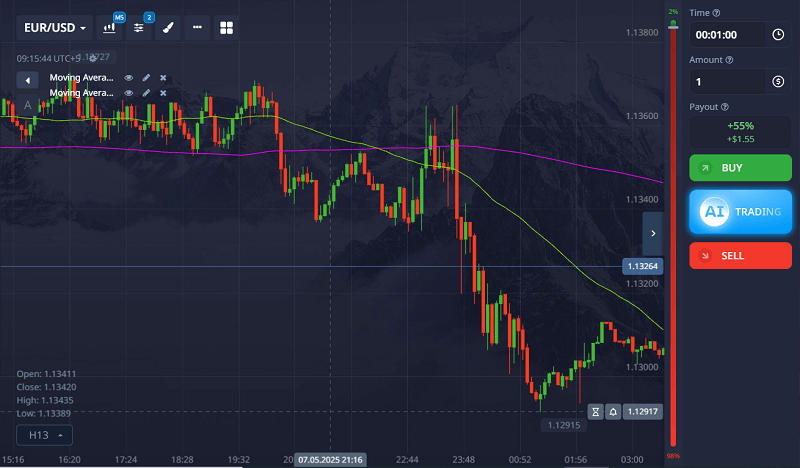
1. Moving Averages (EMA/SMA)
I use:
- 50 EMA to spot the medium-term trend
- 200 EMA for the long-term trend
If price is above both, I look for call options. If it’s below, I go for puts.
The crossover strategy (when the 50 EMA crosses the 200 EMA) also works as a confirmation signal, especially on M5 and M15 charts.
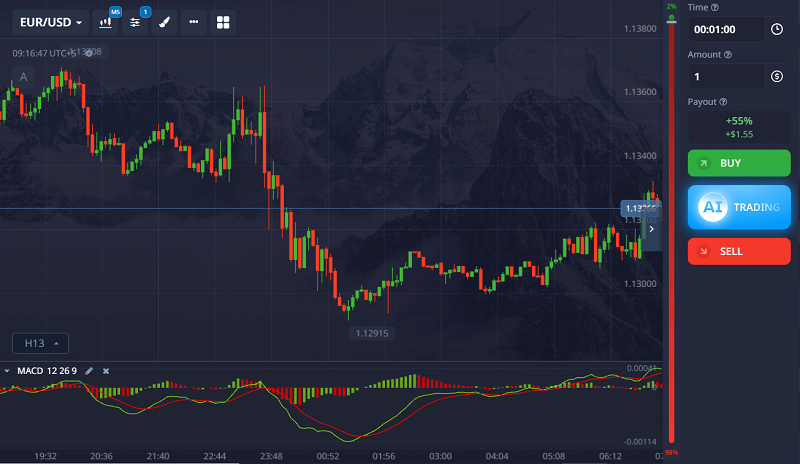
2. MACD (Moving Average Convergence Divergence)
MACD helps confirm the momentum behind the trend. When the MACD line crosses above the signal line and both are above zero, it supports a bullish trend.
For puts, the opposite: MACD crosses below the signal line and both are under zero.
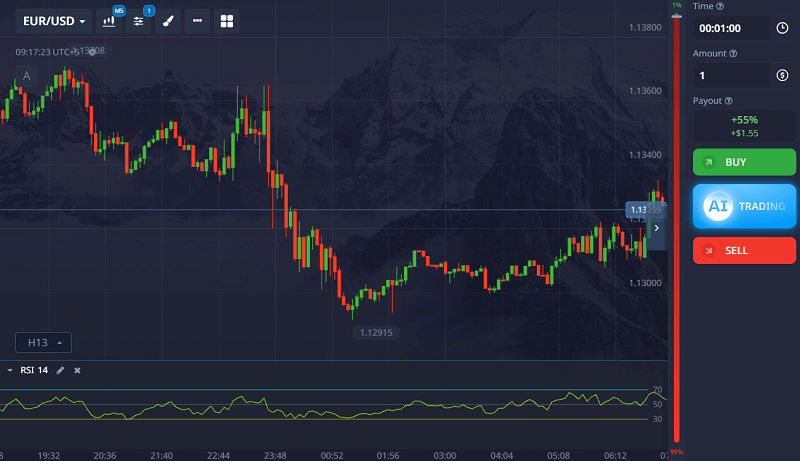
3. RSI (Relative Strength Index)
RSI is not just for spotting overbought or oversold. I use it to confirm trend strength.
In an uptrend, RSI should stay above 50. In a downtrend, below 50. If RSI keeps bouncing around 50, it’s a sign the trend is weak or changing.
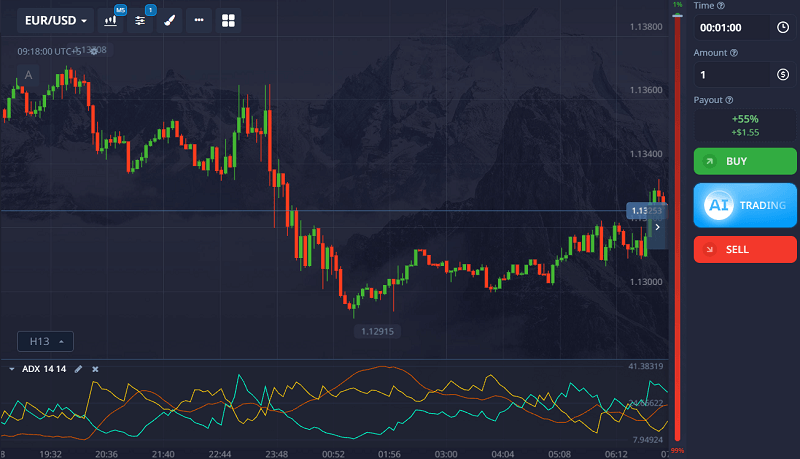
4. ADX (Average Directional Index)
ADX doesn’t tell direction—it tells strength.
- ADX above 25 means a strong trend (I trade)
- ADX below 20 means a weak or choppy market (I stay out)
Combining ADX with EMA gives me confidence to enter.
5. Trendlines (Drawn Manually)
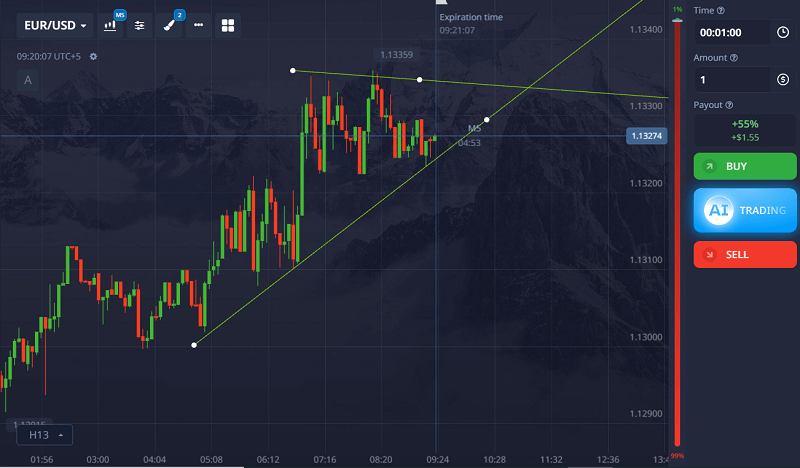
Don’t ignore the basics. Drawing trendlines gives me a clear view of market structure.
If price respects an upward trendline with multiple touches, I trust the uptrend. Breaks in the trendline tell me something is changing.
My Actual Pocket Option Trend Trading Example
One of my favorite trend trades happened on EUR/USD using the 5-minute chart.
Trade Setup
Before entering, I checked the following conditions:
- Price was above both the 50 EMA and 200 EMA
- MACD lines were above zero with a fresh bullish crossover
- RSI was holding around 60, showing bullish strength
- ADX was reading 28, confirming a strong trend
- Price respected an upward trendline that had already produced three successful bounces
With all trend conditions aligned, I waited patiently for an entry signal.
Entry
A bullish engulfing candle formed directly on the trendline support and near the 50 EMA. This provided confirmation that buyers were still in control.
I entered a Call option with a 3-minute expiry immediately after the candle closed.
Result
The trade finished in the money (ITM), and price continued higher for several additional candles.
The reason this trade worked wasn’t luck. Every major trend indicator pointed in the same direction. There was no major news event, no resistance level overhead, and no conflicting signals.
This is exactly the type of trade I look for when trend trading on Pocket Option.
Learn more about Pocket Option trading hacks.
Want to test this strategy in real time? Sign up on Pocket Option and try trend trading with live charts, custom indicators, and 1-minute execution speed.
Risk Management for Trend Trading
Even the best trend trading strategy will produce losing trades. The difference between successful traders and struggling traders is how they manage risk.
These are the rules I personally follow:
Never Risk Too Much on One Trade
I avoid risking more than 1-3% of my account balance on a single trade. This allows me to survive losing streaks without damaging my account.
Set a Daily Loss Limit
If I lose three consecutive trades or reach my daily loss limit, I stop trading for the day.
Avoid Revenge Trading
After a loss, it’s tempting to immediately enter another trade. This emotional reaction usually creates even bigger losses.
Practice on a Demo Account First
Before using any new trend trading setup with real money, I test it extensively on a demo account to ensure it performs consistently.
Protecting your capital is more important than finding the perfect entry signal.
When Not to Use a Trend Strategy on Pocket Option
Here’s what rarely gets mentioned in other guides: the trend strategy does not work in all conditions.
I’ve learned to avoid these situations like the plague:
1. Ranging or Sideways Market
You’ll see this when price stays stuck between support and resistance with no clear direction. Moving averages flatten, RSI hugs 50, and ADX drops under 20.
If you try to trade trends here, you’ll lose more than you win.
2. Just After Big News Releases
Volatility spikes after events like NFP or interest rate decisions. Even if the trend looks strong, price can reverse suddenly. I avoid trend trades during news unless I understand the macro context (which, honestly, I usually don’t).
3. At the End of a Trend (Overextended)
If a trend has already run far without a decent pullback, I wait. It’s tempting to enter late, but that’s when trends usually reverse or stall.
Use RSI or look for bearish divergence on MACD to spot exhaustion.
4. During Market Open or Close
The first 15–30 minutes after a market opens (especially US and London sessions) can be wild. Price fakes out a lot. I wait for structure to settle before looking for a trend.
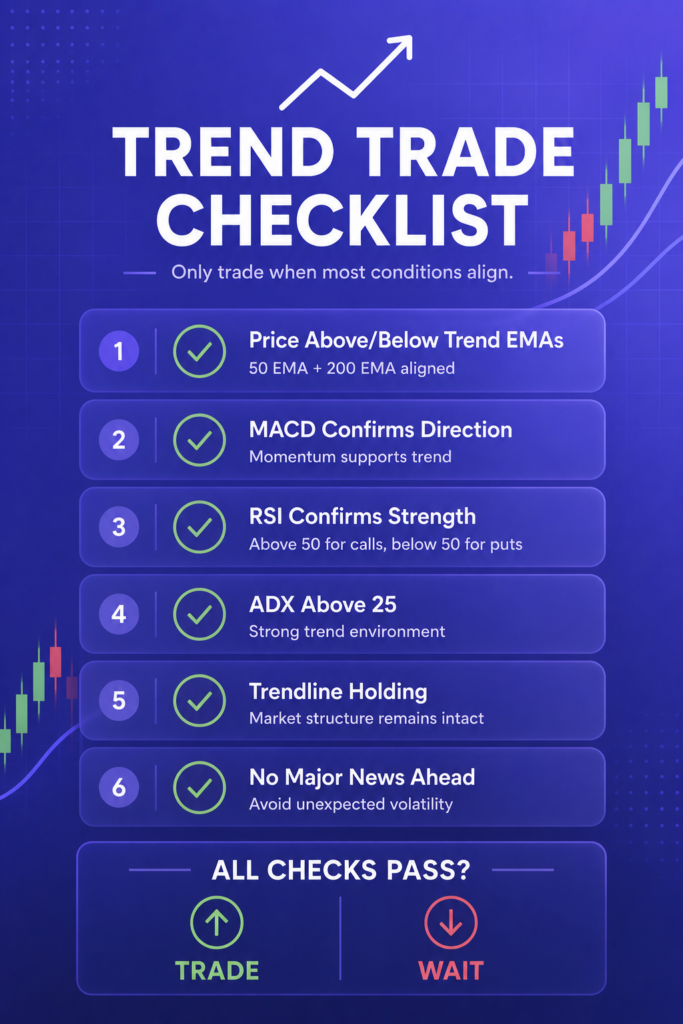
How I Confirm a Real Trend (Checklist)
This is my personal checklist before entering a trend trade:
- Price is above/below both 50 and 200 EMA
- MACD supports the direction
- RSI is above 50 (for calls) or below 50 (for puts)
- ADX is above 25
- Trendline support/resistance is respected
- No major news events in next 30 minutes
- I’m not entering at an obvious support/resistance zone
If any of these fail, I don’t trade.
Trend Entry Tactics I Use
Once I confirm the trend, I look for these setups to enter:
Pullback Entry
I wait for the price to pull back to the 50 EMA or trendline. Then I look for a bullish or bearish candlestick pattern (engulfing, pin bar, inside bar) before entering.
Breakout Entry
If price breaks a consolidation or resistance zone in the direction of the trend, I enter after the breakout candle closes. I don’t chase breakouts during low volume times.
Retest Entry
After a breakout, price often returns to test the broken level. This retest is a great entry if the trend continues. I use confirmation from MACD and RSI before entering.
Best Assets for Trend Trading on Pocket Option
Not every market trends equally well. These are the assets I find most suitable for trend-following strategies.
Forex Pairs
- EUR/USD
- GBP/USD
- USD/JPY
- AUD/USD
Commodities
- Gold
- Silver
Cryptocurrencies
- Bitcoin
- Ethereum
I generally focus on assets with strong liquidity and consistent price movement because they tend to produce cleaner trend signals.
You can find detailed analysis and forecast for different assets at Forecast Hub.
Pocket Option Timeframes for Trend Trading
I mostly use:
- M5 (5-minute) for scalping
- M15 or M30 for more stable signals
I check H1 for the overall trend direction. If H1 is trending and M5 agrees, that’s a high-conviction trade.
Learn more about the best time to trade.
Trend Trading vs Reversal Trading on Pocket Option
Many traders wonder whether trend trading or reversal trading is better. Both approaches can work, but they require different skill levels.
| Trend Trading | Reversal Trading |
|---|---|
| Trades with momentum | Trades against momentum |
| Easier for beginners | More difficult to master |
| Higher probability setups | Higher risk setups |
| More consistent entries | Requires precise timing |
| Less emotional stress | More emotional pressure |
Personally, I prefer trend trading because it allows me to trade alongside the dominant market direction instead of trying to predict turning points.
FAQs from Real Traders
How do I know if a trend is strong enough to trade?
Use ADX above 25, clear price movement in one direction, and confirmation from at least two indicators (like EMA and MACD).
Can I trade trends on Pocket Option using just price action?
Yes, if you’re skilled at reading market structure and trendlines. But combining it with at least one indicator increases your accuracy.
What is the best expiry time for trend trading on Pocket Option?
For M5 charts, I use 3-5 minute expiry. For M15, I go for 5-10 minutes. Always backtest to see what works best for your style.
Do trends reverse suddenly or give signs?
Most trends show signs before reversing—divergence on MACD/RSI, slowing momentum, or failed highs/lows. Watch for those.
Is trend trading better than reversal trading?
It depends on the trader. I find trend trading more consistent. Reversals are riskier and harder to time.
Can I use Bollinger Bands for trend confirmation?
Yes. In a trend, price often rides the outer band. A break and close beyond the band with volume can confirm continuation.
What is the success rate of trend trading on Pocket Option?
Personally, I get around 65-70% win rate with trend trades. The key is avoiding bad entries, not overtrading, and being patient.
Can beginners use a trend trading strategy on Pocket Option?
Yes. Trend trading is generally considered one of the easiest trading approaches for beginners because it follows the dominant market direction instead of attempting to predict reversals.
Which indicator is best for trend trading on Pocket Option?
No single indicator is perfect, but the combination of the 50 EMA, 200 EMA, MACD, RSI, and ADX provides a strong framework for identifying and confirming trends.
How do I avoid false trend signals?
Use multiple confirmations before entering a trade. I typically require agreement between price action, moving averages, RSI, MACD, and ADX before risking capital.
Is trend trading profitable on Pocket Option?
Trend trading can be profitable when combined with proper risk management, disciplined entries, and consistent execution. Results vary by trader and market conditions.
Final Thoughts
The Pocket Option trend trading strategy described in this guide is not about predicting the future. It’s about identifying the market’s direction and trading with it.
By combining the 50 EMA, 200 EMA, MACD, RSI, ADX, and basic trendline analysis, you can significantly improve your ability to spot high-quality opportunities while avoiding many low-probability trades.
The biggest lesson I’ve learned is that patience matters more than indicators. Most losses happen because traders force trades when the market isn’t trending or enter too late after a move is already exhausted.
Start by practicing on a demo account, follow a strict risk management plan, and focus on executing the same process repeatedly rather than chasing quick profits.
Trend trading will never be perfect, but with discipline and consistency, it can become one of the most reliable approaches for trading on Pocket Option.
Ready to ride the trend with confidence? Join Pocket Option now and use trend-friendly tools like EMA, RSI, and MACD, perfect for the strategies in this guide.
Join BeCoin Premium
Stop trading blind. BeCoin Premium brings you in-depth market analysis, real trade setups, and a community of traders who take this seriously. Your simple platform does the execution. We do the thinking with you.
Pocket Option VIP Review (2026): Is the $1,000 Upgrade Worth It?
Facts checked by Shahwaiz Khan
Let me start by saying I never planned to upgrade to a VIP account on Pocket Option. I was perfectly fine with my regular account. But then something happened that changed the way I looked at trading on this platform.
It started with a withdrawal delay. Nothing huge, but it got me thinking. What if this delay happens when I really need the money urgently? That question pushed me down the rabbit hole of researching the Pocket Option VIP program. I found promises of higher payouts, faster withdrawals, and some other perks that sounded nice, but I wanted to know if they actually made a difference in real trading.
So I upgraded.
Now, after months of using both the regular and VIP accounts, I can finally give you a straight answer: is the Pocket Option premium account worth it?
Let me walk you through everything I discovered, starting from the real benefits (not just the ones listed on their site), how it compares to a regular account, and how to qualify for VIP.
Before diving deeper, you can check out Becoin’s Forecast Hub to help you analyze the markets effectively.
Pocket Option VIP: Quick Verdict
If you’re looking for a quick answer, here’s my verdict after using both account types:
Pocket Option VIP is worth it for active traders who place trades regularly and can comfortably meet the $1,000 deposit requirement.
Pros
✔ Higher payouts on many assets
✔ Faster withdrawal processing
✔ Weekly cashback rewards
✔ Priority support with a dedicated manager
✔ Access to exclusive tournaments and promotions
Cons
✘ Requires a large upfront deposit
✘ Doesn’t improve your trading strategy or win rate
✘ Casual traders may not use enough features to justify the upgrade
Overall Rating: 8.7/10
For beginners, the regular account is usually enough. For serious traders, VIP can provide meaningful advantages that add up over time.
Ready to explore the VIP edge? Join Pocket Option and start with a regular account—or deposit $1,000 to unlock instant VIP benefits like faster withdrawals, higher payouts, and premium support.
What is the Pocket Option VIP Program?
The VIP account on Pocket Option is basically their premium-level trading account. It’s unlocked when you deposit a certain amount (more on that later) and it promises better trading conditions than the standard account.
At first glance, it might just seem like a flashy badge. But in practice, the differences are more meaningful than I expected.
How I Qualified for VIP
To unlock the VIP account, I had to make a deposit of $1,000 or more in a single transaction. That’s the current threshold. It’s a one-time thing and you don’t have to keep depositing to stay VIP.
Some traders wait for promotions where the VIP tier is offered at a discount, like depositing $500 during a special event. But I didn’t want to wait and risk missing out.
So I went for the full $1,000 deposit, which also gave me access to some extra perks like cashback and trading bonuses.
If you’re not ready to commit that much, I get it. I was hesitant too. But read on to see why I think it was worth it.
Pocket Option VIP Requirements in 2026
To qualify for a Pocket Option VIP account, traders generally need to make a single deposit of $1,000 or more. Once activated, VIP status typically remains attached to your account and gives access to premium features such as higher payouts, cashback rewards, priority support, and faster withdrawals.
Quick Facts
| Requirement | Details |
|---|---|
| Minimum Deposit | $1,000 |
| Deposit Type | Single Deposit |
| VIP Activation | Usually Automatic |
| Higher Payouts | Yes |
| Faster Withdrawals | Yes |
| Cashback Rewards | Yes |
| Personal Manager | Yes |
Keep in mind that Pocket Option occasionally runs promotions that allow traders to unlock VIP status with a lower deposit requirement.
Pocket Option VIP Benefits (Compared to Regular Account)
Here’s what actually changed for me once I became a VIP user. Not just the official features, but what I personally experienced.
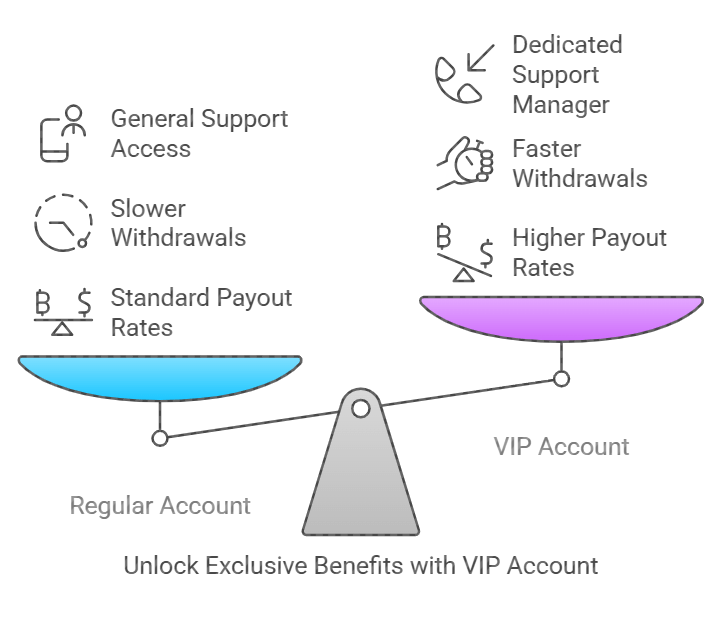
Higher Payout Rates
This was the first thing I noticed. Some assets that used to give me 80% payouts now offered up to 92% as a VIP. That’s not every asset every time, but it’s frequent enough to impact your bottom line.
Even a 5% difference in payout adds up if you’re placing 20 to 30 trades a day. On average, I saw about 2 to 8% higher payouts across various pairs and assets.
Faster Withdrawals
This one was a game-changer. On my regular account, withdrawals would take anywhere from 24 hours to 3 days. As a VIP, I’ve had withdrawals processed in as little as 4 hours.
The fastest was when I withdrew to my e-wallet on a Tuesday morning. It hit my account in 2 hours.
VIP withdrawals get priority. That’s not just a marketing term. I tested this with two accounts, mine and a friend’s regular account, making withdrawals at the same time. Mine cleared first every time.
Dedicated Support
VIP users get access to priority customer support. I was assigned a manager, someone I could actually email and get personalized help from.
I’ve used this a few times, especially when I had questions about bonus conditions or needed help verifying a payment. No more waiting in the support queue for hours.
Exclusive Tournaments and Promotions
VIP accounts get invited to closed tournaments with bigger prize pools and lower entry fees.
I joined one tournament where the top prize was $5,000 and only 200 traders were in it. Compare that to the usual 5,000 or more in public ones and you see the advantage.
Also, VIPs get early access to promotions, special bonuses, and seasonal cashback offers.
Trade Cashback (Even on Losses)
Pocket Option offers cashback for VIPs based on your trading volume even if you lose trades.
In one week where I had a bad streak, I still got a $48 cashback bonus deposited into my account automatically. That softens the blow during rough patches.
Expanded Trading Limits
Regular accounts have some restrictions on the maximum trade size and concurrent open trades. With VIP, those limits are much higher.
I was able to run more aggressive martingale strategies and open multiple trades without getting the “limit reached” error that used to frustrate me.
Educational Content and Signals
VIP accounts get access to exclusive training videos, advanced market analysis, and a wider range of trading signals.
While I don’t rely heavily on signals, they do help on days when I want a second opinion. The quality of VIP signals is noticeably better. They’re not just random arrows pointing up or down.
You can also read a comparison of Pocket Option vs. Quotex.
Pocket Option VIP vs Regular Account: Side-by-Side Comparison
| Feature | Regular Account | VIP Account |
| Minimum Deposit | $10 | $1,000 |
| Payout Rates | Up to 85% | Up to 92% (sometimes more) |
| Withdrawal Speed | 1 to 3 days | Same day (often under 6 hours) |
| Support | Standard | Priority with Personal Manager |
| Tournament Access | Public only | Exclusive VIP Tournaments |
| Cashback | Limited or none | Weekly cashback on trading volume |
| Trading Limits | Standard | Higher trade size and open trade caps |
| Signals | Basic | Premium and more frequent |
| Bonuses | Occasional | Exclusive promotions and early access |
Whether you’re a casual trader or going full-time, Pocket Option’s VIP account gives you access to exclusive perks that can seriously improve your trading flow, from same-day withdrawals to higher earning potential.
Pocket Option VIP Drawbacks
While I’ve had a positive experience with VIP, there are a few drawbacks worth mentioning.
The Deposit Requirement Is High
A $1,000 deposit is a significant amount, especially for beginners. If you’re still learning or testing strategies, it may be better to keep that capital available rather than locking it into a VIP upgrade.
Higher Payouts Don’t Guarantee Profits
Many traders assume VIP automatically means more money. That’s not true.
VIP can increase payouts, but profitability still depends on your strategy, risk management, and discipline.
Some Benefits May Go Unused
Features like VIP tournaments, premium signals, or dedicated support may not matter if you’re only placing a few trades each week.
For active traders, these perks can be valuable. For casual traders, they may have little impact.
Is Pocket Option VIP Worth It?
Yes, Pocket Option VIP is worth it for active traders because it offers higher payouts, faster withdrawals, cashback rewards, priority support, and access to exclusive tournaments.
However, the value depends on how often you trade. Traders who place only a few trades each week may not benefit enough to justify the $1,000 deposit requirement. Active traders, on the other hand, can recover the upgrade cost through better payouts, cashback, and improved account features over time.
After several months of testing both account types, I found that VIP delivers real advantages, particularly in payout rates and withdrawal speed.
What Most People Don’t Realize About VIP
Here’s something I didn’t find on any blog or forum. The psychological effect.
Knowing I had faster withdrawals, better payouts, and direct support made me feel more confident while trading. I wasn’t worried about small delays or system hiccups.
Also, VIP status actually boosted my discipline. It felt like I was playing in the big leagues, so I started journaling my trades, sticking to my strategies, and taking the process more seriously.
That mindset shift was more valuable than any percentage payout boost.
What If You Can’t Afford the $1,000?
You don’t have to go VIP to make money on Pocket Option. Some traders grow their accounts slowly using compounding and reinvest profits until they hit that VIP threshold naturally.
Also, look out for seasonal promotions. Sometimes they offer a temporary VIP upgrade for depositing $500 or even less.
But don’t rush into it. Only upgrade when you’re confident in your strategy and ready to scale.
Who Should Choose a Pocket Option VIP Account?
VIP Is a Good Choice If You:
- Trade daily or several times per week
- Consistently deposit larger amounts
- Want faster access to your withdrawals
- Participate in tournaments and promotions
- Value dedicated customer support
Stick With a Regular Account If You:
- Are still learning how to trade
- Have a limited trading budget
- Trade only occasionally
- Haven’t yet developed a profitable strategy
- Don’t need priority support or VIP promotions
In my opinion, traders should focus on building consistency first. Once you’re trading regularly and managing larger amounts of capital, the VIP account becomes much more valuable.
FAQs About Pocket Option VIP
How much do I need to deposit to become VIP on Pocket Option?
You need to deposit $1,000 in one transaction to qualify for VIP. During promotions, this threshold may be lower.
Are VIP payouts always higher?
Not always, but they are often 2 to 8% higher than regular accounts depending on the asset and trading time.
Do VIP withdrawals really happen faster?
Yes, in my experience, withdrawals as a VIP are processed much faster, often on the same day.
Can I lose VIP status if I withdraw funds?
No, once you become a VIP, the status remains even if your balance drops.
Do I get more bonuses as a VIP?
Yes, VIP users often get early access to bonuses, exclusive offers, and seasonal cashback.
Is VIP support really that different?
Yes, having a personal manager saves time and helps resolve issues much faster than standard support.
Can I test the VIP features before upgrading?
Not directly, but during some promotions they may offer a trial period. Watch for those in your account dashboard or email.
Does Pocket Option VIP increase profits?
Not directly. VIP can improve payout percentages and provide cashback rewards, but your overall profitability still depends on your trading strategy and risk management.
Is Pocket Option VIP permanent?
In most cases, VIP status remains active once it has been unlocked. However, account policies can change, so it’s always worth checking the latest terms.
Can beginners benefit from Pocket Option VIP?
Beginners can use VIP features, but many of the advantages are more valuable for active traders who place trades regularly.
How long does it take to activate Pocket Option VIP?
VIP status is usually activated automatically after a qualifying deposit, though activation times may vary depending on account verification and payment processing.
Final Thoughts
Upgrading to a VIP account on Pocket Option changed my trading experience. It wasn’t just about the higher payouts or the faster withdrawals. It was the total package.
From better support to cashback to exclusive tournaments, the value adds up quickly. But you’ve got to be the right kind of trader to benefit from it. If you’re just starting or still experimenting, stick with the regular account.
But if you’re trading seriously, aiming to scale, and ready to treat this like a business, the VIP program is absolutely worth it.
Would I go back to a regular account? Not a chance.
Want help deciding if you’re ready to upgrade or need tips to hit the $1,000 threshold wisely? Just ask. I’ve been there.
If you’re ready to take trading seriously and access the real benefits behind VIP, open your Pocket Option account today and deposit confidently, your upgrade could pay for itself faster than you think.
Join BeCoin Premium
Stop trading blind. BeCoin Premium brings you in-depth market analysis, real trade setups, and a community of traders who take this seriously. Your simple platform does the execution. We do the thinking with you.
Pocket Option Support & Customer Service Review: My Real Experience
If you’ve ever had money stuck in a broker’s system or watched a trade glitch in real-time, you know how crucial customer support can be. That was me a few months ago, staring at a frozen chart with $150 in a live trade. My heart dropped. That moment made me truly test Pocket Option’s customer support not just once, but across different issues, channels, and times of day. I’ll share everything I learned in this article so you don’t have to guess.
Pocket Option Support Review: Quick Verdict
Before diving into the details, here’s a quick summary of my experience testing Pocket Option’s customer support across multiple channels.
| Category | Rating |
|---|---|
| Live Chat Speed | 9/10 |
| Email Support | 8/10 |
| Social Media Support | 4/10 |
| Weekend Availability | 9/10 |
| Issue Resolution | 8/10 |
| Overall Support Quality | 8.5/10 |
Short Answer: Pocket Option offers reliable 24/7 customer support, with live chat responding in as little as 30 seconds during my tests. Email support is slower but effective for account verification, withdrawal issues, and technical investigations. Social media support exists but is not a practical option for urgent help.
Why I Tested Pocket Option’s Support
I’ve been using Pocket Option for a while now. It’s a solid platform for binary options, especially if you’re into short-term trades. But no matter how good a broker is, things go wrong. Orders froze, withdrawals delayed. Accounts get flagged. So, I wanted to know, when things go south, can I count on them?
Instead of reading outdated reviews or guessing based on what’s on their site, I took a hands-on approach:
- I contacted them via live chat, email, and social media at different hours
- I submitted real support tickets with typical trader issues
- I monitored response times
- I asked around in forums and social groups for honest user feedback
The results surprised me.
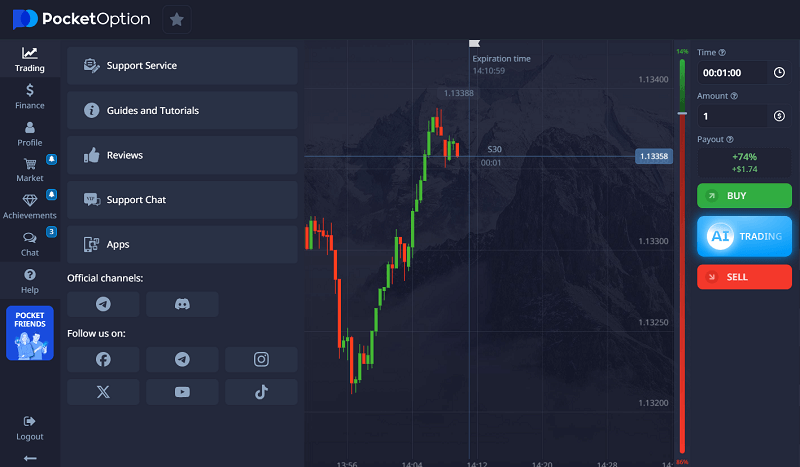
You can also read a comparison of Pocket Option vs. Quotex.
Want to test the support yourself with real trades? Create your Pocket Option account and see how their 24/7 live chat and fast email support compare firsthand.
How to Contact Pocket Option: All the Available Channels
Let’s start with the basics. Pocket Option offers several ways to reach their team:
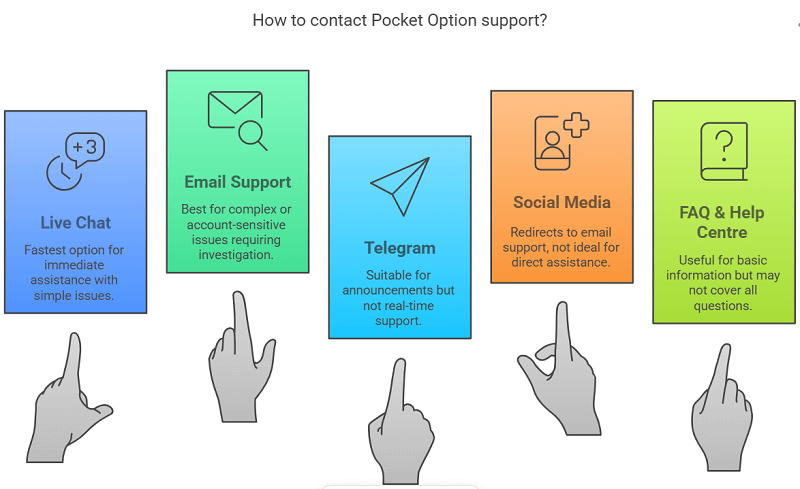
1. Live Chat (Fastest Option)
The chat icon is in the bottom right corner of the Pocket Option website and app. It’s available 24/7.
I tested it during weekday mornings, late nights, and even weekends. The average wait time was around 30 seconds to 2 minutes.
What I liked:
- You’re connected to a real person fast
- Most reps are polite and know their stuff
- They can solve simple account or platform issues right away
What I didn’t like:
- If your question is too technical or account-sensitive, they’ll redirect you to email support
2. Email Support (For Complex Issues)
The primary support email is: [email protected]
I sent three emails:
- One about a delayed withdrawal
- One of the bonus terms is confusing
- One about identity verification
Response times ranged from 3 to 8 hours. That’s not bad, but it’s not fast on live chat either. If your issue is detailed or requires someone to investigate, email is the way to go.
3. Telegram
They also have an official Telegram channel and some unofficial support groups.
I sent a direct message to the official account, but I haven’t received a reply even after 24 hours. It seems like the account is more for announcements than real-time support.
4. Social Media (Instagram, Facebook)
I DMed their Instagram and Facebook pages.
On Instagram, they replied after 5 hours and told me to email support.
On Facebook, I got a response in about 7 hours. Same outcome, redirected to email.
5. FAQ & Help Centre
Honestly, the Help Centre on their website is underrated. It covers account setup, verification, trading tools, deposits, withdrawals, and bonuses.
But some of the content is vague. You’ll still need to reach out if your question isn’t listed.
Pro tip: You can get quick access to the support if you opted for a VIP account.
Pocket Option Support Response Times: My Test Results
To make this review as useful as possible, I tested every major support channel and recorded the average response times.
| Support Channel | Average Response Time | Best For |
|---|---|---|
| Live Chat | 30 seconds – 2 minutes | Urgent issues |
| Email Support | 3 – 8 hours | Account and withdrawal investigations |
| Telegram | No response after 24 hours | Announcements only |
| Around 5 hours | General inquiries | |
| Around 7 hours | General inquiries |
Based on my testing, live chat is by far the fastest way to contact Pocket Option. If your issue involves account verification, withdrawal reviews, or trade disputes, email support is usually the better option because those cases often require investigation by a specialist team.
My Top Tips to Get Fast Support
After testing everything, here’s what worked best:
- Use live chat for urgent issues like login problems, trade freezing, or withdrawal status
- Send an email for anything that needs investigation, like KYC issues, copy trading, or disputes
- Be detailed in your message. Mention your account email, exact time of the issue, and screenshots if possible
- Avoid contacting via social media unless it’s your last resort
Bonus tip: Try contacting them between 7 AM and 11 AM GMT. I noticed that’s when their responses were fastest, especially via chat and email.
Pro Tip: VIP users get priority assistance. Upgrade your Pocket Option account and experience faster withdrawals, quicker support, and exclusive access to dedicated managers.
Real User Feedback: What the Community Is Saying
I hang out in a few binary trading Discords, Telegram groups, and Reddit threads. Here’s a summary of what other traders said about Pocket Option support:
Positive Reviews
- “They fixed my withdrawal delay in 15 minutes through chat.”
- “Compared to Quotex and Binomo, Pocket Option has the fastest live chat.”
- “I forgot my password and verified a new email through support in under an hour.”
Negative Reviews
- “They ignored my Telegram message. Still waiting.”
- “Email took a full day to reply. Not great when you’re panicking.”
- “They should offer phone support like traditional brokers.”
Most complaints weren’t about rudeness or scams, just delays or being redirected to different channels.
What Google Search Results Don’t Tell You
When I Googled “Pocket Option customer support” or “how to contact Pocket Option,” most results were surface-level. They listed email addresses, chat buttons, or reviews from years ago.
What they didn’t tell me:
- Which channel is fastest right now
- What kinds of issues are handled where
- What actual wait times are like in 2025
- Whether support is helpful or just copy-pasting answers
I wanted to dig into that, and I hope this review fills that gap.
What Pocket Option Could Improve
Even though support is decent, there are a few things they could improve:
- Add phone support for emergencies
- Respond to social media faster, or at least say it’s not for support
- Streamline escalation. If chat can’t help, you’re bounced to email right now. They could build a faster link between those two.
Still, for a broker in this space, they’re doing better than most.
For deep analysis of multiple markets, visit Forecast Hub.
My Verdict: Can You Trust Pocket Option Support?
Yes, Pocket Option’s customer support is better than many competing binary options brokers, but it’s important to use the right support channel for the right issue.
During my testing, live chat consistently responded within 30 seconds to 2 minutes and handled simple account questions quickly. Email support typically replied within 3 to 8 hours and was more suitable for verification requests, withdrawal investigations, and technical issues.
The biggest weakness is social media support, which often redirects users back to email. The platform also lacks phone support, which some traders may prefer during urgent situations.
Overall, Pocket Option earns an 8.5/10 support rating from me. If you need quick help, live chat is excellent. If your issue requires investigation, email support is reliable, even if it takes longer.
Ready to trade with a broker that actually responds? Join Pocket Option now and start trading with confidence, knowing helpful support is only a click away.
Common Pocket Option Support Issues and How to Solve Them
Over the years, most support requests from traders tend to fall into the same categories. Here’s what I’ve learned from my own experience and community feedback.
Withdrawal Pending or Delayed
If your withdrawal is taking longer than expected, check:
- Whether your identity verification (KYC) is fully approved
- Whether you used the same payment method for deposits and withdrawals
- Whether additional verification documents were requested
For withdrawal-related issues, email support is usually more effective than live chat.
Account Verification Rejected
Verification requests can be rejected because of:
- Blurry photos
- Expired documents
- Cropped screenshots
- Address information that doesn’t match your account details
Always upload clear, high-resolution images and ensure all information is visible.
Login Problems
If you cannot access your account:
- Reset your password.
- Check whether two-factor authentication is enabled.
- Contact live chat if the issue persists.
Live chat agents can often help restore account access much faster than email support.
Trade Disputes or Platform Errors
If you believe a trade was affected by a technical issue:
- Take screenshots immediately
- Record the trade ID
- Note the exact time of the problem
- Contact support as soon as possible
The more evidence you provide, the easier it is for the support team to investigate your case.
FAQs About Pocket Option Customer Support
How do I contact Pocket Option support quickly?
Use the live chat on their website. It’s available 24/7 and usually responds within 2 minutes.
Is Pocket Option support available on weekends?
Yes. I tested chat on both Saturday and Sunday and got responses.
How long does Pocket Option email support take?
Usually 3 to 8 hours. Sometimes longer for verification or account issues.
Does Pocket Option have a phone number?
No, they don’t currently offer phone support.
Is Pocket Option’s Telegram support real?
The official channel exists, but it’s slow. Better to use chat or email.
Can Pocket Option fix trading errors?
If the issue is on their end, they can investigate and sometimes refund. You’ll need to provide proof and wait for a review.
Where is the Pocket Option support center?
They don’t list a physical call center. All support is done online via chat and email.
What should I include in a support ticket?
Mention your account email, describe the issue clearly, add timestamps, and attach screenshots if possible.
Why is Pocket Option not responding to my email?
Most email responses arrive within 3 to 8 hours, but verification reviews and withdrawal investigations can take longer depending on the complexity of the issue.
Is Pocket Option support available 24/7?
Yes. Live chat support is available 24/7 and was active during both weekday and weekend testing.
Can Pocket Option reverse a losing trade?
Generally, no. However, if a trade was affected by a verified technical issue or platform malfunction, support may investigate and review the case.
Does Pocket Option offer VIP support?
Yes. VIP account holders receive priority assistance and may receive faster responses for certain account-related issues.
Final Thoughts
Support isn’t something you think about until you need it. And when you do, every second counts.
Pocket Option might not have the most high-tech support system, but it is responsive, polite, and available 24/7 through chat. That alone gives it a big edge over many binary brokers.
If you’re trading real money, take five minutes now to bookmark their live chat, save the support email, and learn how to escalate issues. You’ll thank yourself later.
Join BeCoin Premium
Stop trading blind. BeCoin Premium brings you in-depth market analysis, real trade setups, and a community of traders who take this seriously. Your simple platform does the execution. We do the thinking with you.
Pocket Option 1 Minute Strategy (Tested): Best 60-Second Setup for Beginners
One-minute trading on Pocket Option has become extremely popular among beginners because trades close quickly, setups appear frequently, and even small accounts can participate with low trade amounts.
But fast trading also creates problems. Most traders lose money because they overtrade, enter randomly, or use aggressive recovery systems after losses. The goal of a good 1 minute strategy is not to predict every candle correctly, it’s to consistently take higher-probability setups while managing risk properly.
After testing multiple short-term setups, one of the most reliable approaches for beginners is a simple combination of EMA trend confirmation and RSI momentum filtering. It’s easy to understand, doesn’t overload the chart with indicators, and works surprisingly well during active market sessions.
In this guide, you’ll learn:
- the best Pocket Option 1 minute setup
- exact indicator settings
- ideal expiry times
- how to avoid bad entries
- risk management rules for small accounts
- whether 30 seconds or 1 minute works better for beginners
If you’re completely new to short-term trading, you may also want to read:
What Is the Best Pocket Option 1 Minute Strategy?
The best beginner-friendly Pocket Option 1 minute strategy combines short-term trend direction with momentum confirmation. Instead of trying to guess every move, the strategy waits for the market to show momentum first before entering a trade.
The setup uses:
- EMA 5
- EMA 13
- RSI 7
- 60-second expiry
This combination works best during:
- London session
- New York session
- High-volume overlap periods
It performs especially well on assets like EUR/USD and GBP/USD because those pairs usually have cleaner short-term movement compared to highly erratic charts.
Ready to try these strategies yourself? Open your free Pocket Option account and start testing them with real charts and fast 60-second trades.
Pocket Option 1 Minute Strategy Settings
Before taking trades, configure your chart with these settings:
| Setting | Value |
| Timeframe | 1 Minute |
| Expiry Time | 60 Seconds |
| EMA Fast | 5 |
| EMA Slow | 13 |
| RSI Length | 7 |
| RSI Levels | 30 / 70 |
The goal here is simplicity. Many beginners fail because they clutter charts with too many indicators and end up second-guessing every entry.
If you want to improve consistency further, proper position sizing matters just as much as entries. Use the:
before increasing your trade size.
How the Strategy Works in Pocket Option
The logic behind the strategy is straightforward.
The EMA crossover identifies short-term trend direction, while RSI confirms whether momentum is actually strong enough to support the move. This helps filter out weak setups that often fail in 60-second trading.
A bullish setup becomes stronger when the EMA 5 crosses above the EMA 13 while RSI pushes above the 50 level. Instead of entering immediately, it’s usually safer to wait for one strong bullish candle to confirm momentum before opening a CALL trade.
For bearish setups, the opposite applies. When EMA 5 crosses below EMA 13 and RSI weakens below 50, bearish momentum starts building. A confirmation candle helps reduce fake entries.
This approach won’t eliminate losses completely, but it does help avoid many random trades that destroy small accounts.
Pocket Option Scalping 1 Minute Strategy
One-minute trading is essentially a form of scalping. The objective is to capture quick momentum bursts without holding trades for long periods.
The biggest mistake beginners make with scalping is trading during dead market hours. Short-term strategies require volatility and participation. Without movement, candles become noisy and unpredictable.
The best times to trade are usually:
- London market open
- New York market open
- London/New York overlap
During these sessions, momentum becomes cleaner and signals generally perform better.
If you’re building a small account, consistency matters far more than aggressive compounding. This is especially important for traders attempting:
Safe $10 Trading Workflow Strategies
Best Pocket Option Expiry Times (30 Seconds vs 1 Minute vs 5 Minutes)
One of the most searched questions is whether 30-second or 1-minute expiry works better.
Here’s the reality:
| Expiry Time | Difficulty | Recommended For |
| 30 Seconds | Very High | Advanced traders |
| 1 Minute | Moderate | Most beginners |
| 5 Minutes | Easier | Slower trading styles |
Thirty-second trading looks attractive because trades finish quickly, but market noise becomes extremely dangerous on such short expiries. Beginners usually struggle because tiny fluctuations can invalidate otherwise good setups.
One-minute expiry offers a much better balance between speed and confirmation. It still allows active trading while giving price enough room to move naturally.
Five-minute expiry tends to produce cleaner signals, but many scalpers prefer the faster pace of 1-minute trading.
Want better execution and cleaner setups? Sign up with Pocket Option and unlock access to real-time charts, customizable indicators, and instant 1-minute trade placements.
Pocket Option 1 Minute vs 2 Minute Strategy
Many traders actually get better results by combining:
- 1-minute charts
with - 2-minute expiry
This small adjustment gives trades slightly more time to develop and reduces the impact of random candle spikes.
Learn more about the best time to trade.
Pure 1-minute expiry is more aggressive and emotionally intense, while 2-minute expiry can smooth out many premature losses.
If you notice that your entries are often correct but expire too early, testing longer expiries may improve consistency significantly.
Best Entry Ideas for Pocket Option 1 Minute Trades
Good entries usually happen when momentum enters the market suddenly.
Some of the strongest setups appear after:
- breakout candles
- EMA crossover alignment
- RSI acceleration
- strong rejection candles near support or resistance
Bad entries usually happen when traders:
- chase oversized candles
- enter during sideways movement
- ignore trend direction
- trade emotionally after losses
If you struggle with emotional trading, this guide may help:
How to Protect a Small Trading Account
Pocket Option OTC Market 1 Minute Strategy
OTC markets remain popular because traders can access them outside normal market hours. However, OTC charts tend to move more aggressively and unpredictably than regular forex sessions.
That doesn’t mean OTC trading is impossible, it simply requires more caution.
When trading OTC:
- reduce position size
- avoid Martingale systems
- wait for stronger confirmations
- avoid entering after huge candles
Many beginners lose accounts by trying to force trades during unstable OTC movement.
You can practice short-term setups safely using the:
BeCoin Trading Simulator
before risking real money.
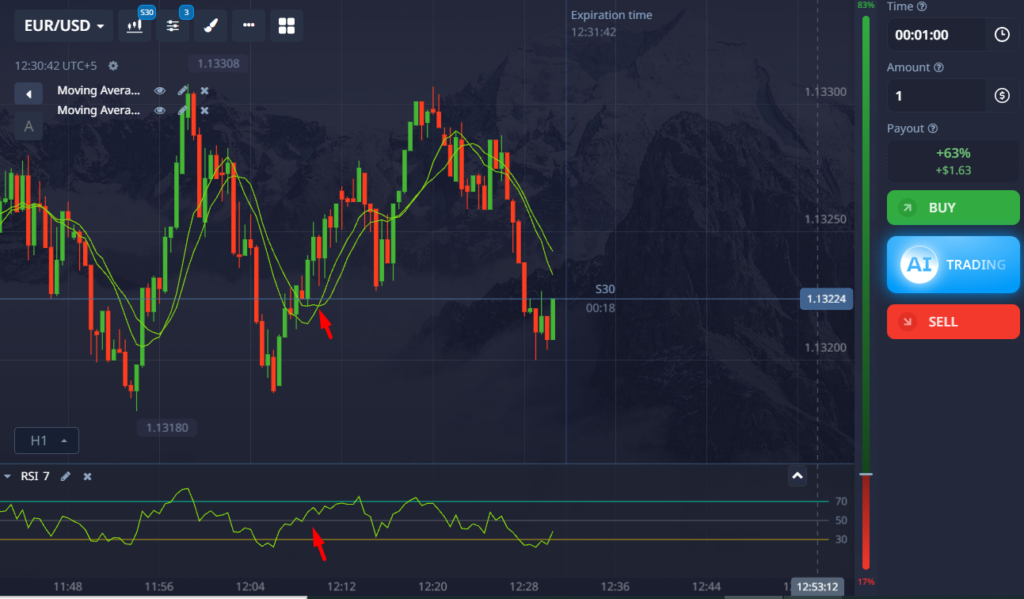
Strategy 1: RSI + 2 EMA Cross
Setup:
- RSI (7) with 70/30 levels
- EMA 5 and EMA 13
- 1-minute chart on EUR/USD
Entry Rules:
- Look for RSI above 70 or below 30
- Wait for EMA cross (fast crosses over slow)
- Enter on the close of the candle after cross and RSI confirmation
Results:
- Win rate: 58%
- Risk: Moderate (needed good timing)
- Drawdowns: 3–4 losses in a row
- Emotion: Easy to execute, but signals came rarely
Insight:
This worked best in trending markets. The RSI helped avoid bad entries, but in choppy markets, it gave fake signals. I found this strategy needed patience, which isn’t easy in 60-second trading. But when it hit, it hit well.
Strategy 2: Candlestick Reversal at Support/Resistance
Setup:
- Manual charting of support/resistance zones
- No indicators
- Look for reversal candlestick patterns (pin bars, engulfing)
Entry Rules:
- Price must hit a well-drawn zone
- Enter on the first strong reversal candle pattern
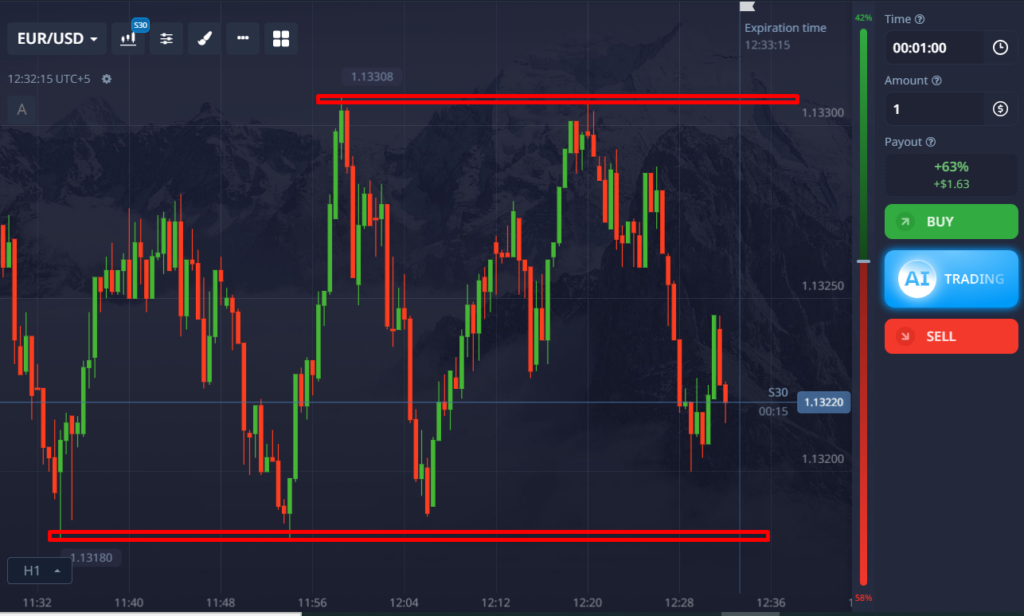
Results:
- Win rate: 63%
- Risk: High (depends on how accurate your zones are)
- Drawdowns: 2–3 losses max
- Emotion: Required constant focus and charting skill
Insight:
This one surprised me. When I got the zones right, it felt like cheating. But when I misread the structure, it burned me. The key was manual skill, not just pattern recognition. Beginners may struggle. But for me, this had the best win rate of all.
Strategy 3: News Spike Reversals
Setup:
- Check economic calendar (Forex Factory)
- Find a high-impact news event
- Wait for price to spike hard, then enter in the opposite direction
Entry Rules:
- Price spikes within 30 seconds of release
- Look for exhaustion candle (like a pin bar or long wick)
- Enter reversal trade with 1-minute expiry
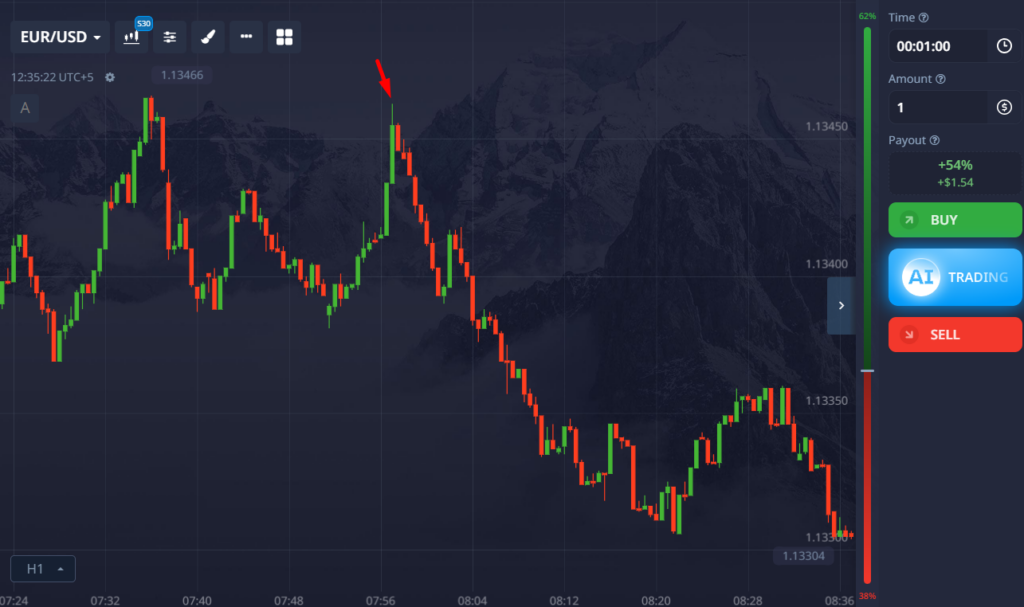
Results:
- Win rate: 51%
- Risk: Very high (slippage and late entry)
- Drawdowns: 5+ losses possible
- Emotion: Very stressful, fast decisions needed
Insight:
This one felt like gambling. I made a few wins that felt amazing. But the losses came just as fast. Not recommended unless you’re ultra-disciplined and have fast reaction time. Most traders would just bleed money trying this.
Common 1 Minute Trading Mistakes
Most losing traders repeat the same mistakes repeatedly.
Overtrading is probably the biggest one. Fast setups create the illusion that more trades equal more profits, but poor-quality entries usually destroy consistency.
Revenge trading is another major issue. After a loss, beginners often increase their trade size emotionally to recover quickly. This usually leads to even larger losses.
Many traders also ignore trend direction completely and try to predict reversals on every candle. On low timeframes, momentum matters much more than prediction.
If you want long-term survival in fast trading environments, discipline matters more than finding a “perfect” strategy.
You may also like:
Risk Management for Traders in Pocket Option
Is Pocket Option 1 Minute Trading Profitable?
Yes, but only when traders approach it realistically.
A good 1 minute strategy will not win every trade. In fact, even experienced traders experience losing streaks regularly. The difference is that professionals manage risk carefully and avoid emotional decision-making.
A realistic win rate for structured 60-second strategies is usually around 55–65% over time. That may not sound impressive, but with proper discipline and risk management, it can still produce steady growth.
The traders who fail usually:
- risk too much per trade
- trade emotionally
- overtrade after losses
- rely on aggressive recovery systems
Consistency beats aggression almost every time.
Learn more about Pocket Option trading hacks.
Risk Management Rules for 60-Second Trading
Risk management is what separates traders who survive from traders who constantly restart accounts.
A simple rule many professionals follow is risking only 1–2% per trade. This prevents short-term losing streaks from destroying the account emotionally and financially.
It’s also smart to stop trading after:
- 3 consecutive losses
OR - 5% daily drawdown
This helps prevent emotional revenge trading.
If you want to improve discipline further, you should also read:
- PocketOption Indicators and Signals
- Risk Management for Traders
- Best Trading Psychology Habits for Beginners
The best way to master fast-paced trades is to start small and test what works. Join Pocket Option today and begin building your own winning system, one minute at a time.
The Real Edge Beginners Need
Most beginners focus too much on entries and not enough on analysis quality.
Random signals and emotional trades usually fail because traders ignore higher timeframe structure.
That is where serious analysis changes everything.
At BeCoin Premium, traders get multi timeframe market analysis designed to help reduce emotional decisions and improve trade quality. Instead of guessing direction from one chart, you learn how higher timeframe momentum, structure, and confirmation work together.
If you want an extra edge instead of trading blindly, explore the BeCoin Premium plans.
Final Thoughts
The Pocket Option 1 minute strategy works best when traders focus on simplicity and discipline rather than trying to force profits from every candle.
The combination of EMA trend confirmation, RSI momentum filtering, and controlled expiry timing provides a structured framework that beginners can actually follow consistently.
Fast trading can absolutely become dangerous when emotions take over, which is why proper risk management matters just as much as entries.
Start slowly, practice on demo accounts, focus on consistency, and treat 60-second trading as a skill that develops over time rather than a shortcut to instant profits.
Frequently Asked Questions
What is the best Pocket Option 1 minute strategy?
One of the most beginner-friendly setups combines EMA 5/13 crossovers with RSI confirmation and 60-second expiry timing.
Is 30 seconds or 1 minute better on Pocket Option?
For most traders, 1-minute expiry is safer because it reduces random market noise compared to 30-second trading.
Which indicators work best for 1-minute trading?
Popular indicators include:
- EMA
- RSI
- Bollinger Bands
- Support and resistance zones
Can beginners use Pocket Option 1 minute strategies?
Yes, but beginners should focus heavily on:
- risk management
- demo practice
- emotional discipline
- small position sizing
Is OTC trading good for 1-minute strategies?
OTC trading can work, but volatility is often more unpredictable. Beginners should use smaller trade sizes and avoid emotional recovery systems.
Pocket Option Risk Management: How to Protect Your Capital
Fact-checked by Shahwaiz Khan
I didn’t learn risk management the easy way. My first week on Pocket Option, I turned $50 into $120, then lost it all by Friday. I had no strategy or plan, just blind confidence and a lot of guessing. I thought winning a few trades made me a genius. I was wrong, painfully wrong.
Fast-forward a few months, and I started approaching trading differently. I stopped thinking like a gambler and started thinking like a risk manager. That’s when I saw real, consistent results.
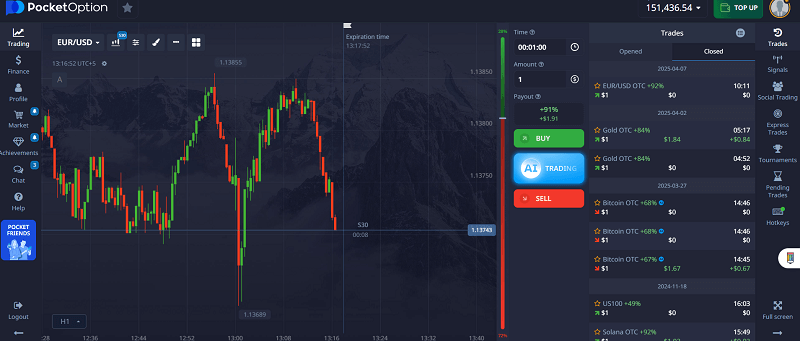
This guide will walk you through how I protect my capital while trading on Pocket Option. I’ll explain simple but powerful techniques like stop-loss, bankroll management, and ideal risk-reward setups. Plus, I’ll share real examples of trades where I followed (and broke) these rules, so you can see the difference they make.
Don’t wait for a painful lesson like I did. Before you place another live trade, open a free Pocket Option demo account and practice your strategy with real risk rules in place. It’s the fastest way to learn without burning your bankroll.
Why Most Pocket Option Traders Lose Money
Many traders focus entirely on entries and ignore risk.
A typical losing cycle looks like this:
- Open Pocket Option
- Find a setup that “looks good”
- Place a trade
- Lose
- Increase trade size to recover losses
- Lose again
- Blow the account
The issue isn’t usually the strategy. It’s the lack of rules.
The traders who survive long term aren’t necessarily better at predicting market direction. They’re better at protecting their capital during losing periods.
Here, you can find how to avoid getting banned with Pocket Option.
What is Risk Management on Pocket Option?
Risk management means having rules that stop you from making emotional, reckless trades. It’s the foundation of safe trading on Pocket Option. It involves:
- Managing how much you risk per trade
- Setting daily loss limits
- Avoiding overtrading
- Using proper trade sizing
- Knowing when to stop
This isn’t about avoiding risk; all trading has risk. It’s about controlling it so one bad day doesn’t wipe out your whole account.
My Pocket Option Risk Management Framework
After hundreds of trades, I settled on a simple framework.
Rule #1: Risk a Small Percentage Per Trade
I never risk more than 5% of my total account balance on a single trade.
Many conservative traders prefer 1–3%.
Examples:
| Account Balance | 1% Risk | 3% Risk | 5% Risk |
|---|---|---|---|
| $100 | $1 | $3 | $5 |
| $500 | $5 | $15 | $25 |
| $1,000 | $10 | $30 | $50 |
Smaller risk means you can survive losing streaks that inevitably happen.
Rule #2: Separate Trading Capital from Reserve Capital
I divide funds into:
- Active Trading Capital
- Reserve Capital
For example:
- Total funds: $500
- Trading balance: $350
- Reserve funds: $150
The reserve acts as protection against unexpected drawdowns.
Rule #3: Use Daily Limits
My personal limits are:
- Daily loss limit: 15%
- Daily profit target: 20%
Once either number is reached, I stop trading.
This prevents both emotional revenge trading and overconfidence after winning sessions.
My Bankroll Management System
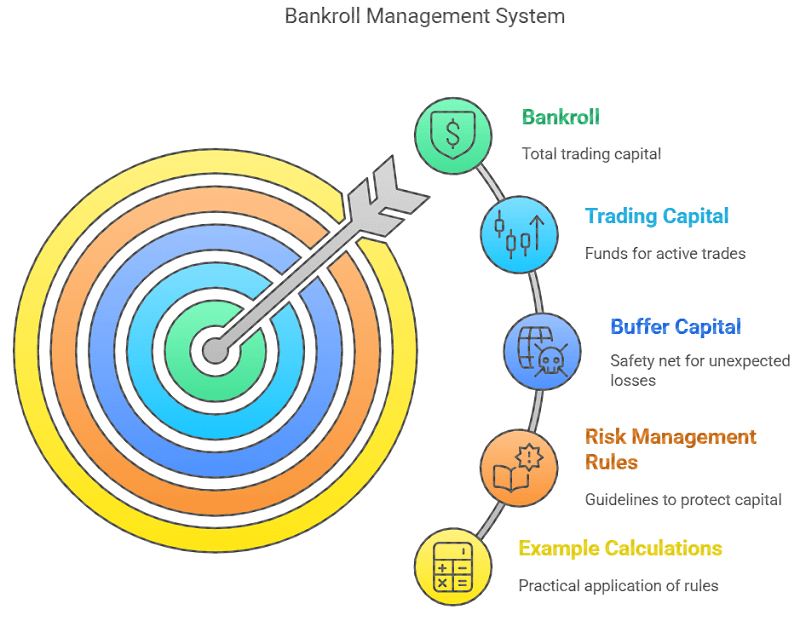
Let’s start with bankroll. Your bankroll is your total trading capital. When I first started, I treated every dollar the same. But I quickly realized that I needed to split my funds into two things:
- Trading Capital (used for active trades)
- Buffer Capital (just in case things go wrong)
So if I deposit $500, I’ll only allow myself to trade with $350 actively. The remaining $150 is off-limits to my safety net.
Here are the bankroll rules I follow:
- Never risk more than 5% of your total balance per trade
- Set a daily stop-loss (mine is 15%)
- Set a daily win goal (mine is 20%)
- Walk away after hitting either one
Let me break it down with an example. If my account has $500:
- 5% per trade = $25 max risk per trade
- 15% daily stop-loss = $75 loss limit
- 20% daily target = $100 win cap
This means I’ll stop trading if I lose $75 or win $100 in a day, no matter what, even if the market looks “perfect.”
Trading psychology is also important to manage your risk.
Stop-Loss on Pocket Option: Is It Even Possible?
Unlike forex platforms or MT5, Pocket Option doesn’t have a built-in stop-loss feature for binary trades. You can’t just say, “Close my position if it goes against me.” But that doesn’t mean you can’t set one mentally and stick to it.
I call it a “soft stop-loss.” Here’s how I do it:
- Before I open a trade, I decide how many trades I’m willing to take today
- If I lose three trades in a row, I stop trading for the day
- If I lose two trades and start feeling emotional, I walk away
- I track every trade in a spreadsheet, including why I took it and how I felt
This form of discipline saved me countless times. One day, I remember losing two trades on GBP/JPY. I was tempted to double down and make it back. But I forced myself to stop. The next day, the market reversed, and I would’ve lost everything had I stayed.
Discipline starts before you hit ‘Trade’.
Pocket Option’s Pending Trades feature lets you pre-plan your entries — perfect for sticking to a mental stop-loss strategy. Try it now with a small real-money account or demo.
Ideal Risk-Reward Ratios for Binary Trading
Now let’s talk about the part most traders ignore: the risk-reward ratio.
Binary options are a bit different because payouts are fixed. You either win a set percentage or lose the trade amount. But there’s still a way to manage risk-reward smartly.
If a trade offers an 80% payout, that means:
- You risk $100 to win $80
- If you lose, you lose $100
- Your reward is smaller than your risk
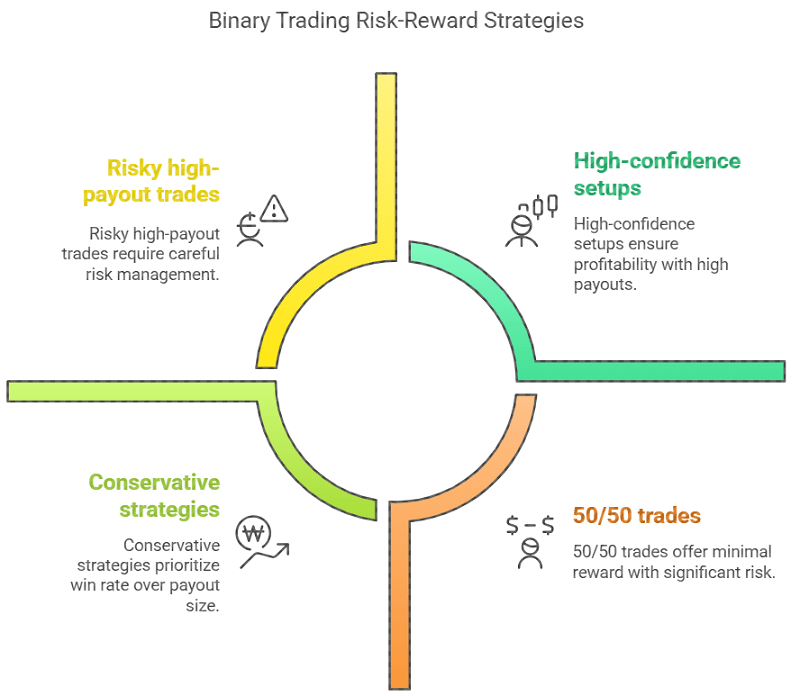
This doesn’t sound good, but you can still make it work by:
- Picking only high-confidence setups
- Avoiding 50/50 trades
- Limiting the number of trades per session
I aim for at least 2 wins for every one loss, which is a 66% win rate. This ensures that I stay profitable even with payouts under 90%.
Real Trade Example: Controlled Risk
Let me share a real trade I made last month.
Asset: EUR/USD
Time: 3-minute expiry
Signal: RSI was oversold + bullish engulfing candle
Trade size: $25
Payout: 88% ($21.75 profit)
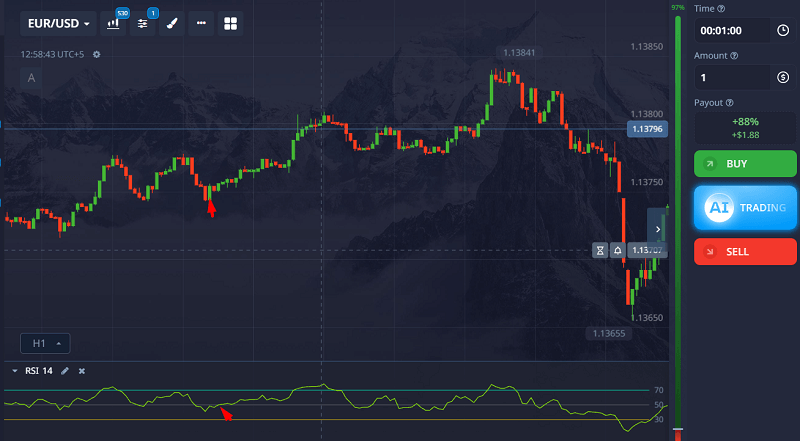
I had already lost one trade earlier, so this was my second for the day. I waited for all my confirmations, including the RSI, candlestick pattern, and news check, and placed the trade only after getting full alignment.
Result: Win
I made a $21.75 profit. I didn’t immediately go back for another trade. I took a break, reviewed the trade, and then placed another trade later that day. That second one was a win, too.
I ended the day up $43.50 on a $50 total risk, with zero stress. That’s the kind of trading that adds up.
What Happens When You Don’t Follow Your Rules
Let me be honest. I’ve broken my own rules. Once, I went into a trade with no signal, just revenge after losing two trades. I doubled my trade size to “make it back.” Lost again. Then doubled again. Lost again.
That day, I lost over $200 in under 10 minutes.
That one day took me a week to recover from, mentally and financially. I now use phone alarms to remind me when I hit my daily limits. It may sound silly, but it works.
Don’t repeat my mistake of revenge trading.
Use Pocket Option’s risk tools and set a daily stop-loss goal. Start small, trade clean, and protect your future wins by protecting your capital today.
Understanding Win Rate Requirements
| Average Payout | Approximate Breakeven Win Rate |
| 70% | 58.8% |
| 80% | 55.6% |
| 90% | 52.6% |
This is why disciplined trade selection matters more than simply trading more often.
What to Do During a Losing Streak
Every trader experiences losing periods.
The difference is how they respond.
Step 1: Stop Trading
Never try to immediately recover losses.
Step 2: Review Your Journal
Look for:
- Rule violations
- Emotional decisions
- Poor market conditions
- Weak setups
Step 3: Reduce Risk
Cut trade size by 50% until consistency returns.
Step 4: Use Demo Trading
Testing strategies in a demo environment helps rebuild confidence without additional losses.
For strategy testing and market outlook analysis, visit the Forecast Hub before entering new trades.
Safe Trading on Pocket Option: Habits That Help
Here are a few habits I use to stay consistent:
- I journal every trade with screenshots and reasons
- I never trade during emotional stress or when tired
- I use the 80/20 rule: 80% watching, 20% trading
- I practice on a demo once a week to test new ideas
- I use Pocket Option’s pending trades feature to avoid impulse trades
Also, I never chase losses. If I hit my stop for the day, I stop. No exceptions.
Common Risk Management Mistakes
Trading Too Large
Risking 20–50% of an account on a single trade leaves no room for mistakes.
Revenge Trading
Trying to recover losses immediately often creates bigger losses.
No Daily Loss Limit
Without a predefined stop point, traders continue making emotional decisions.
Overtrading
Taking dozens of low-quality trades usually reduces profitability.
FAQs About Pocket Option Risk Management
How much should I risk per trade on Pocket Option?
No more than 5% of your total account balance per trade. Many traders do better with just 1–3% risk per trade.
What’s the safest way to trade on Pocket Option?
Use strict bankroll limits, avoid emotional trading, and never risk more than you can afford to lose. High payout trades aren’t always the best if the setup is weak.
Can I use a stop-loss on Pocket Option?
There’s no built-in stop-loss, but you can use mental stop-loss limits or time-based trading caps to control losses.
How do I recover after a losing streak?
Stop trading for the day. Review your journal. Trade demo until your confidence returns. Don’t try to win it all back quickly.
Are there any risk management tools on Pocket Option?
Yes, some VIP features, like cashback, help cushion losses, such as pending trades, trade expiry control, and the demo account.
The Truth Most Traders Won’t Tell You
Trading isn’t about finding the perfect strategy. It’s about surviving the bad days. And those bad days come, no matter how skilled you are.
I’ve learned that the key isn’t to win every trade, but never to lose so much that you can’t return.
Risk management is your best friend if you want to trade full-time or profit consistently. It’s not flashy. It’s not exciting. But it works.
And when everyone else is blowing accounts chasing one big win, you’ll be quietly compounding your balance, one smart, low-risk trade at a time.
Moving Beyond Guesswork: The Ultimate Edge
If there is one thing my journey has taught me, it is that low-risk trading is not about avoiding losses entirely. It is about making sure that when you do lose, it is a tiny, controlled scratch rather than a fatal wound. The brokers we looked at today provide the physical toolkits to keep you safe, but the ultimate risk management tool is your own knowledge base.
To truly transform your trading from a stressful guessing game into an institutional process, you need deep, structural data analysis that goes far beyond basic retail charting. You need to understand market liquidity, institutional order flow, and underlying macroeconomic structures.
If you are ready to stop trading on pure hope and start building a real, professional edge grounded in institutional analysis, join our community of serious market students. Elevate your approach right now by subscribing to our exclusive framework on the Becoin Premium Membership Portal. Let’s build a sustainable, low-risk career together.
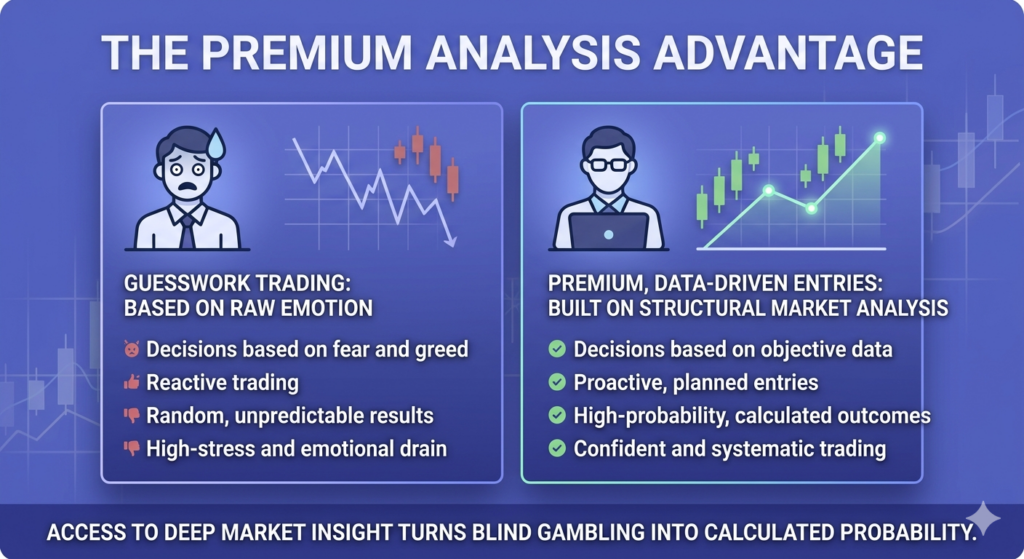
Pocket Option Account Types Explained: Demo, Basic, Pro & VIP (2026)
Fact-checked by Shahwaiz Khan
Last tested: June 2026
Pocket Option offers several account levels designed for different types of traders. While most users start with a free Demo account and then move to a Basic account, active traders may qualify for additional benefits through higher account tiers.
When I first signed up for Pocket Option, I didn’t pay much attention to account levels. I simply wanted to test the platform and learn how binary options trading worked. As I spent more time on the platform, I started noticing differences in payouts, promotions, and account benefits available to different users.
In this guide, I’ll compare every Pocket Option account type, explain the differences between Demo and Real accounts, and help you decide whether upgrading beyond a Basic account makes sense for your trading style.
Don’t guess. Explore the Pocket Option account tiers side-by-side and see how much extra you could be earning per trade especially if you trade regularly.
Fast-forward to today. I’ve tested all three account types. I’ve gone from the Basic account with its standard features to unlocking the Pro and finally hitting VIP status. Each upgrade changed the way I traded, sometimes in subtle ways, other times drastically.
Pocket Option Account Types at a Glance
| Feature | Demo | Basic | Pro | VIP |
|---|---|---|---|---|
| Real money required | No | Yes | Yes | Yes |
| Minimum deposit | $0 | $5+ | Yes | Yes |
| Risk-free trading | Yes | No | No | No |
| Live market access | Practice only | Yes | Yes | Yes |
| Bonus eligibility | No | Yes | Yes | Yes |
| Withdrawal processing | N/A | Standard | Faster | Priority |
| Extra benefits | Practice mode | Standard features | Enhanced benefits | Maximum benefits |
| Best for | Beginners | Casual traders | Active traders | High-volume traders |
If you’re completely new to the platform, start with the Demo account first. It lets you learn the interface and test strategies without risking real money. Once you’re comfortable, you can switch to a Basic account and later progress to Pro or VIP if your trading volume justifies it.
Pocket Option Account Types at a Glance
Pocket Option users can access four practical account categories:
| Account Type | Best For | Real Money Required | Main Benefit |
|---|---|---|---|
| Demo Account | Beginners | No | Risk-free practice |
| Basic Account | New traders | Yes | Full platform access |
| Pro Account | Active traders | Yes | Additional account benefits |
| VIP Account | High-volume traders | Yes | Premium platform perks |
Most new traders should start with the Demo account, move to a Basic account when ready to trade real money, and only consider higher tiers if they actively use the platform.
Demo Account vs Real Account
Many traders skip the Demo account, but I think that’s a mistake. Pocket Option provides a virtual balance that allows you to test strategies and learn the platform without risking real funds.
What I liked about the Basic account:
- Access to both Demo and Real trading
- Low barrier to entry for beginners
- Support for indicators and chart tools
- Access to promotions and bonuses when available
- Suitable for testing strategies with smaller deposits
The Basic account gives you everything needed to start trading. However, traders who become more active often look for additional benefits available through higher account tiers.
Once you’re comfortable, switching to a Real account takes only a few clicks. This transition is much smoother when you’ve already spent time learning the platform through the demo environment.
For most beginners, the Demo account should be the starting point before making any deposit.
Before upgrading your account level, it’s worth spending time testing your strategy with market forecasts and educational resources available in our Forecast Hub.
My Experience With the Basic Account
You get a basic account right after you sign up. You don’t need to deposit anything. You can even use the demo mode to test things out.
But here’s what I found: while the Basic account is great for learning, it’s also very limited. Payouts are lower. You get fewer bonuses. And you don’t get access to special trading tools or tournaments, often only available to higher-tier users.
Here’s what you typically get with the Basic account:
- Access to demo and live trading
- Up to 82% payout on trades (though often lower)
- Standard withdrawal speed (usually takes 1–3 business days)
- No exclusive promotions or signals
- Limited technical indicators and trade boosters
I felt the pinch when I started trading more frequently, especially during high-volatility times. Although my assets were showing 90 %+ payout potential, my account was capped at lower rates.
That’s when I decided to level up.
Here, you can find how to avoid getting banned with Pocket Option.
Stuck on Basic? You might be earning less than others for the same trades.
Level up to Pro or VIP with just one deposit and unlock higher payouts, faster withdrawals, and exclusive tools that Basic users never see.
Moving to the Pro Account
The Pro account serves as a middle tier between Basic and VIP. Qualification requirements and available benefits can change over time, but it is generally aimed at traders who use the platform more actively than casual users.
The biggest difference I noticed was access to additional account benefits and promotions that weren’t always available to entry-level users.
On average, I started seeing 2–5% more per trade. For example, if a EUR/USD binary trade offered 88% to VIPs, I’d get maybe 86% as a Pro user, while Basic traders were stuck at 82%.
Some of the Pro account benefits I got:
- Slight payout boost (typically 2–5% more than Basic)
- Access to exclusive Pro tournaments
- Faster withdrawals (mine were processed within 24 hours)
- More trading tools unlocked
- Bigger deposit bonuses (sometimes up to 40%)
But I’ll be honest: while the Pro level gave me more breathing room, I still felt like I was missing something. I started watching YouTubers discuss “VIP-only” tournaments and “VIP-only assets.” That’s when I knew I had to try the top tier.
Unlocking the VIP Account: Game Changer
How VIP Qualification Works
Pocket Option occasionally updates its VIP qualification requirements. Eligibility may depend on factors such as deposit activity, trading volume, promotional campaigns, or direct invitations.
Because these requirements can change, it’s always best to check the latest information directly within your account dashboard or through Pocket Option support.
I chose the one-time $1,000 deposit. And let me tell you, this was the turning point in my trading journey.
Also, the cashback perk isn’t widely advertised, but it works quietly in the background. I noticed small amounts credited to my account after losses, especially during volume-based trading promos.
Pay heed if you are looking for a detailed guide on using Pocket Option broker.
Is the VIP Account Worth It in 2026?
Whether VIP is worth it depends entirely on how often you trade.
If you’re an occasional trader, the Basic account is usually enough. You’ll still have access to the platform’s core features and trading tools.
If you trade regularly, however, additional account benefits may become more valuable over time. These can include promotional opportunities, enhanced support, and access to premium platform features when available.
Personally, I would not recommend chasing VIP status immediately. Learn the platform first, build consistency, and then decide whether the additional benefits justify the upgrade.
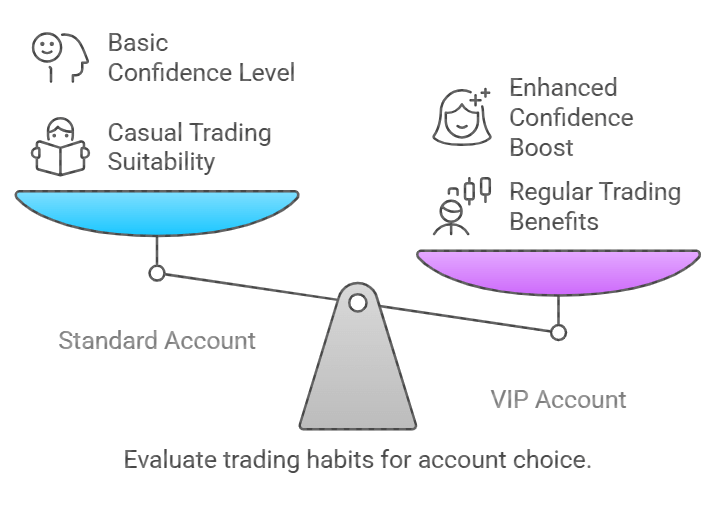
For me, the psychological boost of faster withdrawals, extra tools, and feeling like I was part of an “inner circle” gave me more confidence. And confidence matters in trading.
One upgrade can increase every payout, every trade.If you’re already trading daily, going VIP pays for itself quickly. You’ll notice the difference from Day 1 — not just in features, but in profits.
How to Upgrade to VIP on Pocket Option
There are three main ways:
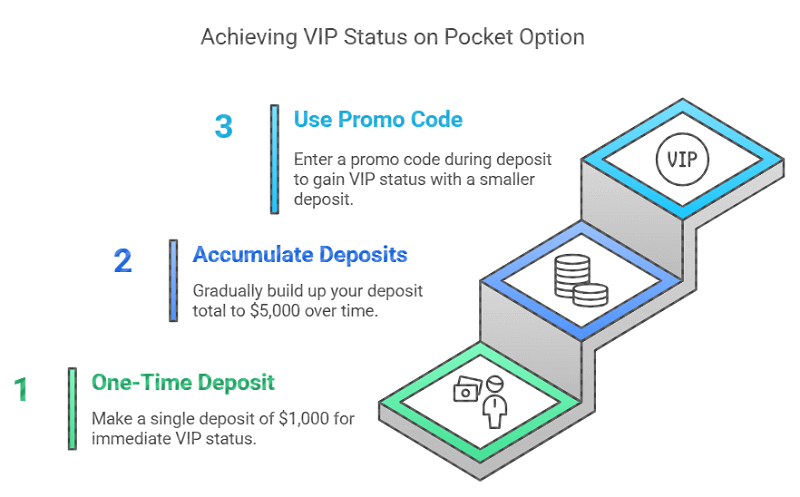
1. One-Time Deposit of $1,000
This is the fastest way. Deposit $1,000 in one go, and your account is upgraded immediately.
2. Accumulate $5,000 Over Time
If you’re not ready to deposit $1,000 at once, you can reach VIP status by slowly building up your deposit total to $5,000.
3. Use a Promo Code
Sometimes, Pocket Option runs promos where entering a code during deposit gives you VIP status, even for as little as $500. These are rare and often tied to affiliate partners.
FAQs About Pocket Option Accounts
What’s the difference between Basic and VIP on Pocket Option?
The main differences are payouts, withdrawal speed, exclusive tools, and access to VIP tournaments. VIP users get up to 92% payouts and faster support.
How do I know if I’m a VIP on Pocket Option?
Once you unlock VIP status, your profile will show a VIP badge. You’ll also receive an email confirmation and instant access to new features.
Can I lose my VIP status?
As of now, once you’re VIP, you keep it. But if your account is inactive for long periods, there might be downgrades.
Is the VIP account safe?
Yes, it’s the same platform. You just unlock more features. All funds and trades follow the same encryption and compliance standards.
Do VIPs get better trade execution?
Not officially, but I noticed my trades were executed slightly faster during high-volume periods. It could be a server priority; it’s just my personal observation.
The Hidden Truths No One Talks About
Here are a few things I wish someone had told me earlier:
- Withdrawal priority is real. As a basic user, I once waited for 3 days. As a VIP, I’ve received payouts in 2–3 hours.
- VIP tournaments have fewer players. Which means higher chances of winning.
- Copy-trading works better with VIP tools. You can filter and copy high-profit traders faster and more accurately.
- VIP is not just for pros. Even new traders benefit, especially when using trade boosters and signals wisely.
Moving Beyond Guesswork: The Ultimate Edge
If there is one thing my journey has taught me, it is that low-risk trading is not about avoiding losses entirely. It is about making sure that when you do lose, it is a tiny, controlled scratch rather than a fatal wound. The brokers we looked at today provide the physical toolkits to keep you safe, but the ultimate risk management tool is your own knowledge base.
To truly transform your trading from a stressful guessing game into an institutional process, you need deep, structural data analysis that goes far beyond basic retail charting. You need to understand market liquidity, institutional order flow, and underlying macroeconomic structures.
If you are ready to stop trading on pure hope and start building a real, professional edge grounded in institutional analysis, join our community of serious market students. Elevate your approach right now by subscribing to our exclusive framework on the Becoin Premium Membership Portal. Let’s build a sustainable, low-risk career together.
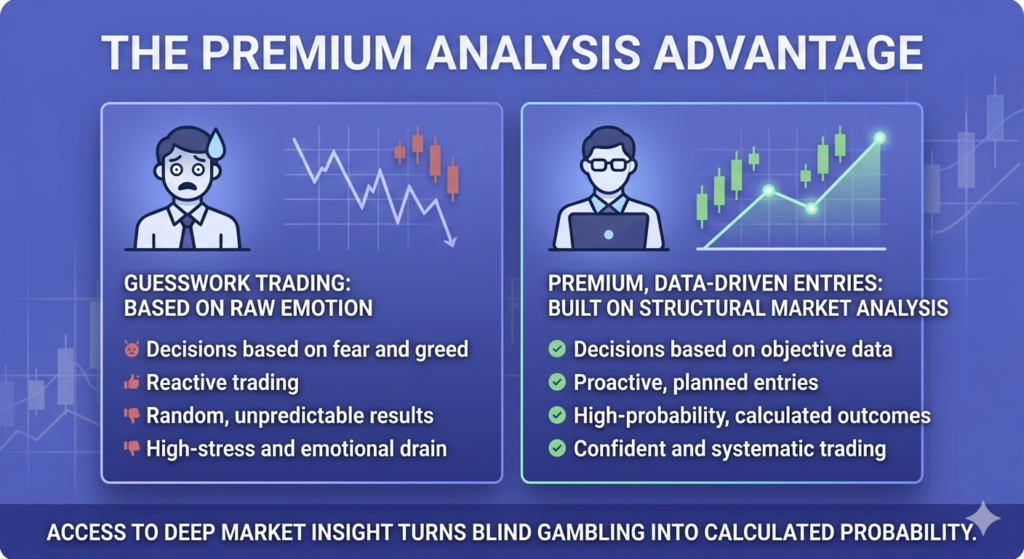
Final Verdict: Should You Go VIP?
Most traders should start with the Demo account, move to a Basic account when they are comfortable, and only consider higher account tiers after gaining real experience on the platform.
The Basic account remains the best choice for beginners because it provides access to the platform’s essential features without requiring a significant commitment.
For active traders, higher account levels may provide additional benefits that improve the overall trading experience. However, account upgrades should be viewed as a bonus rather than a shortcut to profitability.
In my experience, the biggest factor in long-term success isn’t the account type you choose. It’s the quality of your trading strategy, risk management, and consistency over time.
This version will be more future-proof, more trustworthy, and better aligned with search intent in 2026.
Pocket Option Copy Trading Guide: How to Copy Traders Safely and Profitably
I still remember the first time I opened the copy trading page on Pocket Option. My heart raced a little. The idea that I could just click a button and have a pro trader make money sounded almost too good to be true. But like most things in trading, the reality was a little deeper than just “click and get rich.”
Over time, I learned how to use copy trading the right way. I also saw mistakes that cost me and others a lot of money. Today, I’ll share everything; the good, the bad, and the ugly. So, you can use Pocket Option copy trading like a real pro.
Pocket Option Copy Trading at a Glance
If you’re new to copy trading, here’s the short version:
- Choose a trader from the Pocket Option leaderboard.
- Set the amount you want to copy.
- Trades are automatically mirrored in your account.
- You can stop copying at any time.
- Profits and losses are shared proportionally based on your settings.
- Success depends largely on selecting the right trader and managing risk.
While copy trading can save time, it does not eliminate risk. The trader you follow can still lose money, which means your account can lose money too.
What Is Pocket Option Copy Trading?
Pocket Option copy trading is a feature that allows users to automatically replicate the trades of experienced traders. Instead of analyzing charts and placing trades manually, beginners can follow top-performing traders and mirror their positions in real time.
Many new traders use copy trading as a learning tool because it allows them to observe how experienced traders manage entries, exits, and risk.
However, copy trading is not passive income. Success still depends on choosing reliable traders and monitoring performance regularly.
How Copy Trading on Pocket Option Works
At its core, copy trading is very simple. Instead of making trades yourself, you pick a trader on Pocket Option’s leaderboard and automatically copy their trades into your account.
When they open a trade, your account opens the same trade. When they close a trade, your account closes it too. It’s important to understand that your results may not be identical to the trader’s results. Differences in account size, trade execution speed, asset payouts, and market volatility can all affect performance. You can choose how much money to allocate per trade or day. You can stop copying anytime you want.
It feels like hiring someone to trade for you. But you still control the risk, the trader selection, and when you start or stop.
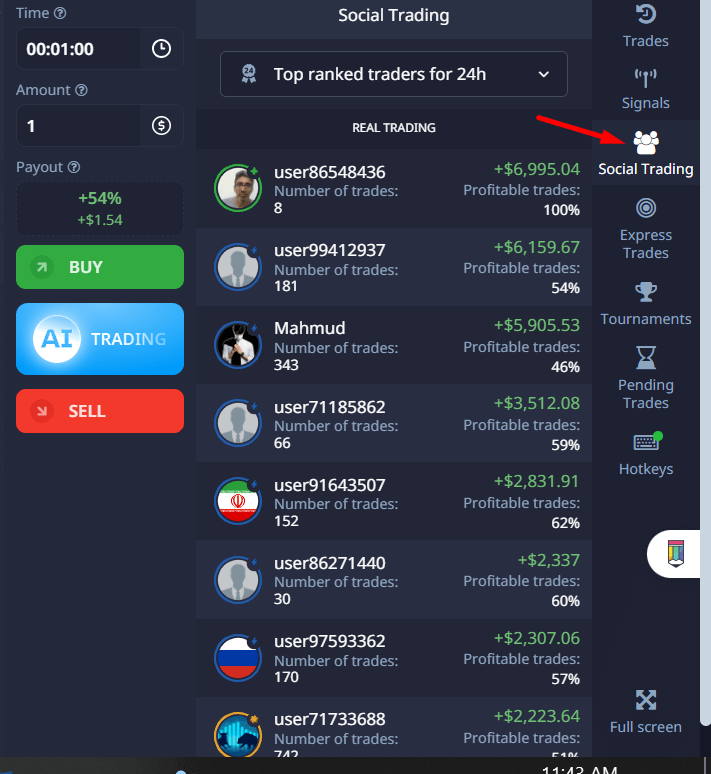
There are two main ways you can start:
- Browse the Top Traders section inside Pocket Option.
- Use filters like profit% %, number of followers, total trades, or risk level.
- Click “Copy” next to a trader you like.
- Set your copying amount and risk settings.
But this is where most beginners make their first mistake: they pick the guy with the highest profit percentage.
That’s dangerous.
New to Pocket Option? Start with $5, copy safely, and grow from there. Sign up through our link and unlock a bonus to test copy trading without extra risk.
Good Trader vs Bad Trader: What to Look For
| Metric | Good Trader | Risky Trader |
|---|---|---|
| Profit Growth | Steady | Explosive spikes |
| Drawdown | Under 30% | Over 50% |
| Trade History | Hundreds of trades | Very few trades |
| Trading Duration | Several months | Few days |
| Risk Level | Low to Medium | High |
| Followers | Consistent growth | Sudden popularity |
Remember: consistency usually beats short-term profits.
What No One Tells You About Picking the Best Traders to Copy
Let me tell you a quick story. In my first week on Pocket Option copy trading, I found a trader who had made 800% profit in one week. I thought, “This guy is a genius!” I immediately copied him.
In two days, he blew half my balance.
I learned the hard way that the highest return does not mean the best trader. Some traders go all-in on risky trades, win big for a while, then crash and burn.
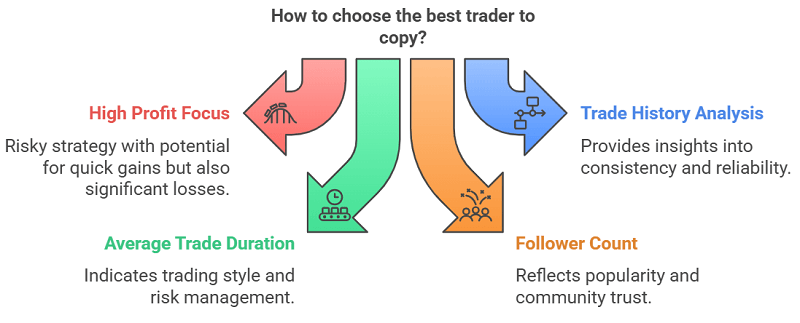
Here’s what I learned to look for instead:
1. Look at Their Trade History, Not Just Their Profit
Don’t just stare at the % gain. Open their profile. Check:
- How many trades have they made? (More is better for judging skill.)
- How long have they been trading? (Weeks or months matter.)
- Are their profits steady or up and down wildly?
Consistency beats lucky streaks every time. Keep an eye on the performance through broker’s mobile app.
2. Watch Their Average Trade Duration
If a trader holds trades for only a few seconds or minutes, they are scalping. Scalping can be exciting, but it’s very risky, especially with high leverage. Look for traders with trade durations that match your risk appetite.
3. See How Many Followers They Have
Traders with many followers tend to be more stable. If a trader is copied by hundreds of people, it’s a small vote of trust. But don’t rely only on this. Some new but skilled traders might have fewer followers.
4. Check Their Maximum Drawdown
Drawdown means how much money the trader lost at their worst moment. A high drawdown shows risky behavior. I prefer traders whose maximum drawdown is below 30%.
5. Study Their Risk Level
Pocket Option sometimes labels traders with risk levels. Low-risk traders are safer to copy long-term. High-risk traders may get you fast profits, but can also cause fast losses.
6. Trust But Verify
Even after picking a trader, watch their performance every day, especially at the start. Don’t be afraid to stop copying if you notice strange behavior. It’s better if a master trader mentions what indicators or strategies he applies.
Best Metrics to Check Before Copying a Trader
Before clicking the copy button, review these five metrics:
Win Rate
Look for traders with a consistent win rate over a large sample size rather than a few lucky trades.
Drawdown
A trader who regularly loses 50% of their account is unlikely to survive long term.
Trading History
More data makes performance easier to evaluate.
Risk Score
Lower-risk traders are usually more suitable for beginners.
Consistency
Steady monthly growth is generally more reliable than sudden profit spikes.
Risks of Copy Trading That No One Warns You About
Most platforms will tell you, “Copy trading is easy and profitable.” But I want to be real with you. Here are the hidden risks that I personally experienced:
1. Traders Can Change
A trader who was conservative yesterday might get emotional tomorrow and start gambling. Copying is not “set and forget.” You need to check regularly.
2. Pocket Option Platform Risks
Sometimes, execution might lag by a few seconds. Especially in high volatility moments, your copied trade might not enter at exactly the same price.
3. Overexposure
If you copy several traders who trade the same asset (like EUR/USD), your risk gets concentrated. If EUR/USD has a bad day, you lose double or triple.
4. Slippage and Payout Differences
The payout rates change frequently on Pocket Option. If a copied trader opens a trade when payouts are high but yours are low, your final profit might be different.
5. Emotional Attachment
It’s easy to get emotionally attached to a trader. I once held onto a losing trader for weeks because I believed “he’ll come back.” He didn’t. Don’t marry a trader.
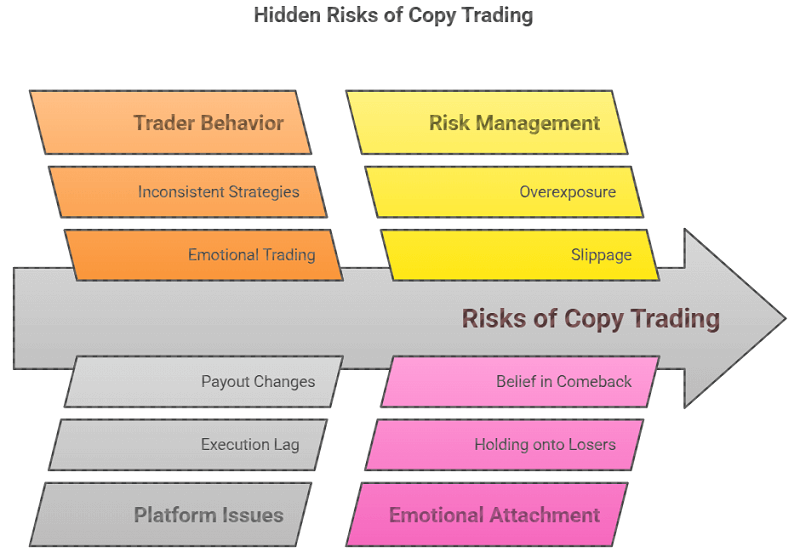
Want to reduce copy trading risks? Use our vetted list of steady traders with low drawdown and consistent returns, get it free with your Pocket Option account setup.
5 Common Copy Trading Mistakes Beginners Make
Chasing the Highest Profit Percentage
A trader with 500% gains may simply be taking extreme risks.
Copying Too Many Traders
Managing ten traders at once creates confusion and overlapping exposure.
Ignoring Drawdown
Many beginners only look at profits and completely ignore losses.
Never Reviewing Performance
Copy trading still requires regular monitoring.
Risking Too Much Capital
Start small until you understand how a trader behaves during losing streaks.
How I Built a Safer Copy Trading Strategy
After losing some money and learning these lessons, I built a small system for myself. After testing different approaches and reviewing dozens of trader profiles, I settled on a simple framework that prioritizes capital preservation first and profits second.
- Start small (like $10-$20) with a new trader.
- Copy a maximum of 3 traders at a time.
- Diversify between different asset types (Forex, Crypto, Commodities).
- Use Stop Loss settings if available (to cut losses early).
- Review every 2-3 days and adjust.
- Accept that even the best trader can have bad days.
It’s not about winning every trade. It’s about surviving and growing steadily.
Is Pocket Option Copy Trading Good for Beginners?
For complete beginners, copy trading can be a useful introduction to the market because it reduces the need for technical analysis and trade execution.
However, beginners should avoid treating copy trading as guaranteed income. The best approach is to start with a small balance, monitor trader performance closely, and gradually increase exposure only after seeing consistent results.
Think of copy trading as a learning tool rather than a shortcut to easy profits.
Pocket Option Copy Trading Pros and Cons
Pros
- Beginner-friendly
- Saves time
- Learn from experienced traders
- Easy to start with a small deposit
- Fully automated
Cons
- No guarantee of profits
- Traders can change behavior
- Drawdowns can be significant
- Performance can vary due to execution differences
- Requires ongoing monitoring
The best results usually come from combining copy trading with your own trading education.
FAQs About Pocket Option Copy Trading
How much money do you need to start copy trading on pocket option?
You can start with as little as $5. But I recommend starting with at least $50-$100 so you can properly spread your risk across multiple trades.
Is copy trading on pocket option safe?
It’s safer than random trading, but it still carries risks. You can lose money if the trader you copy performs poorly. Always monitor your account. Contact customer support for any technical issues.
Who are the best traders to copy on pocket option?
It changes often. Look for traders with steady profits, low drawdowns, and a decent following. Avoid chasing traders with very recent high profits.
Can you lose money copy trading?
Yes. There’s no guarantee of profits. Copy trading reduces your effort but not your risk.
How to stop copy trading?
Go to your Copy Trading Dashboard inside Pocket Option and click “Unfollow” or “Stop Copying” on any trader you want to disconnect from.
Is Pocket Option copy trading suitable for beginners?
Yes, many beginners use copy trading because it removes the need to place trades manually. However, proper trader selection and risk management remain essential.
How do I choose the best trader to copy?
Look for steady performance, low drawdown, a long trading history, and consistent results rather than short-term profits.
Can I stop copy trading anytime?
Yes. Pocket Option allows you to stop following traders whenever you choose.
Is copy trading better than manual trading?
Copy trading can save time, but experienced traders often prefer manual trading because it gives them complete control over risk and strategy.
Final Thoughts: Is Pocket Option Copy Trading Worth It?
If you do it smartly, copy trading on Pocket Option can be a fantastic way to grow your account while learning from better traders. It’s like having a shortcut while still being in the driver’s seat.
But you must treat it seriously. You must manage risk. You must watch your traders regularly.
There is no such thing as a 100% guaranteed trader. Even the best have losing days. Your real power is choosing who to trust, setting smart limits, and adapting quickly.
I use Pocket Option copy trading almost every week now, but with discipline. Not with blind hope. And that’s the big secret no one tells you.
If you follow this guide, you’ll be ahead of 90% of beginners who jump in blind.
Good luck, and trade smart.
Ready to try copy trading with a smarter strategy? Open your Pocket Option account today and start copying like a pro, bonus included for first-time users.
Moving Beyond Guesswork: The Ultimate Edge
If there is one thing my journey has taught me, it is that low-risk trading is not about avoiding losses entirely. It is about making sure that when you do lose, it is a tiny, controlled scratch rather than a fatal wound. The brokers we looked at today provide the physical toolkits to keep you safe, but the ultimate risk management tool is your own knowledge base.
To truly transform your trading from a stressful guessing game into an institutional process, you need deep, structural data analysis that goes far beyond basic retail charting. You need to understand market liquidity, institutional order flow, and underlying macroeconomic structures.
If you are ready to stop trading on pure hope and start building a real, professional edge grounded in institutional analysis, join our community of serious market students. Elevate your approach right now by subscribing to our exclusive framework on the Becoin Premium Membership Portal. Let’s build a sustainable, low-risk career together.
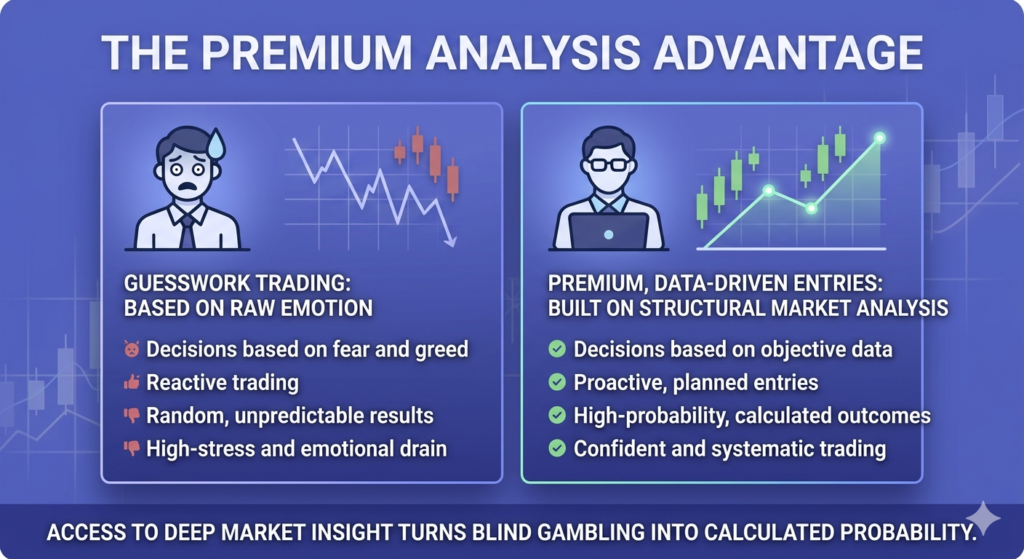
Pocket Option Trading Psychology: 7 Mindset Mistakes That Destroy Profits

When I first started trading on Pocket Option, I thought the biggest challenge would be finding the right indicators or mastering price action. I was wrong. The hardest part was mastering my mind.
If you are serious about making consistent profits, you must understand that your mindset is the real weapon. Technical skills are important, but psychology separates winners from those who blow their accounts.
In this guide, I’ll share real trader stories, practical exercises, and insights you won’t find just by searching “how to control emotions in trading.”
Let’s dive deep into the real side of Pocket Option trading psychology.
Why Trading Psychology Matters More Than Strategy
Most beginners believe profitability comes from finding the perfect indicator or secret strategy. I thought the same thing when I started trading on Pocket Option.
The reality is different.
Give two traders the exact same strategy and they can still produce completely different results. One follows the rules, manages risk, and accepts losses. The other trades emotionally, increases position sizes after losses, and jumps into random setups.
After 100 trades, their results won’t even look similar.
The strategy didn’t fail. The trader did.
That’s why professional traders spend as much time developing discipline and emotional control as they do studying charts.
Emotional Trader vs Disciplined Trader
| Emotional Trader | Disciplined Trader |
|---|---|
| Chases every opportunity | Waits for high-quality setups |
| Tries to recover losses quickly | Accepts losses as part of trading |
| Changes strategy frequently | Follows a tested system |
| Focuses on money | Focuses on process |
| Trades when emotional | Trades according to rules |
| Ignores journals | Tracks every trade |
The Invisible Enemies: Psychological Mistakes I Learned the Hard Way
You must know what’s wrong before you can fix your mindset. Here are the psychological mistakes that almost every trader falls into, including me at one point.
Overtrading:
Feeling like you must always be in a trade. Even when there’s no good setup.
Revenge trading:
Losing a trade and immediately trying to “win it back” with another impulsive trade.
Fear of missing out (FOMO):
Jumping into trades because you see a big candle or someone else posted profits.
Greed:
You should not close trades when you’re ahead; you should be hoping for just a little more.
Fear:
Being too scared to take a trade, even when the setup is perfect.
Lack of discipline:
Ignoring your strategy because you “feel” like the market is different today.
Confirmation bias:
Only see the signs that agree with your trade and ignore the warnings.
I made all these mistakes—not once, but over and over—until I realized that I wasn’t losing because of the market—I was losing because of myself.
Pro tip: You can try a demo account before going with the real money. Test waters, then dive deeper.
My Turning Point: How I Rebuilt My Pocket Option Mindset
After blowing my third account, I took a step back. I spent weeks not trading. Instead, I studied trader psychology, journaled my thoughts, and created exercises to fix my discipline.
Here’s what helped me.
Take a look at the detailed article on using Pocket Option step by step.
Exercises to Build Discipline and Focus
Trading psychology isn’t something you fix by reading a motivational quote. It’s something you train like a muscle. Here are the exercises that changed my trading life.
My Daily Pocket Option Mindset Checklist
Before every trading session, I ask myself:
✓ Did I sleep well and feel focused?
✓ Am I following my trading plan?
✓ Have I accepted today’s maximum risk?
✓ Am I trying to recover previous losses?
✓ Would I take this trade on a demo account?
✓ Am I trading because I see a setup or because I’m bored?
✓ If this trade loses, will I still feel comfortable?
If any answer raises doubts, I pause and reassess before placing a trade.
1. Daily Trading Journal
Every trade I take, I write:
- Why I took it
- How I felt before and after
- Did I follow my plan?
At first, it felt tedious. But within two weeks, I started seeing patterns. I realized I was trading best when I felt bored, and worst when I felt excited. The journal became my mirror.
2. Pre-Trade Checklist
Before entering any trade, I must answer these:
- Is this trade based on my tested strategy?
- Is the risk-reward ratio acceptable?
- Am I acting emotionally or logically?
If I can’t answer YES to all three, I don’t trade. Simple but powerful.
3. Fixed Trading Sessions
I set a fixed time to trade: 2 hours max. There were no random late-night sessions, and there was no revenge trading after dinner. This alone saved me from so many impulsive losses.
4. Visualization Ritual
Before I open Pocket Option, I spend 3 minutes closing my eyes and visualizing:
- Seeing a perfect setup
- Feeling calm when entering
- Closing trades exactly according to my plan
Sounds silly? Maybe. But it primes your brain for success.
Want to build emotional discipline without risking real money? Open a Pocket Option demo account and start training your mindset today, no deposit needed.
5. Two-Loss Rule
I stop for the day if I lose two trades in a row. No exceptions. It protects my capital and my emotions.
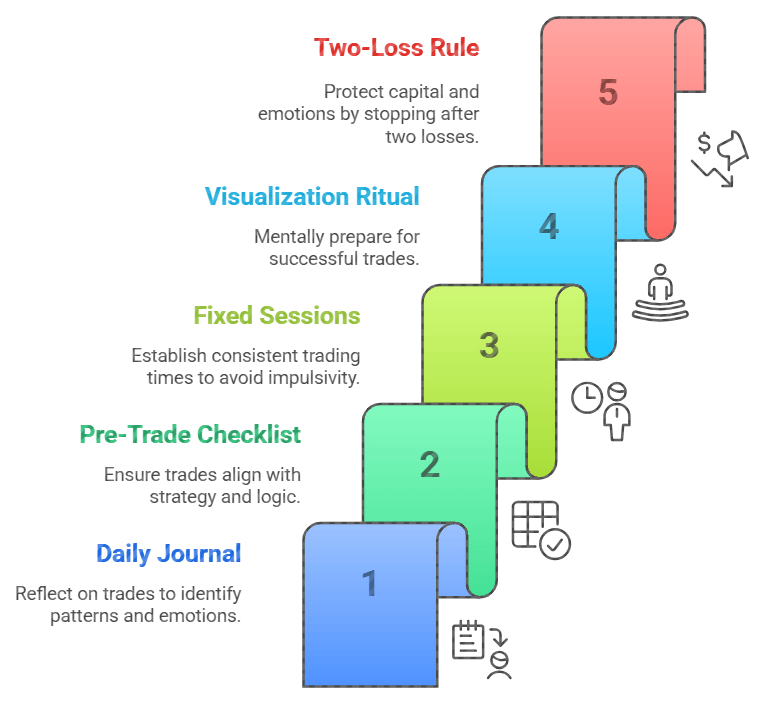
Here, you can find how to avoid getting banned with Pocket Option.
What Trading Psychology Research Reveals
Psychologists have studied decision-making under risk for decades, and many of their findings explain why traders struggle.
Loss Aversion
People naturally feel the pain of losing more strongly than the pleasure of winning. This often leads to revenge trading and refusing to accept losses.
Overconfidence Bias
After a few successful trades, many traders begin believing they can predict the market. This often results in larger position sizes and unnecessary risks.
Confirmation Bias
Once traders form an opinion, they tend to look only for evidence that supports it while ignoring warning signs.
Understanding these biases won’t eliminate them, but it helps you recognize them before they damage your account.
Real Trader Stories: Lessons That Hurt But Healed
I’m not the only one who struggled. Here are some real stories from traders I met in forums and coaching groups.
Jason’s Revenge Trading Nightmare
Jason once lost $300 in a single trade. Furious, he opened another bigger trade without thinking, and then another. By the end of the day, he was down $2,000.
He said, “I thought I was fighting the market. Really, I was fighting myself.”
Jason recovered only after adopting a strict “cooling-off” rule: after any loss, he must step away from the screen for at least 30 minutes.
Linda’s Overtrading Addiction
Linda loved action. She felt uncomfortable sitting out. She traded every small signal she saw.
Her win rate wasn’t bad, but fees and small losses ate her account slowly.
Her breakthrough? Limiting herself to a maximum of two trades a day. If she didn’t find good setups, she stayed out completely.
Arman’s Discipline Contract
Arman backtested a solid scalping method but kept breaking his rules live. Fear made him skip good entries.
One day, he printed a “Discipline Contract” and signed it:
“I will follow my system 100% for 30 days without adjustments. If I break the rules once, I restart.”
He said sticking to that contract gave him the first profitable month he ever had.
Every winning trader has a turning point, make this yours. Upgrade to a Pro or VIP Pocket Option account and unlock smarter tools for strategy discipline and trade control.
Ahmed’s Winning-Streak Trap
Ahmed started the week with five consecutive winning trades. Feeling unstoppable, he doubled his trade size on the sixth position.
The trade lost.
Frustrated, he increased his size again.
By the end of the day, he had given back every profit from the week.
His lesson was simple:
“Success became more dangerous than failure because it made me stop respecting risk.”
Many traders fear losses but underestimate how damaging overconfidence can be.
Advanced Insights: What Most People Don’t Tell You About Trading Mindset
Most articles say “control your emotions” or “be disciplined.” That’s useless advice without showing how.
Here’s what rarely gets discussed:
1. Boredom Is Your Friend
When you feel bored, it often means you are thinking properly. No impulsive clicks. No chasing. Real trading is waiting.
2. The Real Skill Is Sitting Out
Anyone can click BUY or SELL. Very few can sit on their hands for 2 hours because no setup appeared. That’s professional behavior.
3. Good Trading Feels Anti-Emotional
Your best trades won’t feel exciting. They’ll feel almost mechanical. When a trade feels thrilling, it’s probably wrong.
4. Your Brain Hates Losses
Studies show that losing $100 hurts twice as much as the pleasure of winning $100. Your brain is wired to act irrationally after a loss. Accept that. Prepare for it.
5. You Must Be Willing to Miss Trades
Missing a good trade hurts. But it’s better than taking a bad one. Pocket Option is open almost 24/7. Opportunities are endless. Missing one doesn’t matter.
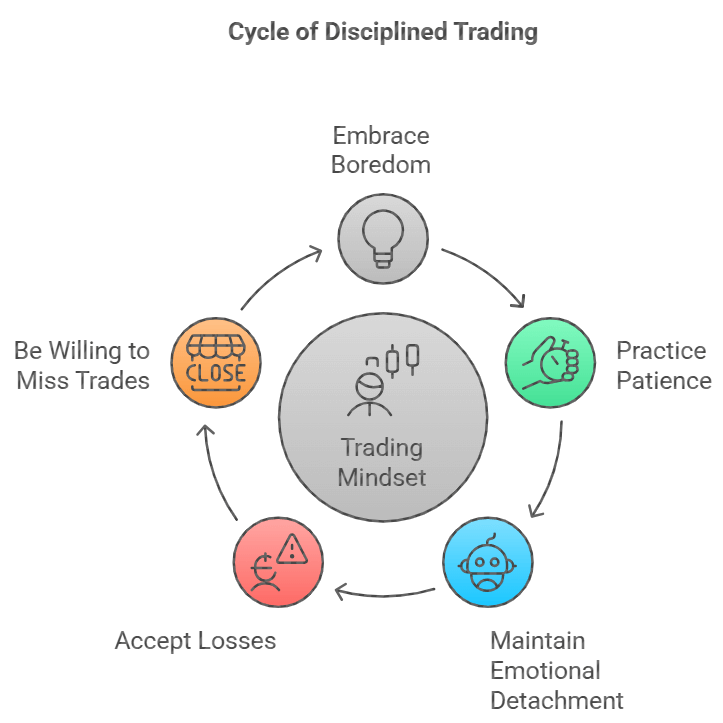
6. Winning Streaks Can Be More Dangerous Than Losing Streaks
Most traders become cautious after losses. Ironically, they become reckless after a series of wins.
Success creates overconfidence, which often leads to larger positions and weaker discipline.
7. Confidence and Overconfidence Are Not the Same
Confidence comes from following a tested strategy.
Overconfidence comes from believing you can’t be wrong.
One protects your account.
The other destroys it.
My 10-Minute Pocket Option Mindset Routine
Before every trading session, I spend 10 minutes preparing mentally.
Step 1: Review My Trading Plan (2 Minutes)
I remind myself of the setups I’m allowed to trade.
Step 2: Review Recent Trades (2 Minutes)
I look for emotional mistakes and recurring patterns.
Step 3: Visualize Discipline (3 Minutes)
I imagine myself following my rules regardless of the outcome.
Step 4: Complete My Checklist (3 Minutes)
Only after completing my checklist do I open Pocket Option.
This routine helps me approach the market calmly rather than emotionally.
FAQs on Pocket Option Trading Mindset and Emotional Trading
What is the best mindset for trading on Pocket Option?
The best mindset is calm, detached, and disciplined. Focus on executing your plan perfectly, not on making money fast.
How do I stop emotional trading on Pocket Option?
Use pre-trade checklists, daily journals, and a two-loss daily limit. Also, practice visualization and set clear trading hours.
How can I control greed when trading?
Set take-profit targets before entering the trade and stick to them. Remind yourself that “small profits consistently” beats “one big win rarely.”
Is trading on Pocket Option stressful?
It can happen if you trade without a plan or discipline. With proper risk management and a strong mindset, trading becomes boring—and that’s a good thing.
How do professional traders manage losses?
They expect losses. They control their risk size so no trade damages their account or emotions.
Why do I always lose after a winning trade?
This usually happens after a win because of overconfidence or greed. Stick to your plan and treat every trade independently.
How many trades should I take per day on Pocket Option?
Quality over quantity. One to three high-quality trades a day are enough. More trades usually mean more emotional mistakes.
What is revenge trading, and how do I avoid it?
Revenge trading involves trying to regain losses immediately. To avoid this, establish a two-loss rule: stop trading for the day if you lose two trades.
Can a Trading Journal Improve Pocket Option Results?
Yes. Journaling helps identify emotional mistakes, recurring patterns, and weaknesses that may not be obvious during live trading.
How Do I Know If I Am Overtrading?
If you’re entering trades without clear setups, trading out of boredom, or exceeding your daily trade limit, you’re likely overtrading.
Can Trading Psychology Be Learned?
Absolutely. Like technical analysis, psychological discipline improves through repetition, self-awareness, and structured routines.
Why Do Traders Break Their Own Rules?
Most rule-breaking occurs because of fear, greed, impatience, or overconfidence. The goal is not to eliminate emotions but to prevent them from controlling decisions.
Final Thoughts: Trading Success Starts in Your Mind
Pocket Option trading is not about outsmarting the market. It’s about outsmarting your emotional brain.
I learned that discipline, patience, and self-control matter more than any indicator or strategy.
The truth is, anyone can master these psychological skills. But most won’t because it’s not glamorous. It feels boring and slow.
Your trading results will transform if you can embrace that boring, patient, disciplined mindset.
- Start today
- Track your emotions
- Use your checklist
- Accept boredom
- Control yourself before trying to control the market.
That’s the real Pocket Option trading mindset. And that’s how you stay profitable.
Ready to master your mindset and start trading like a pro? Open your Pocket Option account now, get up to 50% bonus and apply what you’ve learned today with full control.
Moving Beyond Guesswork: The Ultimate Edge
If there is one thing my journey has taught me, it is that low-risk trading is not about avoiding losses entirely. It is about making sure that when you do lose, it is a tiny, controlled scratch rather than a fatal wound. The brokers we looked at today provide the physical toolkits to keep you safe, but the ultimate risk management tool is your own knowledge base.
To truly transform your trading from a stressful guessing game into an institutional process, you need deep, structural data analysis that goes far beyond basic retail charting. You need to understand market liquidity, institutional order flow, and underlying macroeconomic structures.
If you are ready to stop trading on pure hope and start building a real, professional edge grounded in institutional analysis, join our community of serious market students. Elevate your approach right now by subscribing to our exclusive framework on the Becoin Premium Membership Portal. Let’s build a sustainable, low-risk career together.
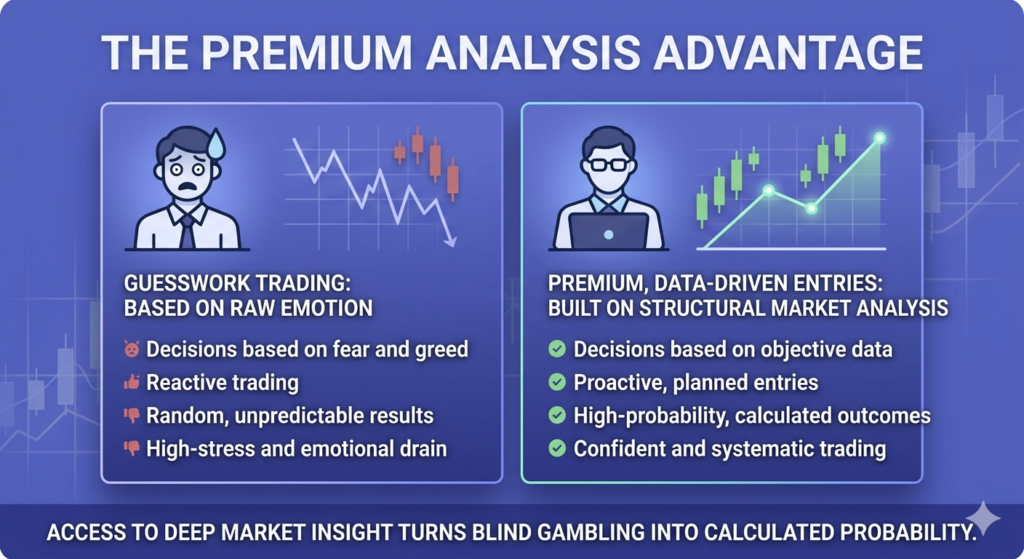
Best Time to Trade on Pocket Option for Maximum Profits

Facts Checked by Shahwaiz Khan
I remember the first time I sat staring at the Pocket Option interface, wondering when exactly the best time to trade was. Charts moved, candles danced, and profits felt like a coin toss. But with time, testing, and some obsession, I started seeing price action and timing patterns. You’re not alone if you’ve ever asked yourself, “When is the best time to trade on Pocket Option?”. And honestly, Google doesn’t give a straight answer. So here’s the one I wish I had from day one.
Why Timing Changes Everything
Let’s get something straight first. Like any trading platform, Pocket Option connects us to real global markets. That means each asset, forex, crypto, stocks, and commodities, has its rhythm, which changes depending on the time of day.
In short, not every hour is equal. Trading EUR/USD at 3 AM isn’t the same as trading it at 9 AM EST. They have the same chart but wildly different volumes, volatility, and opportunities. And that’s what makes timing such a powerful tool.
I learned that trading during dead hours felt like dragging a car uphill. Trades lingered, and the price barely moved. I lost more often just from boredom-induced mistakes. But everything changed once I aligned my trades with the market’s heartbeat.
Peak Trading Times by Asset Class
Here’s how I break it down based on what works, not just what the books say.
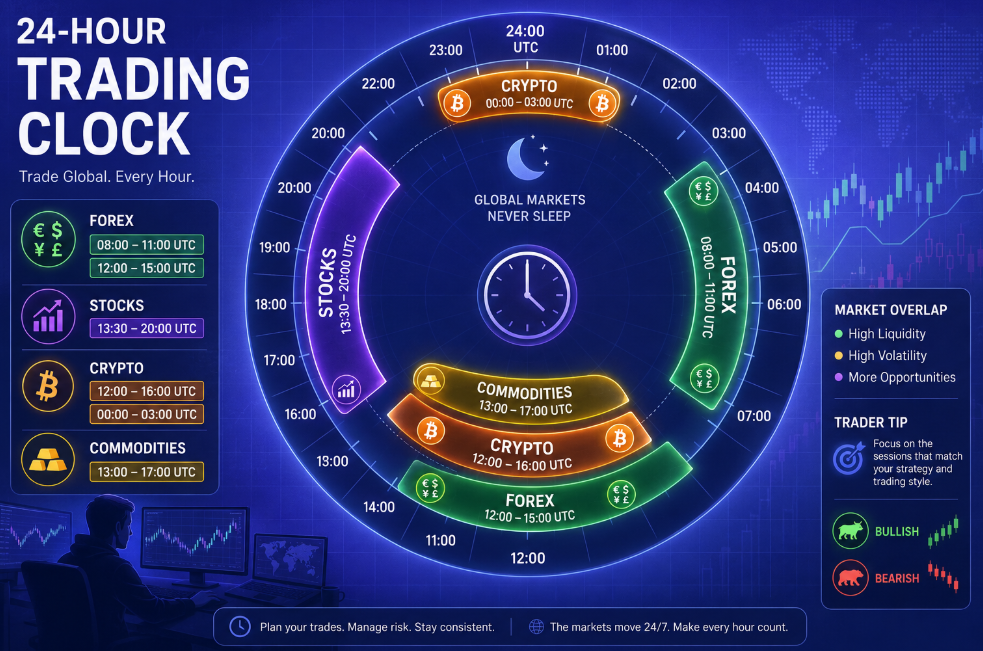
Forex
Best Trading Hours (UTC):
- London Session: 08:00 – 11:00
- London-New York Overlap: 12:00 – 15:00
These are the golden hours. Liquidity peaks, spreads tighten, and significant moves happen, especially for pairs like EUR/USD, GBP/USD, and USD/JPY. I personally aim for the overlap window; it’s explosive.
What do I avoid? The few hours after New York closes and before Tokyo opens. Thin volume. Erratic spikes. Unless I’m running a news-based scalp, it’s a no-go zone.
Stocks (Synthetic or Real)
Best Trading Hours (UTC):
- US Stocks: 13:30 – 20:00 (aligns with NYSE open)
- Pre-market: 12:00 – 13:30 (only for experienced scalpers)
Most stock traders I know on Pocket Option don’t realize how much activity depends on the US markets. The opening bell at 13:30 UTC is a chaos-fueled goldmine if you know how to ride the wave. I stick to the first two hours and then again for the power hour at the end (19:00–20:00).
If you trade synthetics that mimic stocks but aren’t tied to real exchanges, test their behavior during these hours. Many still follow US market sentiment.
Crypto
Best Trading Hours (UTC):
- 12:00 – 16:00
- 00:00 – 03:00
Crypto’s a 24/7 beast. But after hundreds of trades, I’ve noticed Bitcoin and Ethereum move cleanest when Europe and the US are awake. Weekends? Choppy. Lower volume. Weird manipulation spikes.
I keep my crypto trades to weekday afternoons or around midnight UTC when Asia steps in strong.
Commodities (Gold, Oil, etc.)
Best Trading Hours (UTC):
- 13:00 – 17:00
Gold especially moves best with the New York open. News hits. Dollar shifts. Perfect storm. Don’t sleep on the London morning session either. It sets the tone.
I used to trade gold all day. Now, I wait. Two killer setups during the right hour beat 10 flat trades anytime.
Know the time, now master the trade. Open a Pocket Option account and trade during the highest liquidity hours for better payouts and smarter setups.
Pocket Option Session Trading Explained (Most Important Concept)
Searches like “pocket option session trading” and “trading de session pocket option” refer to dividing the trading day into global financial sessions:
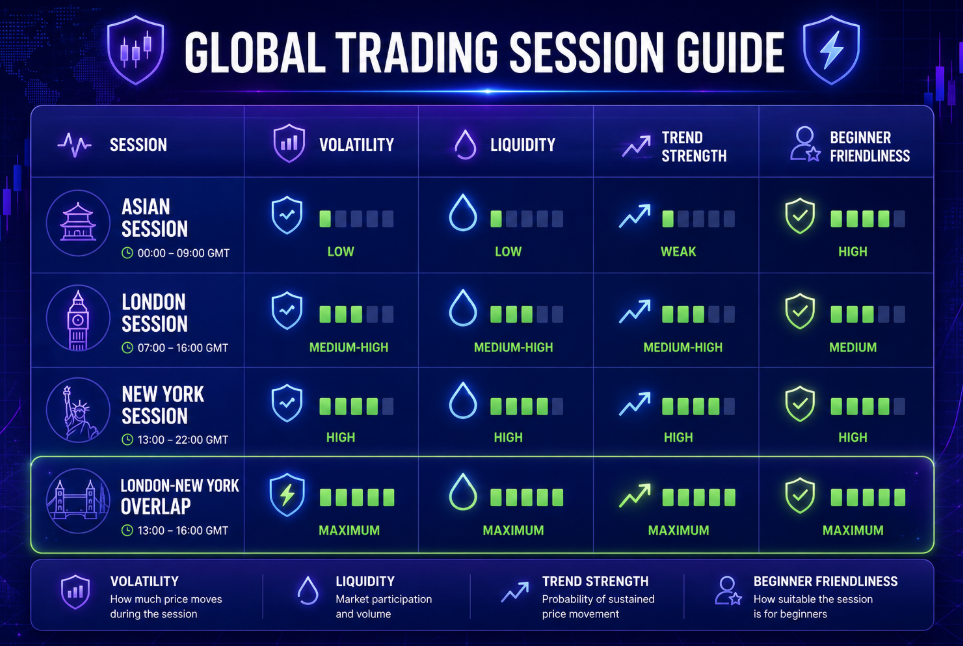
1. Asian Session (Low Volatility Phase)
This session is usually slow and range-bound. Price movement is limited, and many strategies that rely on momentum tend to fail here.
Beginners often overtrade during this time because they expect movement that does not exist.
2. London Session (Trend Formation Phase)
This is where the market starts to show structure. Liquidity increases, and breakouts become more reliable.
Many EUR/USD setups begin forming here, making it one of the most important sessions for short-term traders.
3. New York Session (High Volatility Phase)
This session brings strong movement, especially when combined with economic news. Gold and USD pairs often become highly active.
This is where scalping and fast expiration trading become more effective.
4. London + New York Overlap (Highest Probability Window)
This is the most important trading period in the entire day.
It combines:
- high liquidity
- strong momentum
- institutional participation
- clearer technical structure
Most professional traders focus only on this window because it reduces random price behavior.
Best Time to Trade OTC on Pocket Option
One of the most searched variations is “best time to trade OTC on Pocket Option”, and this requires separate explanation.
OTC (Over-The-Counter) markets are not linked to global exchanges. Instead, price movement is generated internally, which creates:
- smoother candles in some periods
- sudden unpredictable spikes in others
- weekend trading availability
When OTC is most active:
- evenings (low real-market activity periods)
- weekends (when forex markets are closed)
However, OTC is not simply “easier” or “harder” — it is less predictable by external macroeconomic logic.
This is why many traders use OTC only for testing strategies or low-risk setups, not aggressive scalping.
Weekdays vs. Weekends: A Real Talk
Let’s talk weekends.
Yes, you can trade on Pocket Option over the weekend. But should you?
I used to chase weekend trades like a gambler in a casino. There were fewer assets and no real market driving the moves. Pocket Option used “OTC” (over-the-counter) charts, which don’t mirror actual markets.
Sure, you can win. I did. But the price often felt “sticky.” Like someone else was deciding where it should go. Guess what? Someone probably was.
Weekdays, you’re in sync with the actual market flow. Economic data, news releases, and volume spikes are all real. On weekends, it’s like practicing boxing with a mirror. You punch, it moves. But it’s not real competition.
Now, I treat weekends as study time. Backtest. Journal. Review setups. Reset.
How Market Hours Shape Your Strategy
When unquestioningly trading at random hours, I couldn’t figure out why my scalping strategy worked at 14:00 but failed at 02:00. Then it clicked: strategies are time-sensitive.
Scalping? Needs volatility and liquidity. Best during overlap sessions.
Trend following? Morning breakouts or late-session trends are gold.
Range-bound trades? Mid-session calm or post-news digestion hours work best.
I now match strategy to time:
- Momentum scalp: 12:00–15:00 UTC
- Breakout play: Right after London or New York opens
- Reversals: End of sessions when volume fades
Time isn’t just when you trade, it’s how you trade.
Tired of weekend uncertainty? Stick to real market hours, join Pocket Option now and align your trades with actual global market flows.
Secrets You Won’t Find in Google Search
Here’s what most guides miss.
1. Pocket Option’s Clock Isn’t Always UTC
Check your chart timezone in the settings. I once missed a whole NFP release because I thought UTC was the default. It was a rookie mistake, but it was a costly lesson.
2. Pocket Option Chart Behavior Changes on Weekends
OTC charts aren’t just “off-market”. They behave differently. Price moves can feel unnatural. Backtest separately.
3. Volume Indicators Don’t Work on All Assets
Since some charts are synthetic, your volume indicators might lie. Instead, focus on price action and candlestick behavior.
4. Not All Assets Are Equal All Day
This one took me a while. Even on weekdays, not all assets are good all the time. For example, AUD/JPY is sleepy during the NY session. But at the Tokyo open? It’s a ninja.
Quick Tips to Master Your Timing
- Set alarms for market open/close times in your local time.
- Use economic calendars (like Forex Factory) to avoid big news if you’re unprepared.
- Keep a log: What time did you trade? Which asset? Result? Patterns will emerge.
- Don’t fall for “trade any time” hype. Smart traders are picky about timing.
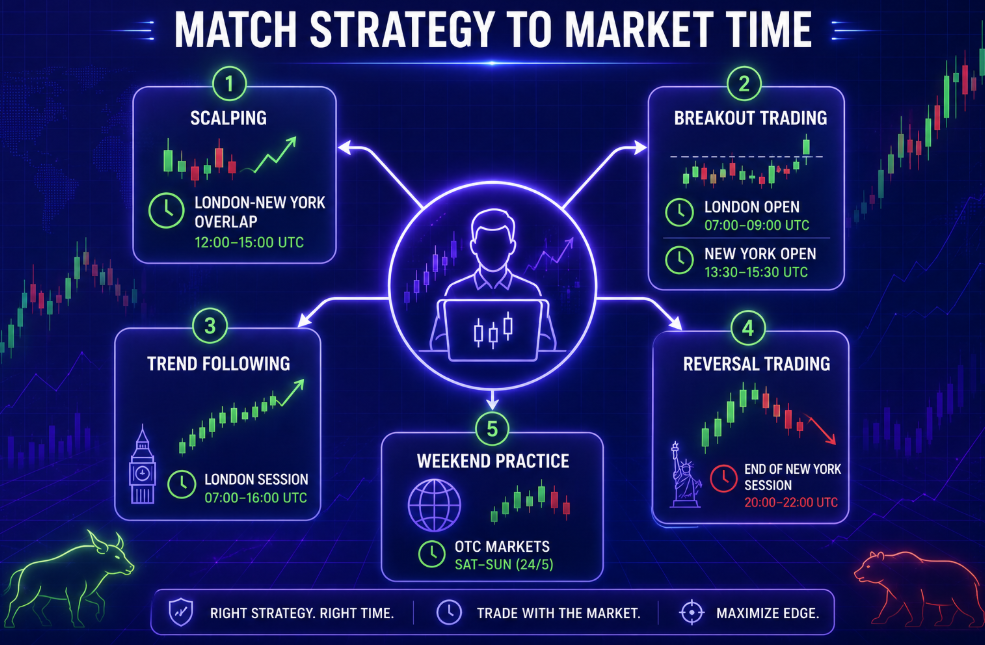
Final Word: It’s About Rhythm, Not Just Hours
The best traders I know don’t just chase charts; they follow rhythm; the ebb and flow of volume, sentiment, and timing. On Pocket Option, once you learn when markets breathe, your trades will, too.
So instead of asking “Can I trade now?” ask: “Is this the right time for this strategy, this asset, and my mindset?”
That shift in question changed everything for me.
And it might for you too.
Timing is everything. Sign up on Pocket Option today and receive up to a 50% deposit bonus, then use it during peak trading windows when it matters most.
Join BeCoin Premium
Stop trading blind. BeCoin Premium brings you in-depth market analysis, real trade setups, and a community of traders who take this seriously. Your simple platform does the execution. We do the thinking with you.
Get the Edge → Join BeCoin Premium
FAQs
What are the best trading hours on Pocket Option?
The London-New York overlap (12:00–15:00 UTC) is best for forex. The US market hours are (13:30–20:00 UTC) for stocks. Crypto works best 12:00–16:00 UTC.
Is it good to trade on Pocket Option at night?
Only if the market you’re trading in is active. For example, JPY pairs or crypto around 00:00–03:00 UTC.
Are weekends good for trading on Pocket Option?
Weekends use OTC charts, which aren’t based on real market prices. They’re risky and unpredictable, and they’re better for practice or strategy testing.
Which is better: morning or evening trading?
Morning (London and NY opens) gives volatility and setups. Evening is better for calm reversal plays or when volume fades.
How do I know if it’s a good time to trade?
Ask: Is the market open? Is there news? Is there volume? Is this asset active in this session? Don’t trade unquestioningly.
Pocket Option AI Trader Live Demo: 1st AI-Trader with a 75% WIN Rate
How to Deposit on Pocket Option and Get a 50% Bonus (Step-by-Step Tutorial)
9 Best Pocket Option Candlestick Patterns (With Real Trading Examples)
I’ll never forget the first time I stared at a Pocket Option chart, clueless about what all those candlesticks meant. It looked like a strange language, green and red bars moving up and down without warning. I took a few trades based on gut feeling.
Spoiler: I lost.
That’s when I realized I needed to learn candlestick patterns. Not just memorize them, but understand what they mean. And once I did, everything changed. My win rate improved. My confidence soared. No more second-guessing. Now I will show you the exact candlestick patterns that helped me level up on Pocket Option.
Want to test these patterns risk-free?
Open your free Pocket Option demo account and get $10,000 in virtual funds. It’s the easiest way to learn candlestick trading before going live, no deposit required.
These aren’t just textbook definitions. I’ll walk you through how each plays out in real trades and what to watch for. Finally, I’ve included a downloadable cheat sheet you can use as a quick visual guide during live trading.
Let’s start with the candlestick basics; then dive into the patterns.
Quick Comparison: Best Pocket Option Candlestick Patterns
If you’re short on time, here is a quick overview of the most effective candlestick patterns for Pocket Option trading.
| Pattern | Signal Type | Reliability | Best Timeframe |
|---|---|---|---|
| Pin Bar | Reversal | High | 30s–5m |
| Engulfing | Reversal | Very High | 1m–5m |
| Doji | Indecision | Medium | 1m–5m |
| Morning Star | Reversal | High | 1m–5m |
| Three White Soldiers | Continuation | High | 1m–5m |
| Tweezer Top/Bottom | Reversal | High | 30s–2m |
| Marubozu | Momentum | High | 30s–5m |
| Inside Bar | Breakout | Medium | 1m–5m |
| Fakeout Wick | Reversal | High | All |
Beginners should focus on Pin Bars, Engulfing Patterns, and Morning Stars first. These tend to be easier to recognize and more reliable when combined with support and resistance levels.
Why Candlestick Patterns Matter on Pocket Option
Unlike longer-term trading, binary options give you just seconds or minutes to decide. So patterns that give you even a slight edge matter a lot. Candlesticks show real-time price psychology. They reveal who’s in control, the buyers or the sellers, and what might happen next.
But here’s what most articles don’t tell you: not every pattern is reliable on lower timeframes. Some only work in strong trends. Others are better at reversals. That’s where experience and context come in.
How Accurate Are Candlestick Patterns on Pocket Option?
Many beginners assume candlestick patterns guarantee winning trades. They don’t.
In my experience, the best Pocket Option candlestick patterns work when they appear at key support and resistance levels and align with the overall trend.
For example:
- A bullish engulfing pattern at support is stronger than one in the middle of a ranging market.
- A pin bar rejecting a major resistance level has a higher probability than a random pin bar.
- Confirmation from indicators like RSI or MACD can further improve accuracy.
No pattern is 100% accurate, but combining candlestick analysis with market structure can significantly improve decision-making.
Best Candlestick Patterns for Pocket Option Trading
I’m going to share the nine patterns I trust the most for fast Pocket Option trades. Let’s go.
1. The Pin Bar (Also known as the Hammer or Shooting Star)
This was the first candlestick that actually made me money. Picture this: I was trading EUR/USD on the 30-second chart. The market had been dropping fast. Then, out of nowhere, a tiny-bodied candle with a long lower wick formed at a support level. That was the hammer.
It meant sellers tried to push lower, but buyers snapped back firmly. I entered a quick BUY trade. Thirty seconds later, it closed in on the money.
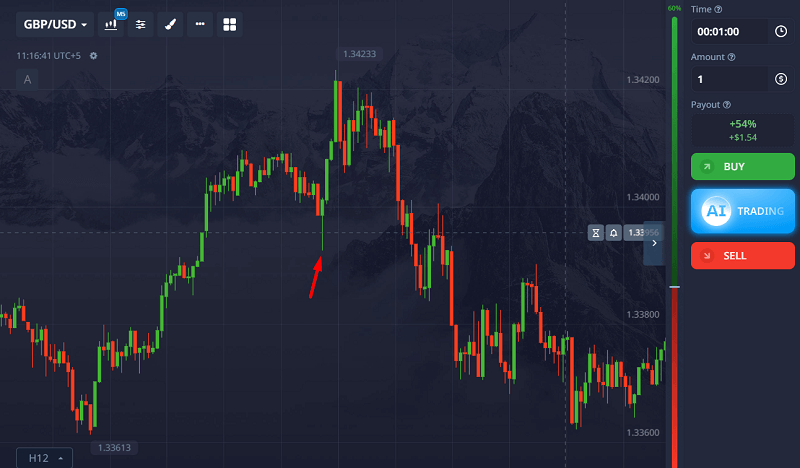
Pin Bars show rejection. Use them at key levels or after sharp moves. They work best when:
- The wick is 2–3 times longer than the body
- The candle forms at a previous support/resistance level
- There’s a strong reaction after it closes
2. Engulfing Pattern (Bullish & Bearish)
If you only learn one pattern, let it be this. I remember spotting a bullish engulfing candle during a news spike. A green one completely swallowed the previous red candle. I placed a BUY just after it closed. That trade paid for my lunch and dinner.
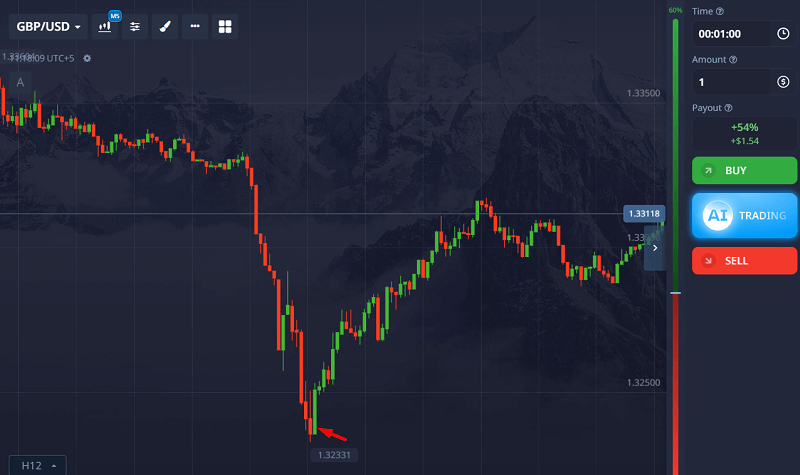
Engulfing patterns are powerful reversal signals. Here’s what to look for:
- A small candle followed by a larger one of the opposite color
- The second candle “engulfs” the first entirely
- Stronger when formed after a long move
Don’t trust them in choppy markets. Wait for clear direction.
3. Doji
Dojis used to confuse me. They don’t look like much, just a cross or thin-bodied candle. But their power is in their indecision.
I once saw a doji form after five straight green candles on USD/JPY. That was the signal to watch out for. A bearish candle followed, and I jumped in with a PUT.
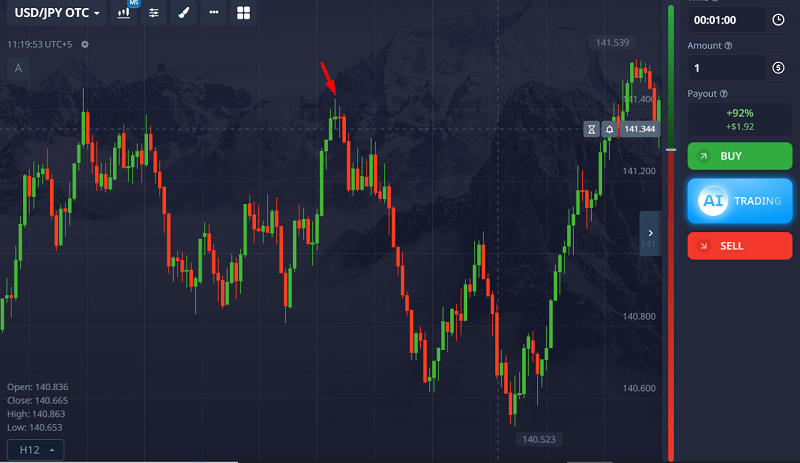
Here’s when to use Doji:
- After a strong trend (potential reversal)
- At significant resistance or support
- Only when followed by confirmation (like an engulfing or strong opposite candle)
4. Morning Star & Evening Star
The Morning Star saved me once when trading Gold. Price had been falling aggressively and I was tempted to keep selling. Then a classic Morning Star appeared:
strong red candle → small indecision candle → strong green candle.
The pattern signaled that sellers were losing control and buyers were stepping in. I entered a CALL trade after confirmation and caught the reversal.
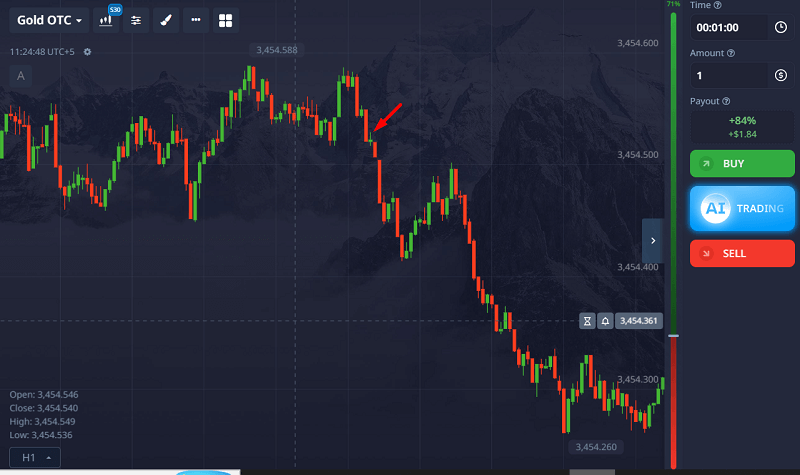
How to spot them:
- Morning Star: Red → Small candle → Green
- Evening Star: Green → Small candle → Red
- Look for the middle candle to “gap” slightly and be small
- Best on 1-min or 2-min timeframes
5. Three White Soldiers & Three Black Crows
These patterns scream momentum. Buyers are in charge when you see three strong green candles in a row (White Soldiers). Three strong red ones (Black Crows)? Get ready for more downside.
I often use this to catch a second or third wave of a trend. For example, on a USD/CAD rally, I saw three white soldiers form and waited for a slight pullback before hitting a CALL. It was a clean win.
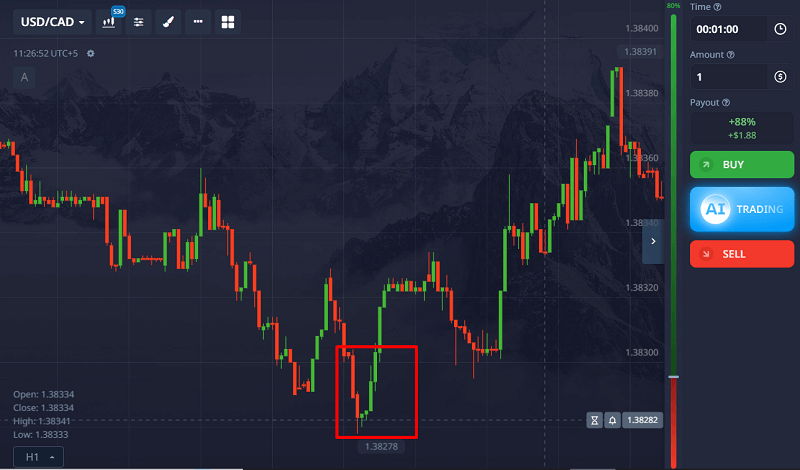
Watch for:
- Similar-sized candles
- Small or no wicks
- Trend continuation rather than reversal
You can use this as a one-minute strategy as well.
Ready to apply these patterns in real trades?
Get a 50% bonus on your first Pocket Option deposit and start practicing with a solid plan. Combine this with our candlestick cheat sheet for better setups and stronger signals.
6. Tweezer Tops & Bottoms
These are subtle but deadly accurate when used correctly. I like them for scalping reversals on short-term charts.
A Tweezer Top is two candles with equal highs, usually after an uptrend. Tweezer Bottom? Equal lows after a drop.
Once, I caught a perfect Tweezer Bottom on EUR/GBP with both candles having matching wicks. I waited for a small green candle to confirm, and the price bounced.
Ideal setup:
- Two or more candles with matching highs/lows
- Wick rejection is key
- Works best with RSI/MACD divergence
7. Marubozu
This one has no wick. Just a solid block. When you see it, take notice.
A green Marubozu shows strong buying, no hesitation. Red means heavy selling. I used to fade these, thinking they were “too late” to trade. Wrong. Often, they start a bigger move.
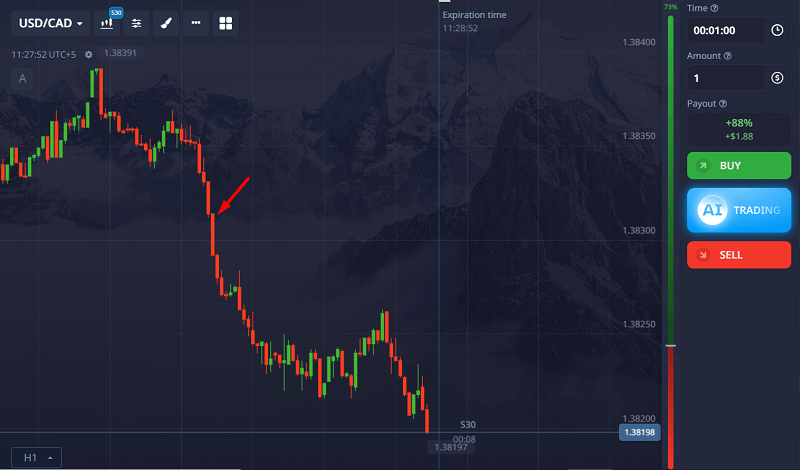
Now, I either ride the momentum, wait for a tiny pullback, and then enter. This strategy is especially powerful after news events.
8. Inside Bar
The Inside Bar tells you a big move is coming. It’s a pause before the storm.
This works best on 1 to 5 minute charts. When I spot one, I draw a mini box around it and wait for a breakout. If the following candle breaks above, I will call. If it breaks below, I put.
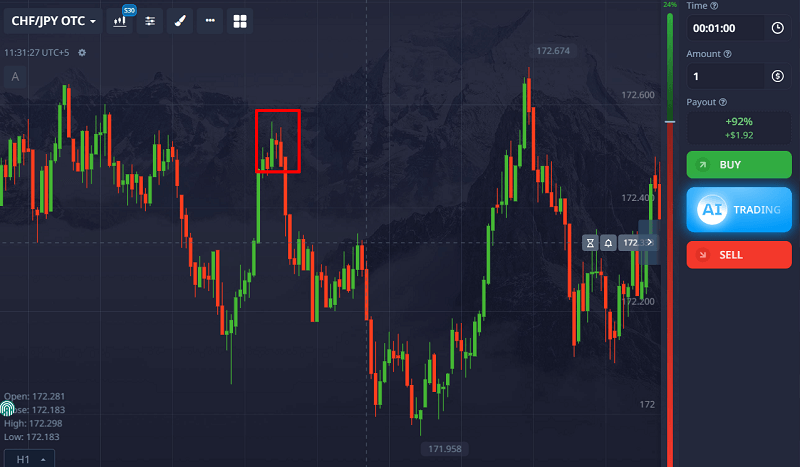
Tips:
- Inside Bar is smaller and fits within the high/low of the previous candle
- Works well after strong moves or at key levels
- Avoid sideways markets
9. The Fakeout Wick
Okay, this one’s not in most guides, but it should be. I call it the “fakeout wick.” You’ll see a long wick pierce a level and then snap back. It looks like a breakout, but it’s a trap.
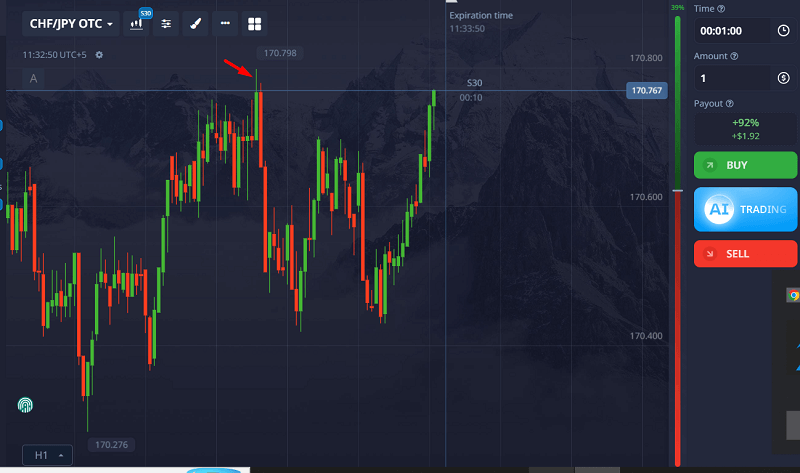
I’ve been caught in a few. But now I use it to my advantage. When I see a long wick that breaks a level but fails, I enter in the opposite direction, right after a confirmation candle.
Look for:
- Wick is at least 2x body length
- Price quickly reverses
- Works at daily highs/lows or psychological levels
Common Candlestick Pattern Mistakes Beginners Make
Learning candlestick patterns is only half the battle. Here are the mistakes I see beginners make most often:
Trading Every Pattern
Not every setup is worth taking. Focus on quality over quantity.
Ignoring Trend Direction
Bullish patterns perform better in uptrends. Bearish patterns perform better in downtrends.
Entering Before Candle Close
Wait for the candle to fully close. Many patterns look valid midway through formation and then disappear.
Ignoring Support and Resistance
A pattern at a key level is far more reliable than one forming in the middle of nowhere.
Risking Too Much
Even the strongest candlestick setup can fail. Always manage risk carefully.
Combining Candlestick Patterns with Chart Structure
Although this guide focuses on candlestick patterns, structure still matters.
For example, a W pattern (double bottom) is technically a chart pattern. But the entry trigger often comes from a candlestick confirmation, such as a bullish engulfing or hammer at the neckline.
This is how professional traders combine price structure with candle psychology rather than relying on shapes alone.
If you want to apply this properly, practice identifying both structure and candle confirmation together.
👉 Open your Pocket Option account and test these confirmations live
Real Market Examples
After reviewing and journaling more than 200 Pocket Option trades, I noticed that the highest-probability setups consistently occurred when candlestick patterns aligned with trend direction and key support or resistance levels.
- EUR/USD 1-min chart: Tweezer Bottom at round number 1.0900 followed by engulfing green candle. CALL trade = ITM.
- GBP/JPY 2-min chart: Evening Star after news spike. PUT trade = ITM.
- Gold 30s chart: Fakeout Wick above previous high, snapped back. PUT trade = ITM.
Best Candlestick Patterns for Pocket Option Scalping
For 30-second and 1-minute trades, not every pattern performs equally.
Engulfing candles at key levels, strong pin bars, and clear momentum Marubozu candles tend to work best in fast conditions. However, market context matters more than the pattern itself.
Sideways markets reduce reliability. Strong trends increase it.
If you’re trading very short expiries, reduce noise by:
- Waiting for candle close
- Trading at clear levels
- Avoiding overtrading
Consistency comes from patience, not frequency.
Candlestick Patterns Ranked by Reliability (Pocket Option)
The reliability of a candlestick pattern depends heavily on context, timeframe, and market conditions. However, based on short-term binary trading behavior (1–5 minute charts), here’s how they generally rank when used correctly.
| Rank | Pattern | Pattern Type | Market Signal | Reliability (Short-Term) | Best Used In |
|---|---|---|---|---|---|
| 1 | Engulfing (Bullish/Bearish) | Reversal / Continuation | Momentum Shift | ⭐⭐⭐⭐⭐ High | Pullbacks in strong trends |
| 2 | Pin Bar (Hammer / Shooting Star) | Reversal | Rejection at Key Level | ⭐⭐⭐⭐ High | Support & Resistance zones |
| 3 | Morning Star / Evening Star | Reversal (3-candle) | Trend Exhaustion | ⭐⭐⭐⭐ High | After extended moves |
| 4 | Marubozu | Continuation / Breakout | Strong Conviction | ⭐⭐⭐ Medium-High | Breakouts & momentum trades |
| 5 | Double Wick Rejection | Reversal | Level Exhaustion | ⭐⭐⭐ Medium | Range boundaries |
| 6 | Inside Bar | Consolidation / Breakout | Volatility Compression | ⭐⭐ Medium | Trend continuation setups |
| 7 | Doji | Indecision | Momentum Pause | ⭐ Low (needs confirmation) | Early reversal warning |
Pocket Option Candlestick Cheat Sheet
Use this quick-reference guide during live trading.
| Pattern | Signal | Typical Action |
|---|---|---|
| Hammer | Bullish | CALL |
| Shooting Star | Bearish | PUT |
| Bullish Engulfing | Bullish | CALL |
| Bearish Engulfing | Bearish | PUT |
| Morning Star | Bullish | CALL |
| Evening Star | Bearish | PUT |
| Tweezer Bottom | Bullish | CALL |
| Tweezer Top | Bearish | PUT |
| Marubozu | Momentum | Trade with direction |
Remember that confirmation and market context matter more than the pattern itself.
Final Thoughts
I’m not saying candlestick patterns are magic. You still need risk management, timing, and practice. But they gave me clarity when I was drowning in confusion.
Use them with trendlines, support/resistance, and a simple indicator like RSI. Start slow. Focus on 1 or 2 patterns first. And always test them in a demo before going live.
Because in binary options, seconds matter. And when you recognize what price is saying through candlesticks, you trade smarter, not harder.
Want to master candlestick trading on Pocket Option?
Start with the demo account here and when you’re ready, claim your 50% deposit bonus to begin live trading with a head start. Learn smarter. Trade better.
FAQs
What are the best candlestick patterns for Pocket Option?
The most reliable ones include Pin Bars, Engulfing, Morning/Evening Star, and Tweezer Tops/Bottoms. Use them with context and confirmation.
Do candlestick patterns work on 30-second charts?
Yes, but only the stronger ones like Engulfing, Pin Bars, and Marubozu. Look for confluence and volume.
How can I quickly learn candlestick patterns?
Use visual cheat sheets and replay your trades. Focus on 1-2 patterns a week. Practice on the demo and take screenshots.
Can I use indicators with candlestick patterns?
Absolutely. Try combining RSI or MACD with patterns for more accurate entries.
When do candlestick patterns fail?
They often fail in sideways or low-volume markets and when used without context, such as support/resistance or trend.
Which candlestick pattern is most accurate on Pocket Option?
Bullish and bearish engulfing patterns are generally among the most reliable because they show a clear shift in market momentum. Their accuracy improves significantly when they appear at support or resistance levels.
What is the best timeframe for candlestick trading on Pocket Option?
Most traders prefer 1-minute to 5-minute charts because they provide a balance between signal quality and trading opportunities.
Do professional traders use candlestick patterns?
Yes. Many professional traders use candlestick analysis as part of a broader price action strategy alongside support and resistance, trend analysis, and volume.
How many candlestick patterns should beginners learn?
Start with just two or three patterns, such as Pin Bars, Engulfing Patterns, and Morning Stars. Mastering a few setups is more effective than trying to memorize dozens.
Moving Beyond Guesswork: The Ultimate Edge
If there is one thing my journey has taught me, it is that low-risk trading is not about avoiding losses entirely. It is about making sure that when you do lose, it is a tiny, controlled scratch rather than a fatal wound. The brokers we looked at today provide the physical toolkits to keep you safe, but the ultimate risk management tool is your own knowledge base.
To truly transform your trading from a stressful guessing game into an institutional process, you need deep, structural data analysis that goes far beyond basic retail charting. You need to understand market liquidity, institutional order flow, and underlying macroeconomic structures.
If you are ready to stop trading on pure hope and start building a real, professional edge grounded in institutional analysis, join our community of serious market students. Elevate your approach right now by subscribing to our exclusive framework on the Becoin Premium Membership Portal. Let’s build a sustainable, low-risk career together.
How to Avoid Getting Banned on Pocket Option (2026 Guide)
Few things are more stressful than logging into Pocket Option and discovering your account has been restricted. Your funds are locked, trades can’t be placed, and support suddenly becomes your most important contact. The good news? Most account restrictions are preventable and many can be reversed if you act quickly.
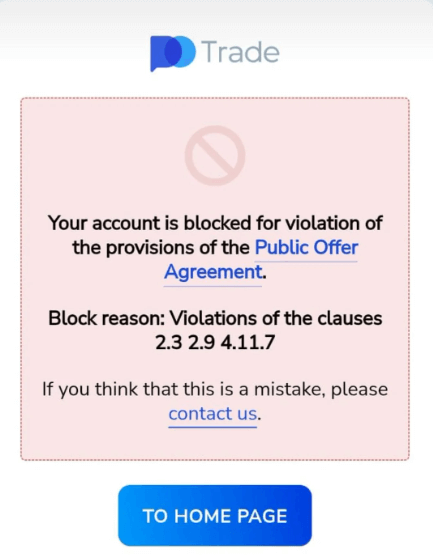
In this guide, I’ll walk you through what causes bans, how to avoid them, and what to do if it happens to you. I’ll also answer questions you won’t find answered anywhere else.
Ready to trade safely on a trusted platform? Sign up on Pocket Option using my exclusive link and get up to 50% deposit bonus to start your journey with a head start. Join now and claim your bonus.
Can Pocket Option Ban Your Account?
Yes. Pocket Option can temporarily restrict or permanently ban accounts that violate its terms and conditions. Common reasons include incomplete KYC verification, multiple accounts, suspicious payment activity, bonus abuse, or behavior that triggers fraud-prevention systems. Most temporary restrictions can be resolved through support and identity verification.
Why Pocket Option Bans or Blocks Accounts
Before diving into my experience, it’s important to understand why Pocket Option restricts accounts. Most account blocks are linked to security checks, identity verification issues, payment inconsistencies, or violations of platform rules. In many cases, the restriction is temporary and can be resolved after review.
1. Multiple Accounts
Creating more than one trading account per person is against Pocket Option’s terms. People do this to abuse bonuses or to reset their stats after losses. If the system detects this, expect a quick ban.
2. Incomplete KYC Verification
If you haven’t submitted proper documents or used fake information, your account will eventually be blocked. Even if you can trade initially, the issues begin once you try to withdraw.
3. Bonus Abuse
Pocket Option bonuses come with conditions. If you try to withdraw before meeting the trading volume or cancel bonuses to avoid restrictions, that’s a red flag. Doing this often can lead to restrictions or suspension.
4. Using Prohibited Bots
Some trading bots are allowed on Pocket Option, but any that exploit loopholes or spoof activity can get you banned. They monitor this via backend behavior patterns.
5. IP or Device Mismatch
Trading from multiple countries or devices without warning can trigger automatic fraud detection. This is especially common with traders using VPNs.
6. Suspicious Deposits
Depositing with someone else’s card or using inconsistent payment methods can flag your account. They want to know the funds are coming from you, not a third party.
My Experience: When My Account Was Blocked
I had been trading on Pocket Option for several months without any issues. Deposits and withdrawals were processed normally, and my account had already passed basic verification.
One morning, I logged in and discovered that my account had been temporarily restricted. I could access the dashboard, but I couldn’t place new trades or make withdrawal requests.
At first, I assumed it was a technical issue. After contacting support, I learned that a recent login from another country had triggered a security review. I had been using a different internet connection while traveling and hadn’t informed support beforehand.
The review process took several days and required additional verification. Fortunately, the restriction was removed once I provided the requested information. The experience taught me how sensitive modern fraud-detection systems can be and why it’s important to keep your account information consistent.
Signs Your Pocket Option Account May Be Under Review
Before an account is fully restricted, traders often notice warning signs such as:
- Withdrawal requests remaining pending longer than usual
- Requests for additional identity verification
- Security alerts related to account access
- Temporary limitations on deposits or withdrawals
- Login notifications from unfamiliar locations
- Messages asking you to contact support
If you notice any of these issues, contact support immediately and verify your account details before the situation escalates.
How to Prevent Getting Banned on Pocket Option
Here are the key steps I follow now to avoid issues. I suggest you do the same:
Always Use Real Info During Registration
Don’t cut corners here. Use your actual name and real ID, and make sure your profile matches your bank or wallet information.
Finish KYC As Soon As You Can
Upload your government-issued ID, proof of address, and a selfie. Don’t wait till withdrawal time. You can do it from your account settings. Delaying verification is one of the most common reasons traders encounter withdrawal problems later. Completing Pocket Option KYC verification early can significantly reduce the risk of account restrictions.
Stick to One Account
Don’t create another account even if you mess up or want to start fresh, contact support to reset your current one.
Read Bonus Terms Carefully
If you take a deposit bonus, know the turnover requirement. Avoid canceling bonuses mid-way through trading, as that can trigger flags.
Avoid Trading with VPNs Unless Necessary
If you must use a VPN (say you’re traveling), inform support in advance. Tell them your IP might change to avoid suspicion.
Use Only Your Cards or Wallets
Depositing using someone else’s card, even your spouse’s can cause issues. Pocket Option wants a direct match between the account holder and the funding source.
Avoid common mistakes and still profit? Thousands of traders choose Pocket Option for fast withdrawals, clean UI, and smart tools. Use my referral link to create your account and unlock a limited-time bonus. Start trading smarter here.
Common Pocket Option Verification Mistakes
Many account restrictions happen because of simple verification errors. Common mistakes include:
- Uploading blurry identity documents
- Using expired IDs
- Entering a name that doesn’t match official documents
- Using payment methods registered to another person
- Submitting incorrect proof of address
- Providing edited or cropped verification images
Double-checking these details can prevent unnecessary delays and account reviews.
What to Do If Your Pocket Option Account Gets Blocked
So let’s say you’re already blocked. Don’t panic. Here’s what worked for me:
- Go to the Pocket Option support page.
- Open a support ticket and explain the issue politely. Provide your email and account ID.
- If you received any email about the block, reply directly with any extra information.
- Re-submit your KYC documents if asked. Take fresh photos if needed.
- Be honest. If it was a mistake on your part, admit it.
In most cases, accounts get unblocked within 3–5 business days unless it was a serious violation.
Trading psychology is also important to manage your risk.
Frequently Asked Questions
What does it mean when the Pocket Option says your account is restricted?
This usually means the system flagged unusual activity. It could be due to login issues, document problems, or trading behavior. Contact support for clarification.
Can I recover a banned Pocket Option account?
Yes, unless you’ve broken major rules like fraud or repeated multi-account abuse. Most temporary bans are reversible with proper verification.
Can I use my phone and laptop to trade on Pocket Option?
Yes, you can but make sure both devices are yours and regularly used. Switching devices constantly between different countries may trigger alerts.
Does the pocket option ban for scalping?
No. Scalping is allowed. But you could get flagged if you use auto-clickers, scripts, or bots that mimic scalping unnaturally.
Can I create a new account if mine is banned?
Technically, no. Doing this violates the terms and can also result in a ban on the new account. Try resolving your main account with support.
Does Pocket Option ban VPN users?
Many traders use VPNs while traveling. Using one is not automatically a violation, but sudden location changes may trigger security reviews.
Why is my Pocket Option withdrawal under review?
Withdrawals are often reviewed when verification is incomplete or payment details don’t match account information.
How can I contact Pocket Option support?
Provide available support channels and expected response times.
Can Pocket Option close inactive accounts?
Explain inactivity policies if applicable.
These target long-tail searches.
Final Tips to Stay Safe
- Bookmark the official Pocket Option support page.
- Always notify them if you’re changing location or devices.
- Don’t use third-party scripts or auto-clickers.
- Avoid shady bonuses from unofficial sources.
- If in doubt, ask for support before taking risky actions.
Final Thoughts
Getting a Pocket Option restricted account notification can be frustrating, especially if you rely on the platform regularly. Fortunately, most restrictions stem from preventable issues such as verification problems, payment inconsistencies, or unusual login activity. I learned the hard way, but now I know what not to do. If you follow the steps above, you’ll be miles ahead of the average trader.
Pocket Option is a solid broker, but like any regulated platform, it takes rules seriously. Respect that, and you’ll have no trouble trading safely.
Don’t wait until your account gets restricted to learn the rules. Get verified early and claim your Pocket Option deposit bonus now. Use this link to join, deposit, and trade with confidence. Click here to sign up and get rewarded.
Moving Beyond Guesswork: The Ultimate Edge
If there is one thing my journey has taught me, it is that low-risk trading is not about avoiding losses entirely. It is about making sure that when you do lose, it is a tiny, controlled scratch rather than a fatal wound. The brokers we looked at today provide the physical toolkits to keep you safe, but the ultimate risk management tool is your own knowledge base.
To truly transform your trading from a stressful guessing game into an institutional process, you need deep, structural data analysis that goes far beyond basic retail charting. You need to understand market liquidity, institutional order flow, and underlying macroeconomic structures.
If you are ready to stop trading on pure hope and start building a real, professional edge grounded in institutional analysis, join our community of serious market students. Elevate your approach right now by subscribing to our exclusive framework on the Becoin Premium Membership Portal. Let’s build a sustainable, low-risk career together.
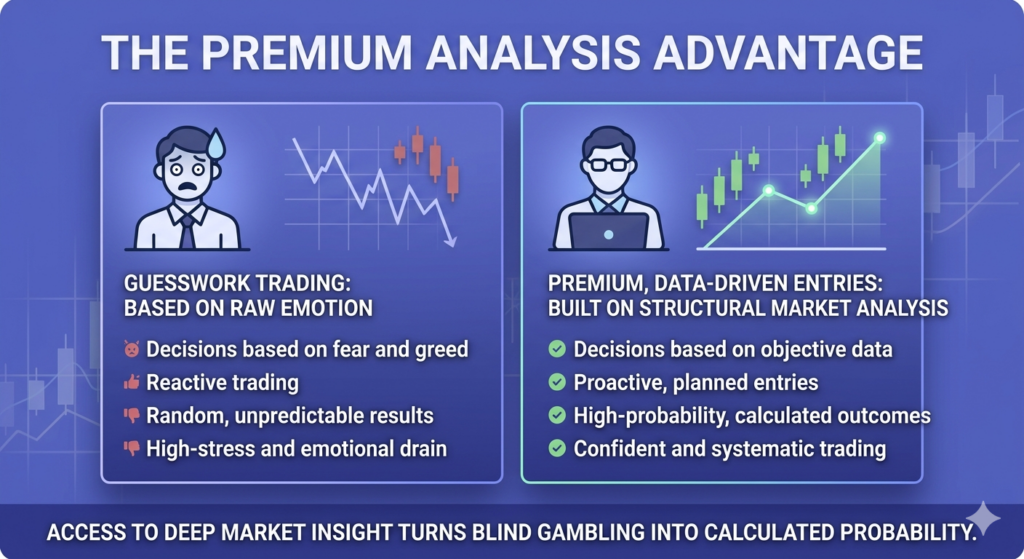
Pocket Option App Download: Complete Mobile App Review for Android & iPhone (2026)
Looking for a Pocket Option app download? The Pocket Option mobile app allows you to trade from anywhere using your Android smartphone or iPhone. You get access to real-time charts, technical indicators, copy trading, trading signals, deposits, withdrawals, and account management directly from your mobile device.
After spending months testing the app in different market conditions, I’ve found it to be one of the most feature-rich mobile trading platforms available for active traders. Whether you’re looking for a simple way to monitor trades while away from your computer or want to trade entirely from your phone, this guide covers everything you need to know.
In this review, I’ll show you how to download the Pocket Option app, explore its features, compare it to the desktop version, discuss hidden tools most users overlook, and explain whether it’s suitable for serious trading in 2026.
Ready to trade on the go like a pro? Download the Pocket Option mobile app using this link and get a 50% deposit bonus when you register and fund your account. Quick setup, real trades – anytime, anywhere.
Pocket Option App at a Glance
| Feature | Availability |
|---|---|
| Android App | Yes |
| iPhone App | Yes |
| Demo Account | Yes |
| Trading Signals | Yes |
| Copy Trading | Yes |
| Technical Indicators | Yes |
| Tournaments | Yes |
| Push Notifications | Yes |
| Deposits & Withdrawals | Yes |
| Two-Factor Authentication | Yes |
The Pocket Option mobile app includes almost every feature available on the desktop platform. From chart analysis and signal monitoring to account funding and withdrawals, most traders can manage their entire trading workflow directly from their smartphone.
Why I Downloaded the Pocket Option App in the First Place
I used to trade only from my desktop. It felt safer and more precise. But as life got busier, I started missing opportunities. A friend casually mentioned opening a trade while stuck in traffic using his phone, and it hit me: I was leaving money on the table.
So, I searched for the Pocket Option app download on Google Play. It took less than two minutes to install, and the login was seamless since I already had an account.
How to Download the Pocket Option App
Downloading the Pocket Option mobile app takes only a few minutes.
Pocket Option App for Android
- Open Google Play Store.
- Search for “Pocket Option”.
- Select the official app.
- Tap Install.
- Log in or create an account.
Pocket Option App for iPhone (iOS)
- Open the Apple App Store.
- Search for “Pocket Option”.
- Download the official application.
- Sign in or register.
- Verify your account and begin trading.
Is There a Pocket Option APK?
Some users search for a Pocket Option APK file. While APK versions may be available from third-party sources, downloading directly from official channels is generally the safest option because you receive automatic updates and security patches.
Pocket Option Mobile vs Desktop: My Honest Comparison
Let’s get real—both have their strengths. Here’s how they compare from my experience:
Interface & Navigation:
- Mobile: Sleek, optimized for touch. You can swipe between charts, timeframes, and assets fast.
- Desktop: More screen space makes it easier to analyze multiple charts at once.
Speed:
- Mobile: Fast. Trade execution is surprisingly snappy.
- Desktop: Slightly more stable for scalping or high-frequency trading.
Features:
- Mobile: Has all essentials—indicators, signals, copy trading, and tournaments.
- Desktop: Slightly more advanced settings like custom timeframes and larger technical chart overlays.
Best For:
- Mobile: Short sessions, quick trades, alerts, following signals.
- Desktop: Deep analysis, multi-chart setups, EAs, and strategies.
That said, I’ve done 90% of my trading on mobile for the past three months, and it hasn’t held me back.
You can also look into a detailed guide on using Pocket Option step by step.
App Navigation: A Quick Tour (With Screenshots)
Here’s a simple walk-through of how I use the app daily:
- Home Screen: It shows your balance, trading account, and asset list. You can switch accounts (real or demo) with a tap.
- Trading Interface: You’ll spend most of your time here.
- Candlestick chart in the center.
- Timer, strike price, and trade buttons below.
- Swipe left/right to change assets.
- Tap the “+” icon to add indicators.
- Indicators: There are 10+ popular ones, such as RSI, Bollinger Bands, Moving Averages, and MACD. Just tap and adjust settings.
- Signals: Click the lightning bolt icon (top-right) to open Pocket Option’s built-in signal list, which is perfect for fast entries.
- Copy Trading: Hit the star icon at the bottom, and you’ll find top traders you can follow. You can sort by profitability, duration, or risk level.
- Withdrawals/Deposits: Tap the wallet icon. You’ll see a clean list of deposit options, and the withdrawal status will be shown in real-time.
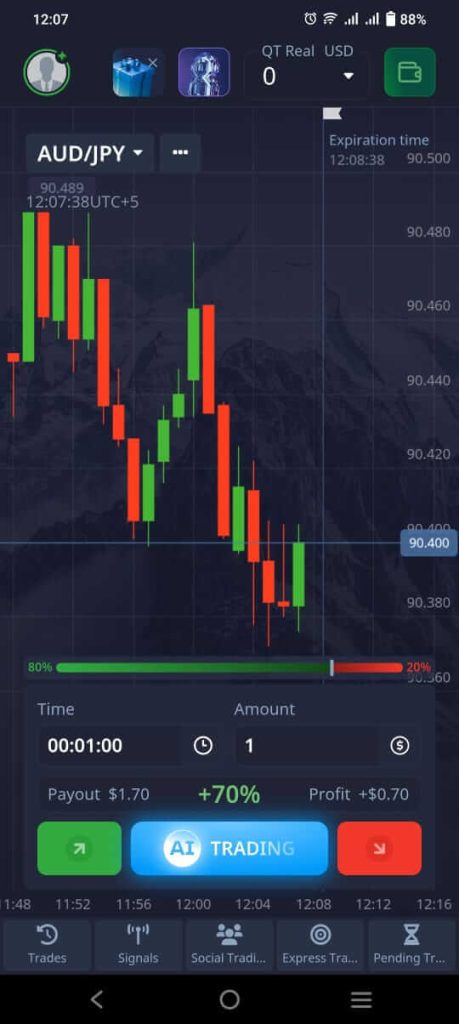
Want to trade with speed and flexibility, without losing out on features? The Pocket Option app has everything you need, from indicators to copy trading. Sign up now through my exclusive link and unlock your bonus on first deposit instantly.
Hidden Mobile Features No One Talks About
Here’s where things get interesting. The mobile app has some features that aren’t even obvious until you use it for a while:
- Quick Trade Buttons: Double-tap on any asset to see a “Quick Trade” window. This window lets you open a trade in one tap, which is useful for catching fast-moving setups.
- Vibration Alerts: Set custom alerts (price levels, signal entries), and your phone will vibrate instead of sending a noisy notification. This is super handy if you’re in public.
- Drag-and-Zoom on Charts: Using two fingers, you can zoom in/out on the candlestick chart to check price action in more detail, just like MT4 mobile.
- Color Customization: Go to Settings > Interface. You can switch between Light, Dark, and AMOLED themes. My personal favorite is the AMOLED—it saves battery and looks slick.
- Custom Signal Filtering: Inside the Signals tab, swipe left to customize filters. I set mine to show only high-confidence setups based on RSI + MACD combos.
- Secret Tournaments Access: Special mobile-only tournaments pop up on some weekends. Unless you dig deep, they aren’t shown on the desktop.
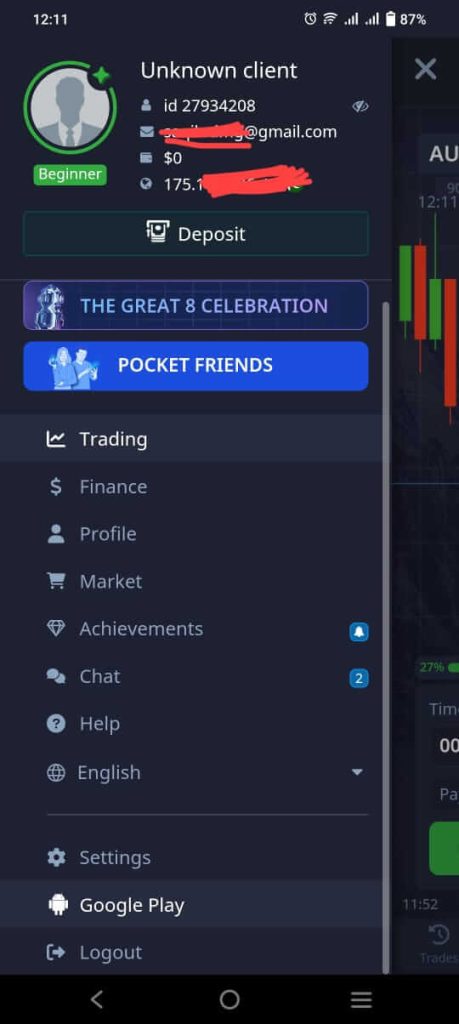
Can You Rely on the App for Serious Trading?
This was my biggest question, too. But after testing it for over 3 months, my answer is yes, with a few notes:
- Use landscape mode for longer sessions. It makes the chart more readable.
- Stick to familiar indicators so you don’t get lost on a small screen.
- Don’t overtrade just because it’s “easy” on mobile. Stick to your plan.
After several months of testing the Pocket Option mobile app across different market conditions, I found the execution speed, chart responsiveness, and overall trading experience to be comparable to the desktop platform for most trading styles.
You can also read a comparison of Pocket Option vs. Quotex.
Pocket Option App Download: Where & How
You can find the app easily on:
- Google Play Store (for Android)
- Apple App Store (for iOS)
Search “Pocket Option” and look for the one with a blue icon. It has over 5 M+ downloads, so it’s hard to miss. Once installed, you can log in with your email or Google account.
Pro Tip: Enable two-factor authentication (2FA) for extra security.
Pocket Option App vs Quotex App
Many traders compare Pocket Option and Quotex when choosing a mobile trading platform.
Pocket Option generally offers a wider range of features, including copy trading, tournaments, social trading tools, and a larger selection of indicators. Quotex focuses more on simplicity and clean charting.
Choose Pocket Option if you want:
- Copy trading
- More trading tools
- Community features
- Tournaments
Choose Quotex if you want:
- Simplicity
- Minimalist interface
- Basic technical analysis
What If the App Doesn’t Work?
Sometimes, users report crashes or login issues. Here’s how I fixed mine:
- App crash? Clear cache from settings.
- Login failed? Switch from Wi-Fi to mobile data or vice versa.
- Laggy chart? Restart the app or reinstall if needed.
- Account locked? Reach support via live chat, and they respond within minutes.
Is the Pocket Option App Safe?
Security is one of the first concerns most traders have before downloading a mobile trading app.
The Pocket Option mobile application includes several security features:
- Encrypted data transmission
- Two-factor authentication (2FA)
- Secure login verification
- Account activity monitoring
- Withdrawal confirmation procedures
For maximum security, always enable 2FA and avoid logging in through public Wi-Fi networks.
Pocket Option App Pros and Cons
Pros
- Fast trade execution
- User-friendly mobile interface
- Built-in trading signals
- Copy trading functionality
- Easy deposits and withdrawals
- Supports both Android and iPhone
- Push notifications and price alerts
Cons
- Smaller screen limits advanced chart analysis
- Multi-chart setups are easier on desktop
- No support for Expert Advisors or trading bots
- Long trading sessions can be less comfortable than desktop trading
FAQs
Is the Pocket Option mobile app safe?
Yes. It’s encrypted and supports 2FA. Your funds are protected the same way they are on the desktop version.
Can I use signals and copy trading on mobile?
Absolutely. The experience is just as smooth, and you get instant alerts.
Does the app drain battery?
Not really. If you keep your screen brightness moderate and use the AMOLED theme, it’s battery-friendly.
Can I trade in landscape mode?
Yes, and you should especially if you use indicators. It gives more space for chart reading.
Can I use bots or Expert Advisors on mobile?
No, you can’t.
Do I need the app if I already use a desktop?
It’s not mandatory but trust me, it’s a game-changer when you’re not near your PC.
How do I download Pocket Option on Android?
Open Google Play Store, search for Pocket Option, and install the official application.
Is Pocket Option available on iPhone?
Yes. The Pocket Option app is available for iOS devices through the Apple App Store.
Can I trade with a demo account on the mobile app?
Yes. The mobile app supports both demo and live accounts.
Can I withdraw money using the Pocket Option app?
Yes. Deposits and withdrawals can be managed directly within the application.
Does Pocket Option work on tablets?
Yes. The app works on most Android tablets and iPads.
Is Pocket Option better than Quotex on mobile?
That depends on your needs. Pocket Option offers more features and social trading tools, while Quotex provides a simpler trading experience.
Pocket Option Mobile App Review Summary
| Category | Score |
|---|---|
| Ease of Use | 9/10 |
| Features | 9/10 |
| Speed | 8.5/10 |
| Security | 8.5/10 |
| Mobile Experience | 9/10 |
| Overall Rating | 8.8/10 |
For traders who want flexibility and access to markets while away from their computers, the Pocket Option mobile app delivers nearly everything available on the desktop platform in a streamlined mobile experience.
Final Thoughts
Trading with the Pocket Option mobile app has been a huge win. It’s simple, powerful, and always in my pocket. I no longer feel stuck at my desk. I can react to market news instantly. And more importantly, I can live my life without missing trading opportunities.
If you’re serious about binary options, the app isn’t just a convenience; it’s a competitive edge.
Download it, try it for a week, trade smart, and you might wonder how you ever traded without it.
Don’t miss your next opportunity just because you’re away from your PC. Download the Pocket Option app via this special link, fund your account, and claim your welcome deposit bonus to start trading smarter wherever you are.
Moving Beyond Guesswork: The Ultimate Edge
If there is one thing my journey has taught me, it is that low-risk trading is not about avoiding losses entirely. It is about making sure that when you do lose, it is a tiny, controlled scratch rather than a fatal wound. The brokers we looked at today provide the physical toolkits to keep you safe, but the ultimate risk management tool is your own knowledge base.
To truly transform your trading from a stressful guessing game into an institutional process, you need deep, structural data analysis that goes far beyond basic retail charting. You need to understand market liquidity, institutional order flow, and underlying macroeconomic structures.
If you are ready to stop trading on pure hope and start building a real, professional edge grounded in institutional analysis, join our community of serious market students. Elevate your approach right now by subscribing to our exclusive framework on the Becoin Premium Membership Portal. Let’s build a sustainable, low-risk career together.
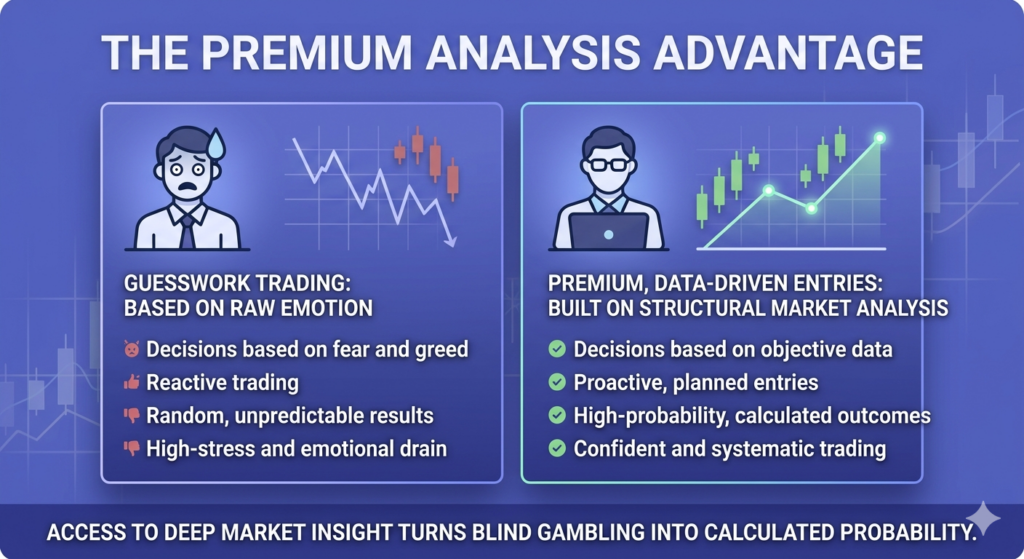
Pocket Option Deposit & Withdrawal in 2026: Methods, Fees, Processing Times & Real Payout Proof
When I first started trading on Pocket Option, I was excited. The platform looked slick, the interface was intuitive, and the signup process was lightning-fast. But then came the part nobody talks about enough: funding the account and withdrawing profits. I had questions.
How fast are the deposits?
What about the withdrawals, are they really paying out?
Which methods are the safest?
And most importantly, how do I avoid getting stuck with pending transactions or rejections?
This post is my complete guide to Pocket Option deposit methods, withdrawal proof, and every little insight I wish someone told me before I funded my VIP account.
Want to follow along with your own Pocket Option account?
Sign up now and get a 50% deposit bonus — it’s free to open, and you can explore all funding options risk-free with a demo account first.
Pocket Option Deposit & Withdrawal: Quick Answer
Pocket Option supports deposits and withdrawals through crypto, bank cards, e-wallets, and local payment methods. Most deposits are instant, while withdrawals usually take between 1 hour and 3 business days depending on the payment method and account verification status.
For most traders, USDT-TRC20 is considered the fastest and most reliable withdrawal option due to lower fees and quicker processing times.
Deposit Methods on Pocket Option (And My Experience With Each)
Let’s start with how to get money in. Pocket Option offers a wide range of deposit options, but availability depends on your country. I’m listing the most common ones with the processing time I personally experienced.
Visa/Mastercard
- Instant deposit
- Sometimes, banks block the first attempt (especially in Europe). If so, try a different card or call your bank to approve the transaction.
Crypto (USDT, BTC, ETH, etc.)
- 5–30 minutes (depending on network traffic)
- Always triple-check the address. I use USDT-TRC20 because it’s faster and cheaper.
E-wallets (Skrill, Neteller, Perfect Money, Payeer)
- Instantly processed
- Skrill and Neteller have high trust and smooth processing, but some regions have limitations.
Bank Transfer (SEPA/SWIFT)
- 1–3 business days
- I only use this for bigger amounts. It’s safer but slower.
Local Payment Methods (depending on region)
- Often instant
- I’ve seen local options like PayTM (India), Interac (Canada), and others. They’re fast, but you must ensure you’re using official partners.
- Minimum deposit: $5
- No fees from Pocket Option, but your bank/wallet might charge you.
Best Deposit Methods for Pocket Option
Choosing the right payment method can save time, reduce fees, and prevent withdrawal problems later.
Best Overall: USDT (TRC20)
Fast confirmations, low network fees, and smooth withdrawals make TRC20-USDT one of the most reliable methods for active traders.
Best for Beginners: Visa/Mastercard
Simple and familiar for first-time users, although some banks may block international trading transactions initially.
Best for Fast Withdrawals: Skrill or Neteller
E-wallets often process faster than traditional banking methods and work well for small-to-medium withdrawals.
Best for Large Transactions: Bank Transfer
Safer for bigger deposits and withdrawals, but processing times are longer.
How to Deposit Step-by-Step
I’ll walk you through how I deposit using USDT (my go-to):
- Go to your Pocket Option dashboard
- Click on “Deposit” at the top
- Choose USDT (I use TRC20)
- Enter the amount (minimum $5, I usually go with $100)
- Copy the address and transfer the USDT from your wallet
- Wait for 1–3 blockchain confirmations
- Refresh the page—boom, your account is funded!
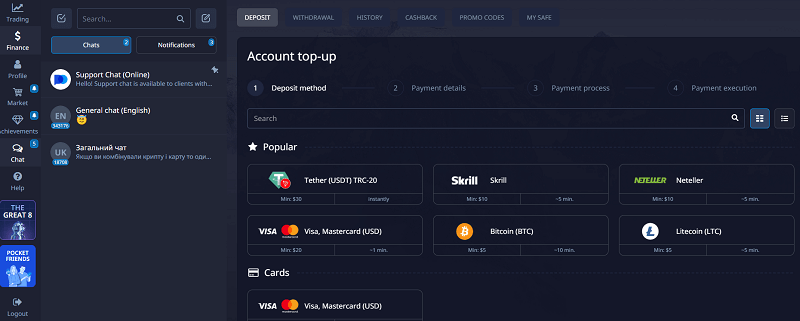
Ready to fund your account and start trading like a pro?
Use this exclusive Pocket Option link to claim up to a 50% bonus on your first deposit. I recommend starting small and testing your method risk-free with the demo first.
Common Deposit Issues & Fixes
- Card rejectedTry another card, or call your bank to approve international/online payments.
- Crypto not receivedCheck if you sent the correct network (e.g., USDT-ERC20 vs. TRC20). Also, confirm the transaction on a blockchain explorer.
- Wallet balance deducted, but not creditedContact Pocket Option live chat with the transaction ID and proof. In 90% of cases, they resolve it in 12–24 hours.
Learn more about different account types in Pocket Option.
Withdrawing From Pocket Option: What You NEED to Know
Now to the juicy part – getting your money out. The first time I made a profit, I tried to withdraw $50 via USDT. I was nervous. What if they block it? What if they ask for 1000 documents? Turns out, it was smooth but ONLY because I followed a few rules. Here’s what I’ve learned:
How to Unlock Withdrawals
Before withdrawing, make sure:
- Your profile is fully verified (ID + proof of address)
- You’re not using bonus funds or promo credits
- You withdraw to the same method you used to deposit If you skip any of these, you’ll face delays.
Withdrawal Methods & Processing Times
USDT / Crypto
- 1–2 hours for me, sometimes up to 24h
- Fastest and most reliable. TRC20 is my choice.
Skrill / Neteller
- Within the same day (6–12 hours)
- Smooth for small and mid-size payouts.
Bank Transfer
- 2–5 business days
- For large withdrawals, but comes with more checks.
Visa/Mastercard
- 3–7 days
- Some cards don’t accept payouts, so this is riskier.
- Minimum withdrawal: $10
- Fees: None from Pocket Option, but wallet/bank may charge.
My Real Withdrawal Proof
Yes, I’ve got receipts. Here’s my proof of payout: screenshot of $257 withdrawal to USDT-TRC20, completed in 1 hour.
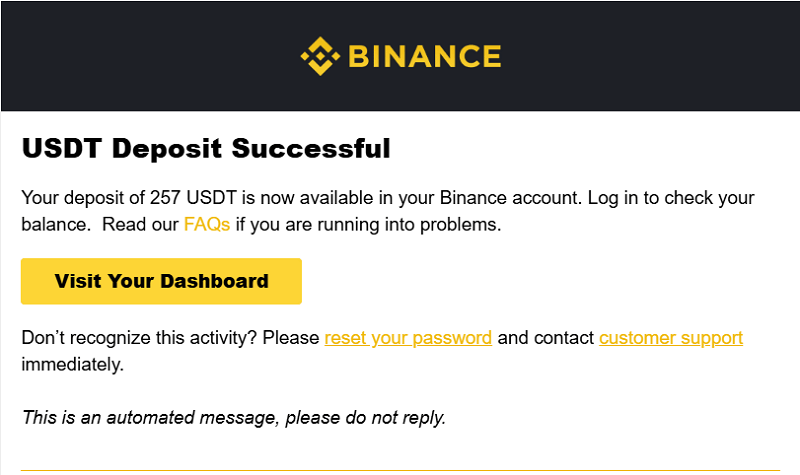
Common Withdrawal Problems & How to Solve Them
- “Pending” for over 24hDouble-check your KYC. Most delays are due to incomplete verification.
- Withdrawal rejectedYou may be withdrawing bonus funds. Clear your balance or contact support.
Crypto wallet errorUse the exact address type (e.g., TRC20 for USDT). Wrong network = failed transaction. - Bank refused paymentTry a different method like Skrill or USDT.
Fastest Withdrawal Method on Pocket Option
For most traders, crypto withdrawals, especially USDT on the TRC20 network, are usually the fastest option available.
Typical processing times:
- USDT (TRC20): 1–3 hours
- Skrill/Neteller: Same day
- Bank Cards: 3–7 business days
- Bank Transfers: 2–5 business days
Actual timing may vary depending on verification status, network congestion, and payment provider policies.
Pro Tips from My Experience
- Always verify your account before depositing big. You’ll save days of headaches later.
- Avoid using bonus codes if you want to withdraw fast. They often come with conditions.
- Withdraw small amounts first. I started with $20, then $50, then $150. Builds trust and track record.
- If your withdrawal is stuck, use Pocket Option Live Chat. They’re fast and helpful.
- Keep screenshots of every transaction. Just in case.
Pocket Option Deposit vs Withdrawal Comparison
| Feature | Deposits | Withdrawals |
|---|---|---|
| Minimum Amount | $5 | $10 |
| Processing Time | Instant to 30 min | 1 hour to 5 days |
| Verification Needed | Usually No | Yes |
| Best Method | USDT-TRC20 | USDT-TRC20 |
| Fees | Usually None | Usually None |
| Most Reliable | Crypto & E-wallets | Crypto & E-wallets |
FAQ
Does Pocket Option really pay withdrawals?
Yes. Pocket Option processes withdrawals through crypto, e-wallets, bank cards, and bank transfers. Many users, including myself, have successfully received payouts after completing account verification and following the platform’s rules.
What is the fastest withdrawal method on Pocket Option?
USDT using the TRC20 network is usually the fastest withdrawal method. In many cases, payouts are processed within a few hours.
Do I need KYC verification to withdraw money?
Yes. Pocket Option requires identity verification before processing withdrawals. This usually includes submitting an ID document and proof of address.
What is the minimum deposit on Pocket Option?
The minimum deposit is usually $5, although this may vary slightly depending on the payment method or region.
What is the minimum withdrawal amount?
The minimum withdrawal amount is generally $10 for most payment methods.
Does Pocket Option charge deposit or withdrawal fees?
Pocket Option typically does not charge direct fees, but your bank, crypto wallet, or payment provider may apply transaction or conversion charges.
Why is my Pocket Option withdrawal pending?
Most pending withdrawals happen because of incomplete verification, bonus restrictions, incorrect payment details, or payment provider delays.
Which payment method is best for Pocket Option?
For most traders, USDT-TRC20 offers the best balance of speed, reliability, and low transaction costs.
Can I withdraw using a different method than my deposit?
Usually, Pocket Option prefers traders to withdraw using the same method used for deposits for security and compliance purposes.
How long do Pocket Option withdrawals take?
Processing times vary depending on the payment method:
Bank transfers: 2–5 business days
Crypto: 1–24 hours
E-wallets: Same day
Bank cards: 3–7 business days
Pro Tips for Faster Withdrawals
Over time, I’ve noticed that traders who follow a few simple habits usually experience smoother withdrawals.
Verify Your Account Early
Complete KYC verification before depositing large amounts to avoid delays later.
Start With Small Withdrawals
Testing small payouts first helps confirm your payment method works properly.
Use Crypto for Speed
USDT-TRC20 is often the fastest and most reliable method for deposits and withdrawals.
Avoid Bonus Restrictions
Deposit bonuses may include trading volume requirements that delay withdrawals.
Keep Transaction Screenshots
Always save payment confirmations and transaction IDs for safety.
Final Thoughts
Trading is fun but funding your account and pulling out profits is where things get real. Pocket Option has surprised me with how smooth the process can be if you know what you’re doing. I’ve had hiccups, sure, but I’ve also seen the money hit my wallet within hours. If you’re just starting out, go slow. Deposit with what you’re comfortable with. Verify early. Withdraw small wins first.
Take the guesswork out of Pocket Option deposits and withdrawals.
Create your free account here, grab your 50% bonus, and follow the exact steps I used to fund and withdraw without issues. It’s the smartest way to start your journey.
Want a Real Edge in Synthetic Indices Trading?
Most free trading content online only covers surface level strategies.
The real challenge is understanding:
- Market behavior
- Risk cycles
- Emotional control
- Entry filtering
- Trade timing
- Position management
- Strategy adaptation
That is exactly why BeCoin Premium exists.
Inside BeCoin Premium, you get:
- In depth market analysis
- High quality trading breakdowns
- Real strategy insights
- Risk management guidance
- Beginner to advanced educational content
- Trading psychology frameworks
- Structured learning approach
If you want to trade smarter instead of gambling emotionally, this is where serious improvement starts.