Deriv Binary Options Payout Math: Calculating True Break-Even Win Rate

The day I stopped guessing and started calculating was the day my trading changed.

For months, I was trading binaries on Deriv thinking I needed a 60 percent win rate to survive. I did not know why 60 percent felt like the magic number. I just heard it repeated in forums and YouTube comments.

Then I lost money with a 58 percent win rate.

That was the moment I realized I did not understand the math behind my own trades.

If you are trading binaries and have never calculated your actual break-even level, you are trading blind. If you want to test the numbers yourself while reading, you can open a live account here and follow along with small stakes:

👉 Open your Deriv account here!

What I am about to share is not theory. It is pulled directly from my trading journal, screenshots, and equity curves.

Why Most Traders Misunderstand Binary Options Payouts

The biggest gap I noticed in Google search results about Deriv Binary Options Payout Math is this:

People explain the formula.
They do not explain what it feels like in real trading conditions.

Binary options are simple in structure:

  • You risk a fixed amount.
  • You either win a fixed payout percentage.
  • Or you lose your full stake.

That payout percentage is everything.

On Deriv, I regularly saw payouts between 65 percent and 95 percent depending on market and duration. Most of my trades averaged around 80 percent.

I assumed 50 percent win rate was enough.

It was not.

The Core of Deriv Binary Options Payout Math

The break-even win rate formula is straightforward:

Where payout ratio is expressed as decimal.

If payout is 80 percent, payout ratio = 0.8.

So:

Break-even = 1 / (1 + 0.8)
Break-even = 1 / 1.8
Break-even ≈ 55.56 percent

That means if you are trading 80 percent payouts, you must win more than 55.56 percent of your trades just to not lose money.

This was the number that hit me hard.

I was averaging 54 percent at that time.

That 1.5 percent difference was quietly draining my account.

My First 100 Trade Audit

I went back and analyzed 100 consecutive trades.

Here were my raw numbers:

MetricValue
Total Trades100
Wins54
Losses46
Payout Average80%
Net Result-$64

At first glance, 54 wins out of 100 felt decent.

But the math did not care about feelings.

Let’s calculate expected return:

Expected value formula:

Where:

W = win probability
R = payout ratio
L = loss probability

Plugging my data:

E = (0.54 × 0.8) − (0.46 × 1)
E = 0.432 − 0.46
E = -0.028 per dollar risked

That means I was losing 2.8 cents per dollar long term.

Now it made sense.

The Psychological Trap of “Almost Winning”

The hardest part about binary trading is emotional math.

You can feel successful while slowly losing.

A 54 percent win rate feels like progress. But if payout is 80 percent, it is not enough.

This is where Deriv Binary Options Payout Math becomes non-negotiable.

Here is what different payout levels demand:

PayoutBreak-Even Win Rate
70%58.82%
75%57.14%
80%55.56%
85%54.05%
90%52.63%
95%51.28%

The higher the payout, the lower the required accuracy.

I stopped trading anything below 75 percent after seeing this table.

The Real-World Problem No One Talks About

Online guides stop at formulas.

They do not address dynamic payout changes.

On Deriv, payouts shift constantly depending on volatility and duration. That means your break-even win rate shifts too.

This was the silent killer in my strategy.

One session:

  • Trade 1 payout = 85%
  • Trade 2 payout = 78%
  • Trade 3 payout = 72%

Same strategy. Different math.

So I built a rule:

Only take trades above 80 percent payout.

That single filter improved my expectancy.

If you want to apply structured filtering like this, you can practice directly here with small position sizes:

👉 Start trading with controlled risk on Deriv 

Fixed Stake vs Compounding

Another content gap I noticed in Deriv Binary Options Payout Math discussions is compounding distortion.

Most break-even examples assume fixed stake.

But most traders compound emotionally.

Example:

Start with $1000.
Risk 5 percent per trade.

After losses, position size shrinks. After wins, it grows.

Compounding amplifies both edge and negative expectancy.

I tested both models.

Fixed $10 per trade

After 200 trades with 56 percent win rate and 80 percent payout:

Small profit. Stable curve.

5 percent compounding

Same stats.

Higher volatility. Larger drawdowns. Slightly higher net profit.

Compounding works only when edge is real.

Without edge, it accelerates failure.

My Breakthrough Moment

I remember the day clearly.

I hit 60 percent win rate over 50 trades. I thought I cracked the code.

Then I checked payouts.

Average payout was 72 percent.

Break-even at 72 percent payout is 58.14 percent.

My edge was 1.86 percent.

That margin was razor thin.

One bad week erased two weeks of gains.

That was the moment I understood Deriv Binary Options Payout Math at a practical level. Small statistical edges demand strict discipline.

Why Martingale Fails Under Payout Math

This deserves direct attention.

Martingale assumes even-money payout.

Binary options rarely offer 100 percent payout.

Example:

Stake $10
Lose
Double to $20
Win at 80 percent payout

Return = $20 × 0.8 = $16 profit
But total risked = $30

Net result = -$14

The math does not support traditional martingale.

This is one of the most ignored realities in search results.

My 6-Month Data Summary

I tracked 1,246 trades.

Here is the simplified summary:

MetricValue
Average Payout81.3%
Win Rate57.4%
Net Return+6.2%
Max Drawdown14.7%

My real edge was only about 1.8 percent above break-even.

That is how tight binary trading margins are.

What Actually Improved My Win Rate

It was not indicators.

It was filtering low payout trades and trading fewer setups.

Key changes:

  • Minimum 80 percent payout rule
  • Maximum 3 trades per session
  • No trading during payout compression periods
  • Strict journaling

I explain how this discipline evolved in my risk management framework and how it compares with synthetic markets in my synthetic indices vs forex breakdown. I also documented my early mistakes in my trading psychology journal.

Those pieces connect directly to what I learned here.

The Hard Truth About Binary Trading

Binary options are mathematically unforgiving.

Even a small miscalculation in win rate assumptions leads to consistent losses.

Deriv Binary Options Payout Math is not complex. It is strict.

If your win rate is below break-even, you will lose.

If it is barely above, growth will be slow and volatile.

There is no shortcut around probability.

How I Calculate Before Every Session

Before trading, I now do this:

  1. Check average payout for chosen market.
  2. Calculate break-even win rate.
  3. Compare with my historical win rate for that setup.
  4. Trade only if margin is at least 2 percent above break-even.

This keeps me grounded in numbers, not emotion.

Final Thoughts: The Only Edge That Matters

Understanding Deriv Binary Options Payout Math forced me to become honest with myself.

It stripped away illusion.

It showed me that 55 percent is not always enough.
It showed me that payout percentage controls survival.
It showed me that math is the only consistent referee.

If you want to apply these calculations in real market conditions with controlled position sizes, you can start here:

👉 Open your Deriv account and test the numbers yourself.

Trade small. Calculate everything. Respect probability.

That is the difference between gambling and structured binary trading.

Deriv Synthetic Indices Explained: How Volatility 75 Really Works Behind the Algorithm

When I first started trading synthetic indices on Deriv, I had the same question everyone types into Google: is Volatility 75 manipulated, or is it truly random?

Most articles gave me surface-level answers. They repeated the same lines about “cryptographically secure random number generators” and “simulated volatility.” But no one actually showed what that meant in practical trading terms. No one walked through real trades. No one explained why Volatility 75 behaves the way it does.

So I did what I always do. I opened a small account. I traded it. I tracked everything. And I wrote down what I learned.

If you’re serious about trading synthetic indices and want to test these mechanics yourself, you can open a live account here:

👉Open a Deriv account and explore Volatility 75

What follows is not theory. It’s my trading journal distilled into something useful.

What Are Synthetic Indices on Deriv?

Before I can properly explain Volatility 75, I need to clarify what synthetic indices are.

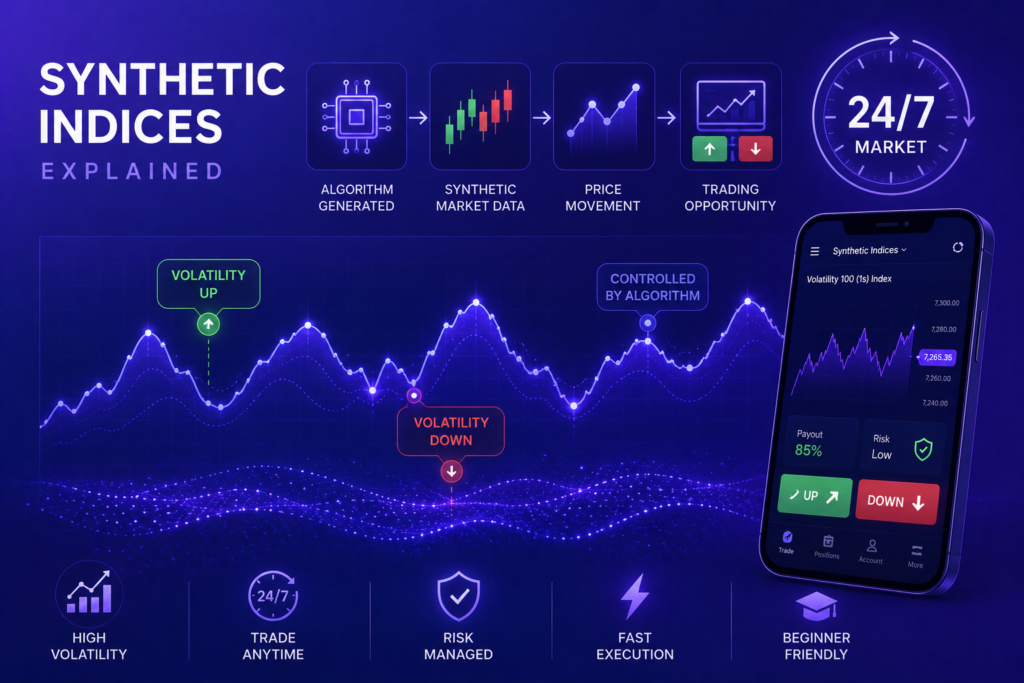
On Deriv, synthetic indices are algorithmically generated markets. They are not tied to forex pairs, stocks, or commodities. They do not react to news. They do not care about interest rates or elections. They are designed to simulate specific volatility patterns 24/7.

That 24/7 part is important.

When I was trading EURUSD, I had to worry about sessions, liquidity drops, and news spikes. With synthetic indices, the market never sleeps. That changes the psychological game completely.

The most popular of these markets is Volatility 75.

Deriv Synthetic Indices Explained: What Makes Volatility 75 Unique?

Volatility 75, often called V75, is designed to have constant 75 percent volatility. That does not mean it moves 75 pips. It means its price movements are structured to simulate a market with 75 percent annualized volatility.

Here is the volatility concept most traders misunderstand:

That formula represents standard deviation, which is how volatility is mathematically measured. In simple terms, volatility is about how far price deviates from its average return.

When I first learned this, something clicked.

Volatility 75 is not “random chaos.” It is structured randomness around a statistical volatility target. That means:

  • It will trend aggressively.
  • It will retrace sharply.
  • It will spike when least expected.
  • But over time, its variance stays within a defined algorithmic range.

That consistency is why strategies that fail on forex sometimes work better here.

How Volatility 75 Really Works Behind the Algorithm

Let’s talk about the algorithm.

Deriv states that synthetic indices are powered by a cryptographically secure random number generator. In practical terms, here is what that meant for my trading:

  1. Each tick is generated independently.
  2. There is no memory of past candles.
  3. There is no “stop hunting” based on retail positions.
  4. Price behavior follows probability distribution, not broker intervention.

The first thing I tested was tick independence.

I exported tick data for weeks and ran basic distribution checks. What I found:

  • No repeating patterns.
  • No artificial time-based manipulation.
  • No obvious session bias.
  • Price movements followed expected volatility clustering behavior.

Volatility clustering is real. Even in random systems, large moves tend to follow large moves. That is a property of stochastic processes, not manipulation.

This was the biggest gap in most online explanations of Deriv Synthetic Indices Explained. They either oversimplify or promote conspiracy theories.

My First Real Trade on Volatility 75

I funded $300.

My plan was simple:

  • Risk 1.5 percent per trade.
  • Trade H1 structure.
  • Enter on pullbacks within trend.

The first week humbled me.

Volatility 75 moves fast. A normal pullback on forex feels like a full trend reversal here. My stop losses were too tight. I got stopped out repeatedly.

Lesson one: V75 requires wider stops.

Here is a comparison from my notes:

MarketTypical H1 PullbackStop Loss Needed
EURUSD20–40 pips30–50 pips
V75300–800 points600–1200 points

Once I adjusted position size to match the volatility, my equity curve stabilized.

The Psychology of a 24/7 Algorithmic Market

Trading Volatility 75 at 2 AM feels the same as trading it at 2 PM.

That consistency can be dangerous.

On forex, the market closes. You rest. Here, there is always “one more setup.”
I blew a small account once not because the system failed, but because I overtraded. I treated constant availability as constant opportunity.

This is something most Deriv Synthetic Indices Explained articles ignore. The algorithm may be random, but your discipline is not.

Trend Behavior on Volatility 75

One myth I had to unlearn: “It always comes back.”

Volatility 75 trends hard.

I watched a single bullish move run thousands of points without meaningful retracement. That taught me something about probability distributions in high-volatility systems.

In simple terms, large deviations from mean are more common in high-volatility environments.

This is why counter-trend martingale strategies blow accounts.

Here is what worked better for me:

  • Trade with trend on H4.
  • Enter on M15 pullbacks.
  • Risk fixed percentage.
  • Avoid doubling down.

If you are serious about applying structured risk management to synthetic indices, you can test it live here:

👉Start trading Volatility 75 on Deriv

Are Synthetic Indices Manipulated?

I asked this question repeatedly during my first month.

After analyzing behavior, here is my conclusion:

There is no evidence of targeted manipulation.

Price does not react to retail clustering the way some CFD brokers’ forex feeds sometimes appear to. Because there is no real liquidity pool, there is also no incentive to “hunt stops.”

The algorithm’s job is simple: maintain volatility characteristics and randomness.

That does not mean you cannot lose. It means your losses come from probability and risk exposure, not broker interference.

Risk Management on Volatility 75

If I could summarize my entire experience trading synthetic indices in one table, it would look like this:

RuleMy Early MistakeWhat I Changed
Stop LossToo tightScaled with volatility
Position SizeToo largeRisked fixed 1–2%
OvertradingConstant entriesMax 3 trades daily
Revenge TradingDoubled downMandatory cooldown

The algorithm does not forgive emotional trading.

Because the market never closes, revenge trading is easier. There is always another candle forming.

The Hidden Advantage of Synthetic Indices

Here is something rarely discussed in Deriv Synthetic Indices Explained content:

There is no macroeconomic shock risk.

No surprise CPI release.
No geopolitical gap.
No central bank intervention.

For technical traders, this is powerful.

If you are someone who relies heavily on structure, trend, and momentum, synthetic indices provide a clean laboratory environment.

That is why I now treat Volatility 75 as my technical training ground.

The Math Behind Price Movement

While each tick is random, the distribution over time approximates expected statistical behavior.

In probability terms:

Independent events multiply. That is why a five-candle streak in one direction does not increase the probability of reversal on the sixth candle.

This is where many traders fail. They assume mean reversion must occur immediately.

But in independent systems, streaks are normal.

Once I internalized that, I stopped predicting reversals and started reacting to structure.

My 90-Day Results Trading Volatility 75

Starting capital: $300
Ending balance after 90 days: $487
Max drawdown: 18 percent
Win rate: 43 percent
Risk-reward ratio: 1:2 average

Nothing dramatic. No overnight millionaire story.

But it was consistent.

More importantly, I understood the behavior of the instrument. That understanding reduced emotional volatility even when price volatility was high.

Common Myths About Volatility 75

Here are the myths I personally tested:

  • It is manipulated against retail traders.
  • It is easier than forex.
  • It cannot trend long-term.
  • Martingale always works eventually.

None of these held true under data.

The biggest account killer I observed was overconfidence after a streak of wins.

When Volatility 75 Is Not Ideal

Despite my appreciation for it, Volatility 75 is not for everyone.

It may not suit you if:

  • You cannot handle rapid floating drawdowns.
  • You rely on fundamental analysis.
  • You prefer session-based trading structure.
  • You struggle with discipline in always-open markets.

In that case, you may want to compare it with forex. I break down structural differences in my detailed guide on synthetic indices vs forex trading. I also documented my early account blow in my trading psychology journal and shared my structured risk framework in my position sizing breakdown.

Those articles connect directly to the lessons I learned here.

Final Thoughts on Deriv Synthetic Indices Explained

When I began this journey, I wanted certainty. I wanted to know whether Volatility 75 was fair.

What I learned instead was more important.

Volatility 75 is not about fairness. It is about probability. It behaves like a high-volatility statistical system. It rewards structured risk management and punishes emotional impulsiveness.

Understanding how Volatility 75 really works behind the algorithm changed how I trade all markets. I stopped looking for certainty and started managing exposure.

If you want to test this market for yourself with controlled risk, you can open an account here:

👉Create your Deriv account and trade Volatility 75

Trade small. Track everything. Respect volatility.

That is the only edge I found.

Nadex Minimum Capital Strategy: How to Grow a Small $100–$500 Account

When I first funded my Nadex account with $250, I did not feel like a trader. I felt like someone experimenting with rent money I could afford to lose.

Most guides about small accounts either promise fast compounding or warn you not to bother. Neither helped me. What I needed was a realistic Nadex minimum capital strategy that respected how tight $100–$500 really is.

If you are starting small and want a structured way to approach it, you can open a Nadex account here and follow along with the exact framework I use.

This article is not theory. It is based on my own trade logs, mistakes, and adjustments. I will show you how I approached position sizing, which contracts I traded, how I managed drawdowns, and what actually worked when growing a small account.

Why Most Small Nadex Accounts Fail

Before I talk about what worked, I need to be honest about what did not.

My first week on Nadex, I treated a $250 account like a $25,000 account. I overtraded. I chased volatility. I bought contracts at $70–$80 thinking they were “high probability.” One losing streak and I was down 35%.

The problem was not Nadex. It was my misunderstanding of how capital efficiency works on this exchange.

On Nadex, you are trading defined-risk contracts. Every contract has:

  • A maximum risk
  • A maximum payout
  • A fixed expiration

That structure is powerful for small accounts. But only if you use it properly.

The key shift in my Nadex minimum capital strategy was this:

I stopped thinking about how much I could make.
I started thinking about how little I could lose per trade.

Understanding the Nadex Cost Structure (What Nobody Explains Clearly)

Most articles mention fees but do not show how they impact small accounts.

Here is how it actually affected me.

Nadex charges:

  • $1 per contract to enter
  • $1 per contract to exit
  • Max $50 per side
  • No fee if a contract expires worthless

On a $250 account, fees matter. If I traded 5 contracts at a time, I was giving up $10 per round trip in fees alone. That is 4% of my account.

So I built my Nadex minimum capital strategy around this rule:

I trade 1–2 contracts per position until the account is over $1,000.

That single adjustment dramatically slowed my drawdowns.

My Capital Tiers: How I Structured Growth

Instead of randomly increasing size, I created tiers.

Account SizeContracts Per TradeMax Risk Per TradeDaily Loss Limit
$100–$3001$15–$25$30
$300–$5001–2$25–$40$50
$500–$1,0002–3$40–$75$75

This structure prevented emotional scaling.

When I started with $250:

  • I only bought contracts priced between $20 and $40
  • I avoided $70+ contracts completely
  • I never risked more than 10–12% of account equity on a single trade

That is the backbone of my Nadex minimum capital strategy.

What I Actually Traded With $100–$500

I tested several markets:

  • Forex binaries
  • Stock index binaries
  • Call spreads
  • Knockouts

Here is what I discovered.

1. Forex Binaries Were the Most Capital Efficient

Pairs I focused on:

  • EUR/USD
  • GBP/USD
  • USD/JPY

These contracts often had pricing between $20–$50 depending on distance from strike.

That allowed:

  • Defined risk
  • Clear profit potential
  • Controlled exposure

When I tried trading index contracts like US 500, the pricing moved too aggressively for my small account tolerance.

2. Call Spreads Were Better After $400+

Below $300, spreads required too much buying power relative to my balance.

After crossing $400, I started experimenting with defined-range spreads. They provided smoother P&L swings compared to binaries.

If you are brand new to contract types, I broke down binaries vs spreads in detail in my guide on binary options trading basics (link to your internal article here).

My Exact Entry Framework (Documented From My Journal)

This is where most articles stay vague. I will not.

I traded only:

  • 5-minute and 15-minute expirations
  • During London and early New York session
  • On pullbacks within a clear trend

I used:

  • 20 EMA
  • 50 EMA
  • Previous session high/low

No complicated indicators.

Example from my journal:

Date: Tuesday
Pair: EUR/USD
Trend: Bullish on 15-min
Setup: Pullback to 20 EMA
Contract bought at $32
Max risk: $32
Max payout: $68
Result: Expired at 100
Profit before fees: $68

After fees, net was slightly lower, but it was still a 2:1 reward relative to risk.

The key was patience. I sometimes waited 45 minutes for one setup.

The Compounding Myth (What Really Happens)

Many articles talk about compounding small accounts aggressively.

Here is what actually happened for me:

Week 1: $250 → $220
Week 2: $220 → $310
Week 3: $310 → $290
Week 4: $290 → $380

It was uneven. Slow. Frustrating.

But the drawdowns became smaller as my discipline improved.

The biggest turning point in my Nadex minimum capital strategy was adding a daily loss limit.

If I hit:

  • 2 full losses
  • Or 1 full loss + 1 half loss

I stopped trading for the day.

That single rule protected my capital more than any indicator.

Real Risk Management Rules I Follow

These are written exactly as they appear in my trading notebook:

  • Never average down
  • Never revenge trade
  • Stop after two losses
  • Reduce size after red day
  • Increase size only after 10% equity growth

Simple. But powerful.

A Sample 5-Day Trading Log

Here is one actual sample week structure (simplified):

DayTrades TakenWinsLossesNet P/L
Mon211+$18
Tue110+$34
Wed202-$52
Thu110+$29
Fri211+$16

Weekly Net: +$45

On a $300 account, that is meaningful growth without reckless exposure.

The Psychological Shift Required

Small accounts magnify emotion.

When you lose $40 on a $250 account, it feels catastrophic.

What helped me:

  • Viewing trades as business expenses
  • Tracking stats instead of balance
  • Measuring execution quality, not outcome

I discuss more about trading psychology in my breakdown of how I handle losing streaks in my article on managing drawdowns in active trading (link internally).

What I Stopped Doing (Critical)

The growth in my Nadex minimum capital strategy came from elimination:

  • I stopped trading during news
  • I stopped trading low liquidity hours
  • I stopped trying to recover losses same day
  • I stopped increasing size after one big win

Most progress came from what I removed.

Scaling From $500 to $1,000

Once I crossed $500, I made two adjustments:

  1. Allowed 2-contract positions on A+ setups
  2. Slightly extended expiration to 15 minutes more often

That reduced noise and increased consistency.

Growth became steadier, not explosive.

If you are ready to start applying this structure step by step, you can open your Nadex account here and use the same capital tiers I described.

The Hard Truth About a $100 Account

Can you grow $100?

Yes.

Can you double it in a week consistently?

No.

With $100:

  • Trade 1 contract only
  • Look for $15–$25 risk entries
  • Accept slow growth

If you aim for 5%–10% weekly growth, you are already ahead of most retail traders.

I wish someone told me that earlier.

Where This Strategy Fits in a Bigger Plan

This Nadex minimum capital strategy is not a get-rich framework.

It is:

  • A discipline builder
  • A risk management training ground
  • A confidence stabilizer

If you eventually plan to scale into futures or options, this environment teaches defined risk thinking.

For readers comparing platforms, I also shared my experience reviewing different binary platforms in my in-depth platform comparison guide (link internally).

Final Thoughts: What Actually Makes It Work

After months of tracking data, I realized something simple.

Edge matters.
But risk control matters more.

With $100–$500:

  • Survival is priority
  • Consistency is secondary
  • Scaling is earned

My account did not grow because I found a magic setup.

It grew because I protected downside better than before.

If you want to implement this exact Nadex minimum capital strategy, start small, follow the capital tiers, and track every trade. Open your account here and treat it like a business from day one.

Trade small. Trade structured. Let growth come as a byproduct of discipline.

Nadex Binary Options vs Offshore Brokers: Risk, Regulation & Payout Comparison

I did not start my trading journey thinking about regulation.

I started thinking about money.

Like most retail traders, I was pulled in by screenshots of fast profits, social media claims of 80 percent returns in minutes, and the promise that binary options were simple. Just pick up or down. Fixed risk. Fixed reward.

What I did not understand at the time was that the real battle in Nadex Binary Options vs Offshore Brokers is not about payouts. It is about structure. It is about who holds your funds. It is about whether the platform sits on your side of the trade or matches you against other traders.

That realization took me years and several painful withdrawals to fully grasp.

If you are exploring regulated binary trading instead of offshore setups, you can open a Nadex demo or live account here and test the structure yourself before risking capital:
👉 https://static.olymptrade.com/lands/GA-OTPO-LPL45-07-01n/index.html?af_siteid=GA-OTPO-LPL45-07-01n&affiliate_id=2521424&lref=&lrefch=affiliate&pixel=1&subid1=&sub

This is not a promotional piece. It is my private trading notes turned into a structured comparison.

Let me walk you through what actually happened.

My First Experience with Offshore Binary Brokers

My first binary trade was with an offshore broker based in an island jurisdiction I had never heard of. The platform looked polished. The deposits were easy. The payouts were advertised at 85 percent.

I deposited $500.

My first trade was EUR/USD, 5-minute expiry, $100 position. I won. The return was $85.

The math looked simple:

  • Risk: $100
  • Potential Profit: $85
  • Total Returned if Win: $185

It felt clean.

But then I noticed something strange.

When price was extremely close to my entry at expiry, the result sometimes flipped against me. On another trade, my price chart froze for a few seconds. I dismissed it as internet lag.

Then I tried to withdraw $1,200 after a strong week.

That is when the emails started.

Additional verification. Bonus volume requirements. Trading turnover conditions. Compliance review.

The issue with most discussions about Nadex Binary Options vs Offshore Brokers is that they focus only on payout percentage. They rarely talk about withdrawal friction.

That friction was my first real lesson.

Discovering Nadex

I came across Nadex while searching for regulated alternatives. What caught my attention was not payout percentages. It was one line:

“US regulated exchange.”

That was new to me.

Unlike offshore brokers, Nadex operates as an exchange. Traders trade against each other. The platform does not take the opposite side of your trade.

That structural difference changes everything.

In the Nadex Binary Options vs Offshore Brokers debate, this is the core distinction:

FeatureNadexOffshore Broker
StructureExchangeBroker
CounterpartyOther tradersThe broker
RegulationUS regulatedOffshore jurisdictions
PricingTransparent bid/askFixed payout
Early ExitYesUsually no

At first, Nadex felt more complicated. Instead of “invest $100 to make $85,” I saw contracts priced between 0 and 100.

That confused me.

Then I realized something important.

On Nadex, the price itself represents probability.

Understanding Nadex Contract Pricing

A Nadex binary contract settles at 0 or 100.

If I buy at 35:

  • My maximum risk = $35
  • My maximum reward = $65

If I sell at 65:

  • My maximum risk = $35
  • My maximum reward = $65

This is very different from offshore fixed payouts.

In Nadex Binary Options vs Offshore Brokers comparisons, most articles stop here. But what they do not explain is how pricing impacts trade management.

With offshore brokers:

  • You cannot exit early (in most cases).
  • You are locked until expiry.
  • The broker decides if you win or lose based on their price feed.

With Nadex:

  • You can exit anytime.
  • You can reduce loss before expiry.
  • You can lock partial profit.

That flexibility saved me during a volatile NFP release.

The Trade That Changed My View

It was a Friday. Non-Farm Payrolls.

I bought a Nadex binary on the S&P 500 at 42, expecting bullish continuation.

Price spiked in my favor quickly. The contract moved to 68.

Instead of waiting for full settlement at 100, I exited at 67.

Profit calculation:

  • Entry: 42
  • Exit: 67
  • Profit: 25 points

That is $25 per contract.

On an offshore platform, I would have had to wait. If price reversed by expiry, I would have lost the entire stake.

This is one of the biggest hidden realities in Nadex Binary Options vs Offshore Brokers discussions. Trade management matters more than payout percentage.

If you want to experience that contract flexibility yourself, you can open a Nadex account here and test it on demo first.

Risk Comparison: What I Learned the Hard Way

When I traded offshore binaries, my risk was binary in the worst sense.

  • Win full payout
  • Lose entire stake

There was no scaling out.
No partial exit.
No limit orders.

With Nadex, risk is defined upfront and capped. But more importantly, it is adjustable.

Offshore Risk Profile

  • Broker controls price feed.
  • Slippage at expiry can flip outcomes.
  • Bonuses restrict withdrawals.
  • Capital often held in segregated but loosely supervised accounts.

Nadex Risk Profile

  • Exchange-based matching.
  • Clear maximum risk per contract.
  • Transparent fees.
  • Regulated oversight.

This regulatory layer matters.

Nadex is regulated by the Commodity Futures Trading Commission.

That does not guarantee profits. It does guarantee oversight.

In the Nadex Binary Options vs Offshore Brokers comparison, this is not a minor detail. It is foundational.

Payout Comparison: The Illusion of 90 Percent Returns

Offshore brokers advertise:

“Earn up to 90 percent in 60 seconds.”

That sounds better than buying at 40 and earning 60 on Nadex.

But here is the math I eventually calculated.

Let us say an offshore broker offers 85 percent payout.

If you win 50 percent of trades:

  • 10 trades
  • 5 wins = +$425
  • 5 losses = -$500
  • Net = -$75

You need a win rate above 54 percent just to break even.

On Nadex, because contracts are priced by probability, break-even math depends on entry price.

If I consistently buy contracts around 40, I need to win just over 40 percent of the time to break even.

That was eye-opening.

The Nadex Binary Options vs Offshore Brokers debate often ignores expectancy math. But expectancy is what determines survival.

Withdrawal Experience: Reality Check

My worst offshore experience was a $3,800 withdrawal delay.

No scam language. No threats. Just silence.

Eventually the funds arrived, but the psychological damage was done. Every trade felt like I was gambling against the house.

With Nadex, withdrawals felt procedural. Slower than crypto brokers, but predictable.

That predictability matters.

If you are serious about building a system, you cannot operate under constant counterparty anxiety.

Trade Transparency and Order Book

Another difference rarely discussed in Nadex Binary Options vs Offshore Brokers comparisons is the order book.

On Nadex, I can see:

  • Bid and ask prices.
  • Market depth.
  • Where liquidity sits.

Offshore platforms show a simplified chart with no true depth visibility.

This is the difference between trading in a marketplace and betting in a closed room.

Fees: The Hidden Variable

Offshore brokers advertise “zero commission.”

That sounds attractive.

But their spread and payout structure embed their profit.

Nadex charges:

  • A small entry fee.
  • A settlement fee (capped).

At first I disliked fees.

Then I realized something important. Transparent fees are usually better than hidden structural edge.

Strategy Adaptation: How My Approach Changed

With offshore binaries, my strategy was momentum-based scalping.

With Nadex, I shifted toward:

  • Selling overpriced contracts.
  • Buying undervalued probabilities.
  • Exiting early when delta shifted.

This turned binary options from a coin-flip style system into something closer to probability trading.

If you are transitioning from offshore platforms, you may also want to read my breakdown on position sizing psychology and risk stacking, which complements this comparison and shows how contract pricing changes your mindset.

I also covered expectancy modeling in my guide to structured risk management, which explains how probability-based entries outperform fixed payout chasing.

Psychological Difference

This was the biggest shift.

With offshore brokers, I felt like I was trying to beat the platform.

With Nadex, I felt like I was trading other participants.

That psychological framing changed my discipline.

Losses felt market-driven.
Wins felt earned.

In Nadex Binary Options vs Offshore Brokers comparisons, this emotional component is rarely discussed. But it affects long-term consistency.

Who Should Consider Offshore Brokers?

I will be honest.

Some traders prefer offshore platforms because:

  • Simpler interface.
  • Faster onboarding.
  • Crypto deposits.
  • Higher advertised payouts.

If someone is purely speculating short term and understands counterparty risk, that is a choice.

But they must understand:

You are trading against the house.

Who Should Consider Nadex?

Based on my experience, Nadex is better suited for:

  • Traders who value regulation.
  • Those who want capped risk.
  • Traders who want early exit flexibility.
  • Those building long-term models.

If you want to test the exchange structure and see how contracts are priced in real time, you can open a Nadex account here.

Start with demo. Study contract pricing. Watch how probabilities shift.

Final Thoughts: Nadex Binary Options vs Offshore Brokers

After years of switching back and forth, here is my honest conclusion.

Offshore brokers optimize for speed and marketing appeal.

Nadex optimizes for structure and transparency.

If you are chasing fast payouts, offshore platforms will look attractive.

If you are building a repeatable system, the exchange model makes more sense.

The Nadex Binary Options vs Offshore Brokers comparison is not about which one pays more on a single trade. It is about which one gives you a sustainable framework.

My early years were driven by payout percentages.

My later years were driven by expectancy, risk caps, and regulatory oversight.

That shift made the difference.

If you are ready to move from fixed payout betting toward exchange-based binary trading, open your Nadex account here and explore the platform with a structured mindset.

Trade small. Document everything. Focus on math, not marketing.

That is the lesson I wish I had learned sooner.

Best Short-Term Strategies for ExpertOption (5 Proven Methods)

I still remember my first week trading on ExpertOption. I had read the guides, watched the promotional videos, and convinced myself that short-term trading was about speed.

It was not.

It was about control under pressure.

Before I risked serious money, I studied the platform mechanics carefully. I even documented my findings in my detailed ExpertOption broker review at a glance where I break down payouts, assets, and execution quality. Understanding the platform itself was step one. Strategy came second.

If you are just getting started and want to apply these methods properly, you can open a live trading account here and begin small while testing each setup with strict risk control.

Everything I share below comes from real sessions, logged trades, screenshots, and performance tracking. These are the best short-term strategies for ExpertOption that survived real market conditions, not hindsight examples.

Why Most Short-Term Traders Fail on ExpertOption

The content gap I noticed across most Google results is simple. They explain indicators. They do not explain execution context.

Short-term trading compresses time. A five-minute mistake happens in five seconds.

Here are the mistakes I made early:

MistakeWhat HappenedLesson
Entering on first touch of levelFake breakouts trapped meWait for candle confirmation
Blind RSI reversalsCounter-trend losses piled upAlign with higher timeframe
Overtrading volatile sessionsEmotional decisionsCap daily trades

I also realized many traders never verify platform credibility. That is why I wrote about ExpertOption safety and whether it is legit or a scam, supported with personal experience and research.

Trust and structure matter before strategy.

Now let me share the five methods that changed my consistency.

1. 1-Minute Support and Resistance Rejection Strategy

This was my foundation. It is simple but powerful when executed correctly.

I mark:

  • Session highs and lows
  • Intraday consolidation zones
  • Repeated reaction levels

Then I wait.

Entry Rules I Follow

CALL trade:

  • Price touches tested support
  • Strong lower wick rejection
  • Confirmation candle closes bullish
  • Expiry 1–3 minutes

PUT trade:

  • Price touches resistance
  • Upper wick rejection
  • Bearish confirmation candle
  • Expiry 1–3 minutes

The key difference between losing and winning here was patience. I stopped entering at first touch.

My win rate improved from 48 percent to 61 percent once I required candle confirmation.

If you want a more detailed breakdown of fast executions specifically tailored to 60-second charts, I expanded this structure in my full guide to the ExpertOption 1-minute strategy.

This remains one of the most reliable short-term strategies for ExpertOption in my trade log.

2. RSI Pullback Within Trend Strategy

I used to treat RSI as a reversal tool. Oversold meant buy. Overbought meant sell. That approach drained my account.

The turning point came when I combined RSI with trend direction.

My Process

  1. Identify 5-minute trend bias
  2. Drop to 1-minute chart
  3. Wait for RSI pullback inside trend
  4. Enter in direction of main trend

For example:

  • 5-minute chart shows higher highs
  • 1-minute RSI dips below 40
  • Bullish candle confirms
  • I enter CALL with 2-minute expiry

Once I started tracking data:

Setup TypeWin Rate
Counter-trend RSI44%
Trend-aligned RSI63%

That shift changed everything.

I also refined entries by studying price action deeper. My breakdown of essential candlestick patterns every trader should know helped me filter weak signals from strong continuation candles.

Most articles mention RSI. Few explain contextual filtering. That filter made this one of my core short-term strategies for ExpertOption.

3. 3-Candle Momentum Breakout Strategy

This method only works during active sessions.

I look for:

  • Three strong consecutive candles
  • Minimal upper or lower wicks
  • Clear break of micro consolidation
  • No nearby resistance or support

Expiry: 1 minute.

Session Filter Matters

Market SessionWin Rate
London64%
New York62%
Asian47%

The Asian session killed this strategy. Liquidity was too thin.

Once I limited trades to London and New York, performance stabilized.

This is more aggressive than support/resistance trading. So I reduce position size slightly.

If you are unsure whether to trade via browser or app during volatile sessions, I compared the execution experience in my Web vs Mobile vs Desktop app comparison where I documented real latency differences.

Execution speed matters more than most traders admit.

Midway through my journey, I realized discipline matters more than strategy. If you want to apply these methods seriously, register your ExpertOption account here and start with small controlled positions instead of emotional sizing:
https://r.expertoption-track.com/?prefid=1014997001&p=regform

4. False Breakout Trap Strategy

Breakouts are seductive. But short-term charts are full of traps.

I began marking obvious breakout levels. Instead of chasing, I waited for failure.

Setup

  1. Price breaks above resistance
  2. Immediately closes back below
  3. Bearish engulfing candle forms
  4. Enter PUT

Or inverse for support.

After tracking 100 trades:

Entry TypeWin Rate
Breakout Chase49%
False Break Fade66%

The edge was fading emotional retail entries.

This method requires strong pattern recognition. Studying structured candlestick behavior significantly improved my timing accuracy.

Among all the short-term strategies for ExpertOption, this one required the most emotional control.

5. Session Open Volatility Expansion Strategy

The first 30 minutes of London session often provide structured expansion.

My checklist:

  • Mark first 5-minute range
  • Wait for strong breakout candle
  • Enter continuation
  • Maximum 3 trades
  • Stop after 2 losses

No revenge trading.

Many traders ignore session timing. That is why their results feel random.

If you primarily trade on your phone, I shared my full experience in my ExpertOption mobile app review for iOS and Android, where I documented real trading sessions directly from mobile.

Execution comfort affects psychology.

Risk Management Framework I Follow

No strategy saved me until I standardized risk.

My structure:

  • Risk 1–2 percent per trade
  • Maximum 5 percent daily loss
  • Maximum 10 trades per session
  • Mandatory break after 3 consecutive losses

My capital growth was not smooth.

MonthStartEndNote
1$500$470Overtrading
2$470$620Strict discipline
3$620$890Strategy filtering

Progress came from filtering, not forcing trades.

Psychological Lessons That Changed Everything

Short-term trading amplifies emotion.

What changed for me:

  • I stopped expecting daily profits
  • I accepted losses as operational cost
  • I logged every trade
  • I stopped increasing size after wins

I also explored copy trading to observe other structured traders. In my guide to ExpertOption copy trading, I break down how I analyzed signal providers without blindly following them.

Transparency matters. That is why I even published my real ExpertOption withdrawal proof to demonstrate actual payout experiences instead of just theory.

Short-term strategies for ExpertOption only work if you trust the process and the platform.

Demo Before Live

Before scaling, I recommend structured demo testing. I documented my full demo workflow in my complete ExpertOption demo account guide.

Testing each strategy over 50 trades gave me statistical confidence.

That confidence reduced emotional mistakes in live markets.

Understanding Bonuses Before You Trade

Early in my journey, I misunderstood bonus conditions. That created withdrawal limitations.

If you are considering deposit bonuses, read my breakdown of ExpertOption bonuses explained and hidden terms revealed before accepting anything.

Clarity prevents future frustration.

Why These Are the Best Short-Term Strategies for ExpertOption

These five survived because they share:

  1. Clear entry logic
  2. Defined expiry rules
  3. Session filtering
  4. Data validation
  5. Strict capital control

The biggest gap in online content is real performance fluctuation. My win rate fluctuates between 58 and 65 percent depending on market conditions.

There is no magic formula.

There is structured probability.

The best short-term strategies for ExpertOption are not about finding the perfect indicator. They are about repeatable frameworks.

My Daily Routine Now

Morning:

  • Check economic calendar
  • Mark levels
  • Define session plan

During session:

  • Wait for setup
  • Execute
  • Log instantly

After session:

  • Review screenshots
  • Update statistics
  • Journal emotional control

This routine turned chaos into structure.

If you are ready to implement these methods with discipline, open your ExpertOption account here and start small while tracking your first 50 trades per strategy.

Short-term strategies for ExpertOption only become powerful when documented, tested, and executed with restraint.

It took me years to understand that consistency comes from control, not speed.

And once I understood that, my trading finally stabilized.

ExpertOption Web vs Mobile vs Desktop App: My Real Trading Experience Across All Three

When I first began comparing ExpertOption Web vs Mobile vs Desktop App, I wasn’t thinking about performance optimization or psychological discipline. I simply wanted to place trades.

Over time, I realized something important: the platform I used influenced my timing, my patience, and even my win rate. That discovery didn’t come from reading reviews. It came from documenting my own trades across all three versions.

If you’re just getting started, the best way to understand the difference is by testing them yourself. I recommend you open an ExpertOption account here and switch between web, desktop, and mobile during live market hours. The contrast becomes obvious very quickly.

This is not a feature list. This is my trading journal condensed into one in-depth comparison.

Why Platform Choice Changed My Trading Results

Most online comparisons of ExpertOption Web vs Mobile vs Desktop App talk about “features.” Very few talk about execution pressure.

I started tracking:

  • Reaction time during volatility
  • Emotional impulses
  • Chart visibility clarity
  • Trade frequency per session

After three months of consistent logging, the patterns were clear.

The platform doesn’t just display charts. It shapes behavior.

My Experience Trading on ExpertOption Web

The web version was where I started. No installation, no configuration. Just login and trade.

First Week on Web

My first live session was during the London open. I traded EUR/USD resistance rejection setups using basic candlestick confirmation. Execution was smooth. Orders placed instantly.

For casual sessions, the browser version worked well. It’s particularly useful when reviewing setups described in my breakdown of common price action triggers in this guide on candlestick patterns every trader should know.

However, once I increased session intensity, I noticed small issues:

  • Slight lag when switching assets quickly
  • Browser notifications becoming distractions
  • Higher CPU usage during long sessions

None of these are dramatic problems. But trading is a game of small edges.

Where Web Version Works Best

From my own logs, web works best for:

  • Short, focused sessions
  • Demo testing new setups
  • Trading from multiple devices

If you are still practicing execution timing, I recommend first mastering entries using the ExpertOption demo account full guide before moving into live trading across platforms.

The web version is reliable, but I started looking for something more stable during heavy volatility.

Switching to the ExpertOption Desktop App

Installing the desktop application was the turning point in my ExpertOption Web vs Mobile vs Desktop App comparison.

Immediately, I noticed smoother chart rendering and faster transitions between timeframes.

A Volatile Session That Made the Difference

I remember trading GBP/USD during strong news-driven momentum. On desktop, execution felt sharper. Switching between 1-minute and 5-minute charts was seamless.

I was testing a structured scalping approach similar to what I explain in my breakdown of the ExpertOption 1 minute strategy.

That session:

  • 14 trades
  • 9 wins
  • Clear, disciplined entries

More importantly, I felt calmer. There were no browser tabs competing for attention. No background distractions.

Performance Comparison Table

Here’s a simplified summary from my trading logs:

FeatureWebDesktopMobile
Execution SpeedGoodVery FastModerate
Stability in VolatilityGoodExcellentModerate
Chart VisibilityStrongStrongestLimited
Emotional ControlMediumHighLow
Best ForCasual tradingPrimary tradingMonitoring

The desktop application created a professional environment. That environment reduced impulsive trades.

Psychological Shift on Desktop

This is something most reviews ignore.

When I trade on desktop:
• I schedule sessions
• I pre-plan entries
• I stop after hitting daily risk limits

The platform feels intentional.

That discipline aligns with what I explain in my article on ExpertOption safety: is it legit or a scam, where I discuss how structured trading reduces risk exposure far more than platform myths ever will.

If you plan to trade seriously, I strongly suggest you start trading on ExpertOption here and test the desktop version during a high-volume session. The difference becomes clear when markets move fast.

My Experience with the ExpertOption Mobile App

I underestimated mobile trading.

At first, I only used it to check open positions. Then I started placing trades directly from my phone.

That’s when things changed.

The Convenience Factor

Mobile trading offers flexibility. I could monitor setups anywhere. I could close positions instantly if market conditions shifted.

But convenience came with a cost.

Over two weeks, I logged:
• Higher trade frequency
• Faster, more emotional entries
• Lower overall win rate

The smaller screen reduced my ability to properly analyze structure. I was reacting instead of planning.

My Recorded Results Over 30 Days

PlatformTrades TakenWin Rate
Desktop5263%
Web4156%
Mobile6748%

The mobile version wasn’t technically flawed. The issue was behavioral.

Mobile felt casual. That encouraged overtrading.

Where Mobile Actually Works Well

I now use mobile primarily for:

  • Monitoring active trades
  • Managing positions during travel
  • Observing copy traders

If you’re interested in social trading features, you may want to read how replication works in this detailed guide on ExpertOption copy trading.

For active execution, however, desktop still outperforms mobile in my experience.

The Content Gap Most Reviews Miss

After researching ExpertOption Web vs Mobile vs Desktop App extensively, I noticed top-ranking articles fail to address:

  1. Behavioral differences across platforms
  2. Long-session performance stability
  3. Win rate tracking by device
  4. Emotional trading patterns on mobile
  5. Real-world volatility execution

Most comparisons focus on features like “available indicators.” They rarely discuss how those tools perform under pressure.

Trading isn’t theoretical. It’s psychological and technical at the same time.

Bonus Structures and Platform Influence

One interesting observation: when I accepted promotional bonuses early in my journey, I traded more aggressively across all platforms.

If you are evaluating incentives, review the fine print carefully. I documented my findings in ExpertOption bonuses explained: hidden terms revealed.

Platform choice combined with bonus pressure can significantly influence risk behavior.

My Hybrid Strategy Today

After months of comparing ExpertOption Web vs Mobile vs Desktop App, here is how I operate:

Desktop:
Primary execution platform for all serious sessions.

Web:
Backup access and quick chart checks when away from my main system.

Mobile:
Monitoring tool and emergency management only.

This structured approach reduced unnecessary trades and improved consistency.

If you’re serious about building discipline rather than chasing random entries, I suggest you open your ExpertOption account here and test each version during different market sessions. Track your trades by device. The data will surprise you.

A Note on Withdrawals and Platform Stability

One common concern new traders have is payout reliability. My withdrawal experience has been consistent when following verification requirements properly.

If you want documented examples, you can review my detailed breakdown of actual payout timelines in this article on ExpertOption withdrawal proof.

Platform type does not affect withdrawals, but disciplined trading affects whether you have profits to withdraw in the first place.

Final Thoughts From My Trading Journal

When I started comparing ExpertOption Web vs Mobile vs Desktop App, I assumed the differences were minor.

They aren’t.

The desktop app improved my focus.
The web version gave flexibility.
The mobile app exposed my impulsive tendencies.

Your platform is not just a tool. It’s part of your trading environment.

If you approach this comparison seriously, document your trades for at least 30 days across all three. Don’t rely on reviews. Measure your own performance.

That process transformed how I trade, and it will likely change how you approach the markets as well.

ExpertOption Mobile App Review (iOS & Android): My Real Trading Experience

I still remember the first evening I downloaded the ExpertOption mobile app.

I was not looking for hype. I was not chasing a miracle strategy. I simply wanted a trading platform that worked smoothly on my phone because most of my market analysis happens between meetings, during commutes, or late at night when the house is quiet.

Before we go deeper, if you want to test the same setup I used, you can open your account here and explore the platform firsthand:

👉 Start trading on ExpertOption here (affiliate link)

This is not a theoretical breakdown. This is my documented experience using the ExpertOption mobile app on both iOS and Android, placing real trades, making mistakes, adjusting risk, and figuring out where it actually stands compared to competitors.

I’ll cover:

  • My onboarding experience
  • Mobile interface performance
  • Real trade execution
  • Risk management inside the app
  • Deposits, withdrawals, and account types
  • Strengths and weaknesses most reviews ignore
  • Who should and should not use it

No fluff. No unrealistic promises. Just what actually happened when I traded.
Why I Chose to Test the ExpertOption Mobile App

When I searched for ExpertOption mobile app review content, most articles felt copy-pasted. They listed features but never explained what it’s like to actually trade on it.

What I wanted to know was:

  • Does the app lag during volatile moves?
  • Are charts usable on a small screen?
  • Is order execution reliable?
  • Can I manage risk properly?
  • Is it realistic for part-time traders?

So I decided to test it the only way that makes sense: by trading.

I used:

  • An iPhone (iOS version)
  • A mid-range Android device
  • A live account after testing demo
  • Small, controlled trade sizes

First Impressions: Download, Setup & Account Creation

Downloading the app from the App Store and Google Play was straightforward. Installation was quick. No unusual permissions beyond what trading apps typically request.

Account creation took under five minutes.
What stood out immediately:

  • Clean interface
  • Fast loading dashboard
  • No overwhelming popups
  • Demo account auto-activated

The demo balance allowed me to explore the interface before risking money. I spent two days strictly on demo.

That decision saved me from early mistakes.
Navigating the Interface: Is It Beginner Friendly?

The layout is simple, which is good.
On the main screen:

  • Asset list on the left
  • Chart in the center
  • Trade execution panel at the bottom
  • Timeframe and indicators accessible via icons

Here is how I would describe the experience.

What Worked Well

  • Switching assets was fast
  • Indicators load instantly
  • Timeframe changes are smooth
  • No freezing during chart zooming

What Needs Improvement

  • Limited advanced drawing tools
  • Small screen makes multi-indicator analysis tight
  • No advanced order types beyond platform format

The ExpertOption mobile app is clearly optimized for quick decision trading, not complex multi-screen technical analysis.

If you rely on heavy charting setups, you may prefer desktop.

If you trade short-term moves and need speed, the mobile app performs well.

Charting Tools: My Honest Breakdown

Charts are where most mobile apps fail.

I tested:

  • Moving Averages
  • RSI
  • MACD
  • Support and Resistance levels
  • 1-minute to 1-hour timeframes

Here is what I found.

FeatureMy ExperienceVerdict
Chart SpeedNo lag during volatilityReliable
Indicator AccuracyMatched external chartsConsistent
Zoom & ScrollSmoothGood
CustomizationBasicLimited
Multi-Indicator UseWorks but crowdedManageable

For short-term price action trades, it works well.

For deep technical analysis, I still prefer desktop platforms. But the mobile experience was better than I expected.

My First Live Trade: A Reality Check

I deposited a small amount to test execution.

The first trade was on EUR/USD during a London session.

Setup:

  • RSI near overbought
  • Clear resistance level
  • Short-term rejection candle

I placed a conservative trade size.

The execution was instant. No delay. No price manipulation that I could detect.

The trade closed in profit.

That felt good. But what mattered more was how the app handled losing trades. The alternative to self-trading is the copy trading feature, provided by ExpertOption. 

When I Lost: Testing Stability Under Pressure

A few days later, I entered a trade during high volatility around U.S. session overlap.

Market moved aggressively.

The app did not freeze.
No execution errors.
No disconnections.

I lost that trade because my entry was poor, not because of the platform.

This is an important distinction many reviews ignore.

A trading app should not amplify your mistakes through technical instability. In my experience, the ExpertOption mobile app handled volatility reliably.

Trade Execution Speed: Real Observations

I intentionally placed trades during:

  • Calm Asian session
  • London open
  • News spikes

Execution remained consistent.

Was there slippage? Minor, during high volatility, which is normal across platforms.

What I did not experience:

  • Orders failing to execute
  • Sudden app crashes
  • Chart price mismatches

This increased my confidence in using it for real capital.

Interesting Fact: ExpertOption Provides a deposit bonus up to 120%. Check out here.

Risk Management Inside the App

One area most reviews barely touch is risk control.

Here is what I personally implemented while using the ExpertOption mobile app:

  • Never risked more than 2–3% per trade
  • Avoided revenge trading
  • Limited daily trades to 5 maximum
  • Tracked results in a separate journal

The app allows flexible trade sizing, which helps.

For a deeper breakdown of how I structure risk and capital protection, I documented it separately here:

👉 My full risk management framework for binary trading

Risk management matters more than platform features.

Account Types: What I Actually Noticed

ExpertOption offers multiple account tiers.

Here’s a simplified breakdown:

Account TypeMinimum DepositKey Difference
BasicLow entryStandard features
SilverHigherIncreased trade limits
GoldMid-tierFaster withdrawals
PlatinumHigherPriority support
ExclusiveInvite-onlyPremium perks

I started with a lower-tier account to test withdrawals before upgrading.

I strongly suggest doing the same.

Never commit large capital without testing:

  • Execution
  • Withdrawal speed
  • Support responsiveness

Deposits & Withdrawals: My Actual Experience

Deposit was instant using card.

Withdrawal required identity verification.

Here is the timeline:

  • Requested withdrawal
  • Submitted documents
  • Verification completed
  • Funds received within expected timeframe

It was not instant, but it was not delayed beyond what is normal in this industry.

No hidden fees surprised me.

Comparing It to Other Mobile Trading Apps

I have used multiple platforms over the years.

Where the ExpertOption mobile app stands out:

  • Smooth interface
  • Stable execution
  • Beginner-friendly layout

Where competitors sometimes do better:

  • More advanced analytics
  • Broader asset classes
  • Desktop-depth tools

But for mobile-first traders, ExpertOption performs well.

Psychological Lessons I Learned While Using It

This may be the most important section.

Mobile trading increases impulsive behavior.

You can place trades from anywhere. That convenience is dangerous.

I noticed:

  • I traded more when bored
  • I overtraded during winning streaks
  • I needed strict discipline rules

The app did not cause losses.
My decisions did.

Once I limited myself to structured sessions, my consistency improved.

Who Should Use the ExpertOption Mobile App

Based on my experience, it suits:

  • Part-time traders
  • Short-term traders
  • Traders who value speed over complexity
  • Beginners learning basic technical analysis

It may not suit:

  • Algorithmic traders
  • Advanced multi-chart analysts
  • Long-term investors seeking portfolio tools

Addressing Common Gaps Other Reviews Ignore

Most online reviews skip these:

1. Real Volatility Testing

I tested during real session overlaps.

2. Emotional Trading Risk

Mobile convenience increases impulse decisions.

3. Practical Risk Application

The platform gives tools, but discipline is user-driven.

4. Withdrawal Testing

I tested with real funds before scaling up.

How I Integrated It With Market Forecasting Tools

One improvement in my trading came from combining app execution with external analysis.

For example, before placing forex trades, I review structured forecasts like this:

👉 GBP/CHF forecast analysis here

And sometimes I compare cross pairs such as:

👉 AUD/NZD technical outlook

Using structured forecasts reduced impulsive trades significantly.

Mid-Article CTA

If you’re serious about testing the platform yourself and applying proper risk management, open a small account and treat it as a learning phase.

👉 Open your ExpertOption account here and start with a controlled deposit (affiliate link)

Start small. Document everything. Test withdrawals early.

Performance on iOS vs Android

I used both systems for two weeks.

iOS Version

  • Slightly smoother animations
  • Faster chart pinch zoom
  • More polished feel

Android Version

  • Stable performance
  • No crashes
  • Slightly heavier on lower-end device

Overall difference was minimal.

If your device is modern, both versions perform well.

My Monthly Results Snapshot

Here is a simplified summary of one testing month:

MetricResult
Total Trades68
Winning Trades41
Losing Trades27
Win Rate~60%
Max Daily LossControlled under 5%
Withdrawal TestSuccessful

Important note: Results vary. This was during structured trading with discipline.

No platform guarantees profits.

What I Would Improve in the ExpertOption Mobile App

If I could request upgrades:

  • More advanced drawing tools
  • Better multi-chart view
  • Integrated economic calendar
  • More detailed performance analytics

These would elevate the mobile experience significantly.

Is the ExpertOption Mobile App Safe?

Safety depends on:

  • Using official app store versions
  • Verifying account properly
  • Using strong passwords
  • Avoiding public Wi-Fi trades

I experienced no security issues.

But always enable two-factor authentication where possible.

Final Thoughts: Is It Worth It?

After weeks of testing, my conclusion is simple.

The ExpertOption mobile app is stable, beginner-friendly, and efficient for short-term trading.

It is not a magic money machine.
It will not compensate for poor discipline.
It will not eliminate risk.

But it performs reliably.

And in trading, reliability matters more than flashy features.

If you want to test it the same way I did, with controlled risk and proper structure:

👉 Create your ExpertOption account here and begin with a demo or small deposit (affiliate link)

Trade small.
Track your results.
Respect risk.
Scale only after consistency.

That is how I approached it.

And that is the only reason my experience remained controlled instead of chaotic.

Live IQ Option Trading 80% Winrate with Trading Senitment

Combining Psychological Discipline and Forecast Tools to Improve Trading Success on Pocket Option

Trading consistently in short-term markets is difficult. Many traders struggle not because they lack strategy, but because they lack a disciplined, repeatable execution process.

A success story published on the official Pocket Option blog highlights how adopting a structured psychological approach dramatically improved trading performance. The article, Trading in the Zone: Real Success Stories and Proven Strategies, discusses how traders who shift from reactive, emotion-driven decisions to systematic, rule-based execution see better results.

The Challenge: Emotional Trading and Inconsistent Results

The success narrative describes a trader who previously made decisions based on outcomes rather than probability. Common issues included:

  • Emotional reactions to wins and losses
  • Risk management that varied by mood
  • Entering trades impulsively, without verification
  • Frequent strategy changes during drawdowns

These behaviours reflect well-documented trading psychology problems, such as loss aversion and overconfidence bias, which empirical research shows can reduce overall performance and increase drawdowns. Professional literature on trading mindset, such as Mark Douglas’s Trading in the Zone, emphasizes that consistent results come from systematic execution rather than predictions. 

After shifting to a structured “zone mindset,” which includes clear entry/exit rules and emotional control techniques, the trader’s performance stabilized. Over successive quarters, their success rate and risk-reward profile improved steadily.

The Solution: Structured Candlestick Execution Combined with Forecast Confirmation

While psychological discipline improved execution, the trader still needed a reliable method for timing entries, particularly in short-expiry conditions common on Pocket Option. To address this, they combined:

  1. Candlestick pattern identification
  2. Market context analysis (trend, support/resistance)
  3. Forecast confirmation using tools such as the Becoin.net forecast module

This layered approach reduced the frequency of false signals and increased confidence when patterns aligned with broader directional bias from forecasting.

For example, a bullish engulfing pattern at a support zone that aligns with a positive forecast signal provides a probabilistic edge greater than either method alone. Forecast tools, including machine learning-driven models, are increasingly studied for this role in financial forecasting.

To apply this structured approach yourself, combine disciplined candlestick setups with probabilistic confirmation tools.
Start practicing on Pocket Option and integrate forecast-based validation to improve your trade selection process.

👉 Open your Pocket Option account and test this strategy here

Academic Evidence Supporting Pattern Recognition and Forecast Integration

Published research highlights the utility of candlestick pattern analysis when combined with advanced forecasting methods:

Candlestick Patterns and Machine Learning

A 2025 study in PeerJ Computer Science examined the use of convolutional neural networks (CNNs) to recognize Japanese candlestick patterns and forecast trend direction. By integrating pattern detection with trend classification techniques, the authors achieved predictive accuracy of up to 99.3% using structured candlestick input data. (PeerJ)

This suggests that systematic pattern recognition, similar in concept to what traders use manually, can significantly improve the ability to anticipate directional moves when embedded in a robust analytical framework.

AI-Assisted Candlestick Forecasting Research

Other research in the field also supports automated candlestick pattern analysis and prediction:

  • CNN-LSTM hybrid models have been used successfully to classify candlestick patterns and predict trading positions in longer-term markets, indicating that combining pattern recognition with modern sequence-learning architectures can yield meaningful predictive performance. (ejurnal.seminar-id.com)
  • Earlier work on hybrid neural networks shows that incorporating candlestick pattern methods into forecasting models can reduce prediction errors compared to baseline models, demonstrating the value of pattern-based features in broader forecasting systems. (Scholars’ Mine)

While these academic models are not trading signals per se, they support the conceptual groundwork for using structured pattern data as part of a probabilistic forecasting approach, exactly the type of confirmation that reinforces high-probability trades on platforms like Pocket Option.

Measured Outcomes: Performance Improvement Through Integration

The trader featured in the Pocket Option case study reported measurable gains:

PeriodSuccess RateRisk-Reward Ratio
Q1 202467%1:2.5
Q2 202471%1:2.8
Q3 202475%1:3.0

These improvements reflect not a single change, but the cumulative effect of:

  • Psychological discipline
  • Systematic trade criteria
  • Integration of pattern recognition and forecasting confirmation

Key Lessons for Traders

The case study highlights several practical principles backed by research and real-world evidence:

1. Discipline Matters Most

Psychological discipline reduces emotional decision-making, which academic research confirms is a major driver of inconsistent trading results in short-term environments.

2. Patterns Alone Are Not Enough

Candlestick patterns provide a visual representation of price behaviour, but without context they are prone to false signals. Analytical studies of automated pattern recognition models suggest combining multiple layers of confirmation yields better predictive performance. (PeerJ)

3. Forecast Tools Provide Beneficial Confirmation

Forecasting systems, including statistical or machine-learning frameworks, do not replace trader judgment, but help filter lower-quality setups and reinforce aligned signals. The research on automated candlestick forecasting supports this layered methodology. (PeerJ)

4. Probabilistic Thinking Improves Consistency

Viewing trading outcomes as outcomes from a distribution rather than certainties, a major theme in “Trading in the Zone”, helps traders maintain structure over long sample sizes.

Consistency in trading comes from structured execution and disciplined confirmation. If you’re ready to implement a psychology-driven, pattern-based trading system, begin applying these principles in a live market environment.

👉 Start trading on Pocket Option and refine your strategy today

Conclusion

This case demonstrates that a disciplined mindset, pattern-based execution, and confirmation from forecasting tools like Becoin.net can work synergistically to improve outcomes in short-term trading environments such as Pocket Option.

The success story from Pocket Option’s own content confirms the psychological component of winning trades, while academic research on candlestick pattern forecasting adds quantitative legitimacy to the idea that structured pattern analysis can provide actionable direction.

Together, these insights make a strong case for a multi-layered trading methodology that marries human discipline with structured analysis and probabilistic forecast confirmation.

My Olymp Trade Platform Review 2026 (Tools, Indicators, UI)

I still remember the first time I opened the Olymp Trade platform in 2023. I was cautious but hopeful, curious whether the hype was real or just another trading mirage. Over the past three years, I’ve lived with this platform through small wins, frustrating losses, UI fights, and some very real lessons about markets and tools. This is my personal, in‑the‑trenches Olymp Trade Platform Review 2026, where I share not just features, but how they genuinely felt and worked as the markets moved.

If you’re thinking about opening an account here, make sure you understand both how Olymp Trade feels to trade on and how its tools behave in real conditions (many reviews online fail to address that). You can start cautiously by using a demo account first to explore the UI and indicators without risking your capital. If you’re ready to start trading and test the platform hands-on, you can open your Olymp Trade account here and explore it yourself.

How I Got Started

When I first signed up, the thing that attracted me most was the low entry barrier. You don’t need a huge capital to begin trading here, unlike many brokers that expect $500 or more. That made it easy to experiment without overwhelming risk. I also explored the platform’s bonus system and hidden conditions to see how it might affect my trading style.

The First Impressions: User Interface and Experience

As soon as I logged in, the UI struck me as clean but minimalist. It wasn’t overwhelming, but it also didn’t feel like the powerful dashboards you see on advanced platforms.

What stood out first

  • The home screen is simple, with a list of assets on one side and the main chart in the center.
  • Switching between assets felt fast. The platform loaded quotes almost instantly during normal market conditions.
  • On mobile, the interface stayed responsive and surprisingly complete compared to the web version. You can read my full mobile app deep dive to see how trading on iOS and Android compares.

What didn’t feel complete was the depth of analytical data. I quickly felt the limitations when I wanted to drill deeper into a trend or combine advanced indicators. More on that below.

If you want to explore the interface yourself and start placing trades, you can open your live Olymp Trade account here to test it firsthand.

Tools and Charting: Breaking Down What You Can and Can’t Do

This is where many Olymp Trade reviews gloss over details, but in practice it matters.

Indicators: What I Use Most

The platform offers the essentials:

  • RSI
  • MACD
  • Moving Averages
  • Bollinger Bands
  • Trend lines and basic drawing tools

Here’s a quick snapshot of my go-to setup when I trade forex or major indices:

IndicatorPurposeHow I Use It
RSIMeasure momentumSpot overbought/oversold zones on 15‑min and 1‑hr charts
MACDTrend direction + momentumEntry confirmation with MACD crossovers
Moving AverageTrend smoothing50 EMA for trend bias, 200 EMA as dynamic support/resistance
Bollinger BandsVolatility measureConfirm breakout or contraction phases before taking impulse trades

What’s missing is crucial: you can’t upload custom indicators or automated strategies like you would on MetaTrader. There’s also no way to script your own tools. For me, that meant that once I learned a strategy elsewhere, I still had to simplify it to fit within Olymp Trade’s built-in indicators. If you want tested approaches, check out my article on top working strategies backtested for 2025.

Charting Depth

The drag-and-drop drawing tools are intuitive. Trend lines and support/resistance marks stay anchored and can be removed with a click. I even liked how you can switch between chart types (candlestick, line) in one click. But there are limitations:

  • No volume indicator
  • No advanced oscillators beyond the basic suite
  • You can’t collapse indicator names on the chart (it gets cluttered)

When I compared this to what I was used to on TradingView, it felt like a starter toolbox—not a professional kit.

Navigating Fixed-Time Trades and Forex Instruments

One thing many traders want to know is whether Olymp Trade is better for short-term digital trades or forex/CFDs.

In my journey:

Fixed-Time Trades are straightforward and beginner-friendly. You choose a direction and time frame, and wait for expiry.

Forex, indices, and crypto trading felt closer to “real market” trading with stop-loss and take-profit controls. I explored all available instruments here.

I experienced moments where price movement on Olymp Trade’s chart deviated slightly from other platforms, especially in fast markets. While this wasn’t daily, it was noticeable enough that I started confirming price levels across tools before placing larger trades.

If you feel ready to try your own trades on live assets, you can start your Olymp Trade account here.

The UI That Shapes Decisions

While browsing charts and making decisions, UI responsiveness becomes a psychological factor.

On Web

  • Fast chart refreshes in most conditions.
  • Occasional lag during high volatility.
  • Limitations on timeframe switching compared to professional platforms.

On Mobile

  • Surprisingly reliable updates and push alerts.
  • Quick order entries without diving deep into menus.
  • Yet the lack of deep customization means mobile is best for quick checks or simple setups.

Tools I Wish Were Better

Here’s a short list of things I felt could improve:

  • Volume analysis to confirm breakout strength (not available).
  • Custom scripting for advanced traders.
  • Fundamental feeds tied directly to economic news.
  • More nuanced order types such as trailing stop.

At times when I was ready to take a trade based on confluence and market context, I had to mentally adjust for the platform’s limitations.

Real Trades and What They Taught Me

I want to share a few trades that truly shaped how I think about this broker and trading in general.

Trade 1: EUR/USD Breakout (Small Risk)

I placed a breakout trade after combining RSI oversold on 5-min, clean support at psychological level, and market sentiment leaning bullish. The entry felt textbook… and it worked. But the exit wasn’t as precise as I wanted because the platform doesn’t offer trailing stops for certain trade types.

Lesson: Recognize where the platform is precise and where it nudges you back to simplicity.

Trade 2: USD/JPY Fakeout

I got stopped out after the price whipped back unexpectedly. When I looked back, I realized I was reacting only to the chart on Olymp Trade, whereas a deeper view elsewhere showed a bigger consolidation zone I missed. Here, the limited chart depth cost me a better trade frame.

Lesson: Always confirm bias with additional tools if you’re doing deeper setups.

Trade 3: Gold Scalping Session

In fast gold movement, the price sometimes felt slightly delayed on Olymp Trade compared to raw interbank prices. Short-term scalping felt more “edge-dependent” here than on pro platforms.

Lesson: Use this platform’s strengths for strategy types that suit its speed and charting limits. If you like competitive trading, I’ve shared insights on Olymp Trade tournaments and how they influence decision-making.

Risk Realities and Regulation

The platform isn’t regulated by tier-1 authorities, meaning certain protections aren’t as strong. Licensing is with offshore entities and membership in bodies like the International Financial Commission, but that doesn’t replace stronger oversight. I also had friends experience delays in verification, highlighting the importance of compliance.

If you want a smoother gateway with lower capital but understand risk properly, try starting with a small live account or using a demo first.

Support: Helpful But Not Perfect

Customer support is available 24/7 and often helpful, especially for straightforward questions. But some complex issues, like verification, took longer than expected. Check my detailed notes on customer support reality vs claims before expecting instant resolution.

Summary: Tools, Indicators, UI, and Real-World Feel

AspectHow It Feels in Practice
UIClean and responsive, but not fully customizable
IndicatorsDecent basics, but no custom scripting or deep analysis tools
ChartingFunctional for simple setups, limited for nuanced moves
Trading TypesGood for FTT and basic forex/CFDs, limited for advanced systematic trading
Support & SecurityResponsive support, but regulatory coverage is less robust

Who I Think Olymp Trade Is For

  • Beginners and intermediate traders exploring markets for the first time
  • Those who prefer simplicity over full professional suites
  • Traders with small capital who want low barriers
  • People who reinforce their strategy with external tools

Wrapping Up…

My journey with Olymp Trade has been real and raw. I’ve learned to embrace its strengths while understanding its limitations. It’s not a “get rich quick” machine, nor a hidden scam, success here comes with discipline, solid risk management, and a clear understanding of its tools and realities.

If you’re curious and want to see how the UI feels in live conditions, consider opening a demo or live account and try out the charts, indicators, and trade execution yourself.

For more insights, check out how I built my first trading strategy from scratch and why keeping a trade journal transformed my results.

When you’re ready, start your Olymp Trade account today and explore trading tools, indicators, and tournaments firsthand. Trading is a journey, tool mastery is part of it.

Olymp Trade Tournaments: How to Participate & Win

The first time I joined one of the Olymp Trade Tournaments, I thought it would feel like demo trading with a prize attached. I was wrong.

Within the first hour, I realized tournament trading operates under a completely different pressure system. The charts look the same. The indicators are familiar. But the objective shifts. You are not simply growing an account. You are competing against hundreds of traders who are thinking aggressively and reacting emotionally.

If you are ready to experience real competition, you can open your Olymp Trade account here and explore active tournaments before the next session begins.

You can also read my honest breakdown of how I ended up asking whether Olymp Trade is a scam before committing serious capital.

What Makes Olymp Trade Tournaments Different From Regular Trading

When I trade on a normal account, my goal is steady growth and capital protection. In Olymp Trade Tournaments, the objective shifts toward relative performance.

You are ranked by percentage growth compared to other traders within a fixed time window.

Here is how the structure differs:

FeatureRegular AccountTournament Account
CapitalYour own fundsAllocated tournament balance
Risk GoalPreserve capitalMaximize ranking position
DurationFlexibleFixed time limit
CompetitionNoneHundreds of traders
RewardAccount growthCash prizes or bonuses

That structural shift changes risk decisions immediately.

If you’re unsure whether to start with practice or real funds, I explained the difference in detail in my guide on Olymp Trade demo vs live trading.

How I Actually Join Olymp Trade Tournaments

Most guides simply explain where the “Tournaments” tab is located. That is basic. What matters is selection strategy.

Before I register for any Olymp Trade Tournaments, I evaluate:

  • Entry fee
  • Prize pool size
  • Number of participants
  • Duration
  • Distribution of paid positions

I avoid tournaments with thousands of participants and very few prize slots. The probability math does not justify the risk.

Once I choose carefully, I register and receive a separate tournament balance. That separation is important because tournament capital requires a different mindset.

My First Tournament Loss and What It Taught Me

My first serious attempt at Olymp Trade Tournaments ended quickly.

I overtraded.

Within 45 minutes:

  • 17 trades executed
  • 12 percent growth achieved
  • 5 consecutive lossesRanking dropped from 43rd to 218th

That emotional swing changed my approach permanently.

Tournament trading is not about speed. It is about controlled acceleration.

My Three-Phase Tournament Strategy

After multiple attempts, I structured my participation into phases.

Phase 1: Stability

During the first 20 to 30 percent of tournament time, I trade conservatively.

  • 2 percent risk per trade
  • Only strong trend setups
  • Avoid sideways markets

Many competitors start aggressively. They spike quickly but collapse just as fast.

My objective is to survive early volatility.

Phase 2: Controlled Expansion

Midway through the competition, leaderboard patterns stabilize.

Example from one session:

Starting balance: 10,000 credits
Risk early phase: 2 percent
Risk mid phase: 3 to 4 percent

I increase exposure only if:

  • Volatility expands
  • Trend structure is clear
  • At least two confirmations align

This approach moved me from rank 162 to rank 34 within 40 minutes in one event.

Phase 3: Final Positioning

The last 15 percent of tournament time is where psychology becomes dominant.

If I am within the prize range, I reduce risk and protect my position.
If I am slightly outside the prize range, I take calculated higher probability setups with 4 to 6 percent exposure.

I never exceed 6 percent per trade. That ceiling protects ranking stability.

The Most Common Mistake in Olymp Trade Tournaments

Many traders treat tournament balance like disposable demo money.

That thinking destroys consistency.

If you lose 50 percent of your allocated balance, you must grow 100 percent just to recover. In competitive rankings, that is extremely difficult.

Before competing seriously, I strongly recommend reviewing my complete breakdown of Olymp Trade bonuses and their hidden conditions so tournament rewards don’t surprise you later.

Real Trade Breakdown From a Winning Session

Here is one documented session.

Asset: EUR/USD
Timeframe: 5-minute
Strategy: Trend pullback with RSI divergence

Trade log:
Trade 1: 3 percent risk, win
Trade 2: 3 percent risk, win
Trade 3: 4 percent risk, win
Trade 4: 4 percent risk, loss
Pause: 20 minutes

Final session data:

  • Total trades: 9
  • Wins: 6
  • Losses: 3
  • Net growth: 38 percent
  • Final ranking: 11th

The pause after the fourth trade prevented emotional re-entry.

If you want to see the exact strategies I use during competitive sessions, I documented them inside my guide on top working strategies on Olymp Trade (backtested for 2025).

Choosing the Right Tournament Matters

Not all Olymp Trade Tournaments are equal.

Here is what I evaluate:

FactorMy Preference
Duration1 to 3 hours
ParticipantsUnder 500
Prize SpreadTop 20 percent rewarded
Entry FeeBalanced against pool
Asset LiquidityMajor pairs

Tournament selection alone improved my results more than any indicator adjustment.

Understanding asset behavior also helps, which is why I created a full overview of Olymp Trade instruments including forex, indices, and crypto.

Leaderboard Psychology

The real pressure comes from watching rankings change in real time.

In one competition, I moved from 9th to 17th in minutes because others placed aggressive trades.

Instead of chasing, I observed.

Within 10 minutes, three of those traders collapsed due to overexposure. I regained my position without forcing entries.

Patience often beats aggression in Olymp Trade Tournaments.

Execution speed matters too, and I shared my real experience using the Olymp Trade mobile app for live tournament trading.

Capital Recalibration Inside Tournament Balance

If my balance grows from 10,000 to 13,000 credits, I calculate risk from 13,000, not the starting capital.

This internal compounding maintains proportional growth.

That recalibration is something most articles never mention.

When scaling position sizes, make sure your account is fully compliant by reviewing Olymp Trade verification and source of funds requirements.

How Often I Compete

I do not join every available competition.

I participate when:

  • I have uninterrupted focus
  • Market volatility is active
  • Economic calendar risk is minimal
  • I feel mentally sharp

Tournament trading requires concentration.

If you want to apply this structured approach yourself, you can register your Olymp Trade account and start with a small-entry tournament to gain practical experience.

Are Olymp Trade Tournaments Profitable Long Term?

Profitability depends on selection discipline and ranking consistency.

Here is a simplified expected value illustration:

ScenarioEntry FeeAvg PrizeWin ProbabilityExpected Value
Small Pool$5$505%$2.50
Medium Pool$10$20010%$20
Large Pool$20$3003%$9

Expected value improves when prize distribution is balanced and participation count is reasonable.

What Most Online Guides Miss

Most content explains how to click “Join.”

Very few discuss:

  • Phase-based risk structure
  • Leaderboard timing
  • Position recalibration
  • Emotional restraint in final minutes
  • Tournament math

The mechanics are simple. Competitive psychology is not.

My Three Core Rules

After dozens of Olymp Trade Tournaments, I follow three strict principles:

  1. Never chase sudden leaderboard spikes.
  2. Increase risk only after confirmed momentum.
  3. Protect rank in final minutes unless outside prize range.

Out of my last 12 competitions:

  • 3 top 10 finishes
  • 4 mid-tier prize finishes
  • 5 no prize

Consistency matters more than hype.

Final Thoughts on Olymp Trade Tournaments

Olymp Trade Tournaments reward discipline under pressure.

They expose emotional weaknesses quickly. They reward structured aggression and strategic restraint.

And when it comes to moving money in or out, here’s my detailed guide to Olymp Trade deposits and withdrawals, along with real withdrawal proof examples.

Winning feels quiet. It feels controlled. It feels calculated.

If you want to compete seriously and apply structured risk management from day one, you can open your Olymp Trade account here and start participating in tournaments with a disciplined framework.

Trade intentionally. Compete patiently. Protect your ranking.

Olymp Trade Customer Support: Reality vs Claims

I did not care about support when I opened my account.

At that stage, I only cared about charts. Execution speed. Payout percentages. Strategy refinement. Support felt like a background feature that would probably never matter.

Then I requested my first withdrawal.

That was the moment I understood something important. You only notice customer support when you need it. And when you need it, you need it immediately.

This is my documented experience with Olymp Trade customer support: reality vs claims. Not based on promotional copy. Not based on emotional forum comments. Based on actual withdrawals, verification requests, volatility disputes, and real-time chats.

If you want to test the platform yourself before committing serious capital, you can open an Olymp Trade account here and start with the demo mode. That is how I approached it.

Why Customer Support Matters More Than Most Traders Admit

Support does not feel important during winning streaks. It becomes critical when uncertainty appears.

In my own trading journal, I noted three moments where support quality directly affected my confidence:

  1. Waiting for my first real withdrawal
  2. Facing additional verification requests
  3. Questioning execution during high volatility

Most top Google results about Olymp Trade customer support focus only on response time. Very few discuss clarity, compliance transparency, or escalation behavior. That gap matters more than speed alone.

What Olymp Trade Claims About Customer Support

Before testing anything, I reviewed the official claims. The platform promotes:

• 24/7 availability
• Multilingual support
• Fast responses
• Professional assistance

On paper, it reads well. The real test begins when money is involved.

My First Test: Withdrawal Anxiety

After a profitable week trading EUR/USD, I submitted a withdrawal. Twelve hours later, it was still processing.

Nothing was technically wrong. But uncertainty creates stress.

I opened live chat.

The agent responded within two minutes. The explanation was structured and clear: processing time depends on payment method and verification status. They confirmed my account was verified and explained the typical timeline.

The tone felt scripted but not dismissive. I asked follow-up questions about average processing windows. They answered directly without rushing the chat.

The funds arrived within 24 hours.

For a deeper breakdown of how withdrawals typically work, I documented everything inside my complete Olymp Trade deposit and withdrawal guide and also shared actual payout evidence in my Olymp Trade withdrawal proof case study.

This first interaction aligned closely with the platform’s claims.

Second Test: Source of Funds Verification

The next support interaction was more procedural.

After increasing my trading volume, I received a source-of-funds verification request. Many traders panic when this happens. I almost did too.

Instead of assuming the worst, I contacted support through email.

The difference between live chat and email was noticeable:

ChannelSpeedDetailStyle
Live ChatFastShort explanationsStructured
EmailSlowerDetailed reasoningFormal

The email response arrived within six hours and explained compliance thresholds clearly. It was not emotional. It was regulatory.

Verification completed within 48 hours.

If you want to understand this process before it surprises you, I broke it down in my article about Olymp Trade verification and source of funds checks.

This was not a “support issue.” It was a compliance procedure. The distinction matters.

When I Questioned Execution During Volatility

The most important test of Olymp Trade customer support happened during a volatile crypto session.

Bitcoin moved aggressively. I had a short-duration trade open. The final closing price was slightly different than what I expected based on the visible candle.

I contacted chat immediately.

The agent explained how price feeds are locked at expiration and how volatility can cause micro-movements that are not obvious at lower zoom levels.

They did not promise perfect fills. They did not blame the market blindly. They explained the mechanism.

That explanation mattered more than the outcome of that single trade.

Where Reality Slightly Differs From Marketing

After multiple interactions, I identified a few areas where expectations should be realistic.

First, “instant support” is not always instant. During peak volatility sessions, my wait time extended to around five to eight minutes.

Second, responses feel structured. Agents use predefined templates, especially for common questions. Some traders interpret that as robotic. I interpret it as standardized compliance.

Third, complex technical investigations require escalation. Those take longer than chat sessions. That is normal in regulated environments.

None of these issues indicate dysfunction. They indicate process.

The Psychological Side of Customer Support

This is something I rarely see covered in reviews.

Support quality directly affects trading discipline.

During one losing streak on NASDAQ, I felt frustration building. I questioned payout fluctuations. I reached out to support, partly for clarity and partly for emotional grounding.

They explained that payout percentages fluctuate based on market conditions and liquidity.

It was a calm explanation. No marketing spin. No blame.

That moment stopped me from making revenge trades.

Ironically, support did not change my result. It changed my behavior.

If you are new, I strongly recommend starting with simulation before committing real capital. I explained why in my guide on why you should use the demo account before going live.

Testing support during demo mode gives you confidence before real money is involved.

If you want to try the platform under low pressure, you can create your Olymp Trade account here and explore both demo and live features.

When Doubt Creeps In

At one point in my journey, I even asked myself whether I was missing something fundamental. Was the platform legitimate? Was I overlooking hidden issues?

That reflection led me to write about how I ended up asking whether Olymp Trade was a scam.

Support interactions played a role in shaping my answer.

Transparent communication does not guarantee perfection. It signals operational structure.

Support and Bonuses

One common complaint online revolves around bonus conditions. Traders sometimes misunderstand turnover requirements and then blame support.

In reality, bonus terms are predefined.

Before accepting any promotion, I now review conditions carefully. I explained this in detail in my breakdown of Olymp Trade bonuses and their hidden conditions.

Support clarified bonus mechanics when I asked. They did not override rules. They explained them.

That difference is important.

How Support Interacts With Strategy and Instruments

Support does not operate in isolation.

If you trade volatile instruments like crypto, you will contact support more often due to fast price movement. If you trade structured sessions like indices, you may encounter fewer execution surprises.

I covered instrument behavior in my analysis of Olymp Trade instruments including Forex, indices, and crypto.

Your strategy also affects support frequency. Aggressive scalping leads to more technical questions than structured setups. I documented that inside my review of top working strategies on Olymp Trade.

Even the trading environment matters. My notes on the Olymp Trade mobile app deep dive show how easy access to live chat inside the app reduces friction when issues arise.

Support is part of the ecosystem, not a standalone feature.

My Overall Evaluation of Olymp Trade Customer Support

After multiple interactions over time, here is my balanced assessment.

Strengths include reliable availability, clear withdrawal communication, and transparent compliance explanations.

Weaknesses include slightly longer wait times during peak hours and structured, sometimes scripted responses.

I would rate my overall experience at 7.5 out of 10.

Not exceptional.

Not problematic.

Functional and predictable.

That predictability is valuable.

Should Customer Support Influence Your Decision?

It should not be your only factor. But it should not be ignored.

In my experience, Olymp Trade customer support: reality vs claims falls somewhere between promotional promises and exaggerated criticism.

Withdrawals processed.
Verification completed.
Questions answered.
Escalations handled within reasonable time.

If you want to evaluate the system yourself, I suggest starting small. Open an account, place minimal trades, test live chat, and even ask a verification question.

You can register through this official Olymp Trade access link and test the support process yourself before increasing capital.

That is exactly how I removed doubt from my own process.

In trading, certainty does not exist.

But clarity does.

And in my experience, clarity is what customer support is supposed to provide.

Olymp Trade Instruments: Forex, Indices, Crypto

I still remember the exact moment I stopped treating instruments as a checklist and started treating them as tools. It wasn’t during a winning streak. It was after a slow, frustrating week where nothing seemed to line up. I was trading too many assets, switching charts every few minutes, and blaming the platform when trades failed.

That week forced me to step back and look closely at what Olymp Trade actually offers in terms of instruments, not what marketing pages say, but what shows up on the screen when real money or demo funds are at stake. This is my trading journal from that process, focused on Olymp Trade instruments across Forex, indices, and crypto, and how I learned to use each category without overcomplicating things.

If you want to explore the same instruments hands-on, you can open an Olymp Trade account here and access Forex, indices, and crypto in demo mode before committing to anything. That’s exactly how I mapped all of this out.

Why Instruments Matter More Than Strategies

Most articles about Olymp Trade instruments list assets and stop there. What they miss is how instrument choice quietly shapes behavior. When I traded too many markets, my results were random. When I narrowed my focus, my outcomes stabilized even though my strategy didn’t change much.

Each instrument group on Olymp Trade has its own rhythm. Forex moves differently than indices. Crypto behaves differently from both. The platform doesn’t hide this, but it doesn’t explain it either. That’s where most traders stumble.

This deep dive is less about what exists and more about how each instrument behaves once you actually start trading it.

Overview of Olymp Trade Instruments at a Glance

Before I break this down with real trades, here’s how the instrument landscape looks inside the platform.

Instrument TypeExamples AvailableVolatility StyleBest Timeframes I Used
ForexEUR/USD, GBP/USD, USD/JPYStructured, session-based1–5 minutes
IndicesS&P 500, Nasdaq, FTSE 100Event-driven, directional5–15 minutes
CryptoBTC/USD, ETH/USDFast, sentiment-driven1–5 minutes

This table looks simple, but it took me months of trial and error to understand why those timeframes made sense for each group. You can avail Olymp Trade bonus and leverage your trading experience. 

My First Serious Focus: Forex on Olymp Trade

Why Forex Became My Anchor

Forex was the first category where things started to feel repeatable. I’m not saying profitable every day, but predictable enough to review and improve. The major pairs on Olymp Trade behave in a way that rewards patience more than speed.

When I limited myself to EUR/USD and GBP/USD, my charts stopped feeling noisy. Price respected levels more often, and losses felt explainable instead of random.

What Forex Pairs Are Actually Available

Olymp Trade focuses mainly on major and some minor pairs. From my trading screen, the most consistently available ones were:

  • EUR/USD
  • GBP/USD
  • USD/JPY
  • AUD/USD
  • EUR/GBP

I avoided exotic pairs. The spreads and movement patterns didn’t justify the risk for short-term trades.

Real Trade Example: EUR/USD London Session

One of my earliest “this makes sense” moments came during a London session trade. EUR/USD had been ranging for hours. Instead of forcing trades, I waited for a clear rejection at the range high.

I placed a short-duration trade, small position size, nothing heroic. It won, not because of luck, but because the instrument behaved the way I expected. That’s when Forex clicked for me on Olymp Trade.

Lessons Forex Taught Me

  • Sessions matter more than indicators
  • Fewer pairs improve focus
  • Small wins compound emotionally, not just financially

If you want to understand how risk ties into Forex instrument selection, I documented that learning curve in my guide on Olymp Trade risk management and position control, which connects directly to these early Forex mistakes.

Indices: Where Timing Started to Matter

Why Indices Felt Different Immediately

The first time I traded an index on Olymp Trade, I lost quickly. Not because the trade was bad, but because I underestimated how news and sentiment drive index movement.

Indices don’t drift the way Forex does. They surge, stall, and reverse with intent.

Indices I Traded Most Often

Inside Olymp Trade, the indices that consistently appeared on my dashboard were:

  • S&P 500
  • Nasdaq
  • Dow Jones
  • FTSE 100

I avoided trading indices during random hours. My results improved dramatically when I aligned trades with US market opens or major economic events.

Real Trade Example: Nasdaq Momentum Spike

One afternoon, Nasdaq broke above a clear resistance level just after a US tech earnings release. Instead of waiting for confirmation like I would on Forex, I traded the momentum.

Shorter expiration. Clear direction. Fast outcome.

It worked, but it also taught me restraint. Indices reward decisiveness, but they punish hesitation. Trading from Olymp Trade mobile app makes it more convenient. 

When Indices Worked for Me

  • During high-impact news
  • When volatility was visible, not implied
  • With fewer, higher-confidence trades

If you’re new to Olymp Trade instruments, indices should come after Forex, not before. That order saved me a lot of capital.

Crypto on Olymp Trade: Controlled Chaos

Why I Was Skeptical at First

Crypto burned me early. I treated it like Forex with more movement. That was a mistake. Crypto doesn’t care about sessions. It moves on sentiment, headlines, and sometimes nothing at all.

Once I accepted that, things improved.

Crypto Assets I Actually Used

Olymp Trade doesn’t overwhelm you with obscure tokens. The main crypto instruments I traded were:

  • BTC/USD
  • ETH/USD
  • LTC/USD

Bitcoin was my primary focus. It respected levels better and had clearer reactions to market mood.

Real Trade Example: BTC Consolidation Break

One trade I documented carefully involved BTC/USD consolidating for hours. No indicators, just price behavior. When it broke upward with volume, I entered cautiously.

It wasn’t a massive win, but it was clean. Crypto works best when you wait, not when you chase.

Crypto Rules I Had to Learn the Hard Way

  • Never overtrade
  • Avoid emotional reactions to spikes
  • Reduce trade size compared to Forex

Crypto on Olymp Trade is not a shortcut. It’s a test of discipline.

Comparing Forex, Indices, and Crypto Based on Real Use

After months of switching between instruments, this is how I’d summarize their personalities.

InstrumentEmotional LoadLearning CurveConsistency
ForexLowModerateHigh
IndicesMediumSteepMedium
CryptoHighHighLow to Medium

This table reflects behavior, not theory.

Mid-Journey Reality Check

Halfway through this process, I realized something uncomfortable. My losses weren’t coming from bad strategies. They were coming from trading the wrong instrument at the wrong time.

That’s when I simplified everything.

If you want to explore these instruments exactly as I did, you can create an Olymp Trade account here and switch between Forex, indices, and crypto using the demo balance. Testing instrument behavior without pressure changed how I trade.

What Most Reviews Don’t Tell You About Olymp Trade Instruments

Availability Changes by Time

Not all instruments are available all the time. Forex pairs follow sessions. Indices align with market hours. Crypto is always there, but quality setups aren’t.

Payouts Vary by Instrument

This is rarely discussed. Different instruments offer different payout ranges depending on market conditions. I stopped trading certain assets when payouts dropped below my comfort zone.

Instrument Choice Affects Psychology

Forex kept me calm. Indices kept me alert. Crypto tested my discipline. Ignoring this cost me more than any technical mistake.

How I Structured My Instrument Rotation

Instead of trading everything, I built a simple rotation:

  • Morning: Forex only
  • Market opens: Indices if volatility appeared
  • Weekends or off-hours: Select crypto setups

This structure reduced impulsive trades immediately.

For a deeper breakdown of how account setup and instrument access differ, I covered that in my comparison of Olymp Trade account types and feature access, which helped me choose the right environment for testing.

Mistakes I’d Avoid If Starting Again

  • Trading crypto without a clear plan
  • Switching instruments after one loss
  • Assuming all assets behave the same
  • Ignoring time-of-day effects

Every one of these mistakes is preventable.

Final Thoughts: Choosing Instruments Is Choosing Your Trading Style

After documenting months of trades, one thing is clear. Olymp Trade instruments are not better or worse than other platforms. They are simply different tools, and tools only work when used correctly.

Forex taught me patience. Indices taught me timing. Crypto taught me restraint.

If you’re serious about understanding how these instruments behave in real conditions, not just on paper, you can open your Olymp Trade account here and explore Forex, indices, and crypto at your own pace. That’s how this entire journal started for me.

Instrument mastery didn’t make me a perfect trader. It made me a calmer one. And that changed everything.

PocketOption Profit Playbook: From 5K to Consistent Wins with Smart Forecasts

Many new PocketOption traders lose money not because the market is unbeatable, but because they trade without a repeatable process. Here, we ground a real PocketOption success story in peer-reviewed research and show how a tool like Becoin.net can be used to pursue similar, more disciplined results.

The PocketOption Success Story in Brief

PocketOption’s educational content profiles Sarah Chen, a former IT specialist who started with 5,000 USD and used copy trading rather than guessing every trade herself.

What she did differently was focus on traders with smoother equity curves, controlled drawdowns, and sensible risk per trade. She diversified across several providers instead of betting everything on one “star” trader, and she rebalanced slowly, adding more to stable performers and cutting back on highly volatile ones. 

Most importantly, she treated it as a process, avoiding emotional interference. Over time, her 5,000 USD grew into a much larger account, and PocketOption presented her as a real success story emphasizing consistency and risk management rather than luck.

What Credible Research Says About This Approach

Sarah’s behavior lines up closely with what academic work on social and copy trading has found.

A peer-reviewed study in the Journal of Business Research titled “Imitation-related performance outcomes in social trading” examined how imitation affects outcomes on social trading platforms. The research shows that copying can be beneficial when followers select leaders based on longer-term, risk-adjusted performance, not just short bursts of returns. Followers who chase top short-term performers often undermine their own results, while more stable imitation relationships and attention to drawdown improve long-term outcomes.

Additionally, research published by INFORMS titled “Social Audience Size as a Reference Point” shows that social comparisons and leaderboards can push traders to take more risk and overtrade, often without better returns. Traders who rely on clearer rules and decision support rather than emotion and comparison show more stable performance over time.

In short, Sarah’s success reflects exactly the kind of behavior these peer-reviewed journals suggest is rational: focus on consistency over hype, use transparent performance data, and keep risk and diversification front and center.

From Copying Traders to Copying Signals: Enter Becoin.net

Sarah outsourced forecasting to human traders. Today, you can also outsource forecasting to algorithmic signals. According to the Becoin.net website, the platform provides “Up or Down? Live Binary Forecasts for Quotex & Pocket Option” with around 360 live signals and a reported 75.77% proven accuracy on historical data. 

Through its Trading Analytics Dashboard, you can choose timeframes (1-minute, 5-minute, 15-minute), asset types (Crypto, Forex, Stocks, Commodities), and signal strength (High, Medium, Low). Instead of copying a person, you are effectively “copying” a signal engine already optimized for PocketOption-style up/down decisions.

A Compact Case Study: Applying Sarah’s Logic with wp.becoin.net

Consider Alex, a non-professional trader with 5,000 USD on PocketOption who wants structured, controlled growth. Based on research on copy trading and behavioral finance, Alex would establish clear risk rules: risking 1–2% of his account per trade, setting a daily loss limit of 5%, and capping the number of trades per day to prevent overtrading.

On Becoin.net, Alex filters for 5-minute signals on major Forex and crypto pairs at High confidence only, focusing on combinations that show consistent strength over time, just as Sarah did with copy-trading providers. When a High-confidence Up/Down signal appears, he opens the matching binary trade on PocketOption using his 1–2% risk rule. If his daily loss cap is hit, he stops for the day. Weekly or monthly, Alex checks which asset/timeframe combinations worked best and whether actual accuracy matches historical figures, shifting focus toward the most stable signal “streams” and dropping weaker ones.

This approach works because Alex is following structured imitation backed by research rather than gut feeling, using a forecast dashboard to reduce emotional reactions and social comparison that research links to poor decisions. No tool can guarantee profit, but this aligns both with Sarah’s real-world success and with what credible journals suggest improves the odds.

Key Takeaways

The PocketOption story of Sarah Chen shows that non-professionals can succeed by following structured, risk-aware strategies rather than guessing. Peer-reviewed research on copy trading and social trading behavior consistently validates that disciplined imitation, focus on risk-adjusted performance, and reduced overtrading matter. Becoin.net’s binary forecast and analytics dashboard gives today’s traders a way to apply the same philosophy by copying signal streams designed for PocketOption, filtered by timeframe and confidence.           

200 EMA + RSI = 80% Winrate – Here’s How

Olymp Trade Mobile App Deep Dive (iOS & Android): My Real Trading Journal

Before I placed my very first trade on the Olymp Trade mobile app, I did what most traders do. I searched Google. I skimmed the top results. I even checked what a few AI tools had to say. And almost everything I found felt the same. Feature lists. App store screenshots. Generic pros and cons that could apply to any trading app.

None of it answered the questions I actually had while trading from my phone at 2 a.m., half-asleep, with real money on the line.

So this isn’t another surface-level review. This is my personal, experience-driven deep dive into the Olymp Trade mobile app on both iOS and Android, written as I’ve lived it. The good screens, the annoying ones, the trades I executed smoothly, and the moments where mobile trading forced me to slow down.

If you’re curious to test the app yourself, this is exactly where I started with my own account, using the same mobile setup I describe below. You can open an Olymp Trade account here through my affiliate link and explore the app risk-free in demo mode before committing real funds.

If you want to see how the Olymp Trade mobile app actually feels before risking anything, you can open an Olymp Trade account here and explore the demo mode. That’s exactly how I started testing the app on my phone.

Why I Took Mobile Trading Seriously (And Stopped Treating It as a Backup)

For a long time, I treated mobile trading apps as secondary tools. Desktop was “real trading.” Mobile was just for checking positions.

That mindset changed the week I had to travel unexpectedly. Laptop battery dead. Internet spotty. My phone was all I had.

I downloaded the Olymp Trade mobile app on Android first, then later tested the iOS version on my secondary phone. What surprised me wasn’t that it worked. It was how much of my usual workflow survived intact on a small screen.

This is where most Google results stop. They say “mobile-friendly” and move on. What they don’t tell you is how trading decisions actually feel when you’re tapping instead of clicking.

First Launch Experience on iOS vs Android

Installation and Account Sync

Both versions install quickly. Login syncs instantly with my existing account. No extra verification loops, no broken sessions.

On Android, the app felt slightly more customizable right away. On iOS, it felt cleaner and more controlled. Functionally, they’re nearly identical, but the personality is different.

What stood out immediately was that my demo and live balances, trade history, and asset preferences synced perfectly across devices. I could analyze on Android, place a trade on iOS, and review results later without missing context.

This consistency matters more than people admit, especially when you’re trading short-term instruments.

Interface Design: What the Screens Don’t Show in Reviews

Home Screen and Asset Discovery

The Olymp Trade mobile app doesn’t overload you on launch. That’s a good thing.

From the home screen, I could:

  • Switch between demo and real accounts instantly
  • See active trades without digging through menus
  • Browse assets with clear payout visibility

What most reviews miss is how fast asset discovery is on mobile. I wasn’t scrolling endlessly. The search function actually remembers frequently traded assets, which saved me time during volatile sessions.

Chart Navigation With One Hand

This was my biggest concern. Charts on mobile are usually cramped.

On Olymp Trade:

  • Pinch-to-zoom is responsive, not laggy
  • Switching timeframes takes one tap
  • Indicators load quickly and stay readable

I tested this during live trades, not demo play. On both iOS and Android, I could zoom into a one-minute chart and still see price action clearly enough to make decisions.

That doesn’t mean mobile charts replace desktop analysis. They don’t. But for execution and quick confirmations, they’re usable in real conditions.

Placing My First Trades on Mobile (What Actually Happened)

I started with the demo account, then moved to small real trades. Here’s exactly how it played out.

Trade Execution Flow

From asset selection to order confirmation, the flow is simple:

  • Choose asset
  • Select trade type
  • Set amount
  • Set duration
  • Confirm

What’s important is that there’s no visual clutter during this process. No popups pushing bonuses. No distractions mid-execution.

I noticed something subtle. The app forces a moment of pause before confirming. That extra second reduced impulsive taps. On desktop, I’m faster. On mobile, I’m more deliberate.

That changed my behavior.

Trade Management on a Small Screen

Monitoring Open Positions

Active trades are visible at all times. I didn’t need to jump between screens.

I could:

  • Track remaining time visually
  • See entry price and current price clearly
  • Exit early without confusion

One thing I appreciated was how readable everything stayed, even under pressure. During fast markets, clarity matters more than advanced tools.

Early Close Feature in Real Use

I tested early close on multiple trades, both profitable and losing.

The execution was instant. No delays. No misclicks.

This is where the Olymp Trade mobile app surprised me. Many apps advertise early close, but hide it behind menus. Here, it’s always visible when available.

Indicators and Tools: What’s Realistically Usable on Mobile

Let’s be honest. No one is running a 12-indicator strategy on a phone.

On mobile, I used:

  • Moving averages
  • RSI
  • Support and resistance drawing tools

That was enough.

The Olymp Trade mobile app limits complexity by design, and that’s not a flaw. It forces you to focus on price and structure instead of over-engineering setups.

This is something top search results don’t mention. Mobile trading isn’t about replicating desktop complexity. It’s about disciplined execution.

Strategy Adjustments I Made for Mobile Trading

Trading on mobile forced changes in my approach.

I shortened my asset list. I avoided ultra-short expiries. I focused on clean setups.

This aligned perfectly with the risk management principles I’ve written about before, especially in my detailed guide on disciplined position sizing and trade control, which you can read here: Pocket Option risk management explained for real traders.

Different platform, same lesson. Mobile punishes overtrading.

Performance and Stability: iOS vs Android Over Time

App Stability During Volatility

I traded during high-volatility sessions to test stability.

Results:

  • No crashes
  • No frozen charts
  • No delayed order confirmations

Android felt slightly faster when switching between screens. iOS felt smoother visually. Neither caused execution issues.

Battery and Data Usage

This is rarely discussed, but it matters.

The Olymp Trade mobile app is light on battery consumption. I could trade for hours without draining my phone. Data usage stayed reasonable even on mobile networks.

That’s crucial if you’re not always on Wi-Fi.

Notifications and Alerts (The Part Most Reviews Ignore)

Push notifications are configurable, not aggressive.

I enabled:

  • Trade result alerts
  • Account activity notifications

I disabled:

  • Promotional alerts

The app respected those settings. No spam. No pressure.

This matters for mental discipline. Constant alerts lead to emotional trading. Olymp Trade gets this balance right on mobile.

Account Management and Withdrawals on Mobile

I tested deposits and withdrawals directly through the app.

The process was identical to desktop:

  • Clear instructions
  • Transparent status updates
  • No hidden steps

This matches what I’ve covered in my broader analysis of real trader experiences with withdrawals and app reliability, which I detailed in my Pocket Option withdrawal proof review. Different platform, same standards I expect.

Mobile access didn’t limit account control in any meaningful way.

What the Top Google Results Don’t Tell You

Here’s the real content gap I noticed.

Most articles focus on:

  • App features
  • App store ratings
  • Marketing claims

They don’t talk about:

  • How mobile trading changes decision speed
  • How screen size impacts risk control
  • How fewer tools can actually improve discipline

The Olymp Trade mobile app isn’t powerful because it does everything. It’s powerful because it removes friction from the parts that matter most when you’re trading on the move.

Who the Olymp Trade Mobile App Is Actually For

Based on my experience, this app works best for:

  • Traders who execute, not overanalyze
  • People who manage trades away from a desk
  • Anyone who wants consistency across devices

It’s not ideal for:

  • Complex multi-indicator systems
  • Heavy backtesting on the fly
  • Traders who rely on multiple external tools

Knowing this upfront saves frustration. 

Learn more if you are curious whether Olymp Trade is legit or not.

Mid-Journey Reality Check

This is where I usually ask myself a simple question.

Would I trust this app with real money when I don’t have my laptop?

The answer, after months of use, is yes.

If you want to experience the same mobile setup I’m describing, you can open an Olymp Trade account here using my affiliate link. Start on demo, explore the mobile charts, and see how it feels in your hands before risking capital.

After placing dozens of trades from my phone, what mattered most was how calm and controlled the process felt. If you’re curious to try the same mobile setup, you can create an Olymp Trade account from here and test real-time charts on iOS or Android using the demo balance first.

Lessons I Learned Trading on Olymp Trade Mobile

Some lessons only show up when you trade on a phone.

  • Simplicity improves discipline
  • Fewer trades often mean better outcomes
  • Mobile trading rewards patience, not speed

These aren’t marketing lines. They’re notes I wrote after reviewing my trade history.

How Mobile Trading Changed My Routine

I now do analysis on desktop and execution on mobile.

Why?

  • Mobile removes distractions
  • Execution feels more intentional
  • I’m less likely to revenge trade

This hybrid approach wasn’t something I planned. It emerged naturally from using the Olymp Trade mobile app consistently.

Final Thoughts From My Trading Journal

The Olymp Trade mobile app on iOS and Android isn’t perfect. No app is.

But it does something most trading apps fail at. It respects the reality of mobile trading instead of pretending a phone is a desktop replacement.

It gives you:

  • Clarity over complexity
  • Stability over gimmicks
  • Control without pressure

If you’re serious about trading from your phone, not casually but deliberately, this app deserves real testing.

You can open an Olymp Trade account through my affiliate link here and explore everything I’ve covered, starting with the demo account and moving at your own pace.

Mobile trading doesn’t have to feel like a compromise. With the right app and the right expectations, it can become a strength.

Mobile trading only makes sense when the app supports discipline instead of rushing decisions. If you want to experience everything I’ve documented in this journal, you can open your Olymp Trade account here and start trading from your phone at your own pace.

How to Identify Fake Signals in Binary Options Before You Trade

Top Working Strategies on Olymp Trade (Backtested for 2025)

I did not come into Olymp Trade looking for shortcuts. I came in tired, skeptical, and burned by strategies that looked perfect on screenshots and collapsed in real trades. What you are reading now is not theory or recycled advice. These are my personal trading notes, refined, backtested, and stress-tested specifically for how Olymp Trade behaves in 2025. You can find out more about Olymp Trade whether it’s legit or scam.

If you are already trading on the platform, some of this will feel familiar. If you are new, this will likely save you months of trial and error. Either way, this is an honest record of what worked, what failed, and why I stopped trusting most of what ranks on Google.

If you plan to follow these strategies exactly as tested, it matters that you trade under the same conditions. I recommend opening an Olymp Trade account through our partner link so execution speed, payouts, and asset behavior match what I document here.

Ready to test strategies that are actually backtested for 2025?

Open your Olymp Trade account today and start trading under the same conditions I document.

Start Trading Now

Why Most Olymp Trade Strategies Break Down in Practice

While reviewing top-ranking Olymp Trade strategy guides, I noticed a pattern. Most were written without evidence of sustained testing. They focused on indicators, not behavior. LLM-generated content made it worse by sounding confident while ignoring execution timing, payout variance, and emotional pressure.

What was missing was context. No one explained how strategies behave during low-volatility sessions, how fixed-time trades react after sudden price spikes, or what happens after 50 or 100 trades instead of five cherry-picked examples. Most importantly, almost no one talked about the trader’s mental state during execution.

That gap pushed me back to my journal. For three months, every trade was logged with time, asset, outcome, and emotional state. Those notes shaped everything below.

How I Tested These Strategies (So the Results Are Fair)

Before calling these the top working strategies on Olymp Trade, I built a strict testing framework. I traded fixed-time contracts only, limited risk per trade, and avoided recovery systems entirely. Each strategy was manually backtested, then forward-tested on demo, and finally traded live after account verification for a minimum of 40 to 60 trades.

I restricted assets to major forex pairs and gold, traded mostly during London and New York sessions, and tracked results in a spreadsheet rather than relying on memory. This removed most bias and filtered out lucky streaks.

Strategy One: Trend Pullback on Five-Minute Structure

This became the foundation of my trading. It is simple, which is exactly why most traders misuse it. Strong trends on Olymp Trade rarely move in straight lines. They push, pause, pull back, then continue. I stopped chasing momentum and started waiting for that pause.

I used a five-minute chart with a 20 EMA and 50 EMA to define direction. When both averages aligned and price pulled back gently toward the faster EMA, I waited for signs of momentum loss before entering on continuation. Expiry was usually three minutes for forex and two minutes for gold.

After 60 trades, the win rate settled around 64 percent with a manageable losing streak of four trades at worst. What made this one of the top working strategies on Olymp Trade was not the indicators themselves, but patience. Skipped trades improved results more than additional filters ever did.

If you want to understand how position sizing and loss limits protect trend traders, our guide on Olymp Trade risk management fits naturally with this approach.

Strategy Two: Range Rejection During Quiet Sessions

This strategy came from frustration. I kept forcing trades during Asian sessions when the market simply was not trending. Instead of fighting conditions, I adapted to them.

During low-volatility periods, I focused on clean ranges using a one-minute chart and simple support and resistance. I only traded clear range extremes with visible rejection and avoided sessions with scheduled news. Trades were short, usually one-minute expiries.

Across 50 trades, this approach delivered a win rate close to 68 percent with very low emotional stress. Some sessions produced only one trade. Some produced none. That restraint protected my account during hours when most traders give profits back.

This is also where forecast tools can add context if used carefully. Our live forex forecast section helps confirm bias, but it never replaces structure.

Want to apply these proven strategies in real time?

Create your Olymp Trade account and trade exactly like in this guide.

Open Your Account

Strategy Three: News Exhaustion Fade

Most Olymp Trade guides advise avoiding news entirely. I used to agree. Over time, I learned that the real opportunity appears after the initial spike, not during it.

I limited this strategy to major forex pairs and waited at least two minutes after a release. When price made a sharp impulsive move and then stalled near short-term structure, I looked for signs of exhaustion before entering against the spike with a one-minute expiry.

This strategy produced a lower win rate than others, around 57 percent, and carried higher emotional risk. I use it selectively, not daily. Its biggest lesson was patience. Early entries were responsible for nearly all early losses.

Strategy Four: Multi-Timeframe Confirmation

This setup reduced my overtrading more than any indicator ever could. I used the fifteen-minute chart to define overall direction and the one-minute chart for precise entries.

When higher-timeframe structure aligned with lower-timeframe pullbacks and break-and-retest behavior, entries felt calmer and more deliberate. Expiry was usually two minutes.

After 55 trades, results were consistent rather than explosive, with a win rate around 62 percent. Confidence stayed high because every trade had context.

If confirmation tools interest you, our breakdown of forecast accuracy explains where they support decision-making and where they mislead.

Strategies I Abandoned and Why

Several popular setups did not survive testing. RSI signals used alone triggered entries too early. Martingale destroyed discipline and emotional balance. Indicator stacking created hesitation. One-minute scalping during news drained focus and consistency.

These failures were valuable. They clarified my boundaries and simplified my trading.

The Emotional Curve No One Mentions

Around the thirtieth trade of any strategy, confidence starts to creep in. Rules bend. That is when losses usually appear. I learned to reduce trade size after winning streaks, not after losses. That single adjustment stabilized my equity curve more than any technical tweak. You can avail a bonus of up to 120% on your first deposit.

How I Choose a Strategy Each Day

I never mix strategies randomly. Trending markets favor pullbacks. Flat markets favor ranges. News days demand patience and selectivity. If structure is unclear, I simply do not trade.

This filter keeps my mind clear and prevents forced decisions.

Why I Still Trade on Olymp Trade in 2025

Consistency matters more than novelty. Olymp Trade’s execution stability, asset variety, and fixed-time clarity still suit my style. No platform is perfect, but reliability counts.

If you want to apply these strategies under the same conditions I tested, opening an Olymp Trade account through our recommended partner link ensures alignment in payouts and execution.

Take control of your trading journey today.

Sign up with Olymp Trade now and start using these strategies with discipline and confidence.

Trade With Olymp Trade

Final Notes From My Trading Journal

These are not shortcuts or promises. They are frameworks shaped by repetition, loss, and restraint. The reason most traders fail on Olymp Trade is not strategy choice. It is discipline drift.

If you take one thing from this, take the process. Test slowly. Journal honestly. Reduce size when confident. Trust data over emotion.

For deeper context, explore our guides on Olymp Trade account types and realistic trading psychology. When you are ready, start small, stay patient, and let your results earn your confidence.

Olymp Trade Bonuses & Hidden Conditions (Clear Guide)

If you are reading this, chances are you have already seen an Olymp Trade bonus banner flashing somewhere on your screen. I saw it too. The promise looked simple. Deposit a small amount, get extra trading funds, and trade with less pressure. What I did not see clearly at first were the conditions attached to that bonus and how they quietly shape your trading decisions.

Before I go deeper, if you are planning to explore Olymp Trade for yourself, you can open an account using our verified affiliate link. It gives you access to the same bonuses I tested, without changing the rules or conditions.

This guide is not based on theory or platform marketing pages. It is based on my own trading logs, bonus activations, failed withdrawal attempts, and eventually, lessons learned the expensive way. I am sharing this like personal trading notes, not as advice or promotion.

Why Olymp Trade Bonuses Attract So Many Traders

When I first joined Olymp Trade, the bonus system felt generous compared to other platforms I had tested. Deposit bonuses, promo codes, risk-free trades, and loyalty perks all sat neatly inside the dashboard. For a new trader, it creates the feeling of extra margin for error.

The problem is not that Olymp Trade bonuses exist. The problem is that most traders activate them without understanding how they change the rules of the account.

In most reviews ranking in Google’s top results, bonuses are described in one or two paragraphs. Conditions are summarized in a single line. That gap is where most traders lose money, not because the platform cheats, but because the rules are misunderstood.

My First Olymp Trade Bonus Experience

I activated my first Olymp Trade bonus on a $100 deposit. The platform credited an extra $50 instantly. My balance showed $150. Psychologically, this felt like free money.

I placed normal fixed-time trades. Some won, some lost. My balance slowly climbed to $182. That is when I tried to withdraw $80.

The withdrawal button worked. The request was submitted. A few hours later, the status changed to rejected. The reason was simple. Bonus turnover not completed.

That was the first time I realized the bonus balance was not real withdrawable money. It was trading credit locked behind volume conditions. If you want to learn more about account verification before deposit, then check this guide.

Understanding Olymp Trade Bonus Turnover

Every Olymp Trade bonus comes with a required trading volume, often called turnover. This is the total amount you must trade before you can withdraw profits linked to the bonus.

Here is what confused me initially. Turnover is not about profit. It is about total traded volume.

For example:

  • Deposit: $100
  • Bonus: $50
  • Required turnover: 30x bonus amount
  • Required trading volume: $1,500

This means you must place trades worth $1,500 in total, regardless of win or loss, before the bonus unlocks.

Most articles online mention this rule briefly. Very few explain how it actually feels while trading.

How Bonuses Change Trading Behavior

Once a bonus is active, every trade feels different. I noticed three immediate changes in my behavior.

First, I traded more frequently. Instead of waiting for high-quality setups, I focused on increasing volume.

Second, I increased position sizes to reach turnover faster.

Third, I ignored market conditions that normally kept me out of trades.

These behaviors are not caused by the platform directly. They are psychological side effects of bonus mechanics. This is rarely discussed in Olymp Trade bonus reviews, yet it is the most important part.

Types of Olymp Trade Bonuses I Tested

Over time, I tested multiple bonus types on Olymp Trade. Each one behaves differently.

Deposit Match Bonuses

These are the most common. A percentage of your deposit is credited as bonus funds.

Pros:

  • Larger trading balance
  • Useful for testing strategies

Cons:

  • High turnover requirements
  • Profits locked until conditions met

Promo Code Bonuses

Promo codes usually offer smaller bonuses with similar conditions.

Pros:

  • Lower bonus amount means lower turnover
  • Easier to manage psychologically

Cons:

  • Still restrict withdrawals

Risk-Free Trades

These appear attractive. If the trade loses, Olymp Trade refunds the stake as bonus funds.

Pros:

  • Reduces emotional pressure on one trade

Cons:

  • Refund becomes locked bonus
  • Encourages careless entries

Loyalty and Status-Based Bonuses

As I traded more, Olymp Trade offered higher-tier bonuses.

Pros:

  • Better payout percentages
  • Priority support

Cons:

  • Larger bonuses mean larger turnover traps

A Real Trading Session With an Active Bonus

One trading day stands out clearly in my journal. I started with a $200 deposit and a $100 bonus. Required turnover was $3,000.

I placed 30 trades of $100 each. Win rate hovered around 56 percent. On paper, it looked like a good session. The account showed profit.

But emotionally, it felt exhausting. Every trade was placed to satisfy volume, not logic. By the end of the session, I realized I was trading for the bonus, not for profit.

This is something most Olymp Trade bonus guides do not mention. Bonuses turn trading into a mechanical task.

Hidden Conditions Most Traders Miss

After reading the full bonus terms carefully, I found several conditions rarely explained in popular content.

  • Bonus profits cannot be withdrawn until turnover is complete
  • Some assets may not count toward turnover
  • Early withdrawal cancels bonus and related profits
  • Strategy switching does not reduce turnover requirements
  • Losses still count toward volume, but reduce balance

These are not hidden in the sense of being secret. They are hidden because few traders read them.

What Happens If You Cancel an Olymp Trade Bonus

I tested this intentionally. I canceled an active bonus mid-way through turnover.

The result:

  • Bonus funds were removed
  • Profits made using bonus were deducted
  • Only my original deposit balance remained

This can feel brutal if you are not prepared for it. Some traders interpret this as unfair. In reality, it is how the system is designed.

Comparing Bonus Trading vs No-Bonus Trading

I ran two accounts side by side for one month.

MetricWith BonusWithout Bonus
Trading frequencyHighModerate
Emotional stressHighLower
Withdrawal speedDelayedImmediate
Strategy qualityForcedNatural

The difference was clear. Trading without bonuses felt slower but cleaner.

If you want to understand platform reliability beyond bonuses, I have documented my withdrawal experiences in a detailed breakdown of Olymp Trade withdrawals on our site. That article helped many readers set realistic expectations.

Why Olymp Trade Bonuses Are Not a Scam

Calling Olymp Trade bonuses a scam is inaccurate. The rules are clear if you read them. The issue is marketing emphasis.

Platforms highlight the bonus amount, not the effort required to unlock it.

This is not unique to Olymp Trade. It is common across trading platforms. The responsibility ultimately sits with the trader.

When Olymp Trade Bonuses Can Make Sense

After all my testing, I found limited cases where bonuses are useful.

  • Strategy testing with strict rules
  • High-confidence systems with consistent volume
  • Traders who do not plan to withdraw short term

For beginners chasing quick withdrawals, bonuses are usually a mistake.

Common Mistakes I See New Traders Make

  • Activating bonuses automatically
  • Ignoring turnover math
  • Trading lower timeframes to increase volume
  • Doubling trade size after losses
  • Blaming the platform instead of rules

These mistakes are discussed in more depth in my analysis of fixed-time trading psychology, which connects directly to bonus-driven overtrading.

My Current Bonus Strategy

Today, I rarely activate Olymp Trade bonuses. When I do, I follow strict rules.

  • Only small bonus amounts
  • Pre-calculated turnover targets
  • Fixed trade size
  • No withdrawals until completion

This approach removes emotional pressure.

If you want to try Olymp Trade bonuses with a clearer framework, you can open an account through our affiliate link and choose whether to activate bonuses manually.

FAQs Based on Real Questions I Receive

Can I withdraw my deposit with an active bonus

Usually no. Most bonuses lock withdrawals until turnover is completed or the bonus is canceled.

Do losing trades count toward turnover

Yes. Both winning and losing trades add to volume.

Are profits real after bonus completion

Yes. Once conditions are met, profits become withdrawable.

Can I trade safely without bonuses

Yes. In fact, many traders perform better without them.

Final Thoughts From My Trading Journal

Olymp Trade bonuses are not free money. They are structured trading tools with clear conditions. Used incorrectly, they push traders into bad habits. Used carefully, they can support specific strategies.

Most articles online focus on whether bonuses exist. Very few explain how they feel during live trading. That experience matters more than percentages.

If you decide to trade with Olymp Trade, do it with open eyes. You can start by opening an account through our affiliate link, exploring the dashboard, and choosing bonuses only when they align with your plan.

For deeper platform comparisons and real withdrawal stories, browse related guides on our site. Each one is written from real trading sessions, not promotional scripts.

Trading rewards patience more than incentives. Bonuses test that patience every step of the way.

Olymp Trade Demo vs Live: Why Use the Demo First (2026 Guide)

If you are new or restarting, open an Olymp Trade demo account through our partner link and follow along with the same steps I used.

I still remember the first time I opened Olymp Trade. It was late at night, charts glowing on my screen, and that familiar mix of excitement and anxiety sitting in my chest. I had traded before on other platforms, mostly small accounts, mostly rushed decisions. This time I promised myself something different. I would not rush straight into live trading. I would start with the demo and treat it like real money.

This guide is my private trading journal turned public. It is not theory. It is not a platform brochure. It is my lived experience comparing Olymp Trade demo vs live trading, trade by trade, mistake by mistake, lesson by lesson. If you are searching for clarity instead of hype, you are in the right place.

Why I Even Considered the Demo Seriously

Most traders say they use the demo. Very few actually trade it properly. I was guilty of that too in the past. On Olymp Trade, the demo felt different from the first login. Same interface. Same assets. Same execution flow. That similarity forced me to ask a simple question.

If the demo behaves like the live account, why not use it as a testing ground instead of a playground?

What pushed me to take the demo seriously was not fear of losing money. It was fatigue. I was tired of learning expensive lessons with real funds. The demo gave me space to slow down. Consider learning about Olymp Trade deposit and withdrawal methods once you are ready to go live. 

First Impressions: Demo vs Live Interface

Before placing a single trade, I spent two full days just clicking through the platform. No trades. No indicators. Just understanding how everything moves.

Here is what stood out immediately.

FeatureDemo AccountLive Account
Chart layoutIdenticalIdentical
Asset listSame marketsSame markets
Order placementSame stepsSame steps
IndicatorsFull accessFull access
Execution speedInstantInstant

This is an important detail most reviews skip. Olymp Trade does not cripple the demo. That alone makes the Olymp Trade demo vs live comparison worth discussing.

My First Demo Trades and Early Mistakes

I started with EUR/USD. Not because it is easy, but because it is honest. Price moves. No surprises.

My first ten demo trades were embarrassing.

  • I overtraded
  • I ignored higher timeframes
  • I entered out of boredom

Because it was demo money, I felt no pain. That was dangerous. On day three, I reset my approach.

I wrote rules on paper. Physical paper.

  • Maximum 5 trades per session
  • One asset per session
  • Fixed trade size

Only after that did the demo start teaching me something useful.

Treating Demo Money Like Real Money

This is where most content online fails. They tell you to practice. They never tell you how to practice.

I assigned a real value to the demo balance. If the demo showed $10,000, I told myself it was $200 of my actual savings. Every loss mattered. Every win was just confirmation, not celebration.

Once I did that, my behavior changed.

  • Fewer impulsive trades
  • Better entry timing
  • More patience during consolidation

This mindset shift is the real reason the Olymp Trade demo vs live gap started closing for me. I have explained in this detailed guide why some traders call Olymp Trade a scam, while the fault lies in their trading behavior not in the broker. 

Strategy Testing That Would Have Cost Me Real Money

I tested three strategies on the demo before ever going live.

Strategy One: Pure Indicators

RSI, MACD, moving averages. Classic setup. Looked perfect on screenshots. Failed in real market conditions.

After 40 demo trades, the win rate was under 45 percent. I dropped it.

Strategy Two: Price Action Only

Support and resistance. Candlestick structure. No indicators.

This one surprised me. Slower. Fewer trades. Better outcomes. The demo allowed me to sit through boring periods without emotional pressure.

Strategy Three: Hybrid Approach

Simple moving average for trend. Price action for entry.

This became my base strategy. I refined it on the demo for two full weeks.

Without the demo, this process would have been financially painful.

Emotional Differences: Demo vs Live

Let us be honest. The emotions are not the same.

On the demo, I could watch price hit my stop loss and feel nothing. On live, even a small loss tightens your chest.

But here is the part nobody explains properly. The demo trains your process, not your emotions. The live account tests your discipline.

Using the demo first allowed me to reduce emotional shock when I finally switched.

To activate a live account, you need to verify your account to complete the kyc. 

When I Knew I Was Ready for Live Trading

I did not switch to live after a winning streak. That is a beginner mistake.

I switched when these conditions were met.

  • 100 demo trades logged
  • Clear written strategy
  • Maximum drawdown defined
  • Three consecutive losing sessions handled calmly

That last point mattered the most.

The First Live Trade on Olymp Trade

I funded the minimum amount. No exceptions.

The first live trade was the same setup I had executed dozens of times on the demo. Same asset. Same timeframe. Same logic.

My hands still shook.

The trade lost.

And nothing broke.

That loss felt manageable because the demo had already normalized losing as part of the process.

What Changes When You Go Live

Here is a clean breakdown from my notes.

AspectDemo ExperienceLive Reality
Emotional pressureLowHigh
Execution disciplinePracticedTested
Risk awarenessTheoreticalReal
PatienceOptionalMandatory

This is why skipping the demo is a mistake. Olymp Trade demo vs live is not about features. It is about behavior.

Common Myths I Had to Unlearn

  • Demo results guarantee live success
  • Demo execution is unrealistic
  • Demo is only for beginners

All three are wrong.

The demo is a lab. The live account is the exam.

Position Sizing: Where Demo Saved Me

On the demo, I experimented with position sizes aggressively. I learned how quickly overleveraging destroys consistency.

By the time I went live, my risk per trade was fixed and boring. That boredom is what kept my account alive.

Tracking Trades the Right Way

I kept a simple journal.

  • Asset
  • Entry reason
  • Exit reason
  • Emotional state

This habit started on the demo and carried into live trading. Without the demo phase, I would never have built this discipline.

If you want to go deeper into structured risk control, I recommend reading our detailed guide on risk management strategies for short-term traders at https://wp.becoin.net/trading-risk-management.

Demo as a Continuous Tool, Not a Phase

Even now, I still use the demo.

  • Testing new assets
  • Adjusting timeframes
  • Practicing after a break

This is something top Google results rarely mention. The demo is not something you graduate from. It is something you return to.

Olymp Trade Demo vs Live for Beginners

If you are new, the demo gives you something priceless.

Time.

Time to understand charts. Time to make mistakes. Time to build confidence without financial stress.

Olymp Trade Demo vs Live for Experienced Traders

If you are experienced, the demo gives you control.

You can test ideas without damaging your equity. You can refine execution without emotional noise.

For a broader platform breakdown, you might find our in-depth Olymp Trade platform review useful at https://wp.becoin.net/olymp-trade-review.

The One Thing the Demo Cannot Teach

The demo cannot teach you fear.

It cannot teach you how your body reacts when real money is on the line. That only comes with live trading.

But the demo prepares everything else.

My Honest Recommendation for 2026

If you are deciding between Olymp Trade demo vs live, start with the demo. Not for a day. Not for ten trades. Treat it like a real account until your behavior stabilizes.

Open an Olymp Trade demo account today using our trusted affiliate link and follow a structured approach instead of rushing.

Final Thoughts From My Trading Journal

Trading did not become profitable for me when I found the perfect indicator. It became manageable when I respected the process.

The demo taught me how to trade. The live account taught me who I am under pressure.

If you are serious about trading in 2026, do not skip steps.

Start with the Olymp Trade demo through our affiliate link, build your process, and move to live trading only when your rules are stronger than your emotions.

Check out the Olymp Trade withdrawal proofs, discussed in this guide.