Pocket Option Deposit & Withdrawal: Everything You Need to Know (From Someone Who’s Actually Done It)

When I first started trading on Pocket Option, I was excited. The platform looked slick, the interface was intuitive, and the signup process was lightning-fast. But then came the part nobody talks about enough: funding the account and withdrawing profits. I had questions.
How fast are the deposits?
What about the withdrawals, are they really paying out?
Which methods are the safest?
And most importantly, how do I avoid getting stuck with pending transactions or rejections?

This post is my complete guide to Pocket Option deposit methods, withdrawal proof, and every little insight I wish someone told me before I funded my VIP account.

Want to follow along with your own Pocket Option account?

Sign up now and get a 50% deposit bonus — it’s free to open, and you can explore all funding options risk-free with a demo account first.

Deposit Methods on Pocket Option (And My Experience With Each)

Let’s start with how to get money in. Pocket Option offers a wide range of deposit options, but availability depends on your country. I’m listing the most common ones with the processing time I personally experienced.

Visa/Mastercard

  • Instant deposit
  • Sometimes, banks block the first attempt (especially in Europe). If so, try a different card or call your bank to approve the transaction.

Crypto (USDT, BTC, ETH, etc.)

  • 5–30 minutes (depending on network traffic)
  • Always triple-check the address. I use USDT-TRC20 because it’s faster and cheaper.

E-wallets (Skrill, Neteller, Perfect Money, Payeer)

  • Instantly processed
  • Skrill and Neteller have high trust and smooth processing, but some regions have limitations.

Bank Transfer (SEPA/SWIFT)

  • 1–3 business days
  • I only use this for bigger amounts. It’s safer but slower.

Local Payment Methods (depending on region)

  • Often instant
  • I’ve seen local options like PayTM (India), Interac (Canada), and others. They’re fast, but you must ensure you’re using official partners.
  • Minimum deposit: $5
  • No fees from Pocket Option, but your bank/wallet might charge you.

How to Deposit Step-by-Step

I’ll walk you through how I deposit using USDT (my go-to):

  1. Go to your Pocket Option dashboard
  2. Click on “Deposit” at the top
  3. Choose USDT (I use TRC20)
  4. Enter the amount (minimum $5, I usually go with $100)
  5. Copy the address and transfer the USDT from your wallet
  6. Wait for 1–3 blockchain confirmations
  7. Refresh the page—boom, your account is funded! 
How to Deposit Step-by-Step

Ready to fund your account and start trading like a pro?

Use this exclusive Pocket Option link to claim up to a 50% bonus on your first deposit. I recommend starting small and testing your method risk-free with the demo first.

Common Deposit Issues & Fixes

  1. Card rejectedTry another card, or call your bank to approve international/online payments.
  2. Crypto not receivedCheck if you sent the correct network (e.g., USDT-ERC20 vs. TRC20). Also, confirm the transaction on a blockchain explorer.
  3. Wallet balance deducted, but not creditedContact Pocket Option live chat with the transaction ID and proof. In 90% of cases, they resolve it in 12–24 hours.

Learn more about different account types in Pocket Option.

Withdrawing From Pocket Option: What You NEED to Know

Now to the juicy part – getting your money out. The first time I made a profit, I tried to withdraw $50 via USDT. I was nervous. What if they block it? What if they ask for 1000 documents? Turns out, it was smooth but ONLY because I followed a few rules. Here’s what I’ve learned:

How to Unlock Withdrawals

Before withdrawing, make sure:

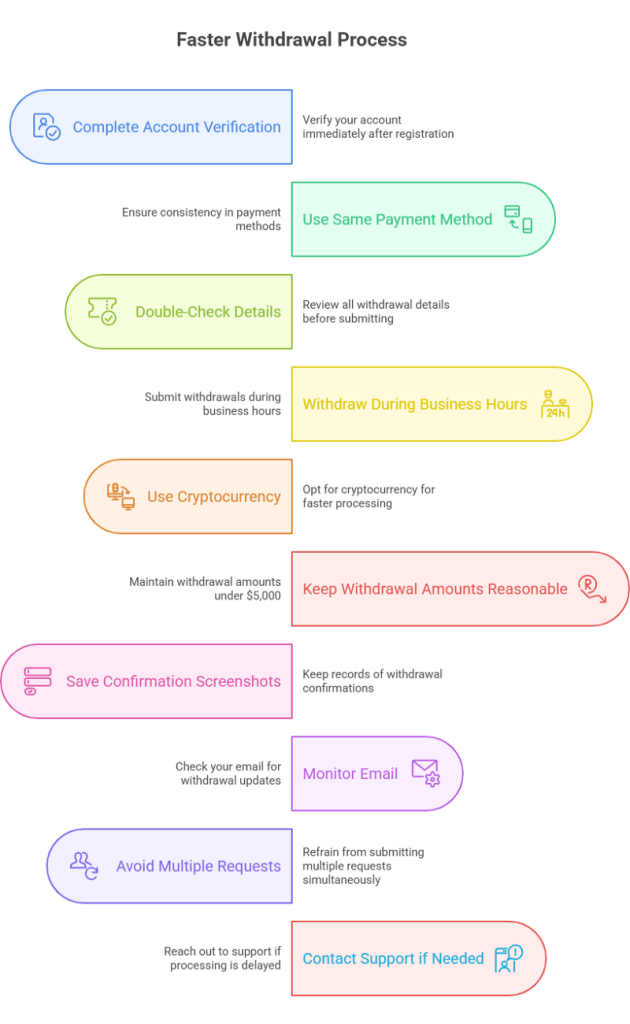
  • Your profile is fully verified (ID + proof of address)
  • You’re not using bonus funds or promo credits
  • You withdraw to the same method you used to deposit If you skip any of these, you’ll face delays.

Withdrawal Methods & Processing Times

USDT / Crypto

  • 1–2 hours for me, sometimes up to 24h
  • Fastest and most reliable. TRC20 is my choice.

Skrill / Neteller

  • Within the same day (6–12 hours)
  • Smooth for small and mid-size payouts.

Bank Transfer

  • 2–5 business days
  • For large withdrawals, but comes with more checks.

Visa/Mastercard

  • 3–7 days
  • Some cards don’t accept payouts, so this is riskier. 
  • Minimum withdrawal: $10
  • Fees: None from Pocket Option, but wallet/bank may charge.

My Real Withdrawal Proof

Yes, I’ve got receipts. Here’s my proof of payout: screenshot of $257 withdrawal to USDT-TRC20, completed in 1 hour.

My Real Withdrawal Proof

Common Withdrawal Problems & How to Solve Them

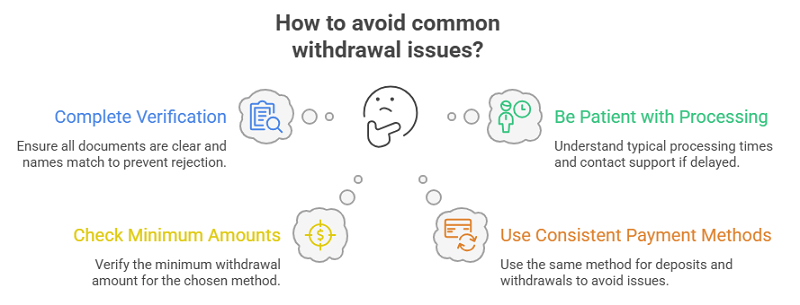
  1. “Pending” for over 24hDouble-check your KYC. Most delays are due to incomplete verification.
  2. Withdrawal rejectedYou may be withdrawing bonus funds. Clear your balance or contact support.
    Crypto wallet errorUse the exact address type (e.g., TRC20 for USDT). Wrong network = failed transaction.
  3. Bank refused paymentTry a different method like Skrill or USDT.

Pro Tips from My Experience

  • Always verify your account before depositing big. You’ll save days of headaches later.
  • Avoid using bonus codes if you want to withdraw fast. They often come with conditions.
  • Withdraw small amounts first. I started with $20, then $50, then $150. Builds trust and track record.
  • If your withdrawal is stuck, use Pocket Option Live Chat. They’re fast and helpful.
  • Keep screenshots of every transaction. Just in case.

FAQ 

Can I withdraw without verifying my account?

No. KYC is mandatory before any payout.

Which is the best method to withdraw from Pocket Option?

Crypto (TRC20-USDT) is the fastest, cheapest, and most reliable.

Do they really pay out?

Yes, I’ve been paid multiple times. As long as you follow the rules, they’re legit.

Can I withdraw bonus funds?

Only after reaching the trading volume tied to the bonus. Check terms before using one.

Is there a withdrawal limit?

Not really, but very large amounts may require additional verification or split transactions.

Do I have to withdraw with the same method I used to deposit?

Yes, for compliance. Deposit with the method you also want to use for withdrawal.

Final Thoughts

Trading is fun but funding your account and pulling out profits is where things get real. Pocket Option has surprised me with how smooth the process can be if you know what you’re doing. I’ve had hiccups, sure, but I’ve also seen the money hit my wallet within hours. If you’re just starting out, go slow. Deposit with what you’re comfortable with. Verify early. Withdraw small wins first. 

Take the guesswork out of Pocket Option deposits and withdrawals.

Create your free account here, grab your 50% bonus, and follow the exact steps I used to fund and withdraw without issues. It’s the smartest way to start your journey.

How to DOUBLE Your Speed for Trading on Pocket Option

Pocket Option Signals – Does Copying Other People’s Trades Make Money?

Pocket Option vs. Quotex: Which Broker is Better for You?

I still remember the first time I stumbled upon binary options. I was scrolling through YouTube late at night, trying to find a side hustle that didn’t involve delivering food or filling out surveys. That’s when I saw a video titled “$300 to $3,000 with Binary Options – Live Proof!” And that rabbit hole led me to two names I now know very well: Pocket Option and Quotex.

Fast forward to today, I’ve used both platforms extensively. I’ve won trades, lost trades, tested every feature, and even contacted support just to see how good (or bad) they are. If you’re confused about which broker is better, Pocket Option or Quotex; this is the article I wish I had when I started.

Let’s get into it.

Quick Comparison Table: Pocket Option vs. Quotex

FeaturePocket OptionQuotex
Minimum Deposit$5$10
Minimum Trade Size$1$1
Max PayoutsUp to 98%Up to 95% (usually around 87–90%)
InterfaceGamified, social, sleekClean, minimalistic, modern
Mobile App QualityFeature-rich but slightly heavierLightweight, ultra-smooth
Indicators & SignalsTons of built-in tools + signal marketplaceBasic indicators, clean layout
Copy TradingYes (Social Trading tab)No
Withdrawal Speed1–3 business days1–2 business days
Bonus OffersYes, often 50%+Yes, but less aggressive
RegulationIsland Of Mwali (Mohéli) Comoros UnionSt Kitts & Nevis
Demo AccountYes, no sign-up is neededYes, no sign-up is needed
Hidden AdvantagesSocial trading, tournaments, higher payoutsCleaner UI, better for mobile-only traders
My First Experience Pocket Option vs. Quotex

My First Experience: Pocket Option vs. Quotex

When I first signed up for Pocket Option, I felt like a kid in a candy store. Charts were colorful, buttons were flashy, and there was even a leaderboard with top traders. It felt more like a game than a trading platform. That was both exciting and dangerous.

Quotex, on the other hand, felt more like walking into a quiet, minimal office space. No pop-ups. No distractions. Just charts, timeframes, and assets.

And that’s the first real difference.

User Interface: Gamified vs. Professional

Pocket Option’s interface is designed to keep you engaged. You’ll see achievements, badges, tournaments, and chat boxes. It’s like trading mixed with social media. This can be fun but risky if you’re not disciplined.

Quotex is more like MT5 in a browser. Simple. Clean. Focused. You won’t find social trading here, and that’s a plus for people who just want to execute clean trades.

User Interface Gamified vs. Professional

Tip: If you get easily distracted or overtrade, Quotex might be a safer bet.

Payouts: Hidden Edges You Don’t See Right Away

Here’s where Pocket Option quietly wins.

While both brokers offer similar assets (currencies, crypto, stocks, etc.), Pocket Option often has higher max payouts, sometimes up to 96% on major pairs during peak hours. Quotex, in my experience, usually tops out at 90%.

Hidden Edges You Don’t See Right Away

Now, a difference of 5–8% might not sound like much… but over time, it adds up massively. On a $10 trade, that’s $0.80 more. Multiply that over 100 trades? That’s $80 extra just for using the right broker.

Want higher payouts and feature-rich trading?

Join Pocket Option today and claim a 50% deposit bonus

Unlock social trading, tournaments, and up to 98% returns on your trades — perfect for active and strategic traders.

Indicators & Signals: One is for Pros, the Other for Beginners

Pocket Option offers a surprisingly deep toolbox:

  • 20+ technical indicators
  • A signal marketplace
  • Social trading (copy top traders in one click)
  • Market sentiment indicators

Quotex keeps it basic:

  • Standard indicators like RSI, MACD, Bollinger Bands
  • No signals or social features

So, if you’re into manual strategies or want to learn from others, Pocket Option has the edge. But if you already know your system and just need a clean chart to execute, Quotex keeps distractions away.

Mobile Experience: Quotex Is a Sleeper Hit

I didn’t expect this, but Quotex’s mobile app is blazingly fast.

Pocket Option’s app is fully featured, but on some older devices, it can lag or crash. Quotex feels optimized even for budget phones. Fast execution, minimal loading times, and clean navigation.

If you’re mostly a mobile trader, Quotex wins this round.

Deposits & Withdrawals: Nearly a Tie

Both brokers offer:

  • Crypto and fiat methods (BTC, LTC, ETH, cards, e-wallets)
  • Minimum deposit: $5 (Pocket Option) vs. $10 (Quotex)
  • No withdrawal fees (unless it’s bank wire)
  • Bonus offers (usually 50% or more)

From my testing, the Pocket Option took 2 days for a Bitcoin withdrawal. Quotex cleared it in under 24 hours once, but other times took up to 2 days.

So while Quotex can be faster, it’s not always guaranteed.

Regulation & Safety: Not Much to Brag About

Let’s be real. Neither of these brokers is licensed by big regulators like the FCA or CySEC.

They’re both offshore, registered with weak entities that aren’t real regulatory bodies but more of a dispute resolution service.

Does that mean they’re scams? Not necessarily. I’ve successfully deposited and withdrawn with both, multiple times. But always trade with money you can afford to lose.

Bonuses & Promotions: Pocket Option Gets Aggressive

Pocket Option has:

  • Deposit bonuses
  • Trading tournaments with real prizes
  • Daily rewards, cashback, and challenges

Quotex does offer bonuses, but they’re more subtle and less frequent.

So if you like extra perks and competitive incentives, the Pocket Option is more generous.

Hidden Things No One Talks About

Here are some things you probably won’t see on Google:

Copy Trading Can Be Addictive

Pocket Option’s social trading sounds cool – and it is – but it can make you lazy. I once followed a “top trader” who was profitable for 3 days straight… and then blew my account in a single night.

Lesson? Use copy trading to learn, not to blindly trust.

Payout Fluctuations

Both brokers change their payout rates depending on the time of day, volatility, and asset. You might see EUR/USD at 92% in the morning and 78% in the evening. Always check before entering a trade.

Demo Accounts Aren’t Realistic

Pocket Option’s demo is unlimited, but trades feel too easy. You’ll hit win streaks that just don’t happen in real accounts. Quotex’s demo is slightly more realistic but still very forgiving.

So don’t build false confidence.

FAQs

Can I use both brokers at the same time?

Yes! I actually do. I use Pocket Option when I want to copy trade or try tournaments, and Quotex when I just want clean trades without distractions.

Which is better for crypto binary options?

Pocket Option. They have more crypto pairs and better payouts during high volatility.

Can I trade using signals?

Yes. Pocket Option even has a built-in signal marketplace. Quotex does not offer this.

Which is better for beginners?

Quotex, hands down. Simpler interface, and fewer distractions.

Which is better for fast payouts?

In my tests, Quotex was slightly faster overall.

Final Verdict: Which Broker Is Better?

It depends on your trading style.

Go with the Pocket Option if you:

  • Want higher payouts
  • Love tournaments and copy-trading
  • Like experimenting with strategies
  • Want access to signals and bonuses.

Go with Quotex if you:

  • Prefer a clean, distraction-free UI
  • Mostly trade on mobile.e
  • Already have a strategy and just need fast execution.
  • Want a beginner-friendly, minimal setup.

My Take?I use both. But if I had to choose just one, I’d stick with the Pocket Option for the features and payout advantage. But I keep Quotex on my phone for fast, quiet sessions when I just want to focus.

If you’re still on the fence, try both demo accounts. They’re free, no signup needed, and they feel different. You’ll instantly know which one suits your vibe.

Got more questions or want help with strategy? I’m here. Just drop a comment or reach out. I’ve been where you are – and the learning curve doesn’t have to be lonely.

Why choose when you can use both?

Start with Pocket Option for high-payout trades and bonuses

or

Trade distraction-free with Quotex’s clean mobile experience

Try them both in demo mode — find your edge and scale smart.

Pocket Option Indicators & Signals: How to Trade Smarter

Hey there! If you’ve ever stared at the Pocket Option chart wondering what now? Trust me, you’re not alone. I’ve been there. I still remember my early trades, full of nerves and random clicks, hoping something would work. Spoiler: it didn’t.

However, once I understood how to use indicators properly, everything changed.

This guide is not your usual boring theory dump. I’ll walk you through my favorite indicators, how I use them in real trades, the exact settings that work for different strategies and I’ll also answer the questions you won’t find on Google. Ready? Let’s go.

Why Indicators Matter on Pocket Option

Before we jump into the top indicators, let’s get one thing clear. Indicators don’t predict the market. They’re tools just like your GPS. They help you make informed decisions. Without them, you’re basically trading blind.

Ready to Try These Indicators on a Real Chart?

Open a Pocket Option account today and get a 50% deposit bonus as a new trader. It’s the perfect way to practice what you’re learning—risk-managed, with more capital to grow.

Sign up here with my bonus link and start trading smarter from day one.

On Pocket Option, where trades move fast and timing is everything, the right indicator can be the difference between a winning session and a blown account.

Why Indicators Matter on Pocket Option

My Top 5 Best Indicators for Pocket Option

These are the ones that I use regularly and have tested over dozens (okay, hundreds) of trades.

1. RSI (Relative Strength Index)

RSI is like a mood detector. It tells me if the market is tired from buying or selling too much.

  • How I use it:I look for RSI crossing over 70 (overbought) or under 30 (oversold). That usually hints a reversal is coming.
  • My favorite setting:14-period RSI with an extra twist. I combine it with a 5-period RSI. This helps catch sharp momentum shifts for short-term trades.
  • Best strategy combo:RSI + candlestick reversal patterns (like pin bars) = gold for 1–5 minute trades.

Read more about step by step using Pocket Option

2. MACD (Moving Average Convergence Divergence)

MACD shows the tug-of-war between bulls and bears. It’s great for spotting momentum and trend changes.

  • How I use it:I wait for the MACD line to cross the signal line. If it crosses from below, I prepare for a buy. If it crosses from above, I look to sell.
  • My favorite setting:12, 26, 9 (classic). But for scalping? I tweak it to 5, 13, 1. It makes MACD more responsive.
  • Bonus tip:If MACD crosses and RSI confirms the direction? That’s a high-conviction trade.

3. Bollinger Bands

I call these my “price cages.” They help spot volatility and breakout opportunities.

  • How I use it:When the price touches the upper or lower band, I zoom in. If the candle is rejecting the band (e.g., wicks), I prepare for a reversal.
  • My favorite setting:20-period with 2 standard deviations. For high-volatility assets, I adjust to 1.8.
  • Secret sauce:Combine Bollinger Bands with RSI divergence. If the price hits the upper band and the RSI shows a bearish divergence? I’m in.

4. Stochastic Oscillator

It’s RSI on steroids. It’s more sensitive, which is great for quick trades.

  • How I use it:When %K crosses %D in overbought/oversold areas, I jump in for 1-minute trades.
  • Settings I use:5, 3, 3 works great for short-term action.
  • Best combo:I use Stochastic + Support/Resistance zones. Works like magic on ranging markets.

5. Moving Averages (SMA & EMA)

These are the backbone of any trend-following system.

  • How I use them:I use 50 EMA and 200 EMA for trend direction. A golden cross (50 crossing above 200) = bullish. Death cross = bearish.
  • Settings I tweak for scalping:EMA 9 and EMA 21 on a 15s or 30s chart. Super sharp entries.
  • Killer trick:Add a moving average cloud (like 9, 21, and 50 EMA) for clean trend visualization.

You’ve Seen the Strategies. Now It’s Your Turn.

Theory is nice, but nothing beats real practice. Use my custom indicator setups on Pocket Option and get a 50% bonus on your first deposit when you register through this link.
✅ Fast execution 
✅ User-friendly charts 
✅ Trusted payout system

Claim your bonus and open an account now

Real Trade Examples: How Signals Helped Me Win

Let me walk you through a few trades where these indicators saved my skin or helped me bank some quick profits.

Trade #1: EUR/USD Reversal (RSI + Bollinger Bands)

  • Timeframe: 1 minute
  • Setup: RSI dropped below 30, and the price touched the lower Bollinger Band.
  • Signal: RSI divergence showed price wasn’t dropping as hard.
  • Entry: Bullish engulfing candle formed.
  • Result: 3 ITM trades back to back.
EURUSD Reversal (RSI + Bollinger Bands)

Trade #2: Trend Following with MACD (AUD/JPY)

  • Timeframe: 5 minutes
  • Setup: MACD line crossed above the signal line. RSI was at 50 (neutral but rising).
  • Signal: Price broke below 200 EMA.
  • Entry: On pullback to 50 EMA.
  • Result: 86% payout within 5 minutes.
    Trend Following with MACD (AUD_JPY)

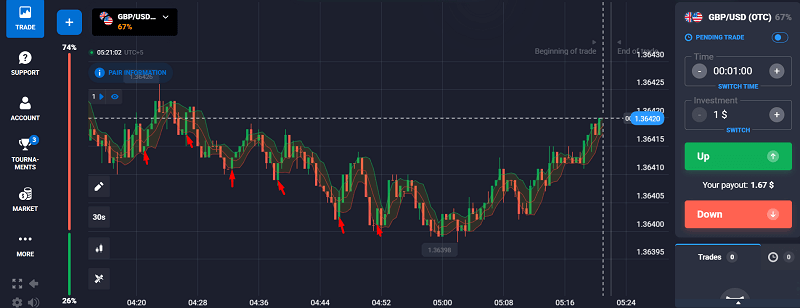
    Trade #3: Stochastic + Support Zone (GBP/USD)

    • Timeframe: 30 seconds
    • Setup: Price was bouncing between clear support/resistance.
    • Signal: Stochastic crossed upward from oversold + support bounce.
    • Entry: Instant high.
    • Result: Quick win in under 1 minute.
      Stochastic + Support Zone (GBP_USD)

      Ideal Indicator Settings Based on Strategies

      Let’s be real, there’s no “one size fits all.” So here’s what I recommend depending on how you like to trade:

      Strategy TypeTimeframeIndicatorsSettings
      Scalping15s – 1 minRSI, Stochastic, EMARSI (5 & 14), Stochastic (5,3,3), EMA (9 & 21)
      Trend Following5–15 minMACD, Moving AveragesMACD (12,26,9), EMA (50,200)
      Reversal Hunting1–3 minRSI, Bollinger Bands, StochasticRSI (14), BB (20,2), Stoch (5,3,3)
      Range Trading30s – 5 minRSI, Stochastic, S/R ZonesRSI (14), Stoch (5,3,3)

      Trade Smarter, Not Harder – with a Bonus Boost

      If you’re serious about applying these setups, don’t wait. Pocket Option makes it simple to execute these trades, and when you sign up through my link, you’ll receive an exclusive 50% deposit bonus to kickstart your trading journey.

      🎯 Start with proven tools.

      💸 Get more from every trade.

      Join Pocket Option today and get your bonus

      FAQs

      Can I use multiple indicators at once?

      Yes, but don’t overdo it. I stick to 2–3 max. More than that, and you’ll freeze up with “analysis paralysis.”

      What indicators work best for OTC trading on weekends?

      OTC is tricky. I’ve found RSI and Bollinger Bands work best. Add candlestick confirmation, and you’re good.

      Which indicators repaint or lag?

      • RSI, MACD, and Bollinger Bands don’t repaint.
      • Be cautious with some custom signals or indicators labeled “fast”. They often repaint.

      Why do my trades go wrong even with correct signals?

      Great question. A few reasons:

      • Bad entry timing: Wait for the candle to close.
      • Ignoring news: Big events can kill your setups.
      • Forcing trades: Only trade when the setup screams “go.”

      How do I avoid fake signals?

      • Wait for confirmation from at least 2 indicators.
      • Check multiple timeframes (e.g., confirm a 1-minute signal on a 5-minute chart).
      • Watch volume or candle strength.

      Final Thoughts: Indicators Are Tools – You’re the Driver

      Don’t let indicators control you. They’re your assistants, not your boss. The more you practice with them, the better you’ll feel the market rhythm.

      Some days, even the best signals fail and that’s okay. Pocket Option is about precision, patience, and practice.

      So next time you’re about to hit that green or red button, pause. Ask yourself:

      • What’s the indicator saying?
      • Is there confirmation?
      • Am I chasing or am I focused?

      If all boxes are ticked—pull the trigger. Trade smart, not fast.

      P.S. Want me to break down more strategies or indicator combinations? I’d love to hear what you’re testing.

      Happy trading!

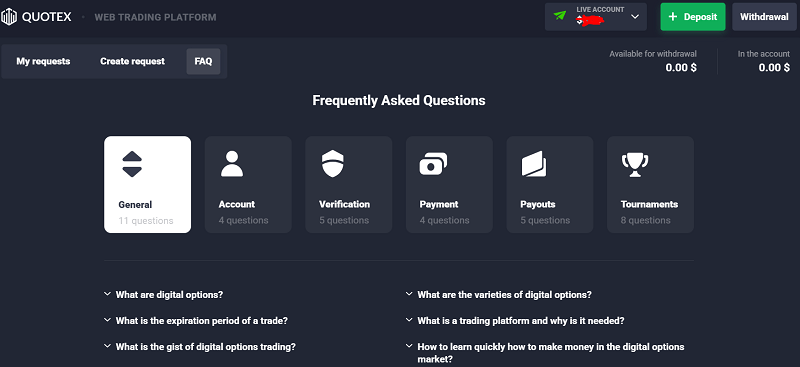
      How to Avoid Getting Banned or Blocked on Quotex

      When I was a newbie trader, I faced many difficulties, including my account being blocked. I was distraught, as I initially thought I had been scammed and was desperately trying to recover my funds.

      Have you been locked out of your Quotex dashboard while waiting to trade on your screen? As far as I have experienced this frustrating problem, it is a gut punch. This piece is not just a boring list of rules but a detailed article on how to avoid and clear account bans step by step. 

      In this article, I will share my experience with having my account suspended and how I regained it. It also includes the most practical steps that will help you prevent your Quotex account from being suspended. 

      My Experience Getting Blocked on Quotex: A Wake-Up Call 

      Before my account ban, I checked my Quotex account to implement a trading strategy. When I logged in, a message appeared on the screen. 

      Your account has been temporarily suspended due to violating our platform rules.”

      Your account has been temporarily suspended due to violating our platform rules.

      My dashboard did not show any trading features or deposited funds. While trying to understand the problem, I noticed the account summary was unavailable.

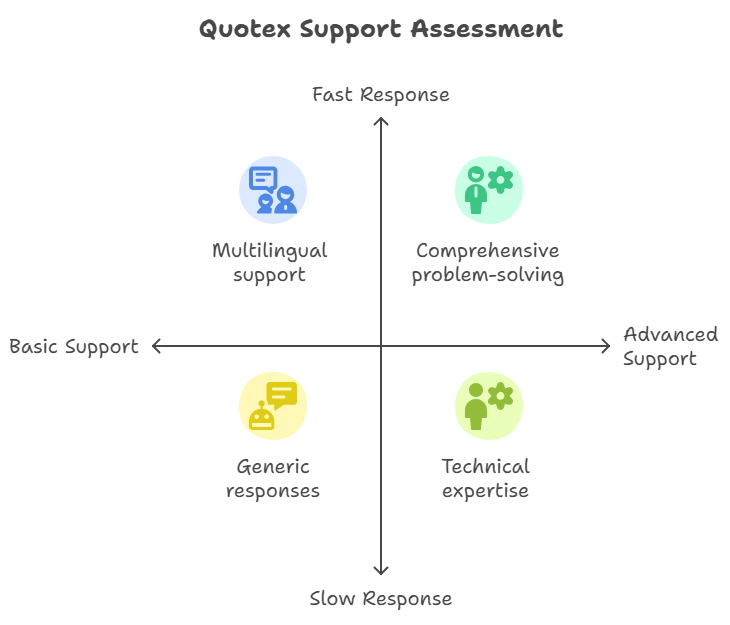
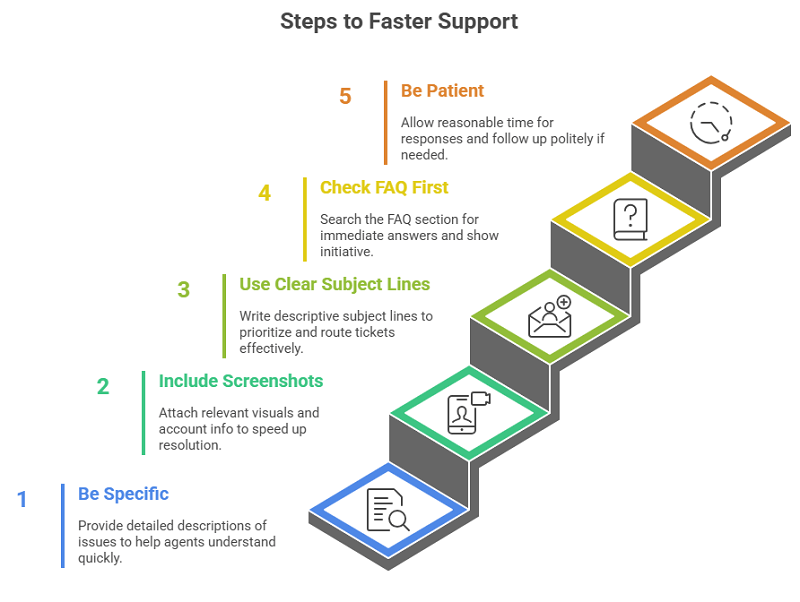
      I decided to contact Quotex’s support service. When I approached the customer support team, they told me I would get the response in a few hours. I did what anyone in my shoes would do during the waiting period. And of course, I was already in panic mode. I quickly searched for details on the Quotex ban and what I could have done to restore my account online.

      Understanding the reason behind the account suspension

      After thorough research, I realized a few things – I made typical rookie mistakes when transacting with the Quotex trading platform

      • I logged into my account from two different locations using a virtual private network (VPN), and while switching between locations, I used two countries. 
      • A few months later, I forgot my original login information, so I set up a new account using another email.
      • I used my accounts simultaneously to get the bonus, but I was unaware that this action breached the platform’s policy.

      All these actions compromised the safety policy. Their fraud system works like clockwork. However, if the server system flags an account, it immediately terminates it without addressing questions. This is an automated security system.

      This was a wake-up call about how Quotex works as a financial platform, not an entertainment facility. The platform’s operational processes are meant to be strictly protected for the users and the platform itself.

      Most Significant Reasons for Getting Banned Quotex

      If you are using Quotex or plan to use it in the future, then there are reasons why people are banned from their accounts. Here is a clear breakdown: 

      1. Infringement of Terms and Conditions

      Most people don’t read the terms carefully and exhaustively, and I was not blocked until then. Quotex does not allow the use of automation tools, the exploitation of bugs, or the impersonation of an identity.

      While it might seem harmless (like sharing your account with a friend), it is reason enough to have your account suspended immediately.

      2. Having More Than One Account

      This is the easiest way to be flagged because Quotex is quite strict about the rule of one user per account—firing up a controlled explosion when claiming a bonus via a new email address.

      So, even if you are logged in from different devices and browsers, your IP address and device fingerprint can still coordinate those accounts.

      3. Login Activity That Is Out of The Normal Suspect

      Some of these risky things include traveling, changing devices, and jumping from one public Wi-F to another. These can cause your account to be flagged as the security feature detects the username as suspicious, especially if the name has many people using the same account.

      Their system is set up to watch for certain behaviors. Unusual activity may flag you, whether you’re trying to do anything wrong or not.

      4. VPN and Proxy Use Concerns

      This was an issue for me. I used a VPN to help with internet speeds when I was on the go. Despite that, I found this completely unexpected when I learned that Quotex considers a VPN a potential evasion to escape the country’s restrictions or hide your identity. Some VPNs are on a blocklist. You can lose your account if your IP address is related to spam or fraud.

      5. Misuse of Bonuses and Promotions

      I wasn’t aware that using a bonus across two accounts, even with several months in between, would be considered an abuse of the bonus. This is a stringent rule with Quotex. Their functions include tracking which bonuses are attached to which accounts and IP addresses. But if they can spot such a pattern, you will get banned and lose any money earned from those bonuses.

      Understanding Quotex’s Strict Policies

      Why Quotex Has to Be Tough

      Since Quotex costs millions of dollars each day, security is a must. The company has a strict zero-tolerance policy for suspicious or fraudulent behavior and permanently blocks users who violate the rule. These are not to punish the traders but to ensure the platform is safe and fair for all users. Multiple accounts cheating or using bots to rig trades are bad for all honest traders and significant for the system.

      The Role of the Anti-Fraud Department

      A team constantly reviews the system, looking at system records. They log users as banks do to detect unusual credit card activity and monitor the number of financial transactions. 

      Quotex platform has advanced technology that automatically identifies suspicious behavior patterns. Then, human staff carry out final checks to see if someone has broken their rules. If users don’t comply, they will be banned. It is challenging for users to regain access to the systems once they are forbidden.

      How To Avoid Getting Banned on Quotex (These Tips Work For Me)

      Let’s think ahead. This is what I should have known before I got blocked.

      1. Do Not Have More Than One Verified Account

      It is not permitted to create a second account. If you lose access, contact customer service. Using many accounts is the most significant cause of bans.

      2. Use A Consistent IP Address And Geolocation

      Jumping between physical locations or IPs is not permitted. You have to inform Quotex support before you move, or you need to use mobile networks. It’s even better to be on your home internet or have a personal hotspot you control.

      3. Avoid Using Free VPNs or Proxies

      Most free VPNs are banned. Quotex is very careful about unknown proxy traffic and suspicious IP address ranges. They will assume that they are being lied to. If you need a VPN, use a paid one and choose a server in your registration country.

      4. KYC Verification Procedures Must Be Followed Properly

      There is no practicable delay in Know Your Customer (KYC) verification. Then, make sure that you use the actual ID documents. Make sure that the payment apps you use are indeed yours and that the name you provide is your own.

      One deviation can bring cluelessness and doubts.

      Step-by-Step Guide to Recovering a Blocked Quotex Account

      Getting your Quotex account blocked is stressful, but you can fix it with the steps below. 

      Contacting Support (With Email Template)

      Always try to reach out to Quotex support. They are available in live chat, or you can email them at [email protected]. An email of this kind would be the way to go:

      Subject: Request to Review Suspended Quotex Account (Urgent)

      Hi Quotex Team, 

      I’m [Your Full Name]. I recently got suspended from my account, which was registered with [Your Email]. There may be some misunderstanding or a system error. Please review my account. I am ready to hand over any documents or information to clear this issue. 

      I would like to know why the account is suspended, how I can prove I am who I am, and what the purpose of my activities is. 

      Thank you for your assistance. 

      Best regards, 

      [Your Full Name] 

      [Phone Number] (optional)

      Contacting Support (With Email Template)

      Documents You’ll Need For Verification

      Quotex will often ask you for verification documents. Thus, ensure that you provide the following:. 

      • A clear photo ID (passport, driver’s license, or national ID)
      • A selfie with the ID in hand (this is sometimes required)
      • Proof of address (utility bill, bank statement that has your name and address)
      • Screenshots of the last deposit transaction

      Check that your name, date, and document are clear. Only blurry or cropped images will slow the processing speed. Eventually, they may be rejected, and you won’t be verified. Of course, you know what follows: you permanently lose your account. 

      What to Say and What Not To Say

      Truth be told, never lie or tell stories; it is just not the best choice. Quotex has access to your logs, location, and transactions. They will want to deceive you, but you will get the opposite result.

      Do say:

      • You are willing to comply
      • You may have potentially caused the confusion
      • You are eager to verify everything

      Remain polite, diplomatic, and calm. That’s a coincidence; it got my account reinstated.

      Keeping a Stable Quotex Account 

      Tips for Consistent Trading with Quotex Without Trouble

      When I finally recovered my account, I decided to protect it. So, I prepared a list of steps to ensure its safety.

      Here’s what I stick to now:

      • I use my Quotex account on the same computer device and IP when possible, which is essential. Stability builds trust.
      • I do not do unnecessary things regarding my account authentication methods and password management. These can look suspicious.
      • Use accurate, traceable payment methods. I must refrain from making direct deposits into my trading account using cards or e-wallets other than my own.
      • I perform trade sessions but never submit many trades at once. The Quotex platform will trigger alert systems due to repeated trade actions and trading bots from the Quotex platform.
      • I only apply bonus codes when I am sure I meet the eligibility requirements, and avoid stacking them.

      I created a three-month schedule to monitor my profile information, including my name, email, phone number, and attached documents. I will be ready for support verification whenever needed by keeping my profile information accurate.

      Avoiding Suspicion from the Platform

      Too rapid profit accumulation can cause the platform to consider your account suspicious. It sounds wild, but it’s true. A suspicious trading pattern that acts like a computer or creates market opportunities will cause the system to indicate potential trading fraud.

      My trading activity went humanized by alternating between profitable and unprofitable days to prevent suspicion from the platform. This shows natural behavior.

      I only trade during abnormal late-night hours when I am fully awake and can focus. Interacting with the system at abnormal hours while connecting from different Internet Protocol addresses is a red flag.

      Consistency is key. Web platforms detect you as a genuine user instead of a computer intruder.

      Final Thought

      Your money security depends on adhering to the rules of the Quotex platform. A ban on Quotex proved to be the scariest experience during my time as a trader. That experience proved to be an essential educational lesson. Approach Quotex with the respect you show to genuine financial institutions.

      Follow the rules. Use accurate information. Stick to ingenious trading methods and constant verification before pressing anything that seems questionable. Treat your account as your primary financial asset because it needs proper protection.

      Quotex Minimum Deposit & Trading Limits Explained

      My very first experience with online trading is still fresh in my memory. The experience was both exhilarating and frightening, but also filled with some frustration, because many brokers required new users to deposit a lot more money than I was comfortable giving at first.

      $100 or even $500 in some cases exceeded my comfort level. But after exploring various options, I discovered Quotex, which allowed me to begin trading with only $10. The investment amount at Quotex demands less than a typical person spends on their weekly coffee run.

      This modest minimum deposit stands as an influential factor that benefits all trading experience levels, from novices to professionals. Starter users gain experimental learning opportunities with Quotex through its low deposit requirements of only $10, allowing them to build confidence at minimal risk.

      This guide will provide a complete overview of Quotex’s minimum deposit process and trading constraints while disclosing my personal insights and details about deposit options, transaction fees, and durations. Trading with serious intent now requires us to begin with proper foundations. Once I understood this information, I made better trading decisions as a new trader.

      What Is the Minimum Deposit on Quotex?

      The main benefit of trading on the Quotex platform is its minimum starting deposit of $10, which works for every account level. 

      As I signed up for Quotex for the first time, I was immediately surprised because the platform only required a minimum deposit of $10. Other brokers demanded higher amounts of deposits, ranging from $50 to $100. The platform accepted small beginnings that could grow larger through regular additions. Luckily, the Quotex platform offers the most affordable minimum deposit limit, as shown in the image below:

      the Quotex platform offers the most affordable minimum deposit limit

      Why is a $10 deposit beneficial?

      1. Perfect for Beginners—A $10 deposit represents a significant threshold brokers apply as entry conditions. The beginning period of trading made me want to conserve my money instead of wasting it on learning about the market. A starting investment of only $10 lets me experience different trading methodologies slowly before making large losses.
      2. Risk Management—According to risk management principles, early traders should follow experienced market veterans by using small capital deposits. This allows me to assess the market before moving toward higher investments. The required minimum deposit helps traders protect against huge losses because of its low threshold. Trading should be open to everyone regardless of financial capacity, since brokers require prices exceeding $100 for experimentation. Anyone worldwide can kick off their trading adventure with a Quotex account.
      3. Testing New Strategies—Experienced traders can make a $10 deposit to test their new strategies and trade different assets. Newbies can also do this while protecting their larger trading capital. The platform remains valuable for trial-strategy execution even though I am now settled as an experienced trader. My confident strategy scaling depends on how successfully $1 trades perform.

      The ability for users to trade with small or large amounts of capital drives me to select Quotex as my preferred broker. On Quotex, traders can select their suitable initial investment amount, which helps both new and experienced traders start trading.

      Comparison: Quotex Minimum Deposit vs. Other Brokers

      I performed thorough research to select Quotex. The analysis of various brokers revealed Quotex had exceptional value through its $10 low minimum deposit requirement. Here’s a side-by-side comparison:

      BrokerMinimum DepositTrading PlatformBeginner-Friendly?
      Quotex$10Web and mobile-basedYes
      Pocket Option$5Web and MobileYes
      IQCent$20Web-basedNo
      Expert Option$10Web & MobileNo
      Raceoption$250Web & MobileNo

      Quotex stands out as a superior platform because of its advantages.

      • More affordable than Pocket Option and IQCent.
      • The platform provides all the features of Binomo with enhanced options regarding flexible accounts and functionality.
      • Quotex stands apart from other brokers because it voids deposit fees which other platforms include covertly.

      For me, it was a no-brainer. I could begin trading on Quotex immediately after making a $10 deposit because its platform does not charge unpredictable fees.

      Deposit Methods & Fees

      Depositing funds into Quotex can be understood by examining its available payment methods. My very first deposit experience on Quotex impressed me because the platform provides users with numerous payment methods for transactions.

      Available Deposit Methods

      1. Bank Transfers—Bank transfers are a dependable payment option, although the financial transfer takes 1 to 3 business days.
      2. Credit/Debit Cards—I can make instant deposits using credit and debit cards that support Visa and Mastercard.
      3. E-Wallets—Includes Skrill, Neteller, and Perfect Money for faster deposits.
      4. Cryptocurrencies—As a Quotex user, I can execute secure transactions using cryptocurrencies, including Bitcoin, Litecoin, and Tether.
      Cryptocurrencies

      Are there any deposit fees?

      • The deposit process at Quotex operates without fees, proving to be a major advantage.
      • Your financial institution’s payment method involves costs ranging from 1 to 5 percent.
      • The amount of network traffic on the platform affects the small blockchain fees associated with Crypto deposits.

      I choose e-wallets and crypto because they offer fast processing speeds and minimal fees. When selecting a payment method, you should verify all additional costs from your provider.

      How to minimize extra costs?

      • In my case, I use e-wallets or crypto to experience lower transaction fees.
      • The fast payment options I selected help to avoid waiting periods.
      • Additionally, the avoidance of unexpected fees rests on verifying policies at your bank beforehand.

      Selecting a suitable deposit method enabled me to retain the maximum investment value while reducing financial expenses.

      Deposit Processing Times

      I’ve made several deposits on Quotex, and in my experience, most of them appear instantly. However, the time it takes depends on which method you use.

      How long does it take for deposits to process?

      Payment MethodProcessing Time
      Bank Transfer1-3 business days
      Credit/Debit CardInstant—2 hours
      E-walletsInstant—30 minutes
      Cryptocurrency10 minutes – 1 hour

      Why do some deposits take longer?

      1. Bank Delays—Some banks need prolonged periods to process international transactions.
      2. Verification Requirements—A large deposit will need supplementary verification as part of its requirements.
      3. Cryptocurrency Network Congestion—The delays in the crypto deposit process may occur when blockchain activity reaches high congestion levels.

      What should I do if my deposit is delayed?

      • First, verify the payment confirmation to guarantee that the transaction was registered successfully.
      • The processing time may differ according to method type, so wait at least a few hours until confirmation.
      • I also use the Quotex customer support channels to address deposit delays beyond expected timelines.

      Understanding these important system requirements aided in avoiding frustration while enabling better planning for my deposit schedule.

      Currencies Accepted for Deposits

      Traders worldwide have convenient deposit options through Quotex because the platform supports fiat and cryptocurrency payments.

      Fiat Currencies Accepted

      • USD, EUR, GBP, RUB, BRL, etc.

      Cryptocurrencies Accepted

      • Bitcoin (BTC), Binance (BNB), Tether (USDT), Litecoin (LTC), etc.
      Bitcoin (BTC), Binance (BNB), Tether (USDT), Litecoin (LTC), etc

      Currency Conversion Considerations

      1. Non-supported currency deposits might lead to additional conversion expenses for traders.
      2. Using cryptocurrency deposits gives you an affordable means of preserving your funds from exchange rate depreciations.
      3. Check exchange rates before making any deposit to find the most beneficial value.

      When I operate within supported currencies, I can minimize deposit costs, reaching the highest possible deposit value.

      Trading Limits on Quotex

      Trading limitations are essential for managing risks and helping me achieve better investment returns. Quotex offers traders adaptable trading policies that cater to the needs of both small- and large-volume traders.

      Minimum Trade Size

      Use of Quotex as a trading platform is accessible to beginners because the trading minimum is just $1. Because of its low threshold, I can:

      • Execute test strategies while protecting their financial resources from substantial loss.
      • Practice risk management effectively by distributing their capital into small amounts for each trade.
      • Increase my investment scope through longer phases of confidence-building combined with enhanced expertise acquisition.

      Traders who prioritize cautious trading operations should begin their activities using small trades. This practice helped me reduce potential losses and enhance my educational experiences in trading.

      This practice helped me

      Maximum Trade Limits

      The trading maximum at Quotex is $3,000. If you intend to execute high-value trades, consider the following:

      • Verify your account to prevent delays when withdrawing funds and making deposits.
      • Each trading instrument can come with particular restrictions on maximum trade size that you must be aware of.

      Additionally, if you wish to place sizable orders, you should contact the customer support team for further assistance.

      if you wish to place sizable orders

      Why Do Trading Limits Matter?

      1. Risk Management—Risk management is achievable through maintaining small trade sizes, which allows me to reduce potential financial loss.
      2. Flexibility—The trading system lets me manage my investment amounts according to risk tolerance and trading experience.
      3. Security Measures—Bigger transactions need identity confirmation to stop fraudulent payments and unauthorized money transfers.

      Knowledge of trading limits helps me create improved investment methods, which protect my money from avoidable risks.

      Step-by-Step Guide: How to Deposit Money on Quotex

      The deposit process on Quotex is easy, and if you are a new user, you can still access swift execution. The following instruction process shows you how to deposit funds into your account without trouble:

      1. Log in to Your Quotex Account

      • Proceed to the official Quotex website through your browser, where you should enter your login information. 
      • You can also use quick login methods such as Google and Facebook like I do.
      You can also use quick login methods such as Google and Facebook like I do.

      2. Click on the “Deposit” Button

      • Select the deposit button option from the funding section within your account. This will take you to the deposit page where you’ll select the deposit method. 
      Select the deposit button option from the funding section within your account

      3. Choose Your Preferred Payment Method

      • On Quotex, you have multiple deposit options, including credit/debit cards, e-wallets, cryptocurrencies, and even local bank transfers. I choose one that suits my preferences and risk appetite. 
      I choose one that suits my preferences and risk appetite

      4. Enter the Deposit Amount

      • The system accepts minimum deposits starting at $10 and higher deposit amounts according to your risk appetite.
      • Moreover, note that different deposit amounts have different bonus rewards. Then select your bonus percentage according to the deposit amount you intend to fund. 

      5. Confirm Payment Details

      • Carefully review your payment details for correctness before proceeding. This includes the crypto address, the deposit amount, and the mode of payment. 
      • In my case in using cryptocurrencies, i need to chek the receiver address and paset it on my wallet and initiate a withdrawal to deposit on my Quotex account. 
      Confirm Payment Details

      6. Complete the Transaction

      • You must complete the transaction by following the instructions to finalize your payment deposit.

      7. Verify the Deposit in Your Account

      • Afterwards, you should check your account balance and the transaction records to ensure the funds have been successfully transferred to your account.
      Verify the Deposit in Your Account

      Quotex offers a simple and secure process for fund deposits. After making account deposits, you can start trading immediately. It takes my about 5 minitues to initiate a deposit and strat trading. 

      Common Deposit Issues & How to Fix Them

      Sometimes, deposits might not go through easily. These issues might include:

      1. Deposit Not Reflecting in Account

      • I practice patience and wait a few minutes, as some transactions need more time.
      • I then double-check my payment confirmation and verify that the funds went through.
      • If it still hasn’t appeared, I reach out to Quotex support.

      2. Bank Rejecting the Payment

      To maintain impeccable security, banks sometimes block online trading payments.

      • You can use different payment options, such as e-wallets. I prefer cryptocurrencies for lower deposit fees. 
      • Get in touch with your bank to approve the transaction.

      3. Incorrect Payment Details

      • Verify your card information, account number, or cryptocurrency address before you proceed.
      • Mistakes in details might cause the transaction to fail or be lost.

      4. Currency Conversion Fees

      • Using a currency that Quotex doesn’t support can mean extra conversion fees. 
      • Supported fiat and digital currencies assist traders in avoiding extra costs when depositing. 

      Knowing the solution to these challenges allows me to deposit funds seamlessly without challenges.

      Pro Tips: Making the Most of Your Deposits

      To get the most from your trading money by avoiding unwanted fees, I usually consider the following:

      1. Select a Suitable Payment Method

      • E-wallets and cryptocurrencies have cheaper fees and faster transactions than bank transfers. 
      • I avoid any methods that carry high transaction fees or have longer transaction periods.

      2. Deposit More Than the Minimum When Possible

      The least you need to deposit is $10, but $50 or more might bring perks like: 

      • Faster withdrawals 
      • Higher percentage bonuses
      • Better access to customer support 
      • More trading features are made available

      3. Time Crypto Deposits to Avoid High Network Fees

      • Crypto network fees change with demand, so aim to deposit when fees are low. 
      • Use tools like Etherscan or Bitcoin Fee Estimators to check fees beforehand.

      4. Keep a Record of Transactions

      • Always save your payment receipts, as you might need proof later. 

      Using these tips helps me save while depositing and experience benefits, including rewards and faster services. 

      Conclusion

      Strictly speaking, Quotex is one of the most suitable trading platforms for experts and newbie traders because of its low minimum deposit of only $10. This is good for newbie traders who need help trading and do not have a large financial stake.

      Deposit methods and fees include finding out how best to add money to your account. The guide also touches on processing times and accepted currencies. Traders should know how long it will take for their money to appear in their account and what currencies they can use.

      Additionally, understanding the trading limits and their impact on risk management has been detailed to help you understand how they work. This also includes how they can affect risk management and the trade execution strategy. Considering the common deposit challenges, you can understand how to fix them, including the usual issues people face when depositing into accounts. 

      The entry into online trading became accessible through Quotex with my initial investment of $10 which carried a low danger level. The platform met all my requirements as a novice trader because Quotex allowed low deposits and flexible trading limits together with fast processing times.

      Trading novices and users who want inexpensive strategy-testing services should consider Quotex since it provides superior trading features.

      Frequently Asked Questions (FAQs)

      1. What is the minimum deposit on Quotex?

      You can start trading on Quotex with just $10. This low amount makes it simple for anyone to start, whether you’re just learning or very experienced.

      2. Does Quotex charge deposit fees?

      No. Quotex doesn’t charge you any fees to deposit money, but your bank or payment method might have a small fee of 1-5%. I prefer crypto because of the low fees and it has no geographic barrier. 

      3. How long does a deposit take to process?

      • Bank transfers usually take 1-3 business days.
      • Credit/debit cards: can be instant, or take up to 2 hours.
      • E-wallets are usually instant or can take up to 30 minutes.
      • Cryptocurrency: deposits take between 10 minutes and 1 hour. 

      If the transaction takes longer to reflect, you should contact customer support. From my experience, the support team is fast to reply and attend to customer complains. 

      4. What payment methods are available?

      You can deposit using bank transfers, credit or debit cards, e-wallets like Skrill and Neteller, and crypto deposit options such as Bitcoin, Tether, and Litecoin.

      5. What should I do if my deposit doesn’t show up?

      • Double-check your payment confirmation to see if the transaction went through. 
      • If there’s still an issue, contact Quotex’s support team for help. 

      Ready to get started? I recommend adding funds to your account now and taking advantage of Quotex’s easy deposit options and low trading limits!

      How to Register on Quotex and Start Trading in 5 Minutes

      Imagine losing hours of your time and potentially even some of your money on a trading platform simply because the registration process was confusing. New traders frequently encounter these types of problems, which cause them to lose out on chances and eventually get frustrated. 

      At Quotex, the user registration journey takes only five minutes or less before beginning your trading activities. 

      Due to so many complicated registration processes, normal users find it difficult to understand sign up. And research confirms that 40% of traders do not complete their platform account creation because current sign-up procedures are too difficult. 

      This article is an all-inclusive guide to Quotex registration that teaches you how to sign up fast and confidently. The article provides verification guidance and solutions for typical problems to provide users with seamless trading conditions.

      How to Sign Up on Quotex and Start Trading Immediately

      Follow these eight steps to sign up on Quotex and get started trading in no time:

      1. Use Becoin.net’s Link

      On the Becoin.net homepage, you will be able to access a 50% bonus on your initial deposit if you click the Quotex sign-up link

      This link will immediately redirect visitors to the registration page. Carrying out a sign-up using the provided Becoin.net link enables you to receive the deposit bonus.

      Use Becoin.net’s Link

      2. Access the Quotex Registration Page

      The link will direct you to the Quotex sign-up page. Create your official account from this page. The registration form contains essential details that users must enter without any complicated requirements. Every person can finish the full process for Quotex sign-up within five minutes or less.

      Make sure to verify the genuine Quotex website because phishing attempts might occur. Evaluate your online location by verifying the address displays, “qrbroker.com,” to ensure you remain on the correct site.

      Access the Quotex Registration Page

      3. Choose Your Country/Region

      As part of the registration process, you must choose your location from an available dropdown list. A critical step arises during registration since your chosen country affects the following:

      • Currency Options: Your selected country determines the available currencies during trading.
      • Payment Methods: Several banking systems accessible for deposits and withdrawals can be restricted according to country specifications.
      • Regulatory Compliance: User requirements regarding online trading activities follow the different compliance requirements in various countries.

      Therefore, picking the correct country is essential to obtaining the best trading options and legal compliance.

      Choose Your Country Region

      4. Select Your Account Currency

      You must decide your currency preference following the selection of your country. You can choose from USD (United States Dollar) as your default currency selection.

      It’s important to note that:

      • The available payment methods restrict their usability to specific currencies.
      • Moving between currencies after selection will generally become unavailable. So, choose wisely.

      USD should be your preferred currency because of its general market availability and easy transaction processing.

      Select Your Account Currency

      5. Enter Your Email Address

      You must provide the correct email address for the current step. The selection of a valid email remains one of the essential requirements since:

      • Account verification will depend on the email you choose.
      • The platform provides vital messages related to trading activities, withdrawal procedures, and marketing deals.
      • Your email will be the necessary authentication method when resetting your password in case you lose it.

      Pro Tip:

      • Choose between Gmail or Outlook email accounts instead of employing temporary or business work emails for registration purposes. The providers ensure better email delivery and receipt of essential communications from Quotex.
      • Impose a final verification step on your email address since future email modifications are impossible.
      Enter Your Email Address

      6. Set Up a Secure Password

      People experience high-security risks when trading online. Create a powerful password that meets the following requirements for your account security.

      • At least eight characters
      • Uppercase & lowercase letters
      • Numbers & Symbols
      • Keep your security password separate from your real personal data

      To keep your passwords safe, use LastPass or Bitwarden password managers to store them properly.

      Set Up a Secure Password

      7. Complete the Registration

      Before closing the registration page, read through each entry in your profile. Small errors, such as typing mistakes, will lead to problems in the future.

      Once you’ve checked everything:

      • Initiate the Terms by marking the checkbox.
      • Click the Register button to start your Quotex account.

      Congratulations! You have now built a trading account with Quotex. However, you need to complete two more tasks before starting your trading activities.

      After registering your account, you can fully participate in verification and trading activities on Quotex.

      Complete the Registration

      8. One-Click Signup Options

      Quotex provides a single-click sign-up method through various connection options, including Google and Facebook.

      • Google
      • Facebook

      When users pick from Google or Facebook (Meta), the signing process creates an account immediately without needing to type information. People who object to typing information choose this approach to access their existing account credentials.

      Quotex requires an email address and phone verification to enhance security after letting users choose from Google or Facebook sign-in.

      One-Click Signup Options

      Advantages of One-Click Sign-Up

      • Users no longer have to type their email and password during sign-up.
      • Faster login process.
      • Both Google and Facebook accounts include native protection tools, especially Two-Factor Authentication.

      Disadvantages

      • You need to recall which social network you selected to sign up.
      • Your access to Quotex will be affected if you cannot access your Google or Facebook accounts.

      When you use Google or Facebook to register on Quotex, you should turn on 2FA for those accounts to improve security.

      you should turn on 2FA for those accounts
      you should turn on 2FA for those accounts-2

      Verify Your Quotex Account

      Verifying your Quotex account is essential for obtaining a smooth trading experience. If you skip verifying your account, your trading experience will face various troubles, such as withdrawal restrictions, security challenges, and account limitations. 

      Most traders bypass verification of their accounts but later discover fund delays during withdrawals. Account verification should be finished at the time of your first registration to prevent future trading issues. The following is an in-depth guide about Quotex account verification procedures, its importance, and standard verification problem solutions.

      1. Email Verification Process

      After finishing the registration process, the first step is verifying the email address associated with your Quotex account. Verify that your email is your main connection point with Quotex, through which all essential communication occurs. Quotex sends vital notifications, password reset requests, and security updates through your registered email address.

      Steps to Verify Your Email on Quotex

      • Check Your Email Inbox: You should find an email from Quotex containing a verification link that arrives immediately after finishing account registration. A verification email follows the subject line, which the platform identifies as “Confirm Your Email” alongside similar types.
      • Click the Verification Link: Open the email and activate the verification link that it contains. Your email verification on Quotex commences when you click the link that leads to the platform for email validation.
      • Login to Your Verified Account: After completing your account verification, you can sign in to access all Quotex features.
      Login to Your Verified Account
      Login to Your Verified Account-2

      What to Do If You Don’t Receive the Verification Email?

      • Check Spam or Junk Folders: Observe your email’s spam and junk sections since automatic messages sometimes arrive before receiving them. Open all recommended email sections to search for a message from Quotex.
      • Wait for 5-10 Minutes: A server congestion problem might result in a delay of about 5-10 minutes for receiving the verification email. Let a few minutes pass before you ask for another email transmission.
      • Use a Different Email Provider: If you use an email provider with strict filters (such as Yahoo or Hotmail), consider using Gmail or Outlook for better deliverability.
      • Request a New Link: If you still haven’t received the email after trying the above steps, return to the Quotex website and request a new verification link.
      Request a New Link
      Request a New Link

      2. Phone Number Verification (Optional but Recommended)

      Users can choose to set up phone number verification for advanced security, although it is optional. Your account obtains stronger protection when you link a phone number because it aids recovery processes during lost or compromised situations.

      Steps to Verify Your Phone Number on Quotex

      1. Go to Account Settings: Move to the Account Settings area to modify your phone number by accessing your Quotex account.
      2. Enter Your Phone Number: Type the correct national code and your complete phone number into the field precisely.
      3. Receive the OTP (One-Time Password) Code: You will get your verification code from Quotex through an SMS transmission of a One-Time Password. The verification code consists of six digits, which Quotex provides through SMS.
      4. Enter the Code: After your account verification requires a code, enter the received validation code in the specified section. Then click the button to finalize the verification process.

      What If You Don’t Receive the OTP Code?

      • Double-check the Number: Verify your entry of the exact phone number, including your phone number and correct country code.
      • Try a Different Network: All mobile networks possess diverse timing when delivering OTP codes, so switch between networks when receiving delays. You should try to access the SMS with a different phone number.
      • Request a New Code: To obtain another code when the timing runs out, request Quotex for a new code update.

      3. Identity Verification (For Withdrawals & Security Reasons)

      Quotex needs identity verification documents from users, particularly during their initial withdrawal attempt. KYC serves two purposes: to stop fraudulent activities and to confirm the ownership rights of account holders by enabling authorized access to their accounts.

      Steps for Identity Verification on Quotex

      1. Go to the Verification Section: Proceed to the Verification Section by accessing the account settings and navigating through the security or verification section.
      Go to the Verification Section
      1. Upload a Valid ID: You must present a valid official government identification document, which should include either a passport, driver’s license, or national ID card.
      Upload a Valid ID
      1. Submit Proof of Address (If Required): The platform might request that users present official documents showing their residential address for verification.
      2. Wait for Approval: Quotex processes document review during an evaluation period of 24-72 hours. The account verification process will result in a complete verification after checking all documents.

      Why Is Identity Verification Necessary?

      • Secure trading takes place thanks to identity verification, which protects against fraud.
      • The platform fulfills the necessary financial guidelines to stop money laundering activities.
      • You can receive payments without any unnecessary slowdowns from the withdrawal system.

      4. Troubleshooting Verification Issues

      If you face issues during verification, here are some common problems and how to resolve them:

      Common Sign-Up Issues & How to Fix Them

      IssueSolution
      Didn’t receive email verificationCheck your spam folder, wait 5-10 minutes, or request a new link.
      Invalid phone numberEnsure it’s correctly formatted with the country code.
      Cannot select countryUse a VPN if Quotex is restricted in your region.
      Error during registrationClear the browser cache or try a different device or browser.

      What to Do After Registration

      Establishing your Quotex account after registration constitutes the next essential step in achieving smooth trading. The process of joining Quotex ends with registration instead of allowing traders to begin actual trading activities. Full trading participation requires essential post-registration actions after account registration. 

      This follows a sequence of essential actions that require detailed explanations about their significance.

      1. Log In to Your New Quotex Account

      You must log into your freshly registered Quotex account through the newly created account access right after finalizing your registration. To do this:

      1. Go to the Quotex login page.
      2. Use the email and the password you entered when registering your account.
      3. Click the “Log In” button.

      Registration with Google or Facebook enables you to access your account via one-click sign-in under the matching authentication option.

      Registration with Google or Facebook

      Verifying your successful account creation is a vital aspect of this step. There are three possible causes of login problems: incorrect passwords, unverified emails, or possible technical problems. The “Forgot Password” tool allows you to reset your password while you can verify your email status using the same interface.

      Forgot Password

      2. Complete Your Profile

      Completing your profile on Quotex generates additional security and boosts trading performance, although the platform initially does not demand it. The following list contains the items you need to update:

      • Personal Information: Users should enter their complete name exactly as written on official legal records.
      • Date of Birth: For correct verification, the date you enter for your birthday should match what appears on your identification documents.
      • Payment Preferences: Choose your preferred deposit and withdrawal method.
      Payment Preferences

      Your profile completion enables ease of handling financial operations. Completing profiles correctly at the beginning avoids withdrawal delays that certain users experience because of missing information.

      3. Make Your First Deposit

      A necessary first step to trading on Quotex requires a funded user account after account creation. To make a deposit:

      1. Users should navigate to their dashboard and click Deposit from there.
      Users should navigate to their dashboard and click Deposit from there.
      1. Choose a Payment Method Because Quotex provides several funding options, which include:
        • Bank transfers
        • Local Banks
        • Credit/debit cards
        • Cryptocurrencies (Bitcoin, Ethereum, etc.)
        • E-wallets (Skrill, Neteller, etc.)
      E-wallets (Skrill, Neteller, etc.)
      1. The deposit transaction demands an amount exceeding the specified threshold (generally $10).
      The deposit transaction demands an amount exceeding the specified threshold
      1. Check the instructions carefully regarding what to do next for your selected payment option.

      Pro tip: Users who registered through Becoin.net should check whether they qualify for a 35% first-deposit bonus.

      Pro tip

      4. Enable Extra Security (Highly Recommended)

      You must take extra security measures to preserve your funds and safeguard your personal data.

      • Set Up Two-Factor Authentication (2FA): Implementing Two-Factor Authentication (2FA) provides additional security protection to your account.
      • Use a Strong Password: Develop a powerful password that resists easy hacking attacks.
      • Activate Withdrawal Pin: Your account protection includes the Withdrawal Pin activation feature that blocks unpredictable account withdrawals.

      Many risk-takers ignore important security configurations because it leads them to experience hacking events and unauthorized financial movements. These security measures fairly diminish the likelihood of losing your funds.

      security measures
      security measures-2

      Final Tips for a Smooth Start

      Quotex registration happens simply because the system focuses on providing swift and efficient trading access to new users. Use this guide to smoothly handle the registration and verification process, opening up the path to efficient trading.

      • An accessible, valid email address ensures smooth communication.
      • Check your selected country and currency option in the registration process, since changes are impossible afterward.

      Frequently Asked Questions (FAQs)

      1. How long does the verification process take?

      Based on the current request volume, the verification period spans between 24 to 72 hours.

      2. Can I change my account currency after registration?

      No. The selected account currency remains permanent since it gets set permanently at the time of registration.

      3. What should I do if I forget my password?

      Access the reset password option through the login page, which directs you password reset process by email.

      4. Is there a minimum deposit amount to start trading?

      Yes. The initial deposit requirement is usually $10, though currency selection and payment method impact the possible minimum limit.

      How to Use Pocket Option: A Comprehensive Guide for Beginners

      Imagine this: You’ve heard about Pocket Option from traders claiming to make significant profits. You’ve seen YouTube videos showcasing successful trades, and now you’re eager to start. The problem? You have no idea where to begin. That’s where this guide comes in.

      By the time you finish reading, you’ll understand exactly how to set up your account, fund it, place your first trade, and withdraw your profits. More importantly, you’ll gain valuable insights to help you trade with confidence and avoid costly mistakes. So, let’s begin.

      How to Use Pocket Option

      New to Pocket Option? Start the Smart Way—With a Bonus

      Getting started doesn’t have to be confusing. Pocket Option makes it easy for beginners with a free demo account and a 50% bonus on your first real deposit.

      ✅ $10,000 demo balance 
      ✅ No risk, no pressure 
      ✅ Fast setup and beginner-friendly tools

      👉 Click here to create your account and start practicing in minutes

      Step 1: Creating Your Pocket Option Account

      Before you can begin trading, you’ll need to create an account. The process is simple, but it’s important to follow each step carefully to ensure a smooth start.

      1. Visit the official Pocket Option website.
      2. Click on the “Sign Up” button located at the top-right corner.
      3. Enter your email address and create a secure password.
      4. Check your inbox for a verification email and confirm your account.
      5. Log in to access your personal trading dashboard.
      Log in to access your personal trading dashboard

      If you prefer a quicker registration process, Pocket Option allows sign-ups through Google or Facebook. However, securing your account should be a top priority regardless of how you register. Enable two-factor authentication to add an extra layer of protection against unauthorized access.

      Get a 50% Bonus on Your First Deposit with Pocket Option

      Step 2: Depositing Funds

      Now that your account is set up, it’s time to add funds so you can start trading. Pocket Option offers multiple deposit methods, making it convenient for traders worldwide.

      1. Click on the “Deposit” button at the top of the screen.
      2. Choose your preferred payment method (credit card, cryptocurrency, or e-wallet).
      3. Select the amount you wish to deposit. The minimum required amount is typically $10.
      4. Confirm the transaction and wait for the funds to reflect in your account.
      Confirm the transaction and wait for the funds to reflect in your account

      Important considerations:

      • Cryptocurrency deposits are usually processed instantly, while bank transfers and card payments may take longer.
      • If your deposit does not appear immediately, wait a few hours before contacting customer support.
      • Beginners often deposit too much money at once. Start small and increase your capital gradually as you gain experience.
      Start small and increase your capital gradually as you gain experience

      Step 3: Navigating the Trading Interface

      When you first open the Pocket Option trading dashboard, you might feel overwhelmed by all the charts, numbers, and buttons. But once you break it down, it’s quite simple. Here’s what you need to focus on:

      • Asset Selection: Choose from various instruments, including forex pairs, stocks, and cryptocurrencies.
      • Chart Area: Displays price movements using candlestick or line charts.
      • Timeframe Selector: Adjusts the duration of your trades (from 60 seconds to several hours).
      • Trade Amount: Defines how much you are investing per trade.
      • Buy and Sell Buttons: Used to predict whether the price will move up (Call) or down (Put).
      • AI Trading Button: To let the AI trade on behalf of traders based on smart calculations. 
      AI Trading Button To let the AI trade on behalf of traders based on smart calculations

      For beginners, starting with a demo account is advisable, which allows you to practice trading without risking real money. Pocket Option provides $10,000 in virtual funds to help you familiarize yourself with the platform before going live.

      Practice First. Profit Later.

      Don’t rush into live trades. Use Pocket Option’s demo account to try out strategies, indicators, and the trading interface risk-free.

      🎯 Learn real trading with $10,000 in virtual funds

      🎁 Ready to go live? Get up to a 50% bonus on your first deposit

      👉 Sign up here and trade smarter from day one.

      Step 4: Placing Your First Trade

      This is where things get exciting. Placing a trade involves predicting the direction of an asset’s price. Let’s walk through a simple, beginner-friendly trading strategy.

      1. Choose a major forex pair such as EUR/USD or GBP/USD. These pairs typically have more predictable movements.
      2. Set the chart to one-minute candlesticks for short-term trades.
      3. Use the Relative Strength Index (RSI) indicator. If the RSI falls below 30, the asset is oversold, indicating a potential upward movement. If it rises above 70, the asset is overbought and may decrease in price.
      4. Trade in the direction of the trend. If the price has been rising steadily, place a Call trade. If it has been declining, place a Put trade.
      5. Practice risk management. To minimize potential losses, start with small trade amounts—$1 or $5 per trade.
      To minimize potential losses, start with small trade amounts—$1 or $5 per trade.

      Example: Imagine the RSI drops to 25, indicating an oversold condition. You notice the price stabilizing and starting to rise. You place a $5 Call trade with a two-minute expiration time. The price moves up, and you earn an 85% profit.

      Trading Tips:

      • If you lose three trades in a row, take a break to reassess your strategy.
      • Avoid emotional trading. Stick to your plan and maintain discipline.
      • Always test new strategies in demo mode before using real funds.

      Step 5: Withdrawing Your Profits

      After making successful trades, you’ll want to withdraw your earnings. Pocket Option makes this process straightforward, but there are a few things to remember.

      1. Navigate to the “Withdraw” section in your account menu.
      2. Select your withdrawal method (bank transfer, cryptocurrency, or e-wallet).
      3. Enter the amount you wish to withdraw and confirm the transaction.
      4. Wait for processing, which usually takes between 24 and 48 hours.
      Wait for processing, which usually takes between 24 and 48 hours

      Important Notes:

      • Before withdrawing, make sure your account is fully verified by uploading a valid ID.
      • Cryptocurrency withdrawals tend to be the fastest, often processing within hours.
      • Large withdrawal amounts may require additional verification.

      Frequently Asked Questions

      Is Pocket Option a legitimate platform? 

      Yes. Pocket Option is regulated by the International Ibc Regulation Act of Mwali, Comoros Union and has operated since 2017.

      What is the minimum deposit required? 

      The minimum deposit is $10, making it accessible to beginners.

      How much can I withdraw at once? 

      There are no strict limits, but larger amounts may require identity verification.

      Can I trade without verifying my account? 

      You can deposit and trade without verification, but withdrawals require an ID for security reasons.

      Does Pocket Option have a mobile app? 

      Yes. Pocket Option offers a mobile trading app for both Android and iOS devices.

      What is the best time to trade? 

      The London and New York trading sessions typically have the highest market activity, making them ideal for forex traders.

      Are there any fees for deposits or withdrawals? 

      Pocket Option does not charge deposit fees, but some withdrawal methods may have associated charges.

      How do I contact Pocket Option’s support team? 

      You can reach them through live chat, email, or their support center on the official website.

      Can I use trading signals on the Pocket Option? 

      Yes, but analyzing the market yourself is always best rather than relying solely on signals.

      Final Thoughts: Is the Pocket Option Worth It?

      Pocket Option is a user-friendly platform catering to beginners and experienced traders. It offers many assets, an intuitive interface, and fast withdrawals. However, success in trading isn’t just about having access to a platform. It’s about discipline, strategy, and risk management.

      If you’re new to trading, start with a demo account, familiarize yourself with the market, and only invest what you can afford to lose. Trading is a skill that takes time to master, but with patience and practice, you can develop a profitable strategy.

      Your First Step Into Online Trading Starts Here

      Pocket Option gives you the tools, speed, and flexibility to trade forex, crypto, and more, whether you’re practicing or going live.

      🔓 Open a demo account instantly

      💸 Deposit when ready and get a 50% bonus

      📱 Trade from desktop or mobile, anywhere, anytime

      👉 Join Pocket Option now and take your first step toward profitable trading.

      Pocket Option Demo Account: Why You Should Start With It

      Introduction: My First Experience with Pocket Option

      Starting to trade can feel exciting but also a bit scary. When I first thought about it, I was overwhelmed by all the options and strategies. Then, I found Pocket Option’s demo account. It completely changed how I approached trading.

      Not Ready to Risk Real Money Yet? Smart Move.

      Pocket Option gives you a free demo account with $10,000 virtual funds so you can practice trading risk-free. No deposit needed—just sign up and start testing what works for you.

      👉 Click here to open your demo account and get comfortable before going live.

      P.S. When you’re ready, you’ll get up to a 50% bonus on your first real deposit!

      Is a Demo Account Only for Beginners? (Hint: No!)

      Some people think demo accounts are just for beginners. I used to believe that, too. But the truth is, they’re helpful for all traders, beginners, and experts alike.

      Even experienced traders use demo accounts to test new strategies, familiarize themselves with platform updates, and adjust to market changes. It’s not just about learning—it’s about improving and staying sharp.

      Why Should You Use a Pocket Option Demo Account?

      1. Learn Without Risk

      You can trade without risking real money. I found this super helpful when testing new strategies before moving to a live account.

      2. See How Markets Move

      Watching market trends, price changes, and indicators in real-time helped me feel more confident when I started trading for real.

      3. Get Comfortable with the Platform

      Pocket Option has many features. Using the demo account let me learn the tools and settings without pressure.

      4. Develop a Trading Plan

      A demo account is perfect for testing different trading methods and seeing what works best.

      5. Explore Multiple Asset Types

      Pocket Option allows demo trading of assets like forex, cryptocurrencies, stocks, and more. This helped me discover where I felt most confident.

      Explore Multiple Asset Types

      How to Make the Most of Your Pocket Option Demo Account

      Set Goals Before You Start

      Instead of just clicking around, I gave myself daily and weekly targets. This helped keep my practice sessions focused.

      Track Your Trades

      I kept a journal of my demo trades, including wins, losses, and what I learned. This helped me recognize patterns in my behavior.

      Experiment with Indicators

      Pocket Option offers plenty of technical indicators. I used the demo account to learn their meaning and how they worked.

      Learn to Control Emotions

      Even in demo mode, I practiced emotional discipline, such as not revenge-trading after a loss or over-trading after a win.

      Demo vs. Real Trading: What’s the Difference?

      Switching from demo to live trading is a big step. Here’s a simple breakdown of the key differences I noticed:

      AspectDemo TradingLive Trading
      RiskNo real money at risk.Real money is at stake.
      EmotionsNo stress about losing money.Fear and greed can affect decisions.
      Market ConditionsTrades happen instantly without real-world delays.There might be delays due to market conditions.
      Execution SpeedFast and smooth trades.Trades can be slower due to real market fluctuations.
      Slippage & SpreadsNot usually simulated.Real spreads and slippage affect trade outcomes.

      Test. Improve. Then Trade With Confidence.

      The demo account isn’t just for beginners—it’s a full-featured practice ground. Whether you’re refining scalping setups or testing a trend strategy, it’s all risk-free.

      ✅ Real-time data
      ✅ Full access to indicators
      ✅ Zero pressure

      👉 Try Pocket Option’s demo account today — and unlock a bonus when you’re ready to go live.

      How to Move from Demo to Live Trading (Step-by-Step)

      If you want to switch from demo to live trading, follow this plan:

      1. Make Sure You’re Profitable in Demo Mode

      Before you risk real money, ensure you consistently profit from the demo account.

      2. Start Small with Real Money

      I didn’t jump in with a significant amount. I started with a small investment to manage risks better.

      3. Keep Using the Demo Account

      Even after I moved to live trading, I kept testing new strategies in demo mode to improve my skills.

      4. Increase Investment Slowly

      Once I was confident, I added more funds step by step.

      5. Review Your Trades

      I always take time to analyze my past trades and see what worked and what didn’t. Alternatively, you can earn by following expert traders which is known as copy trading

      Review Your Trades

      Here, you can find how to avoid getting banned with Pocket Option. 

      How Pocket Option Demo Helps Different Types of Traders

      Beginners

      Perfect for learning the basics—like placing a trade, reading charts, and using indicators.

      Intermediate Traders

      You can experiment with strategies like trend following, support/resistance, and risk management.

      Advanced Traders

      Even pros test algorithmic strategies and complex setups in demo mode before going live.

      Advanced Tips to Level Up With the Demo Account

      Simulate Real Trading Conditions

      Use the same trade size, timeframes, and strategies you plan to use live. This makes your practice more realistic.

      Set a Demo Budget

      I treated my demo funds like real money. This helped me avoid taking careless trades.

      Add Time Limits

      I limited my demo sessions to trading hours I would actually use in real life. It trained me to be consistent.

      Practice Trading Psychology

      Use Pocket Option demo mode to train your mental game. Don’t overtrade. Take breaks. Reflect. These habits matter.

      Common Questions People Ask

      How Long Should I Use a Demo Account?

      There’s no fixed rule. I practiced for three months before I felt ready to trade with real money. Make sure you feel confident before making the switch.

      Are Market Conditions the Same in Demo and Live Accounts?

      Not exactly. Demo accounts don’t always reflect real-world slippage, delays, or liquidity issues.

      Can I Go Back to Demo Trading After Live Trading?

      Of course! I still use the demo account whenever I want to test new strategies.

      Is Live Trading More Stressful Than Demo Trading?

      Yes! In demo mode, I traded without worrying about losses. But with real money, emotions like fear and greed kicked in.

      Should I Use the Same Strategy in Both Demo and Live Trading?

      Yes, but be ready to adapt. Market conditions in a live account can differ slightly, so some strategies may need adjustments.

      Final Thoughts: Why You Should Start with a Pocket Option Demo Account

      Opting for a demo account with Pocket Option was one of the smartest choices I made as a trader. It gave me a safe space to practice, improve, and build confidence. But moving to live trading required a solid plan and emotional preparation.

      By using a step-by-step approach and learning from demo trading, I gained confidence and improved my results in live trading.

      A demo account lets you practice. A live account lets you profit. And with Pocket Option, transitioning is seamless.

      🎯 Trade smarter with confidence

      🎁 Get a 50% bonus when you fund your live account

      👉 Sign up now, start with the demo, and claim your bonus when you’re ready to trade for real.

      Pocket Option Trading Strategies: How to Win More Trades

      Imagine you log into Pocket Option, place a trade, and win. Then another. And another. It feels great, right? But what if your next five trades lose? Frustrating. That’s why you need a solid strategy.

      Winning on Pocket Option is not just luck. It’s about having a proven strategy, sticking to it, and managing risks smartly. In this guide, I’ll walk you through the best strategies, show you trade examples, and share a free trading plan template to help you stay consistent.

      I’ll walk you through the best strategies

      Want to Trade Like This—Without Risking Real Money? Start with Pocket Option’s free demo account and test these exact strategies in real-time conditions.
      ✅ No deposit needed
      ✅ $10,000 in virtual funds
      ✅ Fast charts, clean interface
      👉 Click here to create your free demo account And when you’re ready to go live, you’ll unlock a 50% bonus on your first deposit!

      1. Trend Trading Strategy

      This is one of the most reliable strategies. The market usually moves in trends either up or down. I use this to my advantage.

      How to Trade Trends on Pocket Option:

      • Choose a trending asset: Look for a strong uptrend or downtrend.
      • Use Moving Averages (MA): A 50-period MA helps confirm the trend direction.
      • Wait for a pullback: The price should touch or come close to the moving average.
      • Enter a trade in the trend’s direction. If the trend is up, place a Call (Buy) trade. If it’s down, place a Put (Sell) trade.
      • Set trade duration to 2-5 minutes: Shorter timeframes work best.
      Set trade duration to 2-5 minutes: Shorter timeframes work best.

      Example: The EUR/USD pair is in an uptrend. The price touches the 50-MA, then moves up again. You place a Call trade for 3 minutes, and win.

      Pro Tip: Avoid trading during sideways markets. Always follow the bigger trend.

      2. Reversal Strategy (Support & Resistance)

      Markets don’t move in one direction forever. They reverse at key levels called support and resistance.

      How to Trade Reversals:

      • Find strong support & resistance zones – Look at historical price levels.
      • Use RSI (Relative Strength Index) – If RSI is below 30, the market is oversold (likely to go up). If it is above 70, it’s overbought (likely to go down).
      • Wait for confirmation – A strong rejection candle (like a pin bar) at the level signals a reversal.
      • Enter a trade opposite to the previous trend – If the price bounces from support, place a Call trade. If it drops from resistance, place a Put trade.
      If it drops from resistance, place a Put trade.

      Example: Bitcoin’s price touches the $82,000 support level, and a pin bar forms. You enter a 5-minute Call trade. The price reverses upwards, and you win.

      Pro Tip: Always wait for confirmation before entering trades. Don’t rush.

      These Strategies Work—But Only If You Practice

      Learning is great. Executing it confidently? Even better. Pocket Option makes it easy to apply these methods with zero risk.

      ✅ Try scalping, news, or trend strategies 
      ✅ Real market data, real-time execution
      ✅ Practice first—then trade with confidence

      👉 Get started on Pocket Option’s demo now

      P.S. Use our link to claim a 50% deposit bonus when you’re ready to trade live.

      3. News Trading Strategy

      Big news events cause sharp price movements. You can take advantage of this volatility.

      How to Trade News on Pocket Option:

      • Check the Economic Calendar – Websites like Forex Factory list upcoming news events.
      • Choose high-impact events – Focus on NFP, interest rate decisions, and inflation reports.
      • Wait for the news release – Don’t trade immediately. Watch the first few candlesticks.
      • Follow the breakout – If the price moves strongly in one direction, enter a trade in that direction.
      • Use a short trade duration (1-3 minutes) – News-based moves happen fast.
      Use a short trade duration (1-3 minutes) – News-based moves happen fast

      Example: The US Non-Farm Payroll (NFP) report is better than expected. The USD/JPY pair spikes up. You enter a Call trade for 2 minutes and win.

      Pro Tip: Avoid trading before the news. The market can be unpredictable before the announcement.

      4. 60-Second Scalping Strategy

      Want fast trades? Scalping is a short-term strategy where you make quick profits in just 60 seconds.

      How to Scalp on Pocket Option:

      • Choose highly volatile assets – EUR/USD, GBP/USD, and Gold work well.
      • Use the Stochastic Indicator – If it’s below 20, price is oversold (likely to rise). If above 80, price is overbought (likely to fall).
      • Set trade time to 60 seconds – This is a fast-paced strategy.
      • Enter a trade based on indicator signals – If Stochastic crosses up from 20, place a Call. If it crosses down from 80, place a Put.
      If it crosses down from 80, place a Put

      Example: EUR/USD is oversold, and Stochastic crosses up. You place a Call trade for 60 seconds. The price jumps, and you win.

      Pro Tip: Use small trade sizes. Fast trades mean quick wins but also quick losses.

      Risk Management: Protect Your Profits

      No strategy works 100% of the time. That’s why risk management is crucial.

      Golden Rules for Safe Trading:

      • Never risk more than 2-5% of your balance per trade – Avoid big losses.
      • Use Stop-Loss & Take-Profit levels – Set a plan and stick to it.
      • Limit daily losses – If you lose 3 trades in a row, stop trading.
      • Withdraw profits regularly – Don’t keep everything in your account.

      Pro Tip: Successful traders win more than they lose and protect their capital.

      Trading Plan Template

      To stay consistent, use this trading plan:

      • Strategy: (Trend, Reversal, News, etc.)
      • Indicators Used: (RSI, Moving Averages, etc.)
      • Trade Duration: (1 min, 5 min, etc.)
      • Risk Per Trade: (1%, 2%, etc.)
      • Daily Profit Target: (Stop after 6 wins)
      • Daily Loss Limit: (Stop after 4 losses)

      FAQs: Pocket Option Strategies Answered

      Which strategy works best for beginners? 

      Trend trading is the safest and easiest for beginners.

      Can I win every trade? 

      No strategy guarantees 100% wins. Aim for 60-70% accuracy.

      How much money do I need to start? 

      Pocket Option allows trading from just $10, but $50-$100 gives better flexibility.

      Is trading binary options risky? 

      Yes. That’s why you need a strategy and risk management.

      Can I copy other traders? 

      Yes, Pocket Option has copy trading, but learn strategies yourself to grow.

      Final Thoughts: Choose a Strategy & Win More Trades

      Pocket Option isn’t gambling. It’s about strategy, discipline, and risk management. Choose a method, test it in demo mode, and refine it over time.

      • Best for Beginners: Trend Trading
      • Best for Fast Profits: 60-Second Scalping
      • Best for Volatility: News Trading

      Choose Your Strategy. Test It. Trade Smarter.

      The fastest way to improve your win rate is to pick one strategy, master it, and manage your risk. Pocket Option gives you everything you need:

      🎯 Demo account for practice

      💸 Real account with 50% bonus on first deposit

      📈 Tools for trend, news, scalping, and more

      👉 Start now with Pocket Option and claim your bonus — because strategy + discipline beats guessing every time.

      Pocket Option Review: Is It the Best Broker for You?

      I remember the first time I heard about Pocket Option; a friend in a trading forum was raving about it. “Fast payouts, easy to use, and a great trading experience,” he said. But in the back of my mind, I had questions: Is Pocket Option legit or a scam? Can I really make money with it? Fast forward to today, and after months of trading live on Pocket Option, I have real insights to share. In this review, I’ll give you an in-depth breakdown of its features, regulations, payouts, and whether it’s the best trading platform for you.

      best trading platform

      Curious About Pocket Option? Try It Yourself—Risk-Free.

      Before you decide, explore the platform like I did—with $10,000 in demo funds, no deposit needed.

      ✅ Test the interface 
      ✅ Try real-time trades 
      ✅ Zero risk, zero pressure 

      👉 Click here to create your free Pocket Option account and see if it lives up to the hype.

      And when you’re ready to go live, claim your 50% deposit bonus just for signing up through this link.
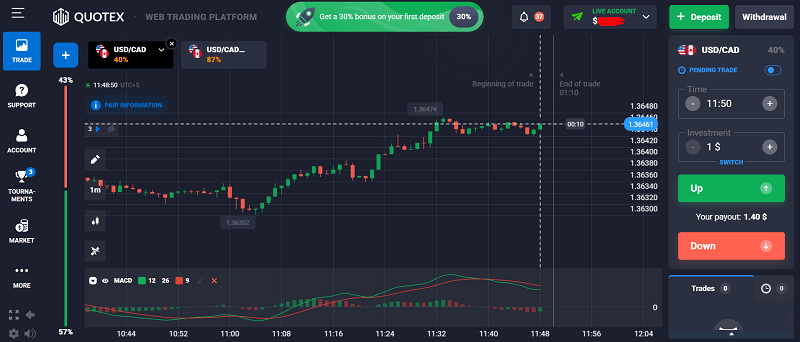
      What Is Pocket Option?

      Pocket Option is an online binary options broker launched in 2017. It offers a simple and intuitive trading platform where users can speculate on price movements of forex, stocks, and cryptocurrencies. With a minimum deposit of just $10, it’s accessible to both beginners and experienced traders.
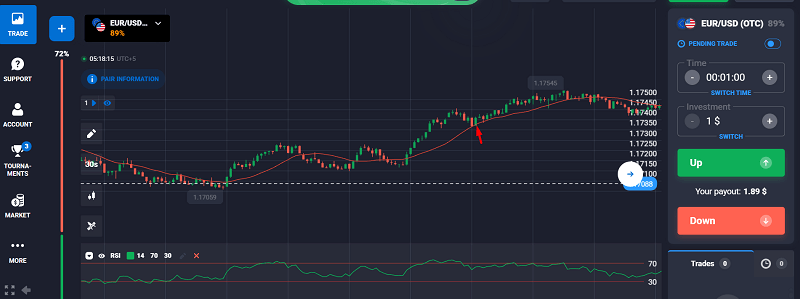
      Key Features:

      • Low Minimum Deposit: Start with as little as $10.
      • Fast Withdrawals: Most withdrawals are processed within 24 hours.
      • Social Trading: Copy top traders automatically.
      • Multiple Payment Methods: Including crypto, e-wallets, and cards.
      • High Payouts: Up to 92% per trade.
      • Demo Account: Practice trading with $10,000 in virtual funds.
      • Bonus System: Offers deposit bonuses and trading rewards.
      • Mobile App: Fully functional on both Android and iOS.
      • Tournaments & Contests: Compete with other traders for extra earnings.

      Get a 50% Bonus on Your First Deposit with Pocket Option

      Is Pocket Option Legit or a Scam?

      One of the biggest concerns traders have is whether Pocket Option is a scam. Let’s break it down:

      1. Regulation & Security

      Pocket Option is operated by Infinite Trade LLC and is registered under the International Ibc Regulation Act (Mwali). While this is not as strong as FCA or CySEC regulation, it provides a level of oversight. Additionally, the platform uses SSL encryption to protect user data, ensuring transactions and personal information remain secure.

      SSL encryption

      2. Real User Experiences

      I scoured Reddit discussions, and Trustpilot reviews, and here’s what traders are saying: I’ve been using pocket options ever since I learned how to trade which was 4 years ago and I never ran into a problem like getting banned. – @Mental_Ganache_9272 (Reddit) “Their payout rates are some of the best in the industry. I’ve made consistent profits.” – Dasari Sam (Trustpilot)

      Dasari Sam (Trustpilot)

      3. My Live Trading Experience

      To test Pocket Option, I deposited $50 and traded live. Here’s a breakdown of my results:

      • Day 1: Opened five trades, made a $12 profit.
      • Day 3: Faced a market reversal, resulting in a $3 loss (learning curve).
      • Day 5: Adjusted my strategy, focusing on high-probability setups.

      Day 7: +$26 total profit (after improving entry timing and using proper risk management).

      My Live Trading Experience

      Overall, my experience showed that Pocket Option is a legit platform, but like any trading site, success depends on strategy, patience, and discipline.

      Learn more about Pocket Option trading hacks.

      How Do Payouts & Withdrawals Work?

      One of the strongest points of Pocket Option is its fast payouts. Here’s how it works:

      • Minimum Withdrawal: $10, making it easy for traders to access their funds.
      • Processing Time: Usually 24 hours, though crypto withdrawals can be instant.
      • Methods: Crypto, Visa/Mastercard, E-wallets (Skrill, Neteller), and Bank Transfer.
      • Fees: No withdrawal fees (except bank transfers which may have third-party charges).
      • Currency Options: Supports multiple fiat currencies and cryptocurrencies.

      💰 Pro Tip: Withdraw profits regularly to secure your earnings and avoid reinvesting all gains impulsively. Also, learn the best time to trade.

      How Do Payouts & Withdrawals Work

        The Best Way to Know If Pocket Option Is Right for You? Try It.

        Reading reviews is smart—but nothing beats trying it yourself. With Pocket Option’s demo, you get to experience the platform, test strategies, and build confidence.

        🎯 No commitment, no risk

        🎁 Go live and get a 50% welcome bonus

        👉 Start your journey here with a free Pocket Option demo account

        Pros & Cons of Pocket Option

        Pros:

        • High payouts (up to 92%)
        • Fast and reliable withdrawals
        • User-friendly platform (great for beginners)
        • Accepts crypto deposits
        • Free demo account
        • Different account types
        • VIP accounts with many privileges
        • Low minimum deposit requirement ($10)
        • Social trading features to copy experienced traders
        • Multiple trade types, including turbo and one-click trading

        Cons:

        • Not regulated by top-tier authorities (FCA, CySEC)
        • High risk (binary options are inherently speculative)
        • Limited advanced charting tools compared to MetaTrader platforms
        • Bonuses come with trading requirements before withdrawal

        FAQs

        1. Can you make money with Pocket Option?

        Yes, but like any trading platform, it requires skill and risk management. Many traders make money by following a disciplined strategy, analyzing trends, and avoiding over-leveraging.

        2. Is Pocket Option available in the USA?

        Yes, but regulations vary by state. Always check local trading laws before signing up.

        3. What’s the best Pocket Option strategy?

        • Trend Trading: Follow price trends using moving averages and RSI.
        • Support & Resistance Levels: Identify key zones where price reacts strongly.
        • Martingale Strategy: High risk, but effective when used with caution.
        • Candlestick Patterns: Recognizing bullish and bearish reversals for accurate entries.
        • Social Trading: Copy successful traders’ moves for passive profits.

        Final Verdict: Is Pocket Option the Best Broker for You?

        Pocket Option is one of the best binary options brokers for beginners and experienced traders looking for high payouts, a simple platform, and fast withdrawals. While it has risks, it’s a legit platform with thousands of satisfied users worldwide. Recommended for:

        • Traders who prefer quick, high-return trades
        • Those looking for a user-friendly platform
        • Crypto traders (since it accepts BTC, ETH, USDT, etc.)
        • Users interested in social trading to learn from experts

        Not recommended for:

        • Traders who need top-tier regulation (FCA, CySEC)
        • Those who don’t like high-risk trading
        • Investors looking for long-term, lower-risk investments (e.g., stocks, ETFs)

        Ready to try it out? Sign up for a free demo account here!

        How I Make $500/HR Scalping Stocks on Pocket Option

        LIVE Crypto Trade Profiting Over $1000 in 9 Minutes

        Advanced Moving Average Strategies to Make $500/HR | Real-Time Scalping Tips

        LIVE Trading Cryptocurrencies to Make $500HR

        Live Trading Breakdown: How I Made $478 in Minutes Using Scalping Strategies

        Scalping Secrets: How I Make $528HR. The Best Timeframes and Markets to Trade.

        Making $1500 in 15 Minutes with Support and Resistance Recording